fxDreema

    • Register
    • Login
    • Search
    • Back to the main page
    • Categories
    • Recent
    • Tags
    • Popular
    • Search
    1. Home
    2. jstap
    3. Posts
    • Profile
    • Following 2
    • Followers 222
    • Topics 37
    • Posts 9382
    • Best 1086
    • Controversial 23
    • Groups 0

    Posts made by jstap

    • RE: I want to get the average price between the 2 prices shown in the Standard Deviation indicator

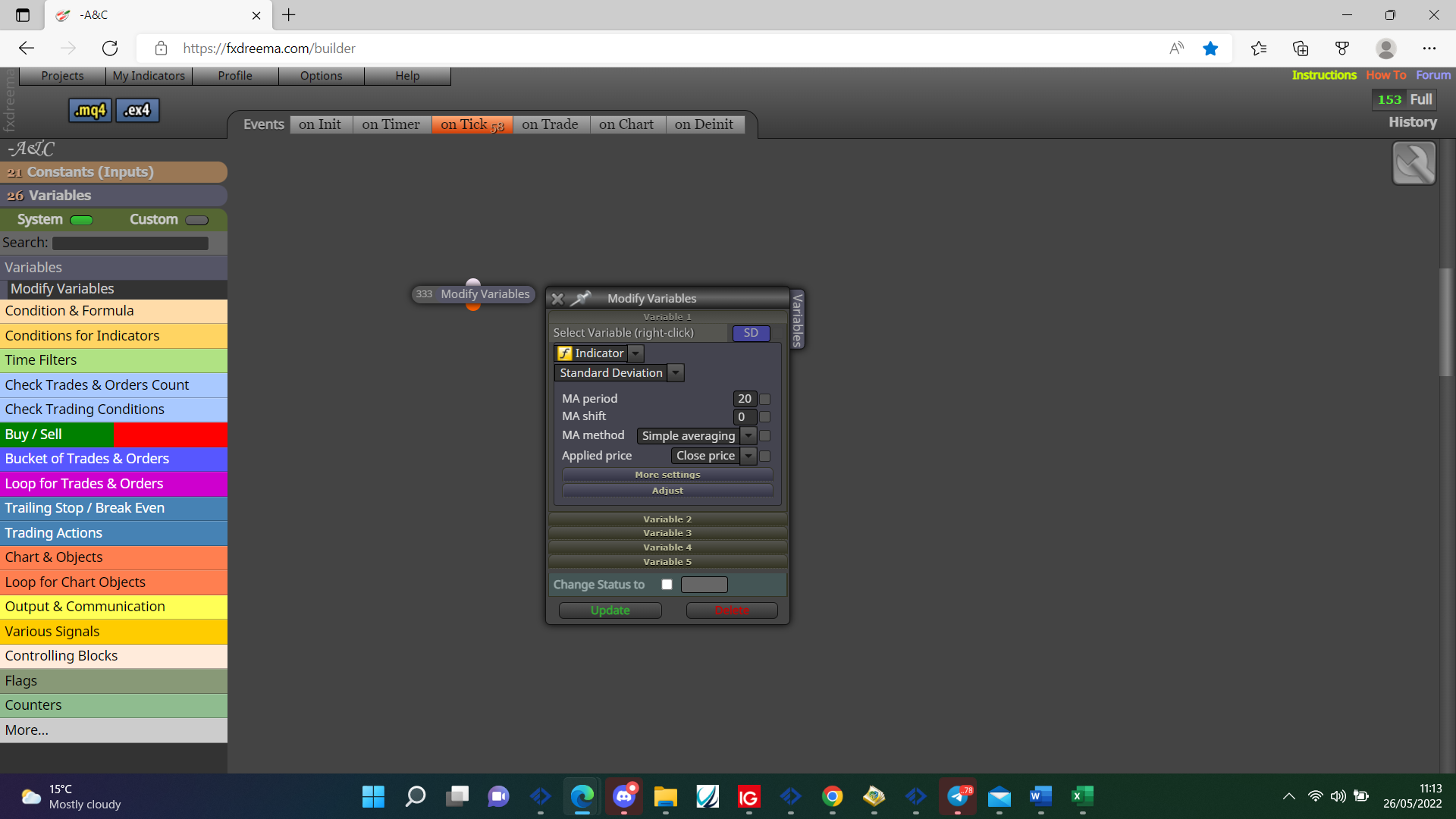
      @ontradingx So if it's standard deviation then putting it in a variable should give you the current value, by using candle ID you should get the value for a specific point in time, if you want a specific time for a value you will need to record the candle ID when price is reached, otherwise use time/ID to check value.

      0_1653560334623_4187cf8b-3107-418e-8e1f-72192ed5aefa-image.png

      posted in Questions & Answers
      jstap
      jstap
    • RE: I want to get the average price between the 2 prices shown in the Standard Deviation indicator

      @ontradingx Put the indicator here and I'll have a look.

      posted in Questions & Answers
      jstap
      jstap
    • RE: Automated distance calculation. How to make?

      @ontradingx If you have the value for each line, high - low will give you the distance.

      posted in Questions & Answers
      jstap
      jstap
    • RE: How do I get my EA to buy when the 405 EMA is pointing up?

      @azinversiones @l-andorrà is correct this is a very specific terminology and quite personal, the simplest way is MA previous candle ID is below (<) MA current candle ID, reverse for down.

      posted in Questions & Answers
      jstap
      jstap
    • RE: Count number of bars using trade open details NOT variables

      @tommy78 If you use a pink for each block then in modify variable block with in loop and candle ID you should always have the trade open candle ID even if EA has been switched off and on.

      posted in Questions & Answers
      jstap
      jstap
    • RE: How to stop trades once reached take profit

      @lucky930 Use a condition block profit >= 10 as value with a close block beneeth

      posted in Questions & Answers
      jstap
      jstap
    • RE: Get ID for oldest candle on chart

      @nk0815 You could use this in custom code

      CANDLES = WindowBarsPerChart();

      CANDLES is a int variable, this will contain all the visible candles so if you zoom in or out it will change.

      posted in Questions & Answers
      jstap
      jstap
    • RE: CLOSE ALL TRADES

      @blunt What depicts your price level?

      posted in Questions & Answers
      jstap
      jstap
    • RE: Martingle EA on Both Side With lot multification

      @ashu-0 When buy is placed place sell pending by teeing off the same block and using custom price with the pip value in, on trade tab put a purple trade created block with the buy pending underneath.

      posted in Questions & Answers
      jstap
      jstap
    • RE: I want to get the average price between the 2 prices shown in the Standard Deviation indicator

      @ontradingx Vertical is the same as candle ID, the indicator likely has a buffer containing the horizontal value.

      posted in Questions & Answers
      jstap
      jstap
    • RE: EA to close all trades

      @blunt The close block will do this, select any symbol and all manually and auto opened, you will need some sort of logic above so bot knows when to close.

      posted in Questions & Answers
      jstap
      jstap
    • RE: ATR pips

      @mcvinbabas When you right click in a block you'll have the option to select a variable, one is the ATR value in pips the other is the multiplied ATR value in pips.

      posted in Tutorials by Users
      jstap
      jstap
    • RE: pending order based on candle + ATR

      @andrewfrank In the adjust box put -ATRPX pips, in the offset box it already adjust's + or - depending on weather a buy or sell.

      posted in Questions & Answers
      jstap
      jstap
    • RE: pending order based on candle + ATR

      @andrewfrank Picture 1 you don't need pips because it is already contained in the section, so picture 2 would be correct.

      posted in Questions & Answers
      jstap
      jstap
    • RE: how to make an EA for multiple order

      @amaries As is as soon as a trade is placed so pending will be placed, your blocks on trade will activate, so as I said before you need separate trees so pending's are not connected under buy/sell, if you want to wait after placing trades your logic needs to work to reflect this.

      posted in Questions & Answers
      jstap
      jstap
    • RE: Custom MQL code to start a loop

      @nk0815 Yes your right, try this https://fxdreema.com/shared/a3nHBfaFd will show in the comment the candle ID's so you can count and see if the correct candles are recorded, you could then use the adjust to find the high/low in a range of the object.

      posted in Questions & Answers
      jstap
      jstap
    • RE: Custom MQL code to start a loop

      @nk0815 If your indicator is only recognised by colour when it appears I would record the candle ID and start counting once per bar.

      posted in Questions & Answers
      jstap
      jstap
    • RE: how to make an EA for multiple order

      @amaries no position, no position/order and for each should be the start of separate trees, blocks except for a few don't work under a buy/sell block, any block under a no position block will not work once a trade has been created, correct this and see what's working

      posted in Questions & Answers
      jstap
      jstap
    • RE: Custom MQL code to start a loop

      @nk0815 Use multiple blocks, each block only passes when true so when all conditions are true the next block activates.

      posted in Questions & Answers
      jstap
      jstap
    • RE: How to stop trades once reached take profit

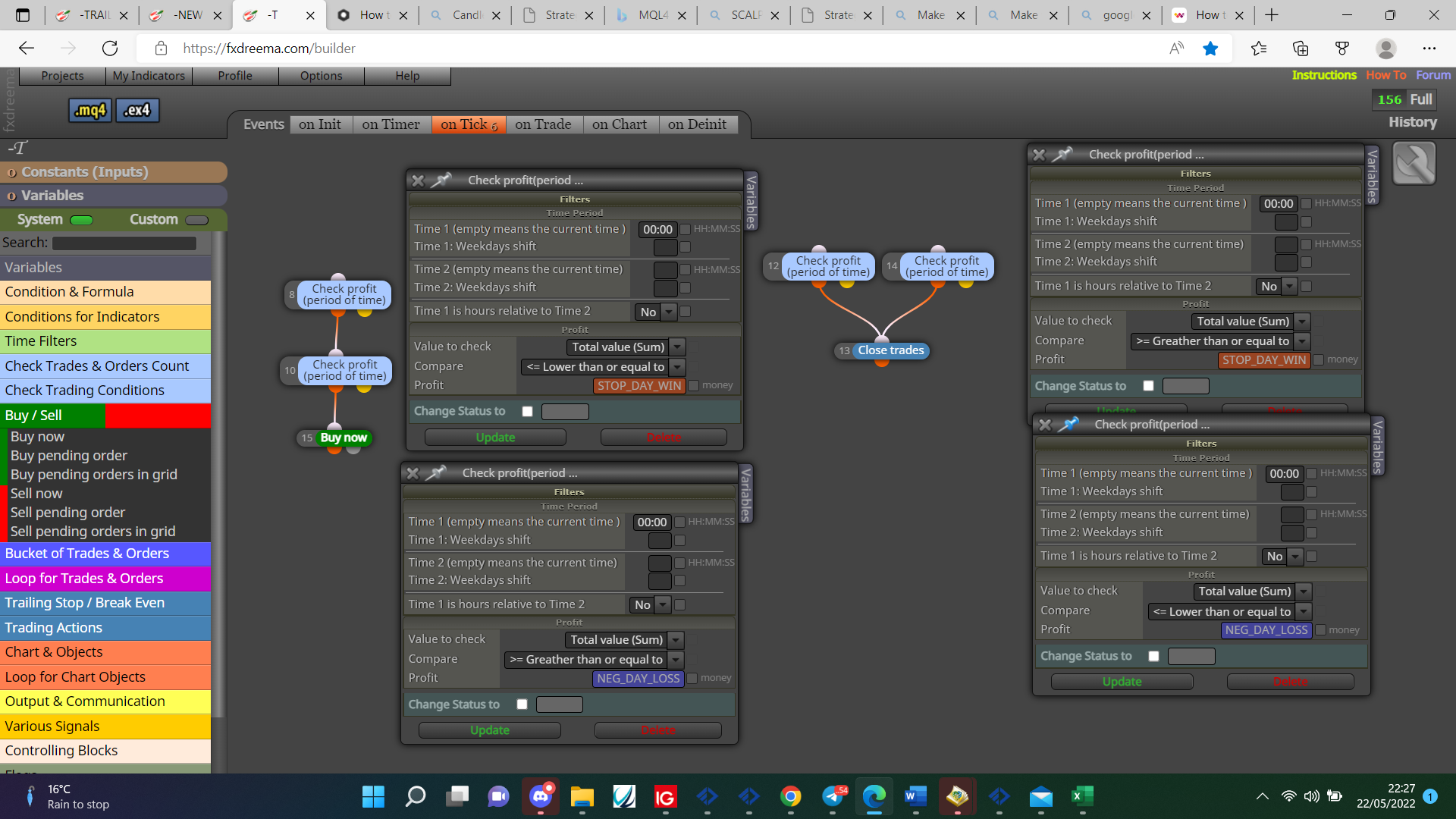
      @lucky930 You want somthing like this:

      0_1653254893253_914a49e0-2d95-42f4-9498-3fe76c66f378-image.png

      posted in Questions & Answers
      jstap
      jstap
    • 1
    • 2
    • 335
    • 336
    • 337
    • 338
    • 339
    • 469
    • 470
    • 337 / 470