@uriel-0 I have never noticed the opposite stop being modified is switched off.

@uriel-0 I have never noticed the opposite stop being modified is switched off.
@gajus Your no trade block should limit to only 1 trade, using market properties and candle ID you can get the high and the low candle, high - low will give you the distance.
@mflo05 Every time there is a bull candle record the size into a variable, use pink blocks and a formula block to get the current sl in pips subtract the candle size and modify stops to the variable size.
@uriel-0 @l-andorrà is likely correct and it's your broker SL distance causing the problems, put this https://fxdreema.com/shared/GSxg4EXie in your project and it should tell you the minimum SL points distance for the asset your on.
@atomicmak I do not know if it's possible to add SL in $ but you can close at a $ amount, as for adding buttons Search for
@mirro1360, you will find all needed to add buttons.
@tyler76 On trade tab, purple trade closed block, blue check profit last closed, pink for each closed trade block, formula block with in loop, last lot size added to a variable (of your choice), put into the same variable. As for how many losses before entering a trade this is something you need to decide, have a tree to entre this trade when your conditions are met, then use this variable in the fixed lot section and use a different group number so this can be controlled seperatly.
@uriel-0 This is the basic idea:
https://fxdreema.com/shared/PGKMvZuNd
The bool is the same but you have to set variable and use modify block to change.
@uriel-0 You could set a flag or bool condition to false on a bull/bear candle, then set to true on the opposite and place in your buy/sell tree, join your conditions to this principle, you could also use the yellow outputs to set to false until conditions are true.
@uriel-0 This can be done by counting the candles after the buy/sell happens, groups would need used with different variables if more than 1 trade of the same type is placed:
@youngtreptrader Often it makes no difference, if something needs to happen before something else though it will likely need a lower number.
@bigape You can try the pink blocks, for each pending order > close, it says it closes immediately, so may loop from 1 to the next and close quickly, give it a shot.
@tburg10 Maybe I would just put them in the MQL4 - indicators folder.
@bigape In the on trade tab add these blocks, and this should be what happens.
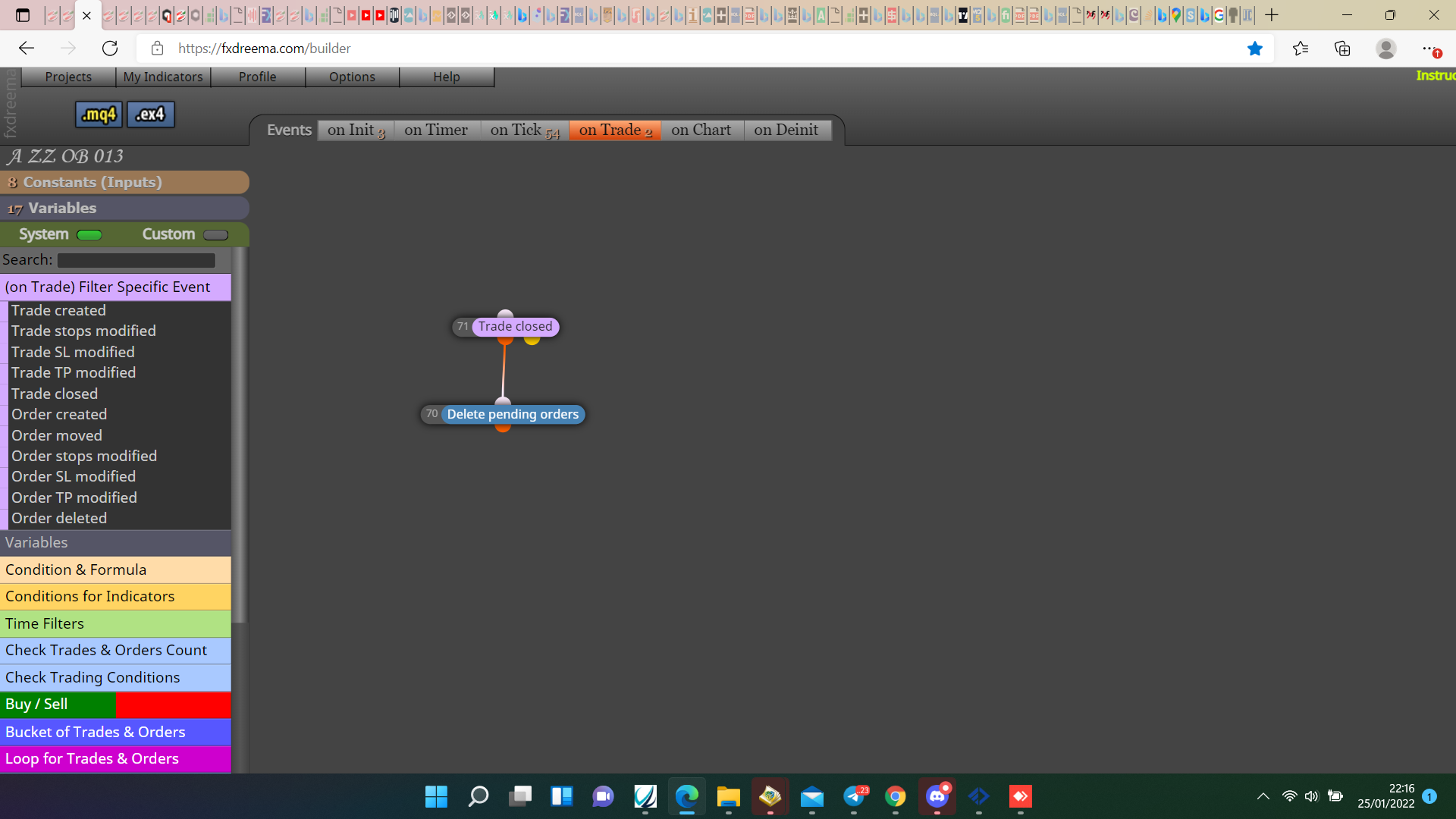
@tburg10 Is hard to check without the indicator to test, generally you need to have the text only drawing once but redrawing, this will allow the text to redraw but not print on top of itself and limit how many arrows are printed.
@ortiz In HERE you will see how to do the basic, get working with your desired settings, once working if you want to add other trades put a shared link here to look at.
@marcussmale The principle is simple, as I put in my last post you have the general setup, create this test on back test, any problems put a shared link here so reasons can be assessed, if conditions are on tick then as soon as EA is added to chart trade will activate on next tick.
@ortiz A trailing stop block with a pass or if trade block will make stop follow price, RSI X> or X< value 85 will enable second condition, to open new trades I would use another tree with different group number. Try this, any remaining problems put a shared link here and say the problems your having.
@marcussmale Not sure what you are asking, no position/trade block>your required conditions>buy/sell block, your magic number will decide what trades EA places/controls.