
Posts made by jstap
-
RE: CHAIKIN OSCILATOR EA - EA WITH CUSTOM INDICATOR NOT RUNNING.posted in Questions & Answers
@musa-5 The logic here is just to have these numbers in the inputs so you can change, or have optimisation changing for you. As for not running on demo I cannot help as is running on my back test, have you defiantly got the indicator in the correct folder? If not the back tester will stop.
-
RE: Hello, Please how can I creat my EA by using Hull Moving Averageposted in Questions & Answers
@el-madrari-said From what I know you cant, if you have a custom indicator that sends the relevent information to the buffers you could use that.
-
RE: CHAIKIN OSCILATOR EA - EA WITH CUSTOM INDICATOR NOT RUNNING.posted in Questions & Answers
@musa-5 To be fair I was running on 1 m chart so probably seemed bigger than it was, was probably the lot size. If you click my link, press the EX button import back into FX you get the project as is, look and see, if you struggle with any thing I will explain.
-
RE: CHAIKIN OSCILATOR EA - EA WITH CUSTOM INDICATOR NOT RUNNING.posted in Questions & Answers
@musa-5 This is back testing for me, the close could be a bit big though'
In HERE is your project I just added a comment to see the number and added constants to change the close level.
-
RE: CHAIKIN OSCILATOR EA - EA WITH CUSTOM INDICATOR NOT RUNNING.posted in Questions & Answers
@musa-5 If placing trades then all is working, I see no issues with what you have done, if you have a problem with what it's doing just ask why and help can be diven.
-
RE: ZigZag compare H1 vs H2 and L1 vs L2posted in Questions & Answers
@fideld003 3 Glad you found what was needed.
-
RE: Alert not mentioning chart symbolsposted in Questions & Answers
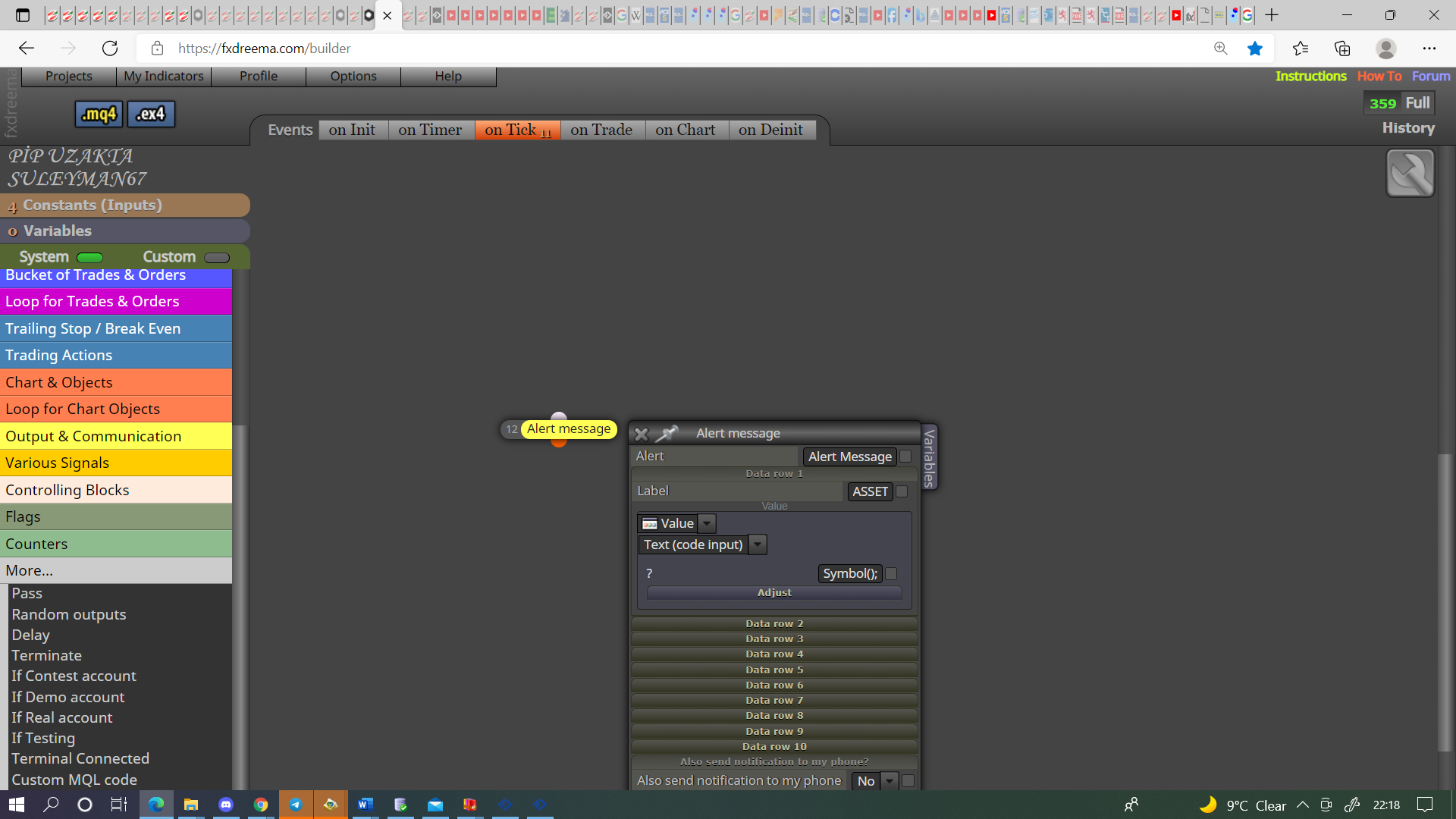
@haikel I do not know how to open chart from alert, but someone that understands can do so with custom code (at least that is what I assume). This will put the chart it is placed on but to customise for each symbol is a little harder. Symbol()+variable/constant name; will put symbol & what is in the variable/constant in the alert, you could then change this for every chart you place EA on, needs to be in as a string for text.
-
RE: Buy-Sell when arrow of the indicator appears Not Workingposted in Questions & Answers
@pickay This should work, are you sure it appears on candle 1? When it appears the buffer value will change, this is what gives the signal, maybe use indicator visible block, this has the candle id selection as the normal settings.
-
RE: Alert not mentioning chart symbolsposted in Questions & Answers
@haikel You have nothing inside the alert block.
-
RE: Applied price to another indicator's data?posted in Questions & Answers
@moobee101 Not that I know of.
-
RE: Applied price to another indicator's data?posted in Questions & Answers
@moobee101 The only thing you can do here is check an indicator is behaving as wanted, then check another, you will find indicators that do this on google, this can then be used in dreema.
-
RE: sell buy 2. start trading just buyposted in Questions & Answers
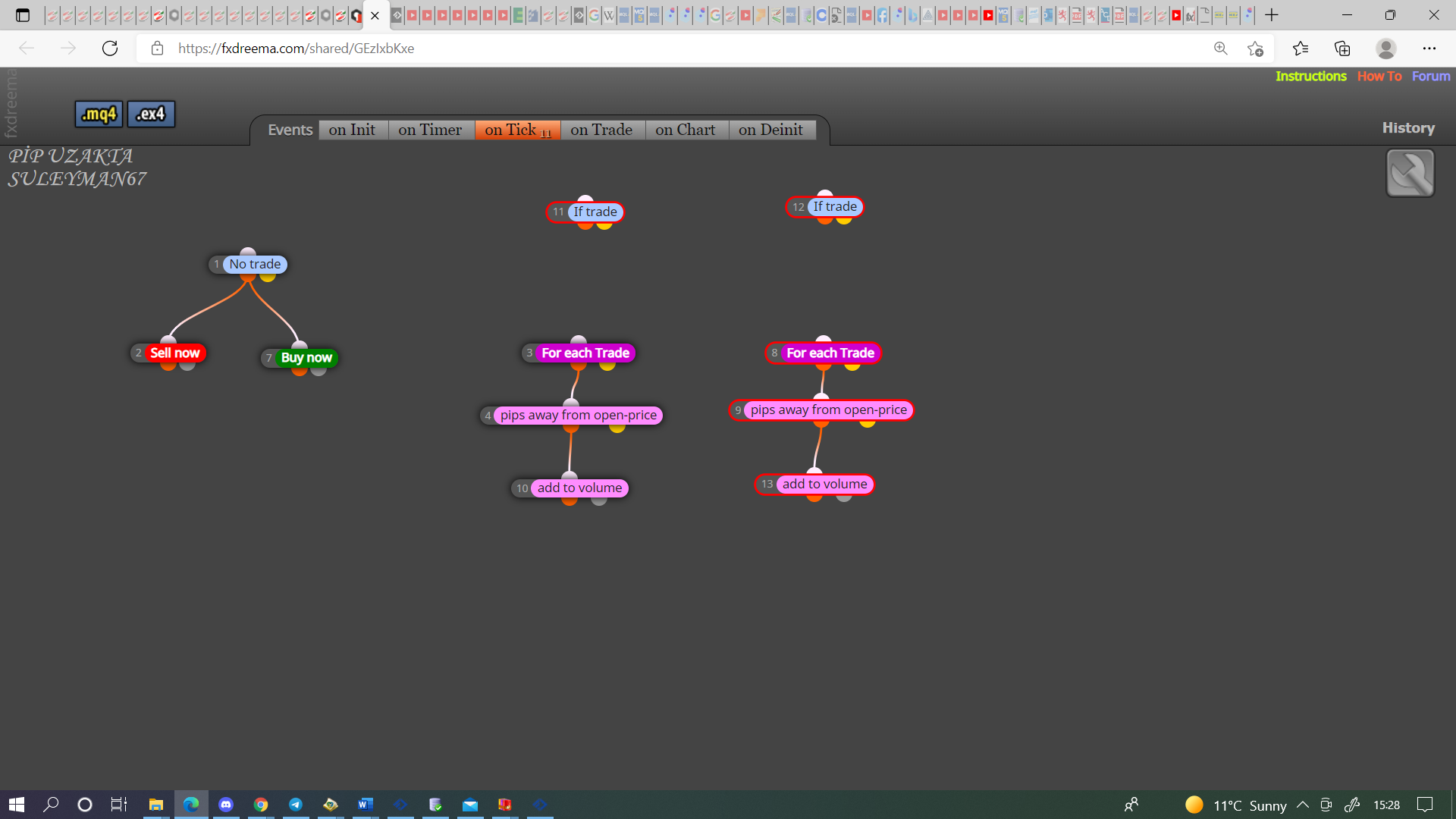
@suleyman-0 You will want to do something like this, I have never used martingale so I do not understand it:
-
RE: sell buy 2. start trading just buyposted in Questions & Answers
@suleyman-0 You don't need the if trade for pink blocks, I would have a pink tree for sells and one for buys.
-
RE: sell buy 2. start trading just buyposted in Questions & Answers
@suleyman-0 There is various ways to do this, pink blocks, condition blocks, using groups, when you post the shared link problems can be assessed.
-
RE: sell buy 2. start trading just buyposted in Questions & Answers
@suleyman-0 The builder page is not the shared link.
-
RE: Help with custom indicatorposted in Questions & Answers
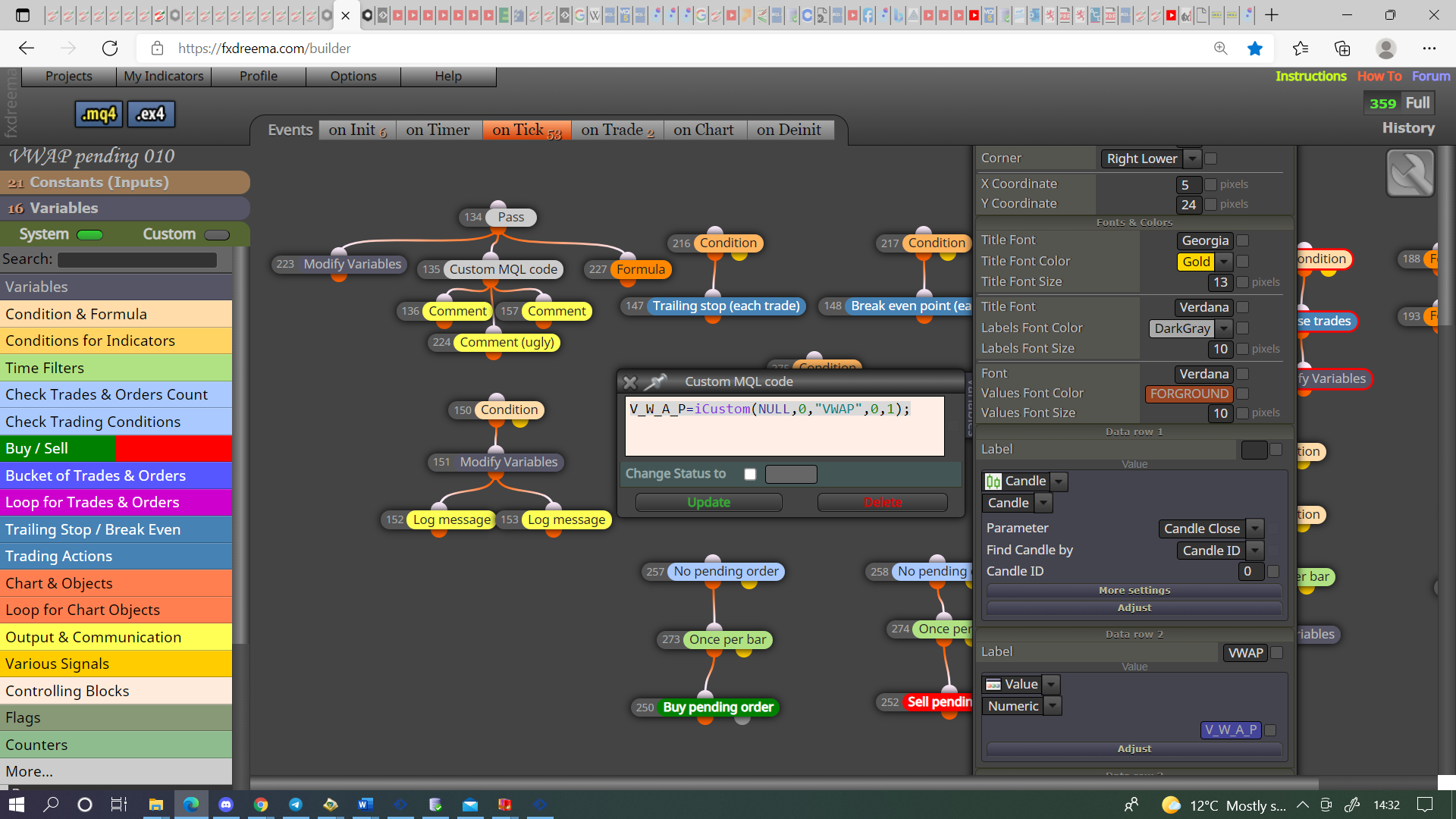
@alex81 These are not the buffers used in FX, they are the buffers from the data window, sometimes they match sometimes not, this is why I advised to put the buffer data into a comment block, this shows the data FX can use.
If this code: V_W_A_P=iCustom(NULL,0,"VWAP",0,1); is put into a custom code block then the data window information is put into the V_W_A_P variable the 0,1 relates to the data place in the data window.
-
RE: Help with custom indicatorposted in Questions & Answers
@alex81 If empty values then the buffers probably don't contain relevent data, I would put this into a comment so I can visually check what it contains.
-
RE: My EA ONLY works on "'Jump 10"' but not any other instrument.posted in Questions & Answers
@tashab This is how I would do it, as long as your SL/TP settings work with your broker I see no issues.