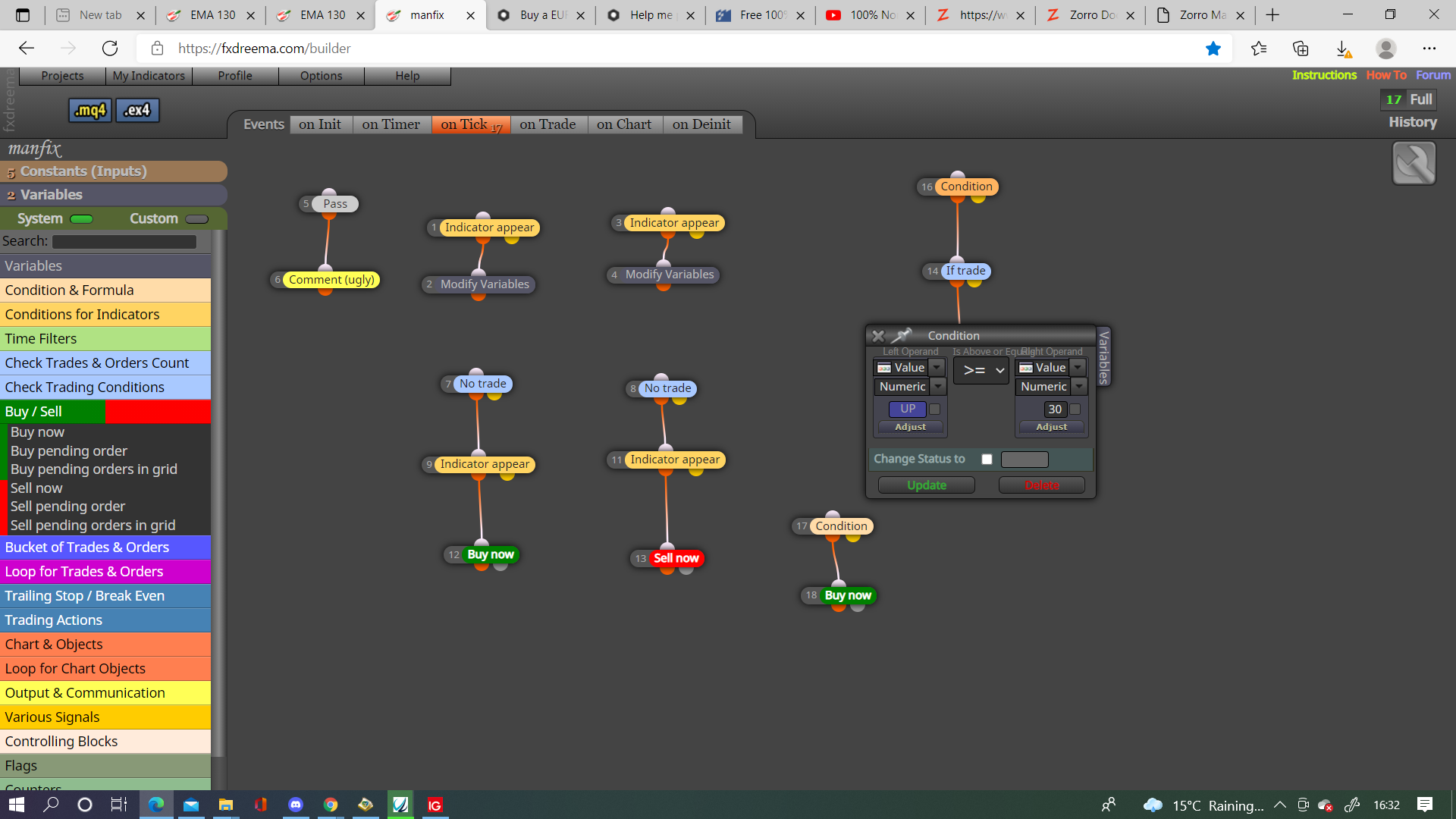
@jpsam To be honest people probably don't understand what you are requiring from your question, what you have asked has no difference on creating an EA so your answers will be few.

@jpsam To be honest people probably don't understand what you are requiring from your question, what you have asked has no difference on creating an EA so your answers will be few.
@nmbruno In this link you can see how to put the current symbol into a variable, and how to take the first 3 and last 3 and put them into separate variables, using these principles you should be able to do all you require, it doesn't whether the starting point is a constant or variable just make sure their named differently. Hope this helps
It means if condition of block is true activate the next block.
@r1ley You only have a candle close on 0 for a split second, change to candle 1 and see if it helps, I would use < rather than x as your looking for the close price level to be below the BB price level, change the trailing block to a for each trade trail, you have no group trades being created so no need for group trail block.
@r1ley Go onto projects (top right), crate a shared link, open in web page, copy and paste into link.
@abbas3 The free is limited to connections, if it gives EA then it is a problem with the logic, create a new thread and ask a question, then questions can be answered.
@kelte81 You will get errors in both, warnings don't matter so much and probably wont cause a problem, in your editor go to the place of the error, find the block that is causing the error, go to Dreema and correct the problem, quite often 1 issue will cause many errors, work through the code until all issues are sorted. If you use the EX4 button then the errors will appear on screen, until you fix the last error then you will get the EA to test.
@didymario7 Go onto on trade tab and entre blocks as in picture.
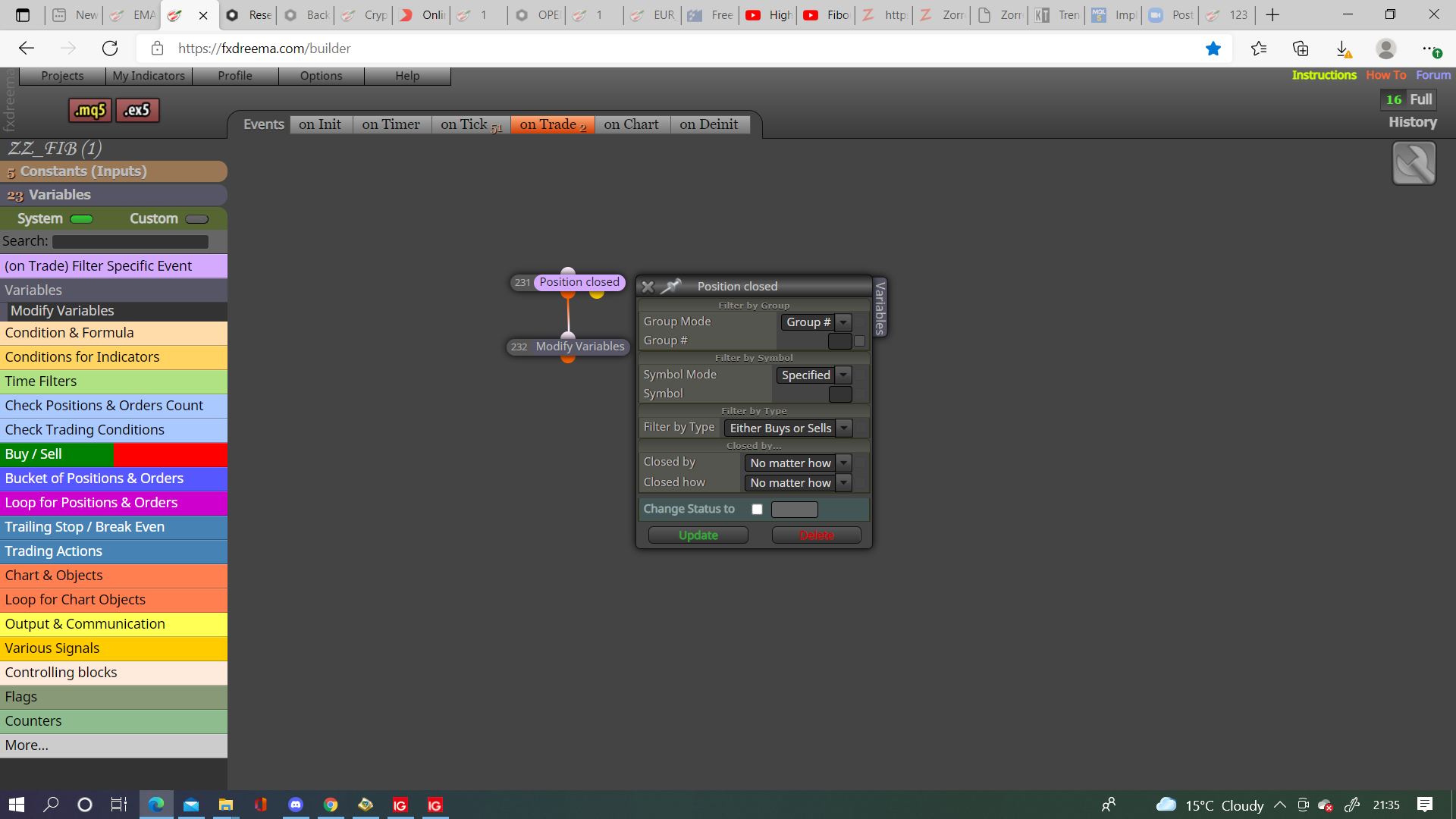
@jordanmarvelley Go onto the on trade tab, purple trade closed by sl block, under place a buy/sell block.
@johann-0 Hi john, c1name as number, c1name1 receiving the number, c1name1 being drawn as text, in anything I have done on FXDreema nothing has worked changing the type, I havent downloaded the file to look at type but, c1name must be a double or int, c1name1 must be a string so I see no way you can put a number into text without converting, I may be wrong but try this and see if your problems are fixed, I would also put all variables into a comment block so you can visibly see what is happening.
@johann-0 I don't have much experience in drawing but you have a numeric variable being put into another then placing value as text, try and change all to text or number, otherwise have a condition if variable1=# put text in variable 2.
@shidayatullahs Have you seen how old this thread is.... in the top post is the shared link to the EA, click it, click the EX button and you will have the EA.
@jordanmarvelley If you are using the add to position block it will keep the original sl, placing a new order is the easiest way to resolve this, you can also move sl if you prefer.
@jordanmarvelley You probably need to use a purple trade closed block on the on trade tab.
I would use this and not pink, this way every time SL is moved to BE a trade will be created.
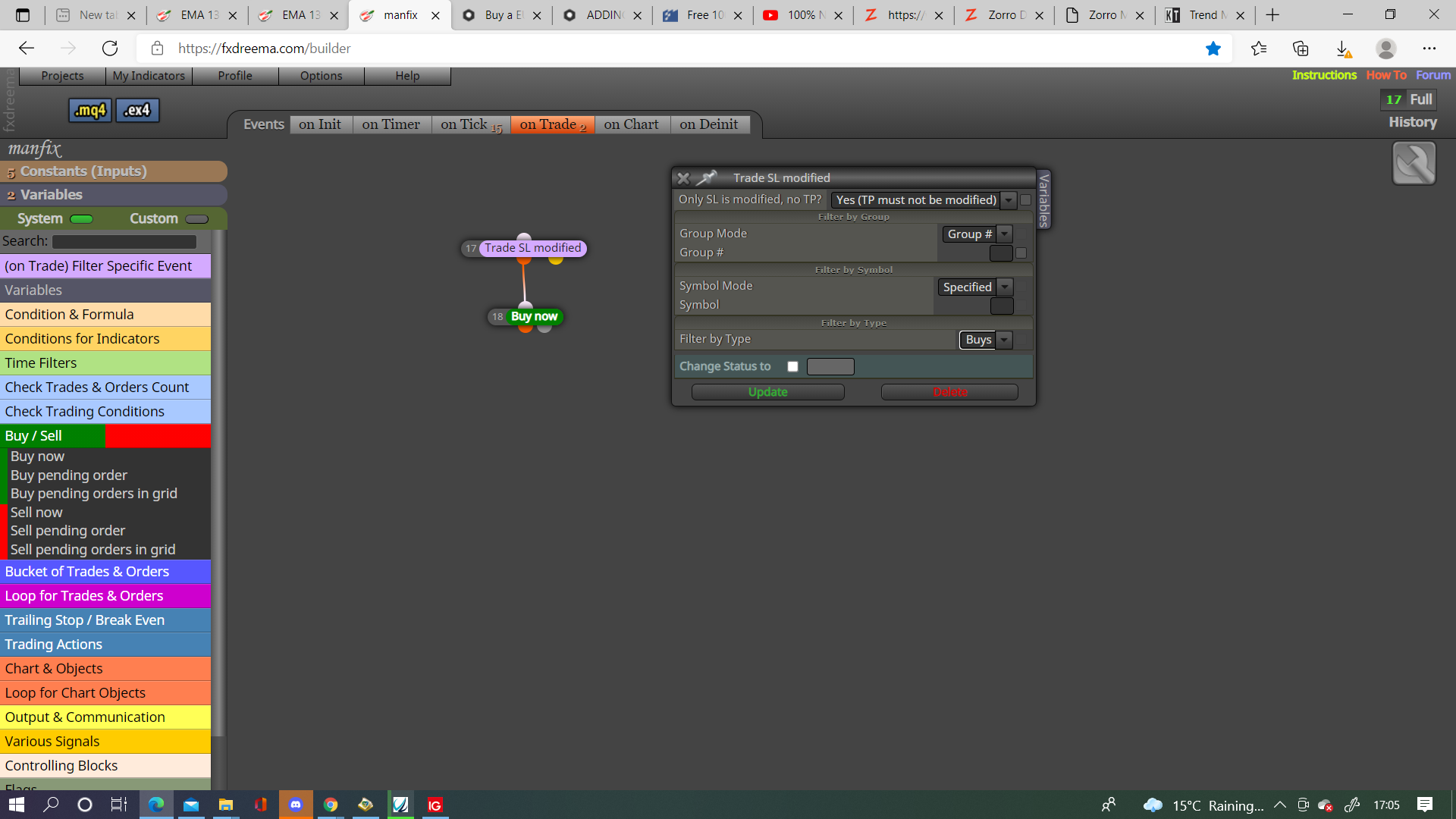
@jordanmarvelley You need to show what it in each block, also is this working from a trade that is already placed?