Add a shared link to look at, normally this has something to do with the no position block.

Add a shared link to look at, normally this has something to do with the no position block.
your condition will always be true. Everything looks normal, my guess is that your broker has this as a stipulation.
Does this happen with just live trading or also while backtesting? If you add a shared link then how you have this EA set can be seen.
So 2 is the open/high/low/close of a candle?
@FX-Gnosis > x.xx will work for when it's in profit, < -x.xx will work for when in a loss
You can't create indicators on FX, but you can mimic similar with an expert adviser, practice and create what you want and then add a shared link to see any problems.
You don't have a K on your picture, but simply 1st decide the new point 2nd move stop to this point
Add a shared link to see what you need to change
check profit (period of time) will look at history trades in a set time
Backtest uses server time, this is the time on upper left above market watch. add or subtract the hours different to your computer time and use this value in your blocks.
@barsa1211 As @l-andorrà has said, it would look something like this, look in block 4 and the variable list: https://fxdreema.com/shared/tBJhynPPd
I don't know anything about the MQL website.
Yes or you could just draw text where you want it, you can change colours in the standard section
It will probably work if you use quotation marks "EURUSD","GBPUSD"
Try this, I haven't tested it, AI has written the code: https://fxdreema.com/shared/BIQYITMQd
You will have to set the times but this should add replace orders back onto your platform
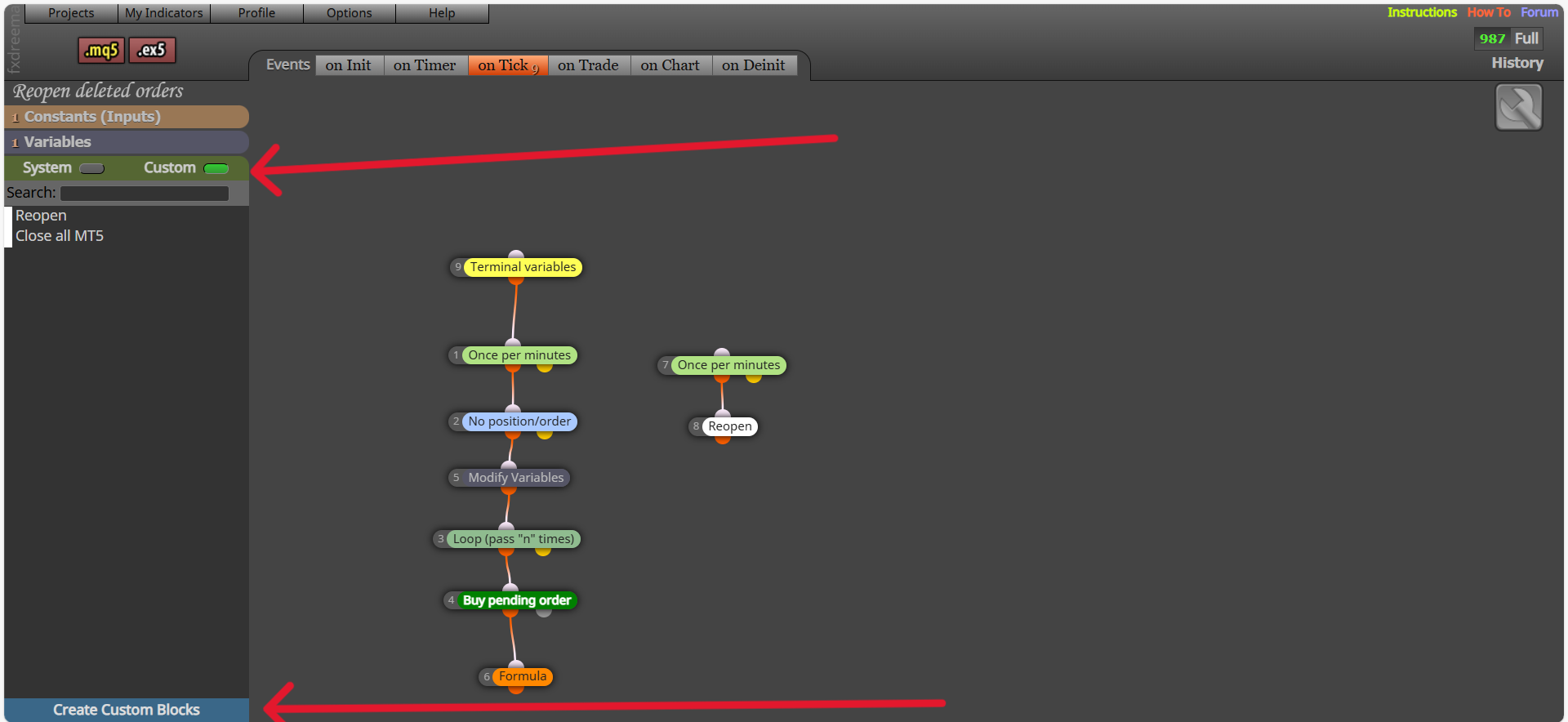
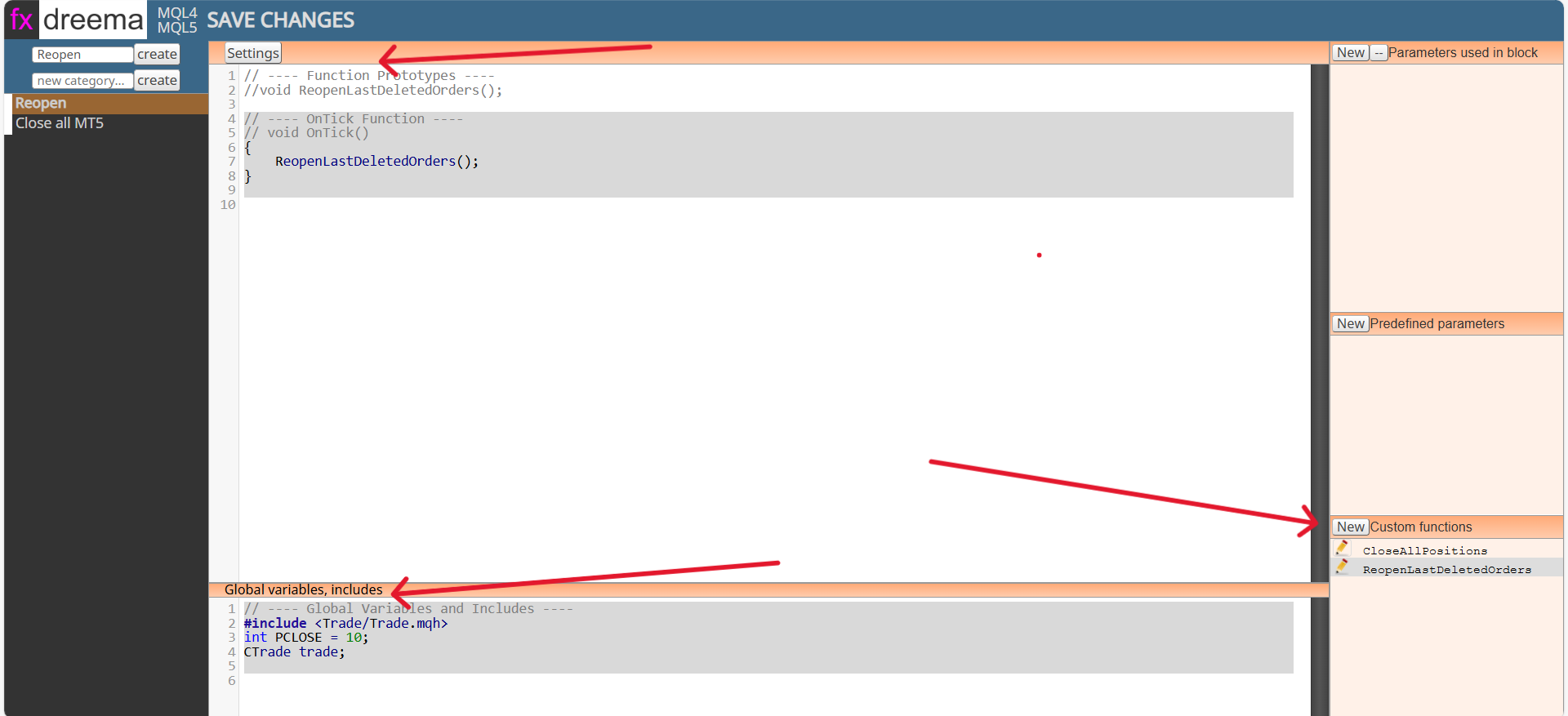
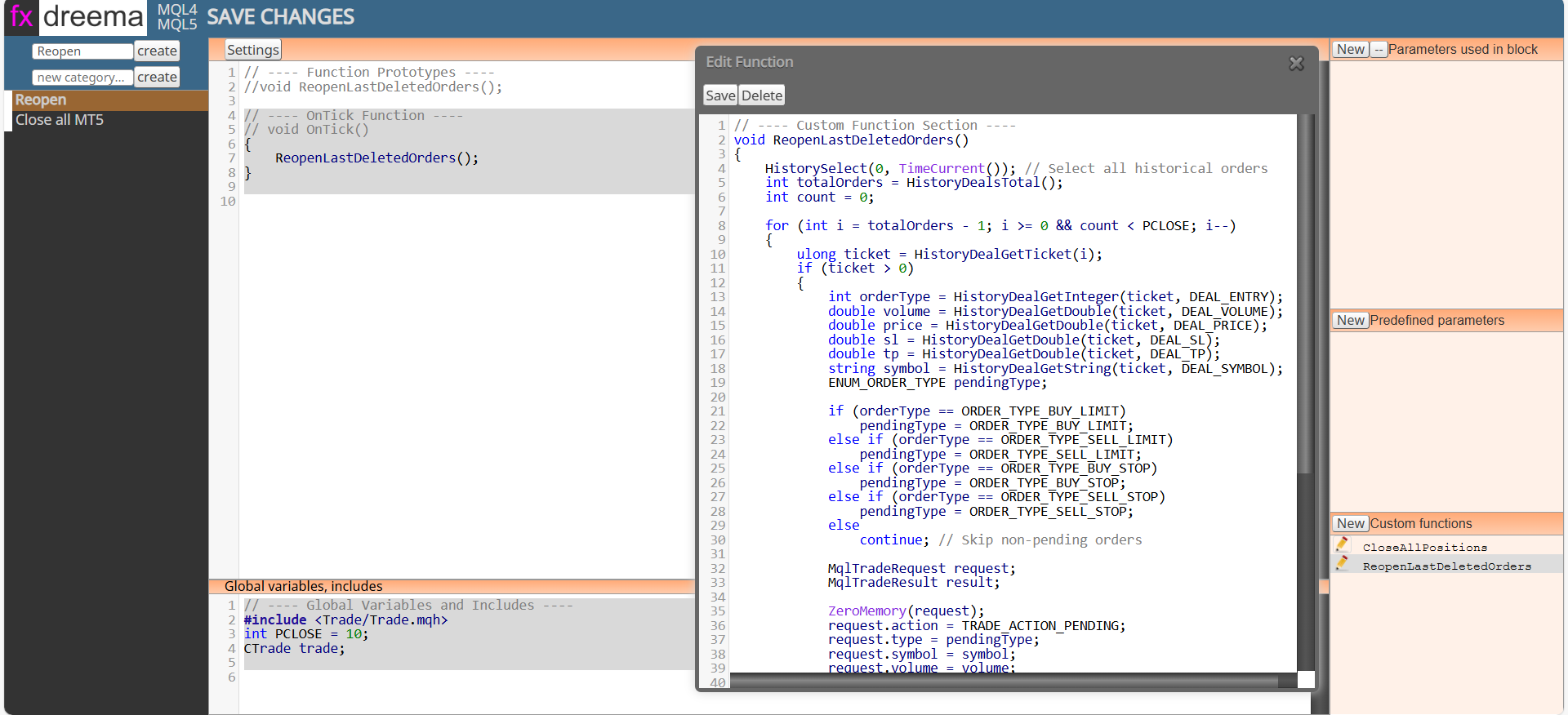
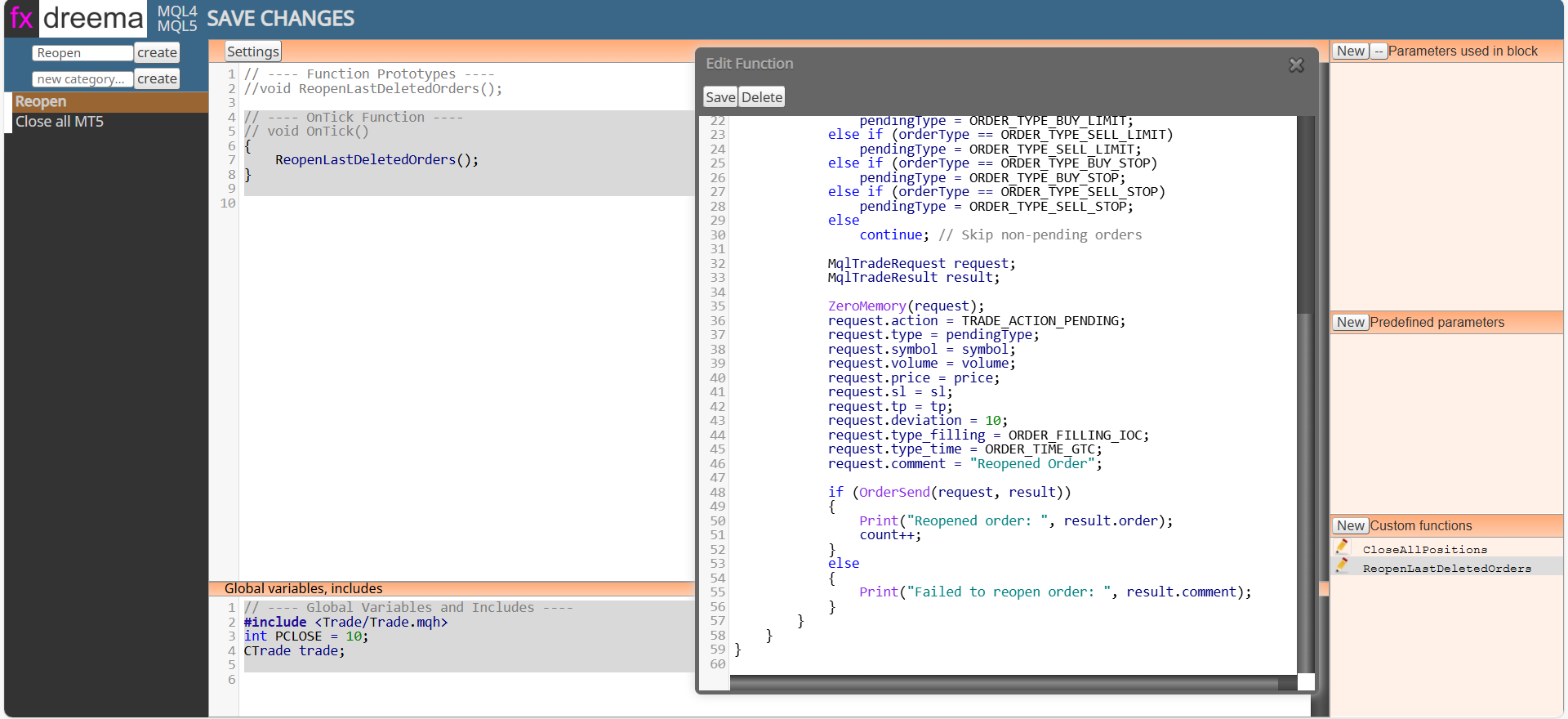
The next pictures and text will show you how to create on FX:
// ---- OnTick Function ----(for this is the main settings section)
{
ReopenLastDeletedOrders();
}
// ---- Global Variables and Includes ----
#include <Trade/Trade.mqh>
int PCLOSE = 10;
CTrade trade;
// ---- Custom Function Section ----
void ReopenLastDeletedOrders()
{
HistorySelect(0, TimeCurrent()); // Select all historical orders
int totalOrders = HistoryDealsTotal();
int count = 0;
for (int i = totalOrders - 1; i >= 0 && count < PCLOSE; i--)
{
    ulong ticket = HistoryDealGetTicket(i);
    if (ticket > 0)
    {
        int orderType = HistoryDealGetInteger(ticket, DEAL_ENTRY);
        double volume = HistoryDealGetDouble(ticket, DEAL_VOLUME);
        double price = HistoryDealGetDouble(ticket, DEAL_PRICE);
        double sl = HistoryDealGetDouble(ticket, DEAL_SL);
        double tp = HistoryDealGetDouble(ticket, DEAL_TP);
        string symbol = HistoryDealGetString(ticket, DEAL_SYMBOL);
        ENUM_ORDER_TYPE pendingType;

        if (orderType == ORDER_TYPE_BUY_LIMIT)
            pendingType = ORDER_TYPE_BUY_LIMIT;
        else if (orderType == ORDER_TYPE_SELL_LIMIT)
            pendingType = ORDER_TYPE_SELL_LIMIT;
        else if (orderType == ORDER_TYPE_BUY_STOP)
            pendingType = ORDER_TYPE_BUY_STOP;
        else if (orderType == ORDER_TYPE_SELL_STOP)
            pendingType = ORDER_TYPE_SELL_STOP;
        else
            continue; // Skip non-pending orders

        MqlTradeRequest request;
        MqlTradeResult result;

        ZeroMemory(request);
        request.action = TRADE_ACTION_PENDING;
        request.type = pendingType;
        request.symbol = symbol;
        request.volume = volume;
        request.price = price;
        request.sl = sl;
        request.tp = tp;
        request.deviation = 10;
        request.type_filling = ORDER_FILLING_IOC;
        request.type_time = ORDER_TIME_GTC;
        request.comment = "Reopened Order";

        if (OrderSend(request, result))
        {
            Print("Reopened order: ", result.order);
            count++;
        }
        else
        {
            Print("Failed to reopen order: ", result.comment);
        }
    }
}
}
To create a block click on custom then create custom block
Settings (on tick) is at the top, includes & global variables is at the bottom, custom functions is on the lower right
Looks like it should work, what is it doing?
Possibly, add a shared link to look at, I rarely use anything on the timer event, I would run it on tick to backtest with first.