condition block, candle 0 close x> or x< MA - close block (add a shared link rather than a MQ or EX file)

condition block, candle 0 close x> or x< MA - close block (add a shared link rather than a MQ or EX file)
My book shows how to do this, a lot of this is personal preference. If you have any questions feel free to ask
pink blocks, for each trade - if you want the price in a variable, modify variable (in loop) trade/order in loop (using this principle, you can get and use this value in many ways)
Buckets don't work the same on MT5 as they do on MT4
You need to use on tick, works better on MT4 to Mt5 though.
@Python12 I keep telegram etc to limited people, otherwise there is too much happening on them
@Python12 Not really interested, but if I have needs for your work I will contact you
This forum is about MetaTrader, if you can do things for people using Python feel free.
I don't know, all I know is set it up on a computer, then you can link and watch on a phone.
This tutorial is how to close all trades at once (this only works on MT5).
1st click on custom, then click on create custom blocks to create a custom block.
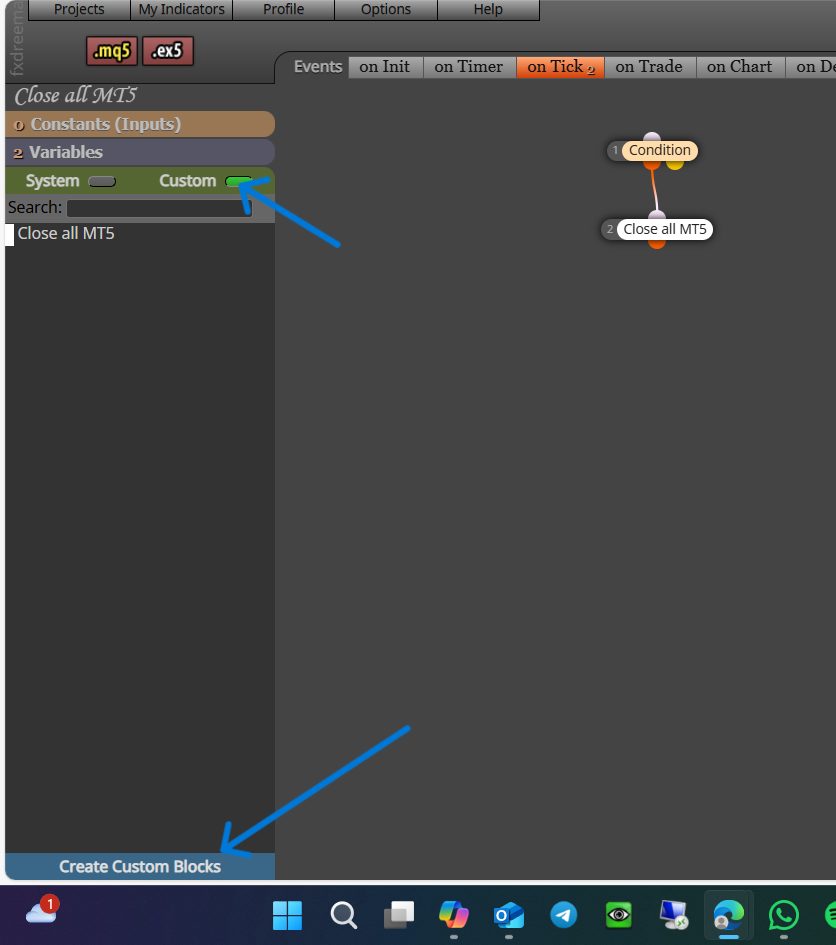
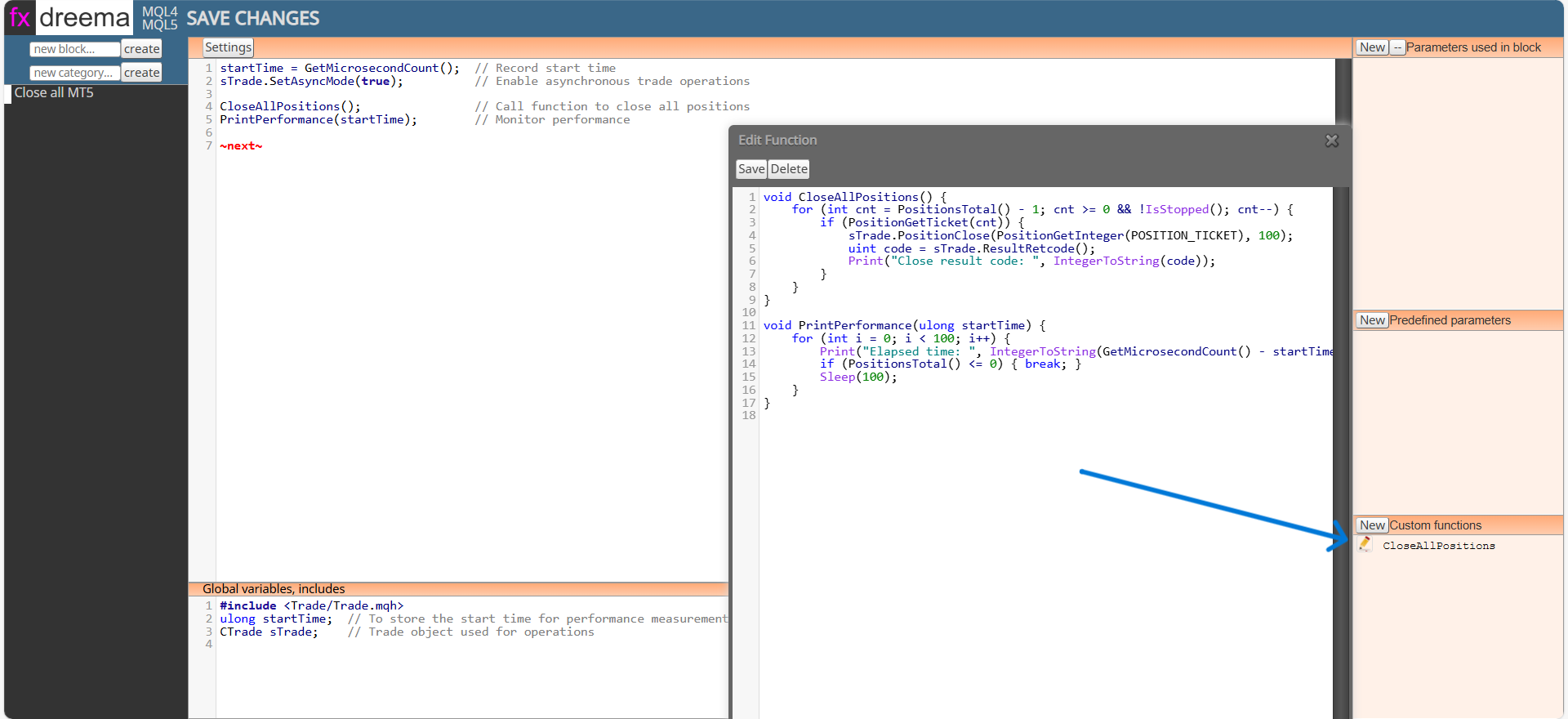
This code is for the first section. This section is classed as on tick because the block is to be used in the on tick tab, it ends with a ~next~ to activate the next connected block:
startTime = GetMicrosecondCount(); // Record start time
sTrade.SetAsyncMode(true); // Enable asynchronous trade operations
CloseAllPositions(); // Call function to close all positions
PrintPerformance(startTime); // Monitor performance
~next~
This code is for the Global variables, includes section:
#include <Trade/Trade.mqh>
ulong startTime; // To store the start time for performance measurement
CTrade sTrade; // Trade object used for operations
This code is for the custom functions section, when added the function will be named from the first line:
void CloseAllPositions() {
for (int cnt = PositionsTotal() - 1; cnt >= 0 && !IsStopped(); cnt--) {
if (PositionGetTicket(cnt)) {
sTrade.PositionClose(PositionGetInteger(POSITION_TICKET), 100);
uint code = sTrade.ResultRetcode();
Print("Close result code: ", IntegerToString(code));
}
}
}
void PrintPerformance(ulong startTime) {
for (int i = 0; i < 100; i++) {
Print("Elapsed time: ", IntegerToString(GetMicrosecondCount() - startTime), " microseconds. Open positions: ", IntegerToString(PositionsTotal()));
if (PositionsTotal() <= 0) { break; }
Sleep(100);
}
}
You can't create a mobile EA, you can create to work on a pc, so by running it on a VPS then using a mobile to watch what's happening.
Good point, I think you need to add ~next~ into the 1st section like this:
startTime = GetMicrosecondCount(); // Record start time
sTrade.SetAsyncMode(true); // Enable asynchronous trade operations
CloseAllPositions(); // Call function to close all positions
PrintPerformance(startTime); // Monitor performance
~next~
void OnStart() will not work in FX so just delete, when you compile what errors are you getting?
The price value on the right of the chart, current price/candle price/etc is this value, for anything to cross it has to have a level to cross, test by doing this, on backtest put a price number from the right of the chart and watch how this reacts. Then you can use this principle to get your main project working.
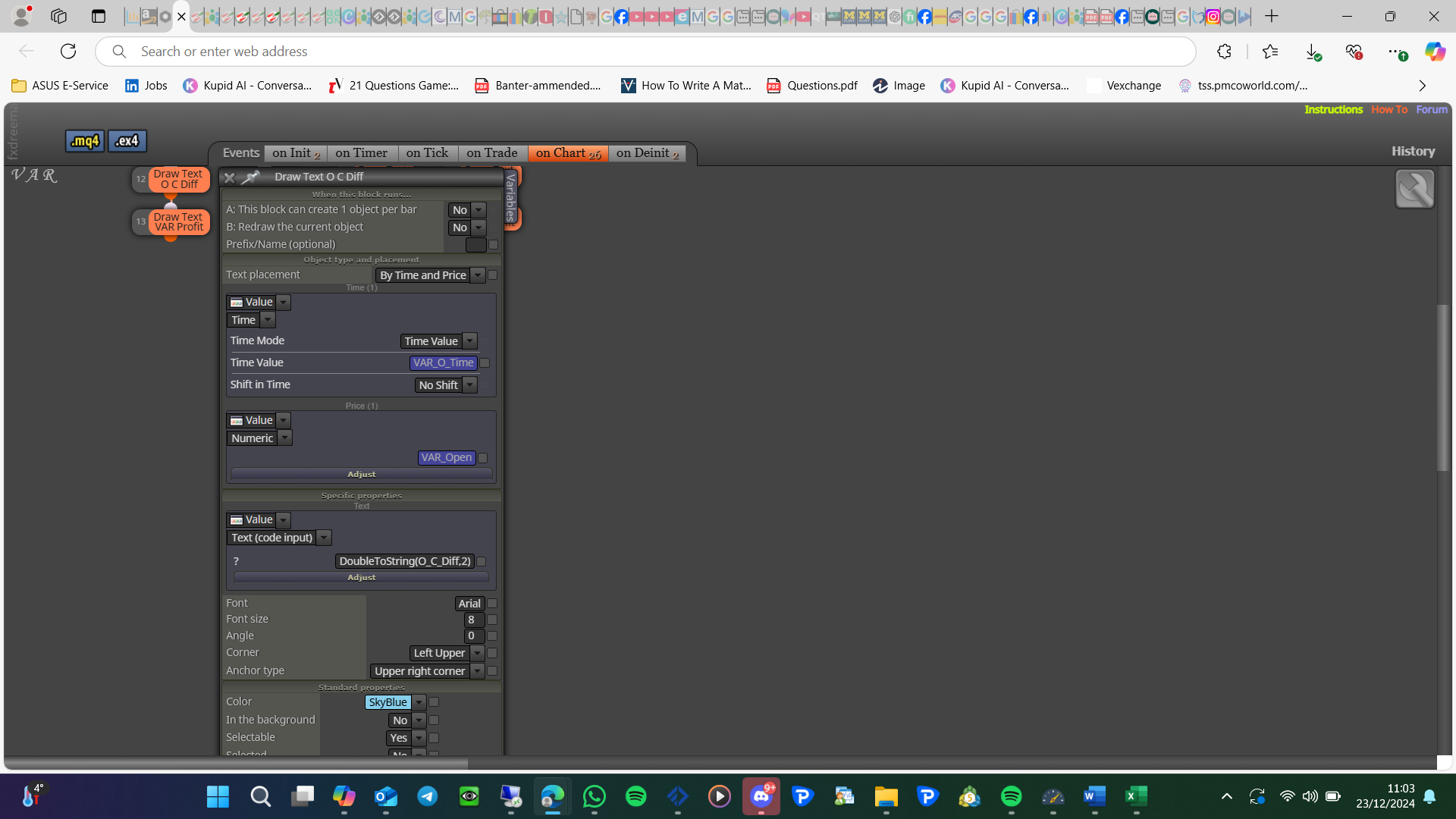
To limit to 2 decimal places do this: DoubleToString(O_C_Diff,2)
What do you mean by check how many candles?
