fxDreema

    • Register
    • Login
    • Search
    • Back to the main page
    • Categories
    • Recent
    • Tags
    • Popular
    • Search
    1. Home
    2. miro1360
    3. Controversial
    M
    • Profile
    • Following 0
    • Followers 257
    • Topics 27
    • Posts 1611
    • Best 192
    • Controversial 5
    • Groups 0

    Controversial posts made by miro1360

    • Tutorial 03 - EMA cross, part 3 - Buttons [beginners]

      This tutorial is about buttons and how to use them with EA.

      0_1480218178919_upload-a1d665cf-fca8-40f8-8a96-9ec2723d1d71

      All steps are here:
      https://fxdreema.com/shared/wtzLlcfXc
      you can again import this EA into your projects

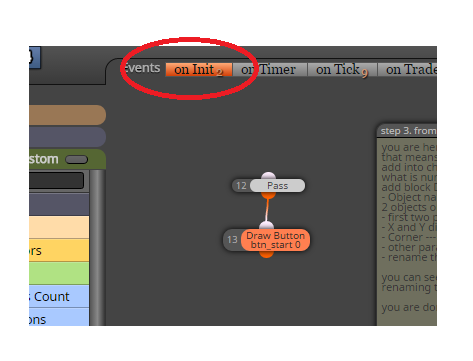
      This is our first use on Init section where are inserted buttons (they can be inserted also in on Tick, but I explained you how to work with section on Init and why sometimes use it):
      0_1480217321962_upload-c3f939a5-0f1e-4d18-8277-aa8514cac13a

      Do your homework (description in EA).

      posted in Tutorials by Users
      M
      miro1360
    • RE: Pips away from open price

      if you never used block for each trade, it is time to start trying this block in smaller parts of EA and learn in tester what is your work doing ... go through all examples and tutorials (in my tutorials is also using For each trade as example, there are my replies how to use this block, check my replies on all questions, I am sure you can find here how to use this block :D) ...

      posted in Questions & Answers
      M
      miro1360
    • RE: example: For each trade

      you mean list as array like:
      openPrice[0]=1.10
      openPrice[1]=1.15
      openPrice[2]=1.12
      .....
      openPrice[x]=y
      ?
      yes you can do this now ...
      just define in variables these:
      double openPrices[100]
      double openPrice=0
      int myInc=0

      take 4 blocks:

      1. reset variable myInc=0
      2. For each Trade
      3. Modify Variable block: save Open price into variable openPrice
      4. custom code block where you put:
        openPrices[myInc]=openPrice;
        myInc=myInc+1;

      after this you have open price from all trades in array openPrices[] and you can get values from it like:
      openPrices[0] ... open price from first loaded trade
      openPrices[1] ... open price from second loaded trade
      .. etc
      or using Loop/for where you use your increment variable myInc and you can get values one after another: openPrices[myInc]
      of course you can resize this array using some functions from mql code, or all what you will do, all next is up to you ...
      posted in Tutorials by Users
      M
      miro1360
    • RE: "Buy/Sell Pending Order" block

      @valleyfx said in "Buy/Sell Pending Order" block:

      @fxDreema i didn't understood on the builder how to make an "buy stop" and a "buy limit" it counts just like "buy pending order", can you explain it please? i didn't found in other publications

      @fxDreema said in "Buy/Sell Pending Order" block:

      https://apiaryfund.com/sites/default/files/buy-limit_4.jpg
      http://www.forexfactory.com/attachment.php?attachmentid=1716961&d=1437471384

      use negative or positive offset value, just try it with tester and learn more about what are stops and limits in general, use youtube or google 😄

      posted in Questions & Answers
      M
      miro1360
    • RE: Select the top 5 variables

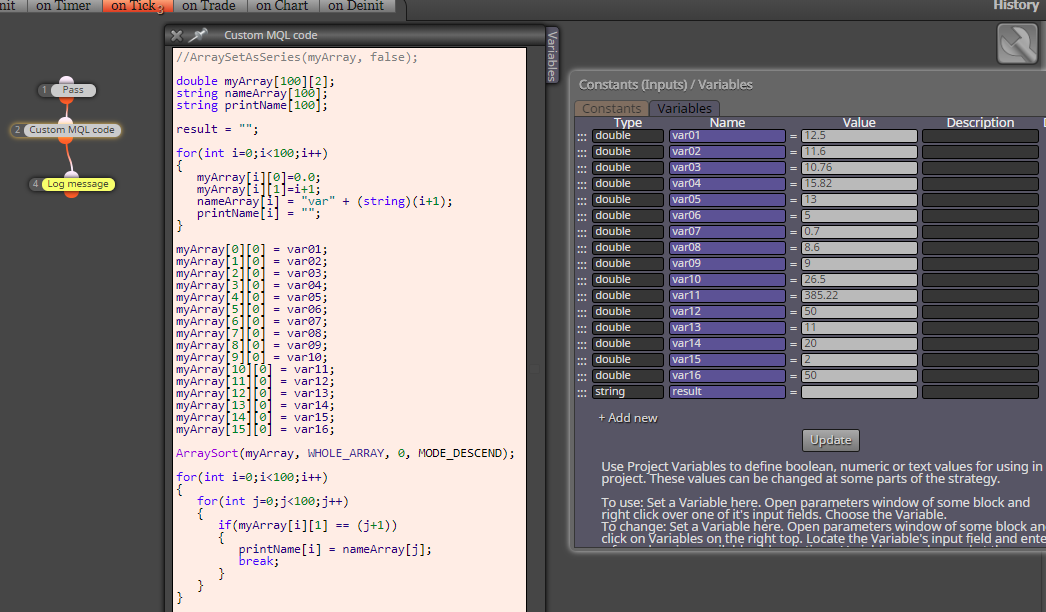
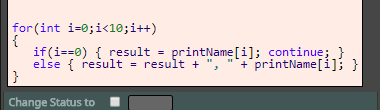
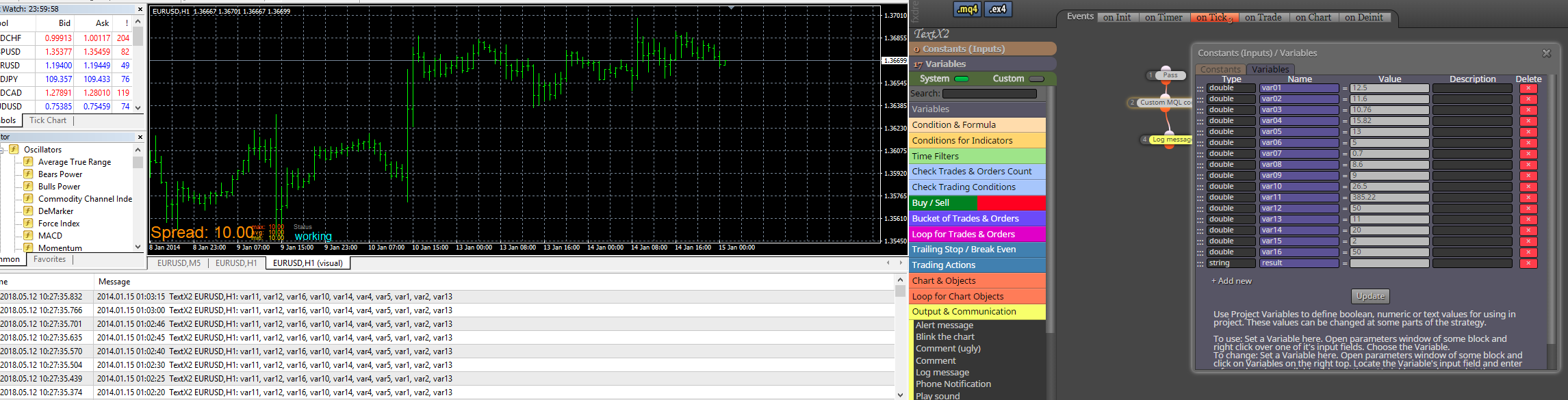
      in that case use 2D array, mql support sorting by first dimension ... and other dimension will be reference for another string array which will be holding names of variables
      here:

      https://fxdreema.com/shared/HSKz4cwHc

      0_1526113788869_67f213c5-575e-44bb-bc47-b2175a668362-image.png
      0_1526113917119_8aeefe8a-c4ff-4dcf-8890-51a627ff04eb-image.png

      0_1526113715076_2de76445-e818-41fe-9fcd-4cfc0d89b992-image.png

      posted in Questions & Answers
      M
      miro1360
    • 1 / 1