Ok, in this case I take back the fxdreema blaming ;o) - it is not working however, and it super annoying, because you cannot use this functions ...

Ok, in this case I take back the fxdreema blaming ;o) - it is not working however, and it super annoying, because you cannot use this functions ...
I am dealin with this now for quite some time and now I acutally would like to ask for your support. There is an issue, that was mentioned by the way several times now in this forum, that Doubles are not converted correctly to Strings. It works 90% of the time, but then 10% it does not work. As I am using mql code directly, the issue must be produced by fxdreema.
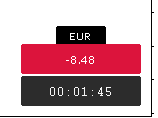
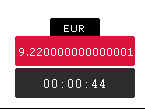
I used following code lines and all of them produce the same results:
printProfit = DoubleToStr(AccountProfit(), 2);
printProfit = DoubleToString(AccountProfit(), 2);
printProfit = NormalizeDouble(AccountProfit(), 2);
printProfit = StringSubstr(printProfit, 0, StringFind(printProfit, ".", 0) +3);
It would be great if that issue could be resolved, as this messes up the text on charts and buttons.
Thank you
Hey everyone,
I wanted to provide my trade manager here just in case you have similar ideas but don't know how to start or what to do... this trade manager has some issues with the management of existing trades once you adjust the SL/TP manually... but I don't want to continue it... in case you find some parts of it useful, it would be nice, if you would mention me in your code  but of course you don't have to.
You can import the mq4 and will have the project available. As it was created with FXDreema anyways.
This is a short description I have created once, but it is not up to date anymore. Just that you have an idea what it is about.
And here is a short video about it:
I will not provide any support ... again, just in case you want to see how some topics are created.
Have a great day,
Markus Maria
@kay-3 I am happy to work with you on EAs, just send me your Telegram ID as I prefer to exchange there... the private forum chat is not working.
Hey Gentlemen, thank you for all your response! I am well aware that most indicators repaint to some extent, still there are some real extrem ones I would not consider to use for an EA. I also use the ZZ very often, because it just fantastic for market structure, still beeing aware that it repaints - if it would not, we would all be millionairs ;o) I think the main point to be addesses here is that it is ok if an indi repaints, as long as you understand what it is doing! My problem here is, that I obviousely don't uderstand it and just blindely want to take the signals. That does not work. So I have to work on the root cause first. Thank you for all your precious comments and have a good weekend!
@biztet Hey great, you know what ... I never realiized that function... and I now test EAs since years ;o) thanks for that! However, there is no chance to automate this indicator backtest right - e.g. by mapping a signal to a buy/sell trigger... there is also no way to trade manually in that indicator backtest function right? So you can only watch an indicator doing its thing ;o) thank you anyways!
@biztet Hey, how would you backtest it without EA? I create EA to backtest indicators over one year on different time frames and settings, I have no idea what other methods there are to do that automated... Thank you
How can I put the project here? I only know how to provide the link.
https://fxdreema.com/shared/QvFKWuP2e
This would be the indicator:
0_1634146658502_HGI_v16.09.ex4
Thank you!
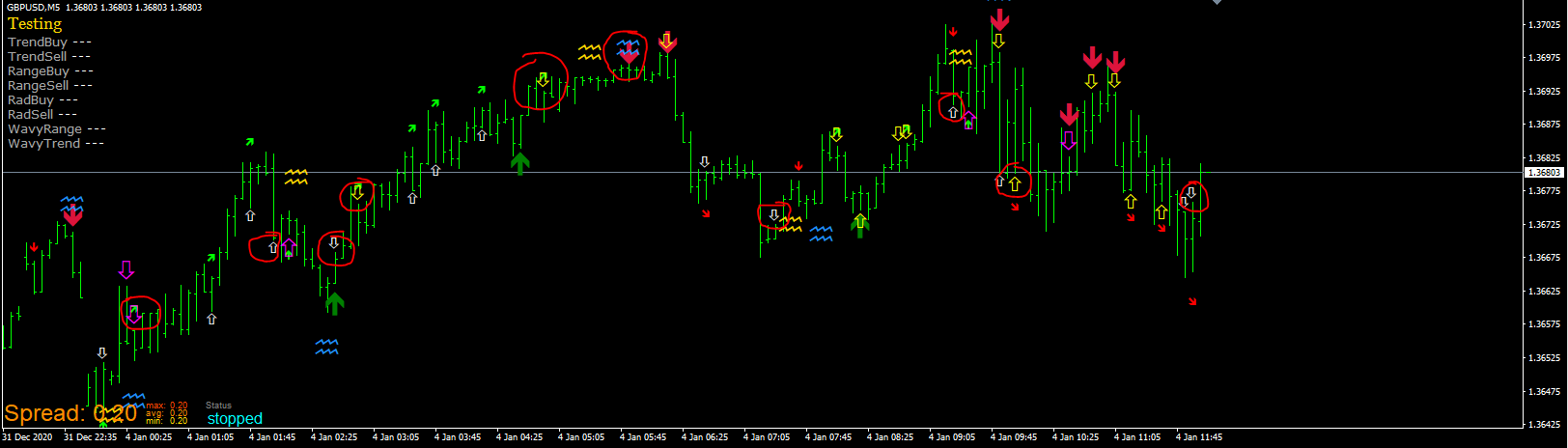
Picture #1 shows what the indicator drew during the visual backtest. In addition it shows the EA captured signals (purple, white yellow not filled arrows created by the EA).
Picture #2 shows the status when you stop the visual backtest and the used indicator appear - as you have chosen in fxdreema project settings.
I see where you want to go. Let me take that to ask you another question. On the last picture you can see that the TrendBuy counted 2 signals while it shows three big green up arrows and it counted 2 times TrendSell while you can spot 6 big red down arrows. So somehow it get signals, but not all of them and not at the right spot. Did you use the HGI for an EA already? Thank you again!
@jstap said in Custom Indicator -- buffer not working as expected:
object on chart
As the indicator is not visible - at least not completely - during the backtest or trading, the "object on chart" feature might not work as well - what do you think?
Hey jstap,
I changed the test accordingly, but to be honest I am not sure how it would help me now ;o)
https://fxdreema.com/shared/QvFKWuP2e
That is the result - same errors, but therefore it counts the EA signals... the yellow, purple and white arrow are the signals which the EA receives from the Indicator buffers, but the live signals are somehow different to some extend.
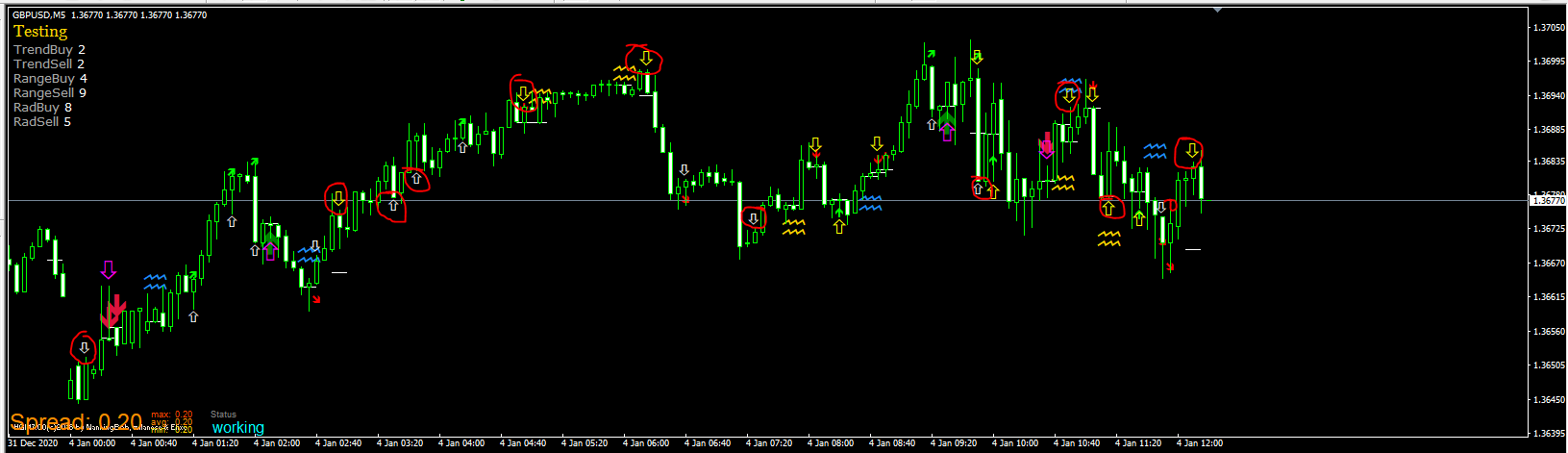
The picture above shows the backtest still active, but when I stop the backtest and the indicator appears, there are contradicting signals all of a sudden. As if it backpaints the whole history...
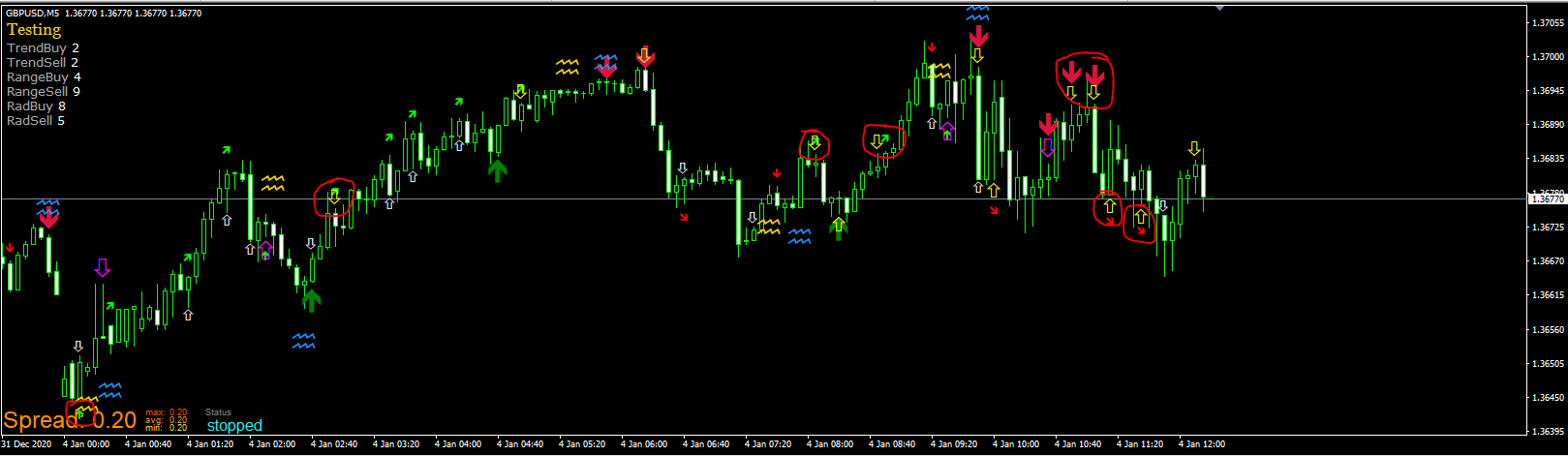
I am completely lost with that, but thank you very much for your reply already!!!
Hello colleages,
I have a problem with the implementation of a custom indicator. I used quite some already, but this one make me crazy. I replicate the signals with the EA in order to see if they fit, but they don't. Like in the picture below:
Here you can check the project:
https://fxdreema.com/shared/K19kc6vmb
It uses the HGI v17
I tried to use the condition value > 0 and indicator is visible block. Both don't work as expected.
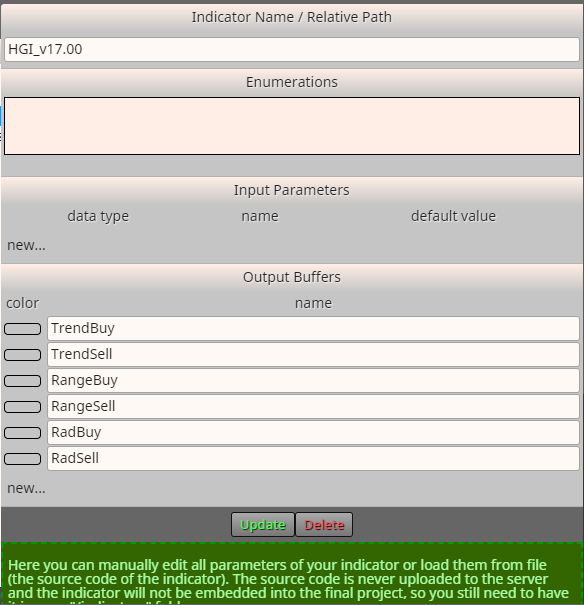
Here you can see the custom indicator implementation (buffer settings)
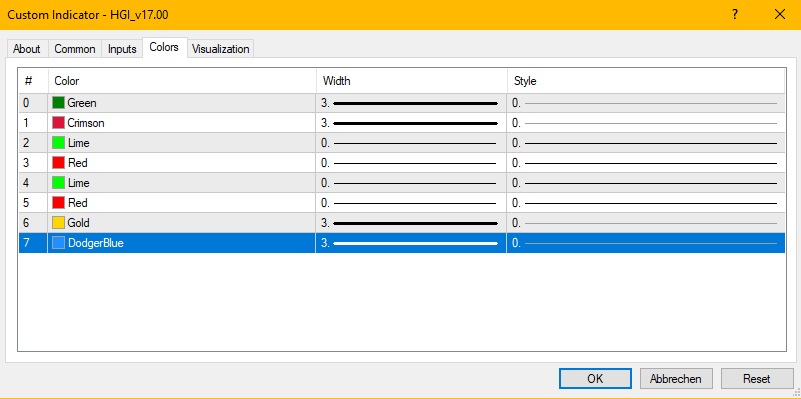
An this are the indicator settings:
I have no idea why the signals don't fit ... I happy for any ideas!
Thank you
@q8carpenter thank you for your input and advise to mention you ...
That got it working ....
Hello,
when the current price (bid/ask) crosses a .000 or .500 level, I want it to draw one line at this very moment. In addition it should place a pending order and do other things later on, but I struggle already with the line. Only one line at .000 or .500 to highlight once price crosses such a level. I set a variable/flag that it does not continue to draw lines as it crosses over and over again ...
Hello everybody,
I looked though the forum and google but did not find an answer which I got working. I want to draw lines at certain price level such as ???.500 and ???.000
I tried to use the round number block but I was not able to get that working as it uses ranges instead of exact levels and then I tried to create a custom mql code block by reading the price, rounding it to the first digit after the comma, splitting it by "." and get the first array... but I failed as I am not used to mql coding...
Has someone an idea how I can achieve that? Is there a simple way?
This is what I have tried ... I don't know how to share that:
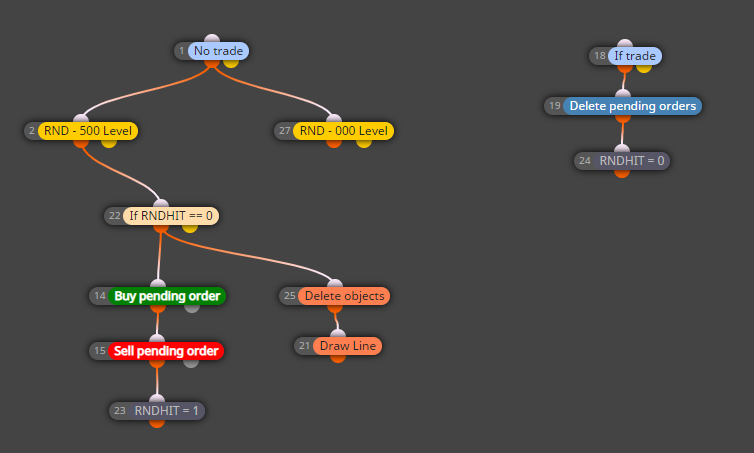
Now here is the link:
https://fxdreema.com/shared/uhJF7mSod
Thank you and have a nice day!
btw. this tool is fantastic!!!
Markus Maria