Hello Fellow FXDreema users!! Because I Love FX Dreema, I have decided to build a News Filter that can be entirely coded into 1 block that can be compiled directly in the FX Dreema Cloud System !
Enjoy !
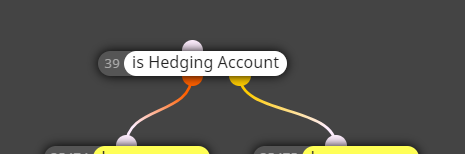
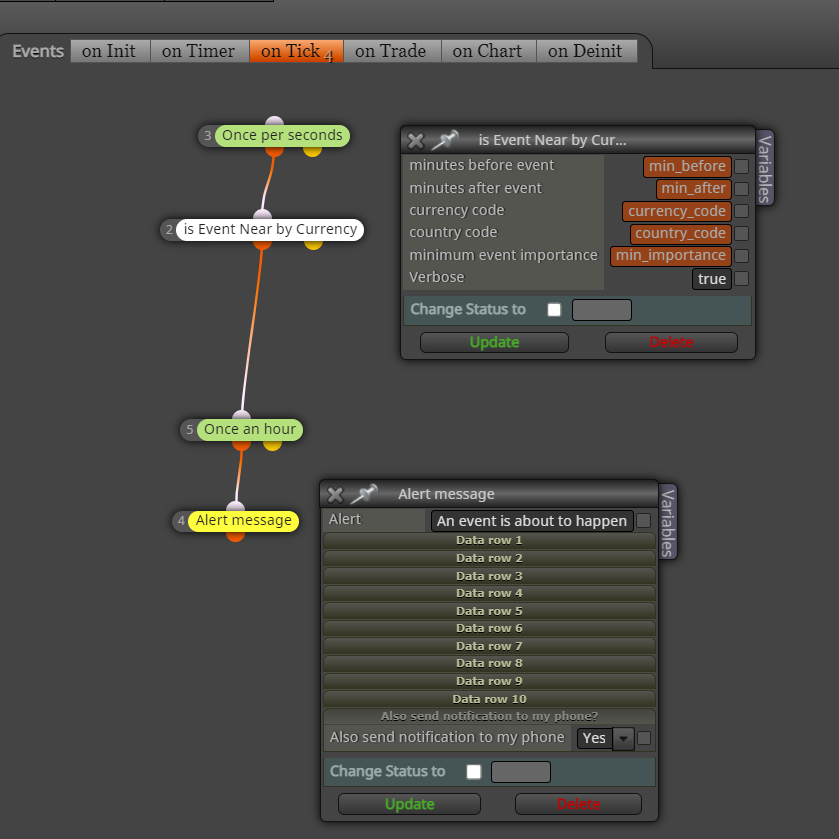
The goal of this tutorial is to build 1 custom block that I call "isEventNear" and it will look like this, at the end:
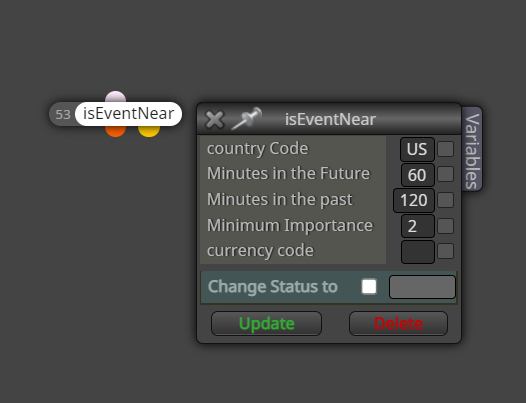
Notice that this block has the 2 dots underneath, for true or false... meaning that if there is an important event near, then the next block to be processed will come from the orange dot, and if there isn't any event near, then the next block to be processed, will be coming from the yellow dot... it is the same concept as any other conditional block.
By near, it means near in time... less than x minutes in the future, or less than y minutes in the past.
Minimum importance stands for the importance of the events to trigger this block... refer to the original MQL5 manual, where it explains the importance of the events, on this link, where the possible importance vary from 0 to 3, being None, Low, Moderate, High. https://www.mql5.com/en/docs/constants/structures/mqlcalendar#enum_calendar_event_importance
Here is how I have built this block
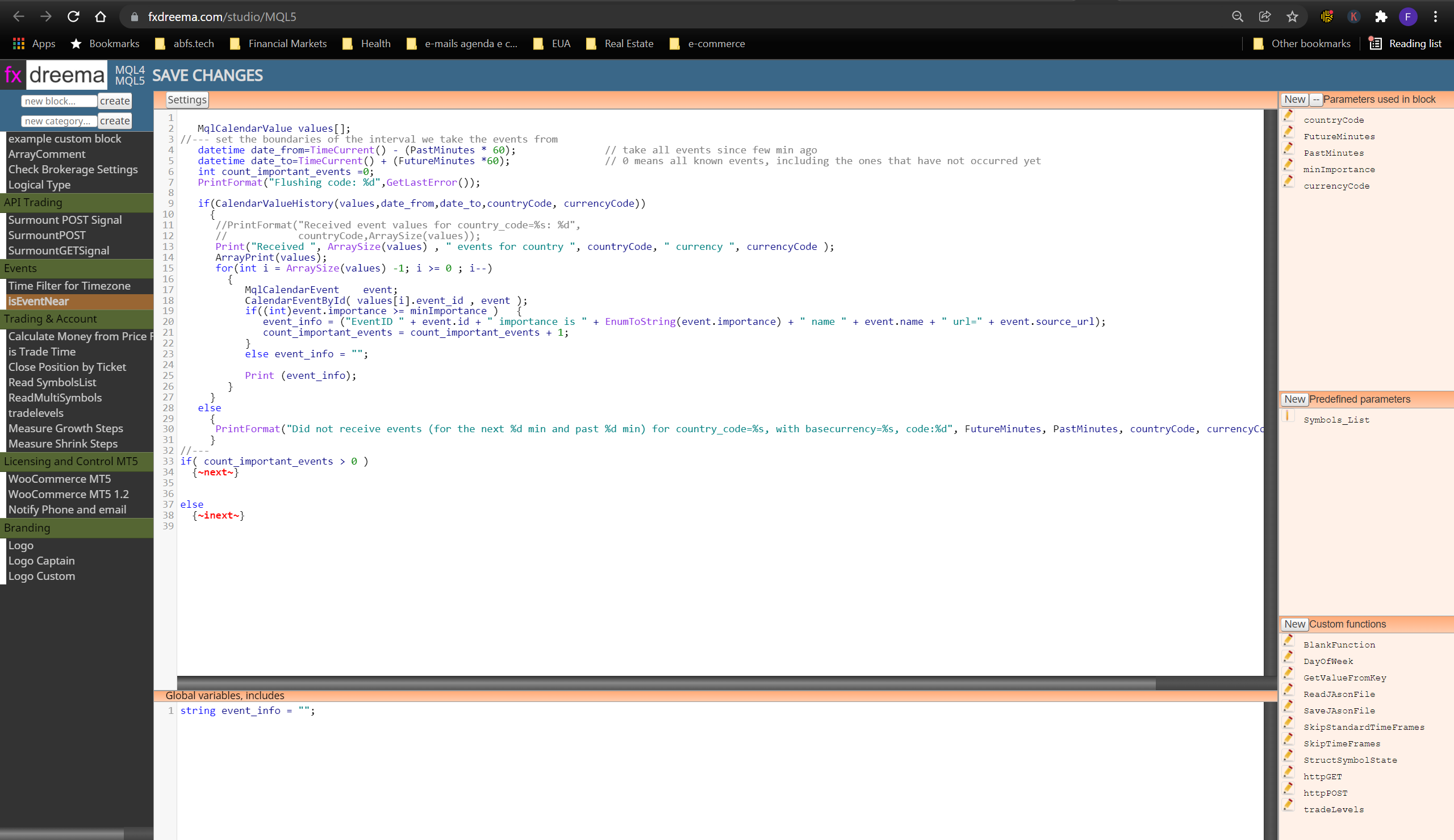
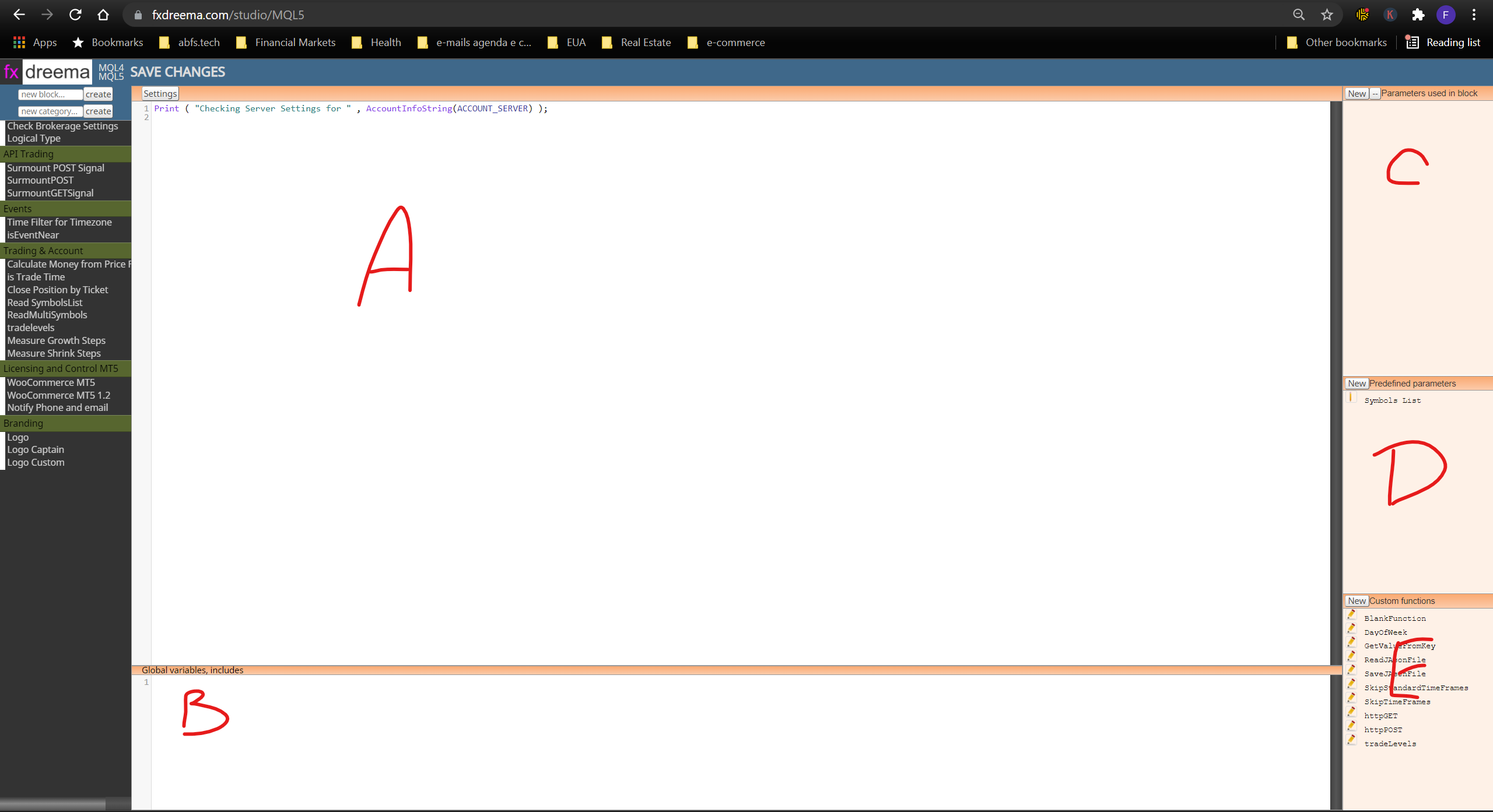
Notice that I am using code in 3 key areas:
- The "main code area", where I have typed the main codes for the custom block.
- The "Global variables, includes" area
- The "parameters" area, where this block will receive parameters from the developers.
That's it. pretty simple. the developer of @fxdreema has done a really GREAT JOB, by making the studio available for us !
In case you still don't know how to use the studio, check out my previous tutorial on the basics of how to use FX Dreema Studio.
I wish you all a very successful and happy 2022!