Just put the market loop on top. Dont use the other filters - symbol or group - in other blocks.
If you have special settings for each symbol, then you need an array.
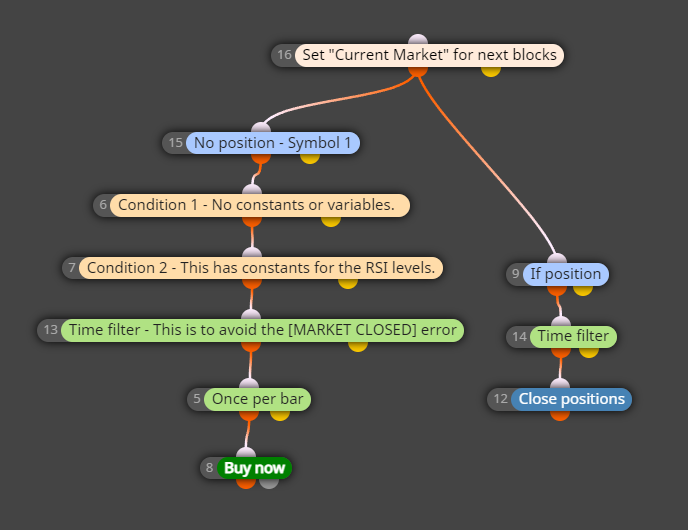

Just put the market loop on top. Dont use the other filters - symbol or group - in other blocks.
If you have special settings for each symbol, then you need an array.
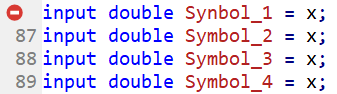
@gooseman why do you have the same symbol repeating multiple times there?
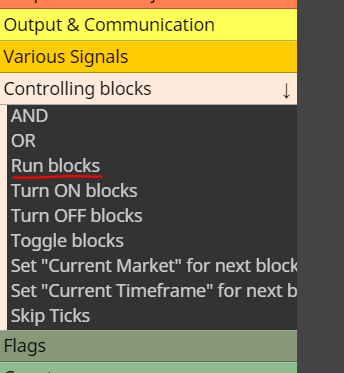
@Jim67 you can execute other blocks at any point with this bad boy here
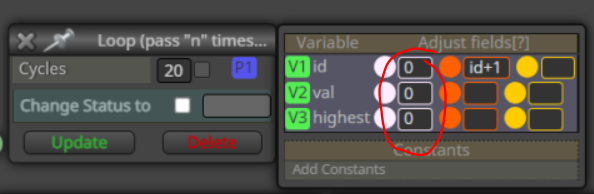
@andrewfrank remember to reset the variables every time
So the mistake was in my own example. Eh, sorry 
I usually do that step in the quick adjust, no need to select datatype
What error are you getting, exactly?
If its the 'x' - undeclared identifier in your latest shared, its referring to your constants list - x is not a number. I believe you can delete those symbol constants anyway.
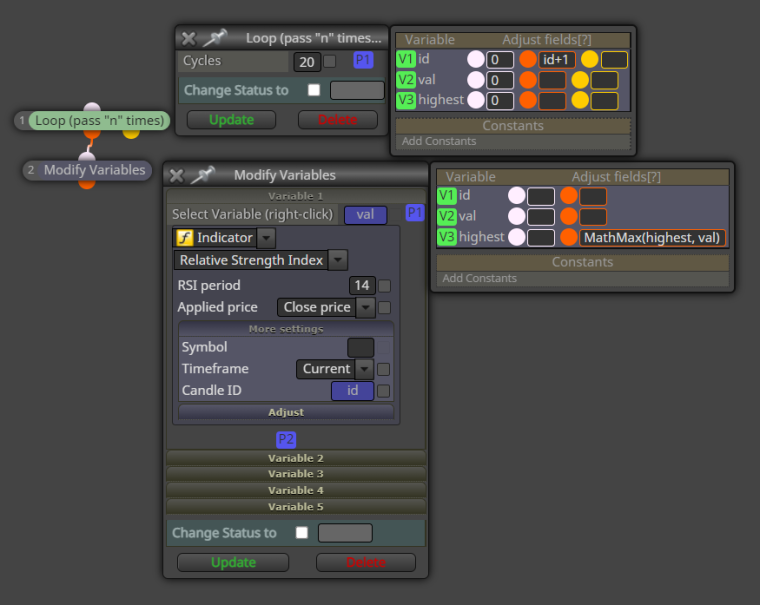
@marvinm this loop saves the highest value in variable "highest"
https://fxdreema.com/shared/3Kmz0vlxb
@andrewfrank indicators work very differently on mql5. It would be easier to just use the "modify variables" block rather than custom code, when getting indicator outputs.
But if you do it the custom way, you must first "load" the MACD indicator with the code you mentioned, and then use CopyBuffer() function to read some value from that indicator.
https://fxdreema.com/forum/topic/16494/close-positions-when-market-is-closed
https://fxdreema.com/forum/topic/16638/mt5-optimizer-not-working-with-many-fx-dreema-ea-resolved
https://fxdreema.com/forum/topic/16849/market-close-error-mt5-backtesting-solved
@gooseman MT5 data handling is sometimes a mystery, but I would assume getting only D1 time is enough to refresh all timeframes.
Also, you can keep the time array sized 1. It will just be written over again and again, and its not a problem because we dont actually use the time value.
I use this method On Tick, but On Init should work fine.
@gooseman well if you have many targets for rsi, maybe there should be some variables, like tgt1 tgt2 etc, or an array... But it might be unnecessarily complicated that way.
Why do you need to check multiple levels in the first place? Surely, if RSI is not above 60, there is no need to check if RSI is above 70. So, we could just use the smallest target.
I'm not sure where the sleep loop error comes from, can't test with those symbols myself. Try some smaller list of symbols, maybe there is just some limit in the symbols loop (if so, there's another structure to do, of course hehe)
@gooseman that works. If you want to get fancy, you can put the symbols into an array and loop through that array. This might be easier managed version, as you can make the symbols list in excel. I have ran 2000+ symbols that way.
Check OnInit tab
https://fxdreema.com/shared/VwmyF0FAd
12 and 56 are not block numbers, they are values in some fields.
To find those fields, download the mq5 file and try to compile in your MetaEditor. The error message will show the problematic code lines, and then you can find the corresponding fxdreema block.
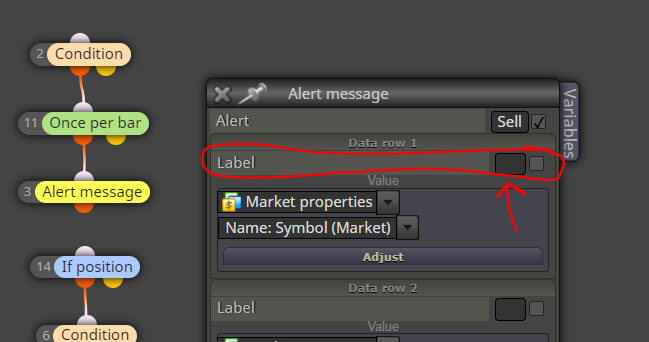
@Chen-7 here is the label:
For BE, I would try setting some "pips on profit" value, maybe it cannot be empty. If that fails, reconstruct the BE using the purple blocks: for each trade -> check profit -> once per trade -> modify SL
@make_123 try making your own thread, and using better grammar
@MrDaisyBates here's some more points:
I'm not sure what other questions I should answer, maybe you can list them again 
@MrDaisyBates said
And greetings from a different part of Finland. Hahaha. I've noticed you seem to be Finnish. I'm American, but I live in Finland (my wife is Finnish). Anyways. Sorry. Lol. I know. Off topic.
Oh hello there neighbor ':D
Hi @MrDaisyBates!
If you were coding in pure mql5 there wouldn't be any problem, but the "blocky" nature of fxdreema requires some extra consideration: when you declare variables in a "custom mql code" block, those variables are usable only inside that block - they are not global.
You can declare them globally by using your Variables menu:

After deleting block 16 and declaring the variables in Variables menu, there's just 2 errors, seemingly typos.
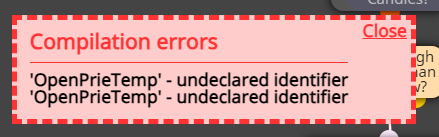
In these situations it often helps to download the .mq5 and try to compile it in your own MetaEditor. Now you see the error line, and somewhere above that you can always see the fxdreema block number.
https://fxdreema.com/shared/CfH27QXP
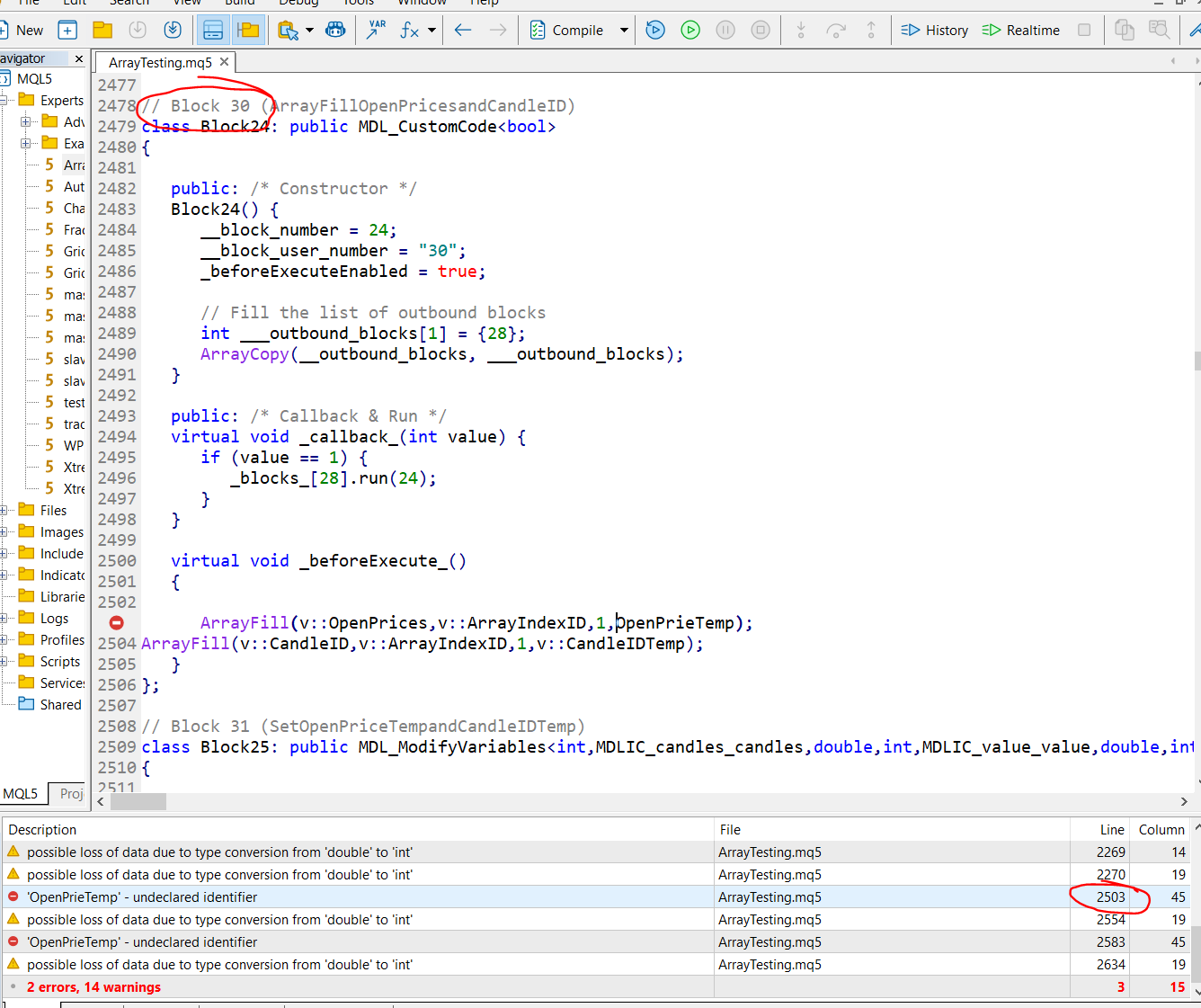
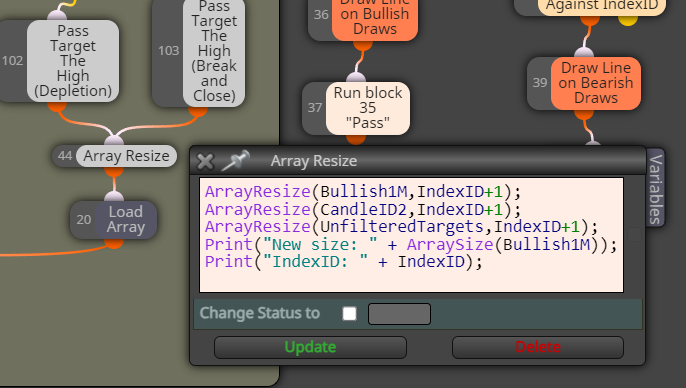
@MrDaisyBates Hi! I dont immediately see any obvious error... To help troubleshooting, you should put some Print() statements here and there, checking the sizes of your array. This often leads to clues to solving the error.
Try checking the array size and id variable before your block #36, as it seems to are getting outside range there.