@bk7 sometimes yes, usually no

I always use "open prices only" testing, runs fast enough... Yes, its inaccurate for some HFT system, but thats not my niche anyways.
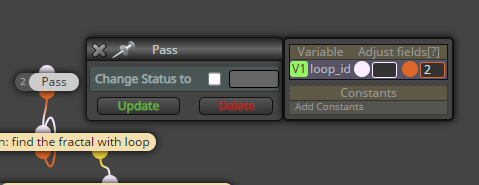
@dre see the pass block in my example, there I reset the loop ID to 2 before starting the loop. That is important.
@mrrick11 please post some picture of what you mean, how would those 2 indicators "align"
@mrrick11 did I understand: you put 2 indicators into same window and visually checked how they move over one another, even though they use wildly different scales? You cant compare indicators with different scales, you'd have to account for your monitor size, your pixel density, chart scaling etc - its really not the way to go.
Hi @dre,
try something like this
https://fxdreema.com/shared/gz1Gyijue
@beatking I guess you have to use the studio and create your own block with that code, but I really dont know much about it
@zackry I would try something like this
https://fxdreema.com/shared/CLFOrVlpb
Personally I wouldn't rely on objects, though.. More safe approach would be to store the levels in an array, and make another array (or dimension) for the ticket numbers. Just in case you want to consider it - I'm not going to walk you through that lol
@zackry the source is "picked in loop" -> you must use the "for each object" block to tell your EA which object you are targeting.
@polwes just use the comment block
@enzo-1 this button. You dont have to pay, although I recommend it for other reasons
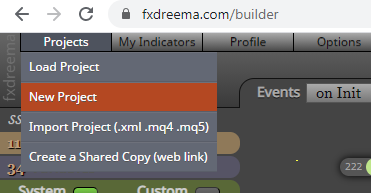
Firstly, you cant use mq4 or ex4 files in metatrader 5. You must create a new project and specify MT5 as the platform.
Secondly, .mq4 is the source code, you have to compile it to .ex4 before using. Fxdreema can also do that for you, just use the other button.
@ramimoujaes I don't know about your folders.. Do you mean the builder? Build it On Tick.
The P's are just shortcuts to different arguments in your block, you can modify your varialbes in the right popup pane using those shortcuts. But if you dont want to use them, just forget them, they arent any danger.
So dow jones doesnt work, does forex symbols work?
A hacky way to fix the code could be replacing "symbol" with "Symbol()" in the line you boxed in red. I don't know if its going to mess up something, though. Its about the pip values and formatting, I never touch those.
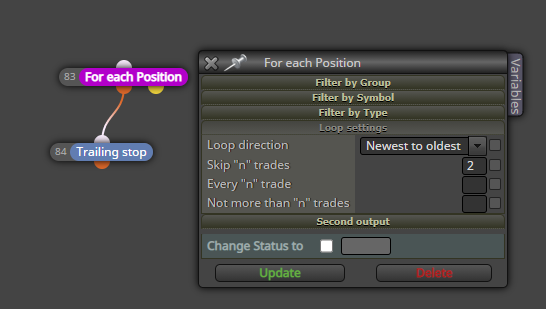
@suyj hmm, I think the trailing stop block doesnt care about the selection in the pink block. So, you have to construct the trailing stop entirely with pink blocks:
https://fxdreema.com/shared/QlqTmUzab
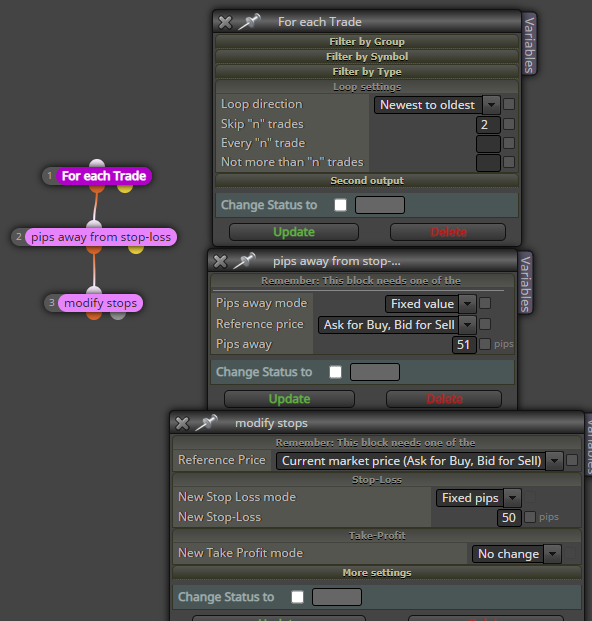
@suyj I would go with the "For each trade" block, just like @l-andorrà. Why doesnt that work?
@robertk behind the draw line block in fxdreema is this exact mql4 function, its just in graphical form with some nice drop down menus. You should be able to use the function, you have kind of used it before.