@bhovens

This blue block doesnt care about the above loop or what trade is currently selected, it always closes all trades. Replace it with the pink close block, that one closes according to the loop.

@bhovens
This blue block doesnt care about the above loop or what trade is currently selected, it always closes all trades. Replace it with the pink close block, that one closes according to the loop.
@fm2020 replace "current" with the proper mql4 identifier, "PERIOD_CURRENT"
https://docs.mql4.com/constants/chartconstants/enum_timeframes
@ontrade This system records max volume and its candle ID in variables:
https://fxdreema.com/shared/yweN2X0ad
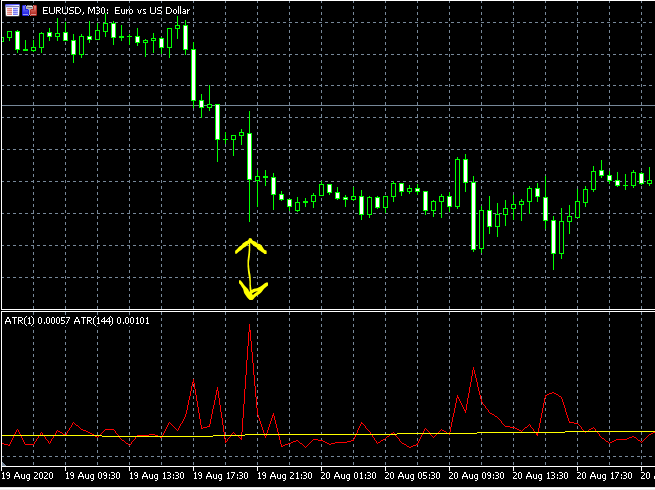
However, I would myself forget about the volumes and arbitrary 50 candles period, and simply use 1-candle ATR relative to 144-candle ATR. When the ratio 1-ATR / 144-ATR is more than, say, 3, you got the big candle. No need to loop back 50 candles.
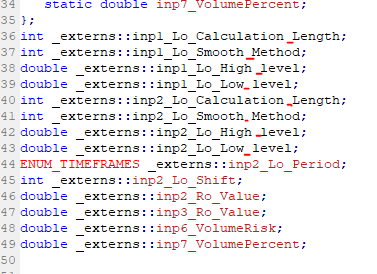
@bpinon your custom indicator code is broken.
The names of the variables have spaces in them, which makes mql4 think that the name ends and the last part is something else (but mql4 expects a ; after the name). You could solve by putting underscores to each variable name, but thats a lot of work 
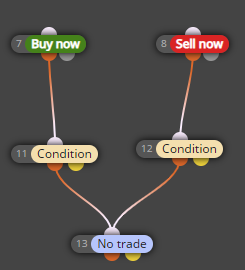
@krystian yes, this is a correct "shortcut".
The orange output is for TRUE, and yellow output is for FALSE.
The FALSE of condition: "above (>)" is "below (<)".
@krystian your algorithm is upside down:
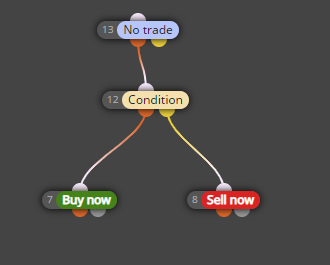
Corrected:
https://fxdreema.com/shared/vnq1XKNXb
Also, you dont have to tick these boxes:

Use "no trade" block as a condition before opening the 1 trade.
If your signal continues for a long time, you will need to learn variables to control it.
@tonyramirez If you want matching values, use the same constant for both MAs
In case constants are new to you, you can declare them in Constants (Inputs) menu and then insert to any field by right-clicking
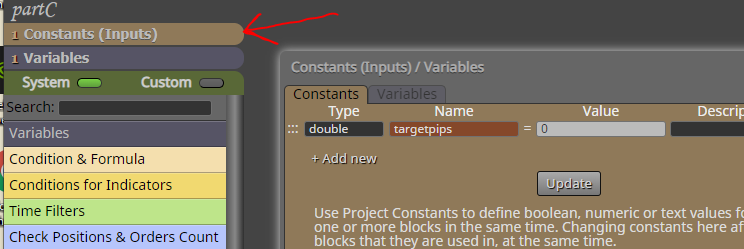
@purelife173 your shared project doesnt match to the picture. If you made changes in the shared, they dont update for other users - you must go back to the builder and create new shared link
I tested the shared one, and there is nothing wrong: MA is above candle close, and the variable gets -1
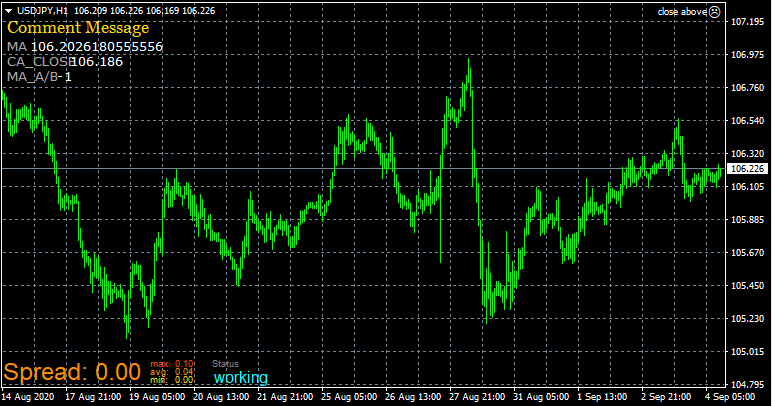
Yes: dont tick the boxes in the builder, use your own constants instead.
https://fxdreema.com/instructions/builder/constants-and-variables
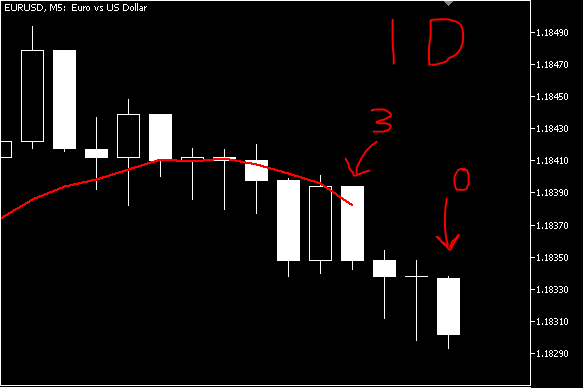
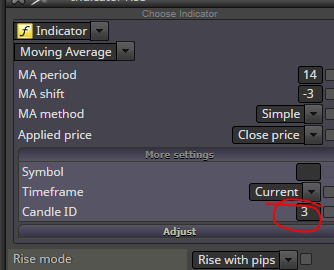
@agitins you must pay attention to the candle ID. When you select a negative shift for the MA, candle ID 0 will have no value for the indicator. When shift is -3, the nearest value is found on candle ID 3.
@michaemia said in Moving stop loss:
@roar oh my bad. I tried it and it worked sort of well.
It might surely work fine, but I think a simple condition block is better suited for this - no unnecessary functions to mess with 
@feliziano7 ok, makes sense! You could also use "check type (last closed)" == buy/sell.
Mql4 makes no difference between demo and real. Your trades dont close because you have set a group number in the entry logic but no group number in closing blocks. Remove the group # or set the same number everywhere:
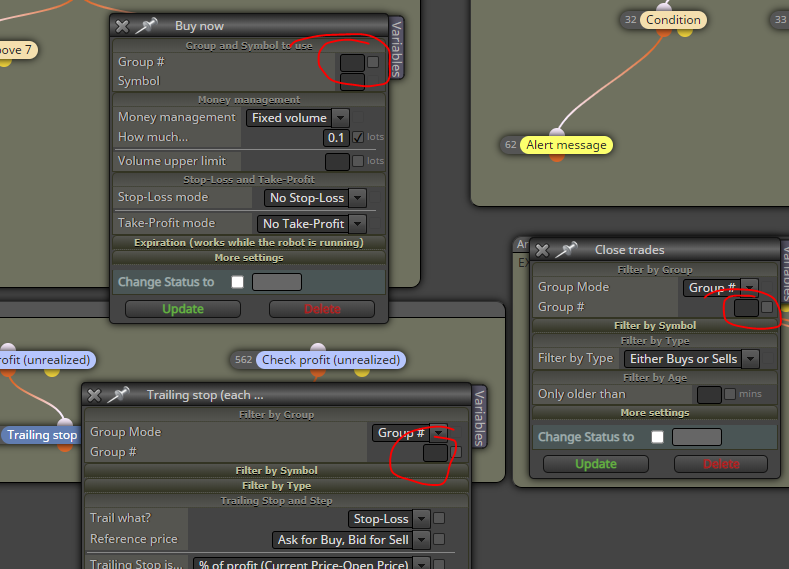
@ling-0 here: https://fxdreema.com/shared/kNuRyUbic
"Indicator moves within limits" is very rarely needed, the block is meant for some continuous indicator movement pattern.
@ramimoujaes this is actually very close, just add "no position" checks:
https://fxdreema.com/shared/fj89p7mHb
@ramimoujaes you can eliminate consolidation with almost any indicator, but every approach will have their pros and cons. For example, use RSI on higher timeframe and buy only when its above 60.
However, ultimately you will have to accept consolidation into your system, or filter it so much that your EA gets no trades. You cant really run away from it, its part of the forex world.
The ids:
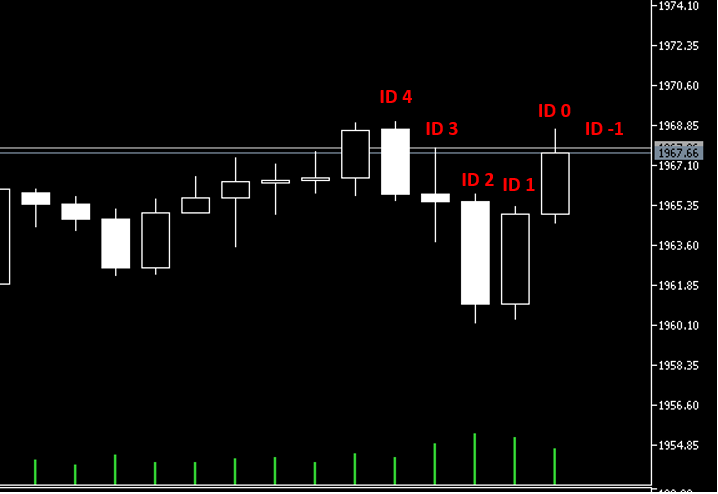
@alfi ok, so a condition allows 5 buys
Use a counter variable, something like this
https://fxdreema.com/shared/HeO2bziK