@fabiobioware its not necessary, but gives you more precise results

@fabiobioware its not necessary, but gives you more precise results
@yoloyacht oh, didnt notice that... Well I tested the EA and it did open trades
@yoloyacht Its just the logic: both sides of the condition are exactly identical here. When they are identical, they cannot be "above" or "below" each other.
I guess you want to compare to current time, so set the other candle ID to 0 (or 1) and leave the other as 2 (in this example):
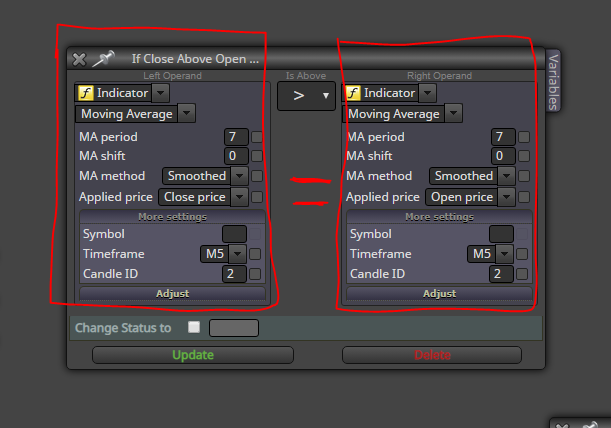
@fabiobioware The logic seems good..
And yes, optimization is the quickest way to find appropriate gap value. However, be smart about it. Dont simply use the result that gives best profit in the test, because that is probably random spikes with very few trades, not statistically convincing.
Instead, look at the number of trades (alongside profit). Pick the setting that gives many trades and also somewhat good profits... Try to find the value that is just the right balance between randomness and effectiveness.
@cliff-0 just open 2 projects in 2 browser tabs and copy-paste the blocks
@cliff-0 ok do as you wish. Its really not that different from mt4, and you will have to learn mt5 at some point anyway, if you seriously wish to get into the EA business..
The forward optimization is a bit different than demo testing, its to make sure your optimization result is statistically valid.
@cliff-0 ah, I dont know, you should try mt5 lol
It's much better for optimization purposes
@cliff-0 If you optimize by drawdown, it will literally find the lowest possible drawdown regardless of profit. Use recovery factor to optimize for both drawdown and profit.
When you get your strategy parameters optimized, just change the lot size to get that 20% DD. Remember, though, and its just statistics on past data and anything can happen in future. Always use forward testing when optimizing.
@jzfusion ok, I don't know what kind of lot sequence you are after here, exactly. Would something like this be close to it:
0.10 loss ->
0.10 loss ->
0.10 loss ->
0.13 loss ->
0.16 win ->
0.10
?
If so, here's the project:
https://fxdreema.com/shared/Nttrk6dbb
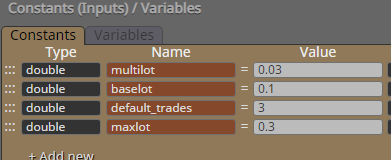
What the variables mean:
multilot: how much lot increase per one history loss
baselot: lot size when 0 losses
default_trades: how many losses to wait until start increasing
maxlot: how high the lot amount can go
@traderea6 yes, offline should work ok if the data is downloaded beforehand.
However, if you use mt5, I dont think weekend testing is a problem since the tester uses documented spread for each candle anyways:
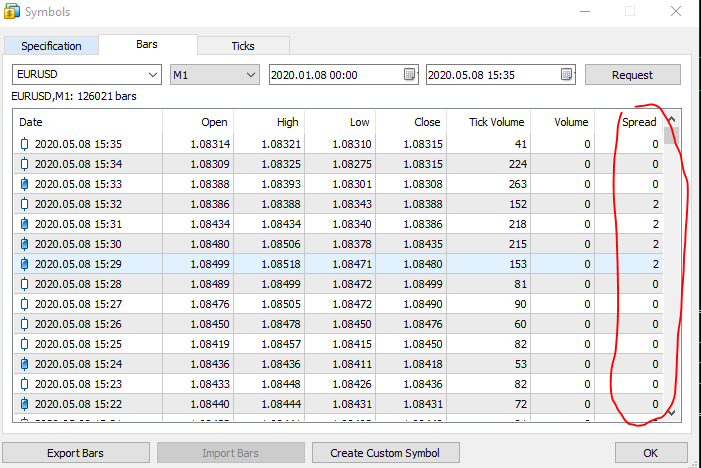
@jzfusion There's a bug in my earlier project, should have noticed that, sorry..
You need to connect both orange and yellow outputs of the condition, so the block will only modify variables and then pass in any case.
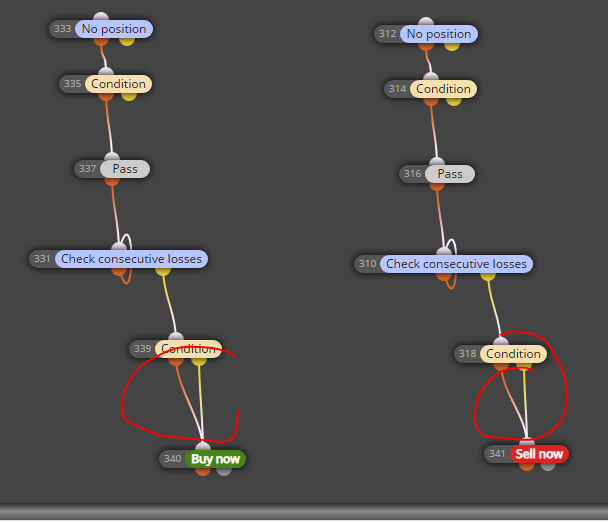
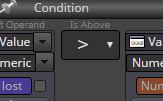
Also, the comparator must be "above":
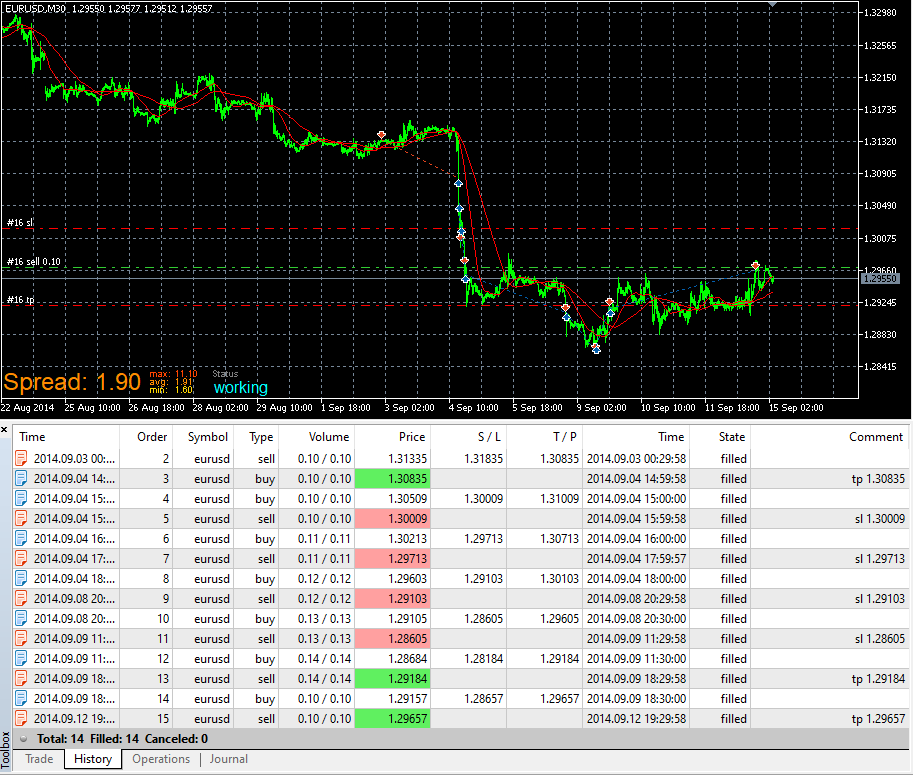
Now it increases lots when trades hit SL. If there are more than 5 losses (number_of_losses), next lot would be 0.12 because you have set number 2 in the condition block.
You must first define your strategy.
What's a spinning top? How big should the candle be, how small body, how big upper/lower wicks?
How strong trend you want before looking for spinning top?
For example, what period ADX and what treshold level?
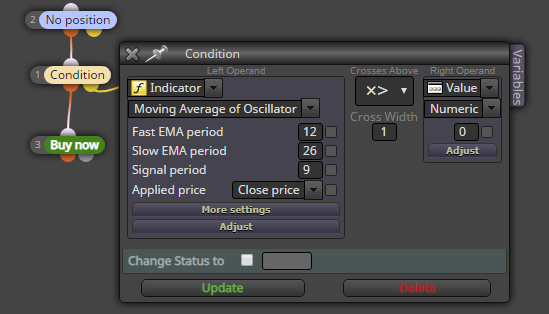
@ebony this is your blue circle:
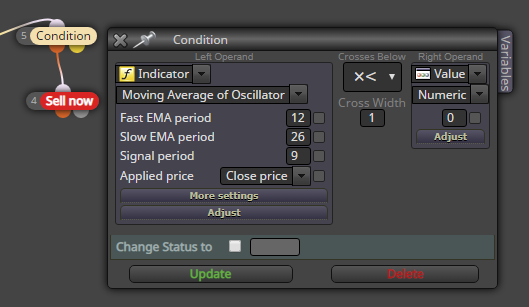
This is your red circle:
https://fxdreema.com/shared/4wkGLBjRc
@ebony its "moving average of oscillator" on the indicator list.
@traderea6 impressive detective work 
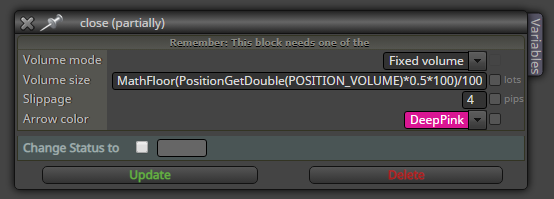
This lot sizing bug has been reported already. You can fix with custom mql code.
To close 50% or nearest applicable part of a position, put this code in a "fixed" amount field:
MathFloor(PositionGetDouble(POSITION_VOLUME)*0.5 *100)/100
(this works for instruments that use 0.01 as minimum lot)
@fxgjg said
closing at zero value once the trade goes in a profit
So the trade is first in loss, and then it goes 0.000001 into profit -> close immediately?
@fxgjg just put a take-profit at 1 pips from open