@siggi copy-paste these blocks into your thing:
https://fxdreema.com/builder/shared/mrzlwPjcb

@siggi copy-paste these blocks into your thing:
https://fxdreema.com/builder/shared/mrzlwPjcb
@ralph are you backtesting or live testing?
You should definitely be backtesting at this stage of the development, you will learn literally 1000x faster.
Lets do an experiment. Strip down all non-essential parts of the EA, then run a backtest, then screenshot where it SHOULD have opened a trade and also send the current project link.
I need to know what you expect before I can see what's the problem.
@javed77 @l-andorrà actually it doesnt matter. The EA will only compare the blocks on top of the "trees", changing the block ID's makes no difference in this case.
@ralph its the same EA, I only cleaned it, its the same functions.
Take the time filters off and backtest again. Then add the filter, and see how it affects
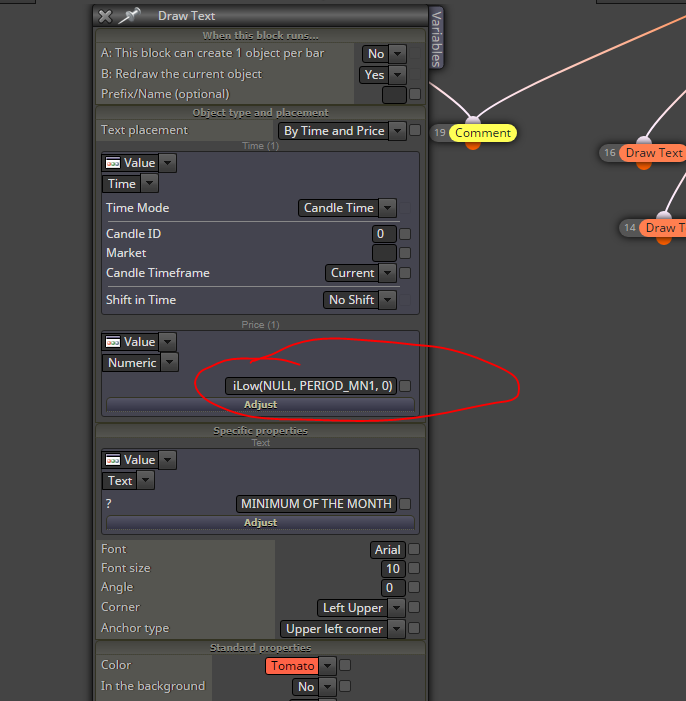
You can actually simplify the project by using the mql5 code for the extremes. For example, the code for monthly high is:
iHigh(NULL, PERIOD_MN1, 0)
Weekly high:
iHigh(NULL, PERIOD_W1, 0)
Daily low:
iLow(NULL, PERIOD_D1, 0)
etc. You see the pattern.
I made those cleanup fixes for you:
https://fxdreema.com/shared/G7BXCCxgb
This is still exactly the same EA, same logic and same trades, just in a simplier form.
Another point: why you use cross conditions to close trades? Maybe simple above/below conditions are more efficient?
@ralph a few tips:
But why doesn't it work as you expect, what is wrong?
@ituinvests You need to create 2 variables to track the high and low.
Here's how to update the high, for example:
condition: current candle high > variablehigh
-> modify variablehigh to current candle high.
Use a hours filter to limit the opportunities to update that variable only on Asian session. Then use another hours filter (for london hours) when the EA can check if current close > variablehigh.
Lastly, you'll have to reset your variablehigh and variablelow variables for the next asian session: when the asian session begins, set both variables to current price, so any price movements will get updated to the variables and the seeking for new asian highs/lows can begin again.
@bliinkboy Take your keyboard and write it there. You can put custom code to anywhere. Anywhere. Just try it out
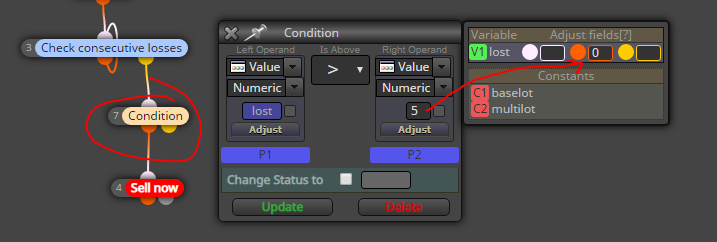
@jzfusion its a variable, you are not supposed to change it manually. You can control it with block 7. You can also make constants for the numbers 5 and 0 in the above picture so that you can manage them directly from metatrader.
@jzfusion You can tweak it here. For example, when over 5 losses, start over. You can put any two numbers you like, 5 -> 0, or 10 -> 5, or 3 -> 2, whatever you like:
@jzfusion This is the sell side:
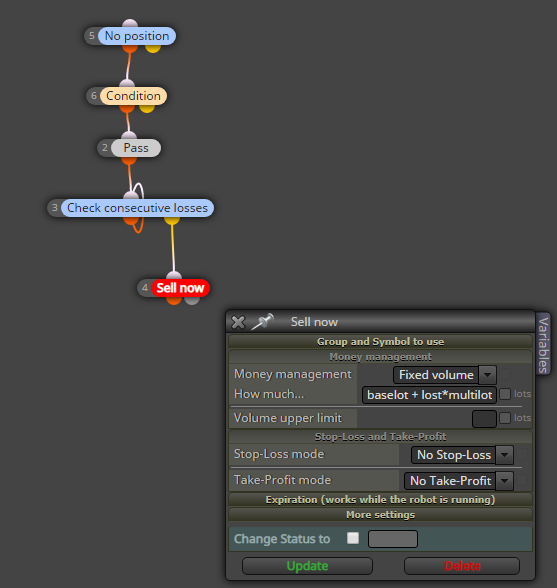
The consecutive losses block is just for figuring out the exact number of losses, when its work is done, we take exit from the yellow output and continue to opening the sell trade. You dont need second "sell now" block in any case.
@tedhor07 This is what I meant for the SL:
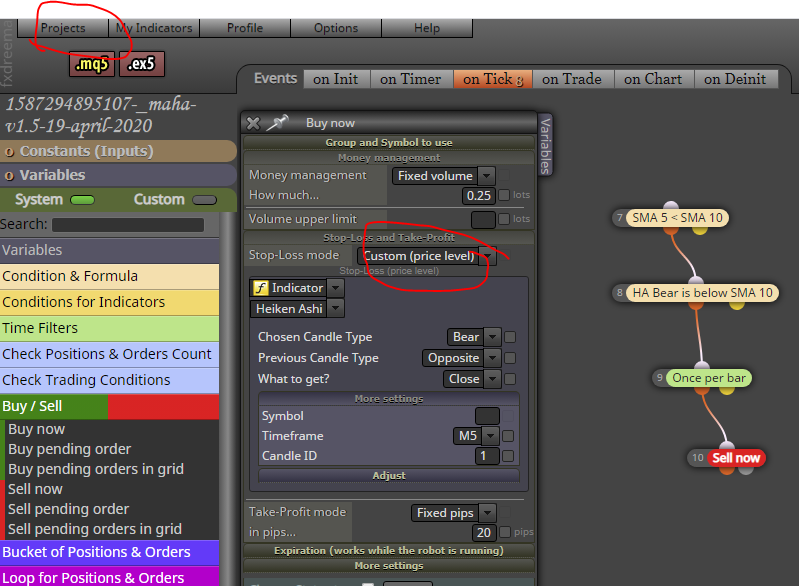
By the way, sharing a project is easier done from the Projects menu.
But I don't see any obvious mistake in the EA, I guess the HA coding itself has some bug. You can experiment the indicator by putting it into a comment block and running visual backtest..
@jzfusion baselot and multilot are constant numbers.
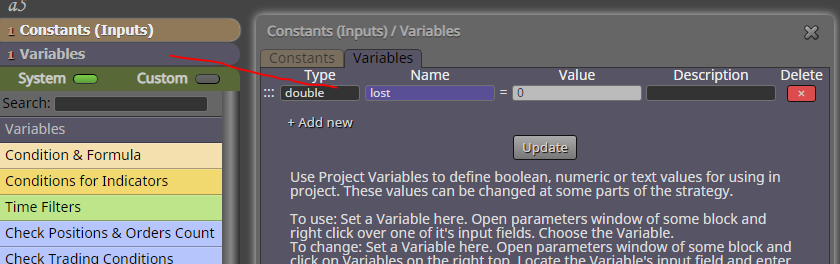
Create these constants and variables:
Constants:
baselot = 0.1 (or whatever you like)
multilot = 0.01 (or whatever you like)
Variables:
lost = 0 (variables always 0, they change it automatically)
@tedhor07 you are using a price fraction SL, but the value is close price. Its a level, you should change the mode to level as well.
Could you share the project?
@tedhor07 the picture is otherwise correct, can't find any problem. Its probably your custom indicator. I don't want to touch those.
Just use envelopes indicator. You won't get pips, instead a deviation factor, but its the same thing and the simplest solution.
@l-andorrà just the settings in that block, direction and parent trade, its not very cleary stated what each setup will finally do.
I'm sure the block works ok if you take the time to test and learn it carefully.