@jzfusion I have the same problem.. Modifying the .mq5 file and importing back to the builder doesn't seem to work. Usually I just open 2 windows side by side and ctrl+c ctrl+v the whole circus

@jzfusion I have the same problem.. Modifying the .mq5 file and importing back to the builder doesn't seem to work. Usually I just open 2 windows side by side and ctrl+c ctrl+v the whole circus
@totalinvestgroup How is that a bug report?
There is actually a dedicated block for the whole loop system:
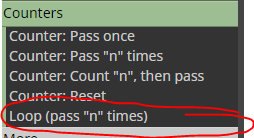
I just like to do it manually, it's a bit more flexible
@zackry hah yeah the variable window is pretty well hidden in the blocks lol
@zackry It's a quicker alternative to "modify variables".
The box on the right: when orange output is activated -> loop_ID becomes loop_ID + 1. So the "V1" is just a shortcut for first variable.
P1 and P2 symbolize the values on the left/right side of the condition, no need to use them at all.
I wrote the "loop" in there, it's actually just a standard condition-block
@zackry It's mt4. My first example has a mistake, though: block id 1 is smaller than block id 3, so block 4 always passes on to block 1, and block 3 never gets activated. Fixed that in the latter example.
@seb-0 Here's a bit more complete example, lol:
https://fxdreema.com/shared/uXHgzyovb
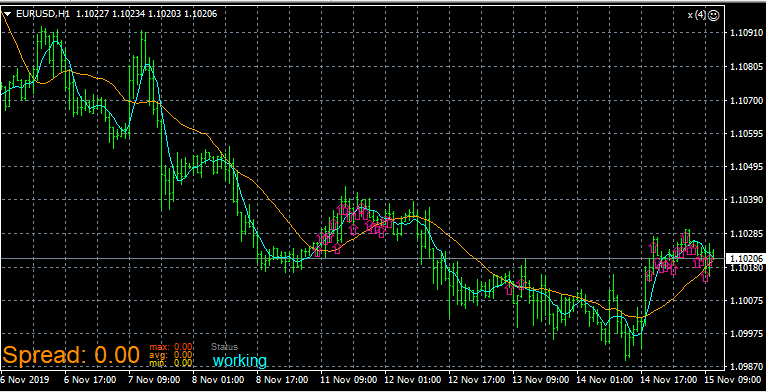
@seb-0 said in Been wondering about this for a while:
it will draw arrows on the 100 last bars, in seconds, until 5ma>20ma ?
Yes, but notice the candle ID on the 5ma>20 condition changes on each loop iteration -> the arrows will be drawn only to those candles that satisfies the condition.
This is just an example of the core logic, it will need "once per bar" and a reset for the loop id
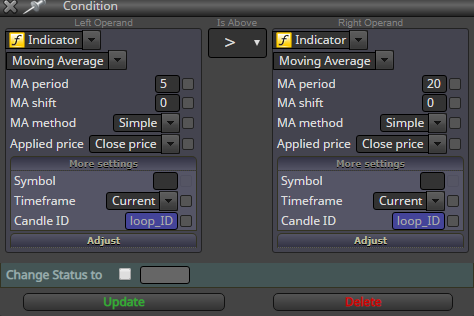
@seb-0 here: https://fxdreema.com/shared/tGV3WCMse
Did you notice that zackry wants to check conditions on multiple different candles (if I undestood)? This is what the loop is for.
@zackry You can loop through n number of candles with this simple logic:
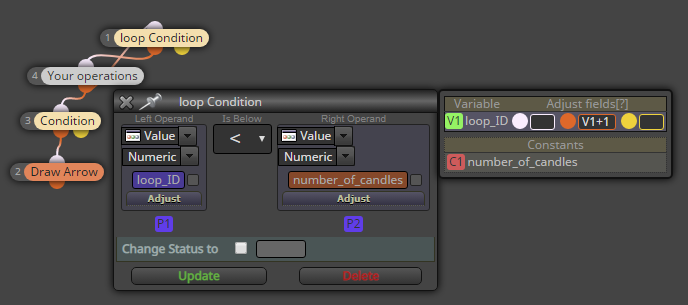
Now you can put the "loop_ID" as the "candle ID" setting in blocks 4 and below
@trader-philipps Yeah, I think youre right
@chocoloco-0 You have multiple time windows in the hours filter, maybe that makes...
Anyway, this build should work:
https://fxdreema.com/shared/YMCgxBmwc
@chocoloco-0 The "no trades" filter on top should restrict it to 1 trade a time..
Share your project please
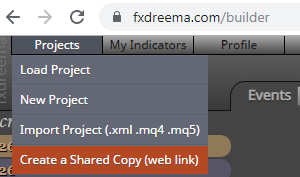
Yes, I think that template does it.
@chocoloco-0
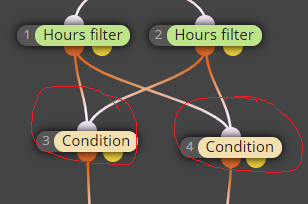
Those conditions have 2 input signals each. So, if the condition is TRUE, it sends 2 signals downwards and opens 2 trades
@miguel-0 My setup should work repeatedly just like you need. Max times pass: 1 just means that the EA will run one time per candle, that saves some processing power. It is not a problem unless you plan to have multiple +20% profit/loss moves inside one single candle
@miguel-0 Yeah fxdreema isn't very intuitive to learn, but once you do learn it, you can do wonders 
Btw, did you notice there are some more blocks in the "On init" tab in my example? That is for setting the balance right when EA begins the work

@miguel-0 Here you can set up the constants and variables:
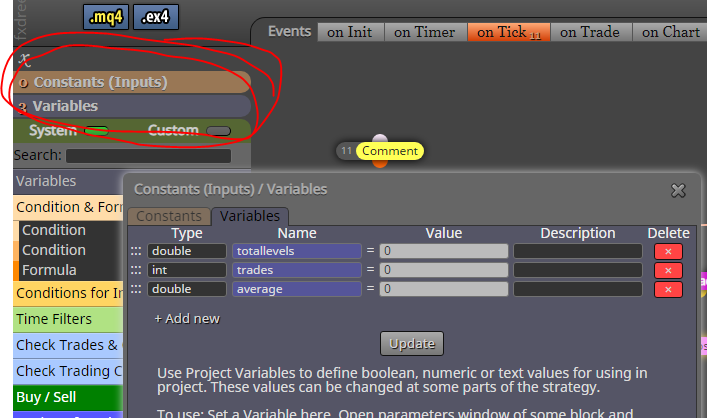
Once you have them declared, you can use them in all blocks by right-clicking the input fields