@markc1974 I'm not sure, it might work only on live trades...

@markc1974 I'm not sure, it might work only on live trades...
@markc1974
https://fxdreema.com/shared/yCq0Sk2nc
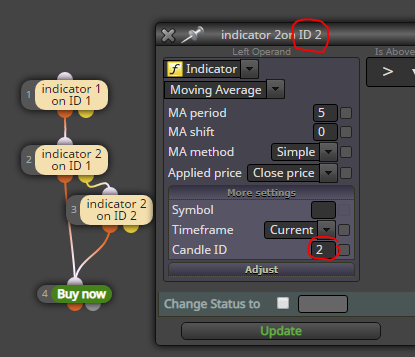
Yes, that is correct. I thought you would want to use ID1 as a base, because a signal on ID0 can change before the candle completes...
But either way, use ID0 together with ID1, or use ID1 together with ID2
@hugoportisch Just use the formula-block to make the subtraction?
Search the forum for candle ID, that will help in this project. Your entry logic is this:
@l-andorrà
Yes, you can use the numbers as well.
I don't know the proper ENUM type for indicator lines, but you can use simple "int" datatype and integer values:
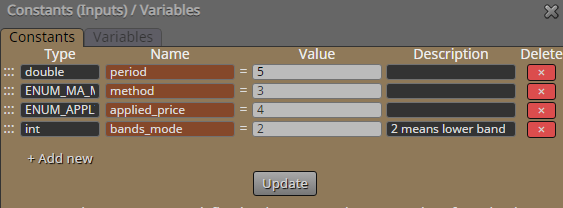
@l-andorrà Lets work through this:
Ma method and Applied price seems to be something else than just numbers, like those MA period and MA shift are. From this we can deduce that the constant's datatype needs to be something else than double, because double is the type for simple decimal numbers.
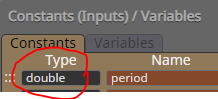 So, where to find the correct datatype?
This default ma indicator has its own page in mql4 documentary, lets google it: https://docs.mql4.com/indicators/ima
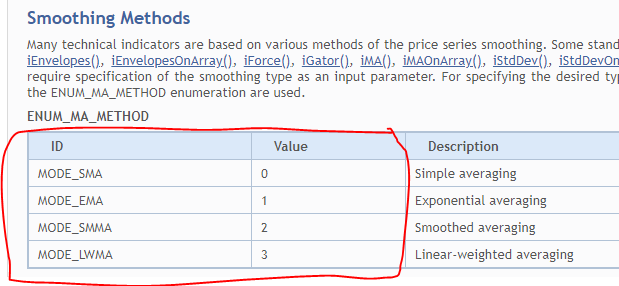
Here's the datatypes!
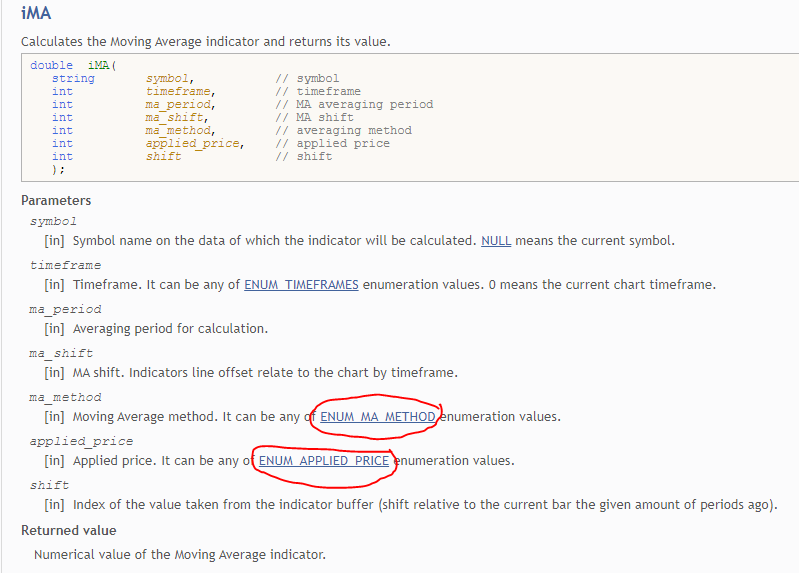
Now, what can we use as the constant value? Just click that mql4 article. We can use these values!
Now just create the constants and right-click them into place:
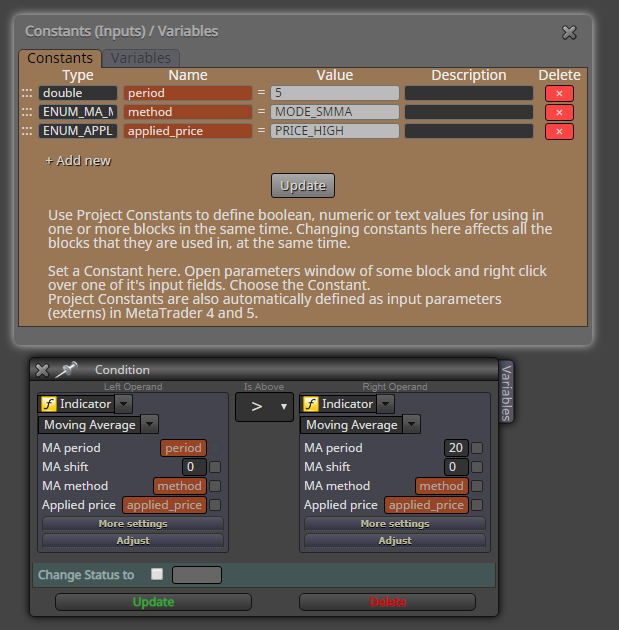
Hope this helps (and hope I didn't make any mistake lol).
You can generalize this method to other indicators, time frames and everything
@l-andorrà I could skip the whole STOP-block in my example, and just modify the variable in the condition-block.
Orange box needs the condition to be TRUE, before it can modify the variable.
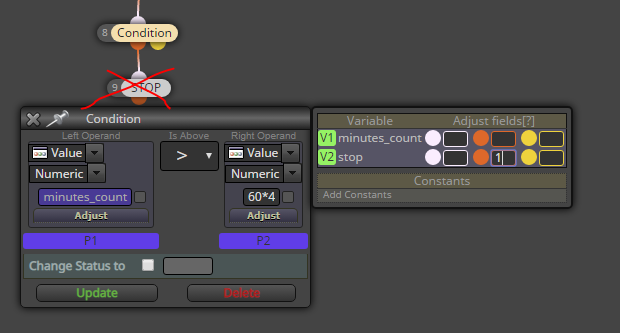
If I used the white box in this case, my variable would be modified before checking the condition, and the system wouldn't work
@l-andorrà There is no difference in this case, it's just a matter of choice.
I tend to always use the orange box, because that is often useful when combining with the condition block
Work in the "on Timer" tab. Make a variable that counts seconds (or minutes), and when the amount for 4 hours is filled up, modify variable stop=1 and use condition "stop == 0" in the regular "on Tick" tab. Alternatively, just terminate at the point.
https://fxdreema.com/shared/MKjwb1vvb
I'm not sure the "Change timer period" works like this, but I hope you get the idea. You can change the timer period from the project settings as well 
If you don't need to be very precise, an easier way is to stay in "on Tick", and use "once per bar" block and count them in a similar fashion.
@fabien-s Youre right, doesn't seem to work 
@fabien-s
You have to apply the Floor function, so the adjust-field will not work...
So yeah, make it a variable first. The MathFloor function is like rounding, but only downwards. Here's the example in more detail:
MathFloor( 0.63000001 * 10000) / 10000
= MathFloor( 6300.0001) / 10000
= 6300 / 10000
= 0.6300
@fabien-s
I don't exactly know what causes this, I think it is something in the way computer uses floating point numbers... But there's a way to cut off the 5th digit and everything after it:
MathFloor( var * 10000) / 10000
where var is whatever variable or function that you use to get that 0.6300 value.
Example:
MathFloor( 0.63000001 * 10000) / 10000 = 0.6300
@l-andorrà It's probably just some variable declaration... The problem will disappear when I redo the whole project from scratch, but that's some work
The quick variable adjust window breaks up on me.
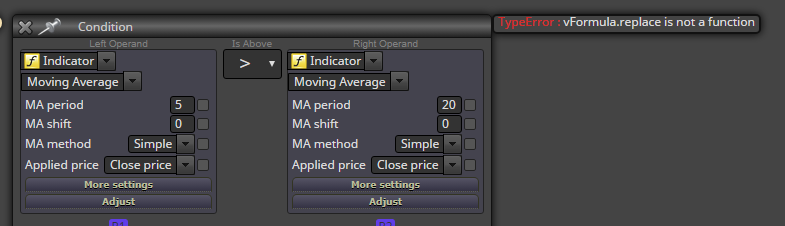
I ran into this bug in one specific project, can't recreate it in another mql5 project. It seems my custom code breaks the software at some point, I wonder if someone has any insight on this error...
Example: modify one variable to 1:
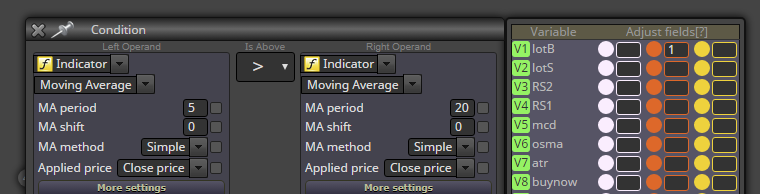
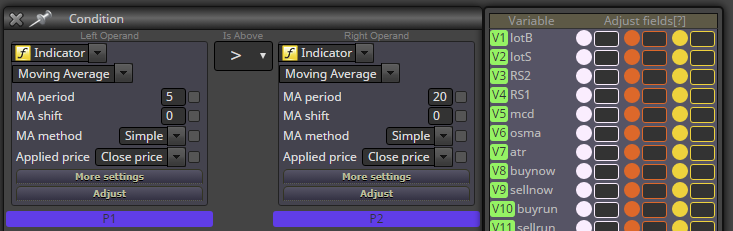
Click update, open the block again:
Update that again, and now the variable modifications are gone:
This calculation can be done in the custom value money management:
0.1 * (iClose(EURUSD, 0, 0) / (iClose(NULL, 0, 0)
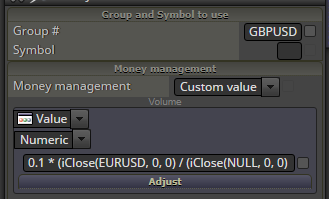
I have never done this, though. Just using fixed lots are close enough for me, it doesn't make very much difference between 0.1 and 0.09
So correcting for the currency value, hmm...
If eurusd is 1.1160 and volume is 0.10
Gbpusd is 1.2030
-> volume should be 0.1*(1.1160/1.2030) = 0.09
One solution is to count the new bars, there's a million posts about it:
https://fxdreema.com/forum/search?term=barcount&in=titlesposts&sortBy=relevance&sortDirection=&showAs=posts
BUT why your entry rule is the same as your exit rule? It doesn't make any sense, you shouldn't force it to technically work.
How do you define "same amount"? Isn't using some fixed lot amount, like 0.10, enough?
There's also an option to "risk fixed amount of money".
If you filter by all trades, then the magic number setting shouldn't affect anything, just leave it default.