Hello, I've made custom blocks to send a telegram message and or screenshot some time ago, but there had to be some modifications to the original files and such so I'll release a version that works with fxdreema and the code for the custom functions and blocks.
https://www.mql5.com/en/articles/2355
This are the includes we will be using, credits to for the code and possibility of using telegram api within metatrader go to ANDREY VOYTENKO from mql5 forums.
go there and download telegram.zip at the bottom of the post.
extract the include folder into your MQL4/5 folder and overwrite any files if asked to do so.
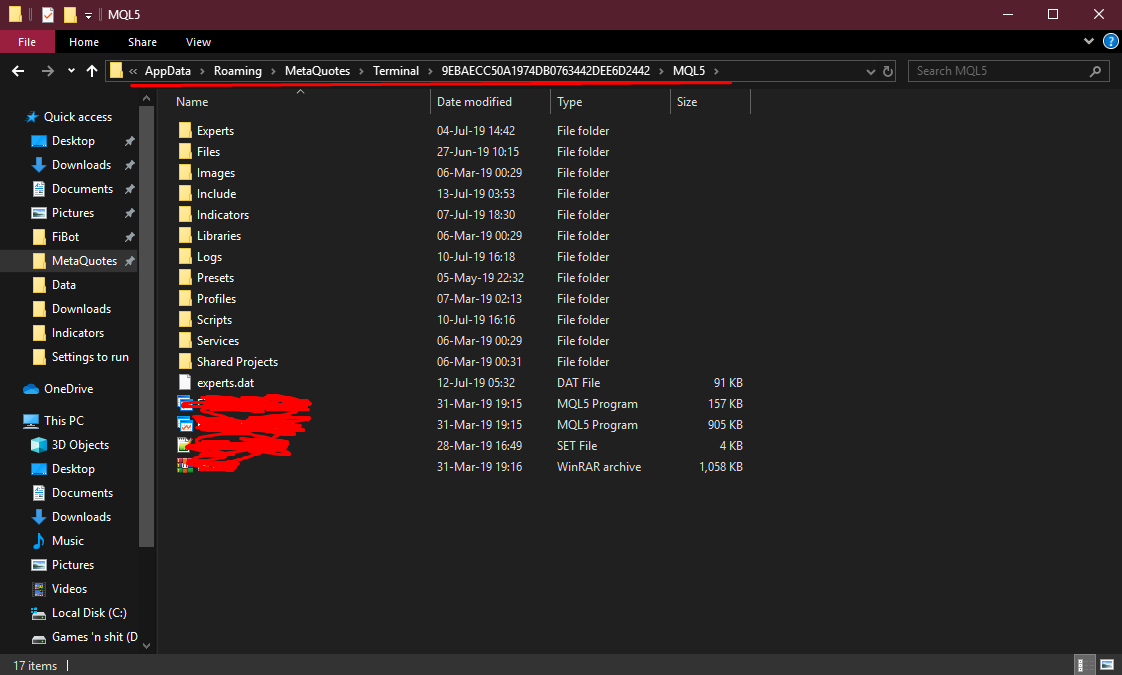
your numbers folder will be different depending on the broker you use, make sure you put it in the right folder or you can do it for every numbers folder so all your meta trader clients have the code necessary.
the current jason.mqh has compatibility issues with fxdreema because fxdreema declares variables c and v on a global status which jason.mqh also uses hence errors. I have modified the jason.mqh to work with fxdreema and you can get the code here https://pastebin.com/525haAXi
go at the bottom of the link and you will see a box with text inside, this is the raw text, click inside press ctrl+a to select all text inside and then copy that and paste it over jason.mqh which you can open with your metaeditor which is included with all metatraders(I think). and press compile to save it.
(you must use this new edited file in every numbers folder otherwise you will get errors, I recommend first editing the file then placing it in every numbers folder if you have more than one)
on fxdreema builder click on custom and then create custom blocks
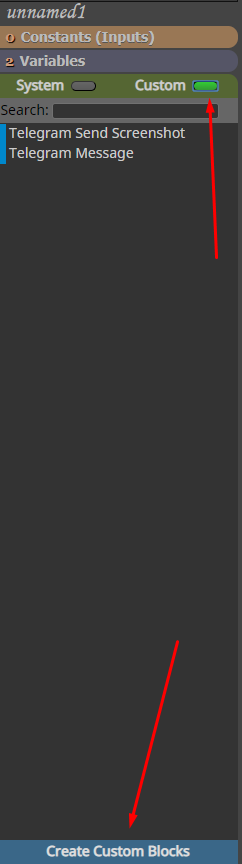
in this editor you will need to create 2 blocks 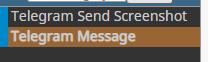
in the send screenshot block paste the code from this link https://pastebin.com/aegjAZyqand at the bottom under "Global variables,includes" paste this code
#include <Telegram.mqh>
so it looks like this 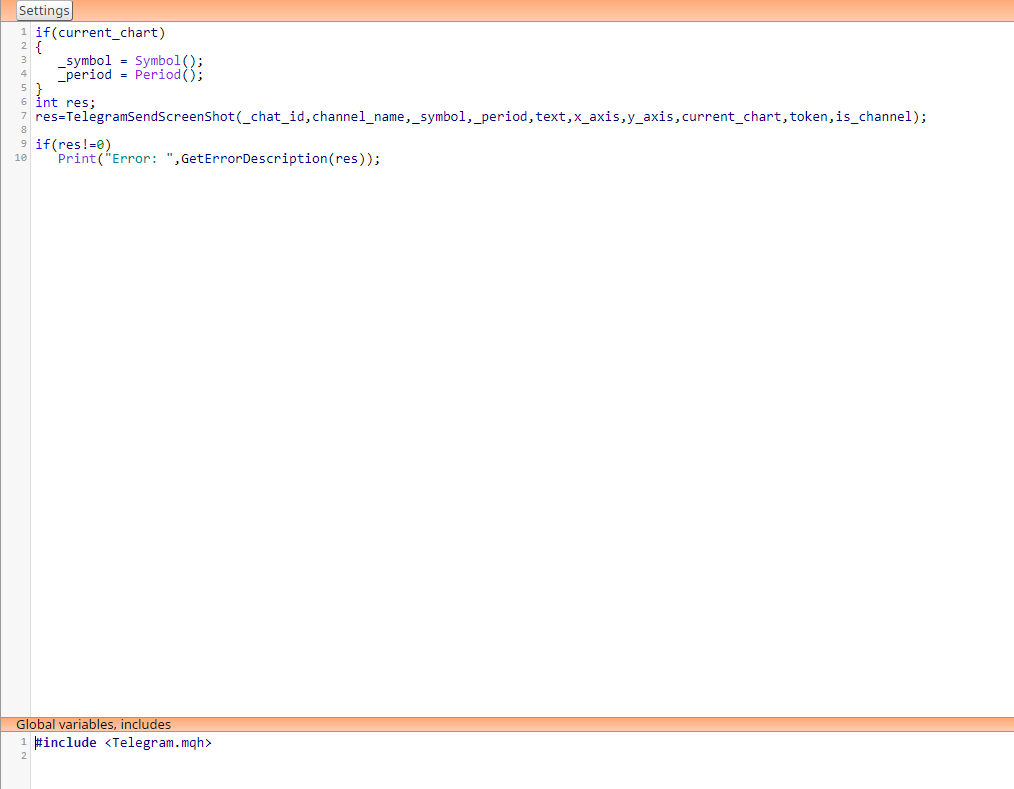
now you will need to make custom parameters that will be used within the block
follow these screenshots exactly how I have made it https://imgur.com/a/2dtgq1S
There are 2 notes. after you make all parameters open up is_channel parameters and click on the arrow next to the 2 options we made. under the "true" option choose channel_id and under the "false" option choose chat_id like shown in the screenshots.
this is also true for current_chart parameter but choose _symbol and _period.
if you follow it exactly like shown in the screenshots you will have no problems. so please make sure you follow it exactly.
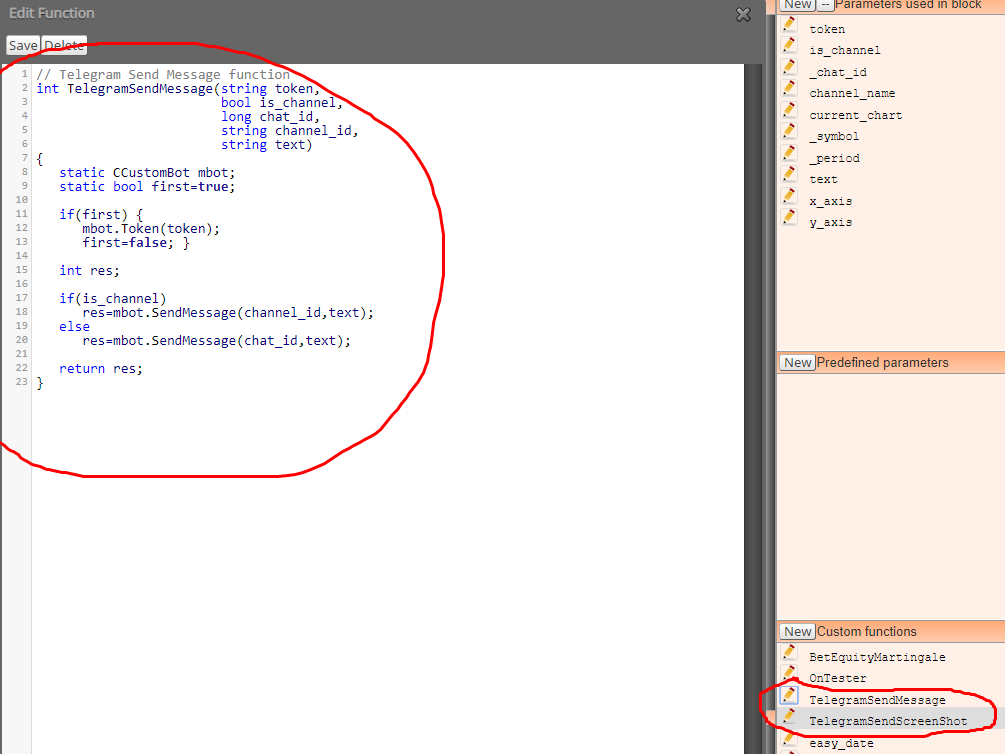
now in send message block put this code https://pastebin.com/ykGmW16r
and again put #include <Telegram.mqh> under the global variables,includes box
screenshots for parameters are here https://imgur.com/a/bKjHvRl
now click on the New button in the bottom right corner under Custom Functions 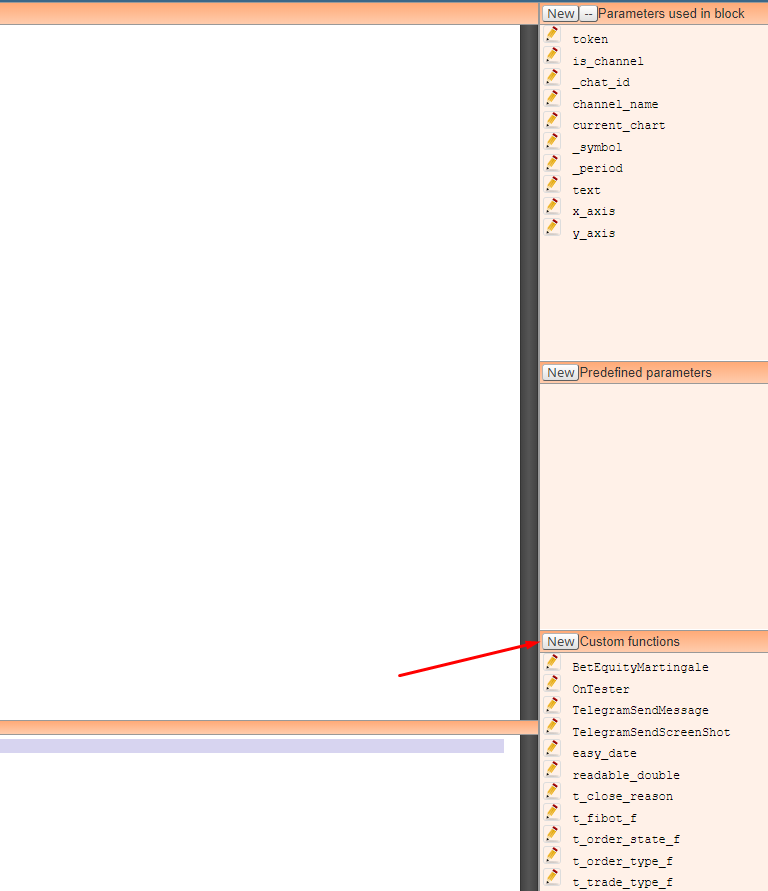
delete the default code inside and paste this code and click save
https://pastebin.com/y0zL8hSA
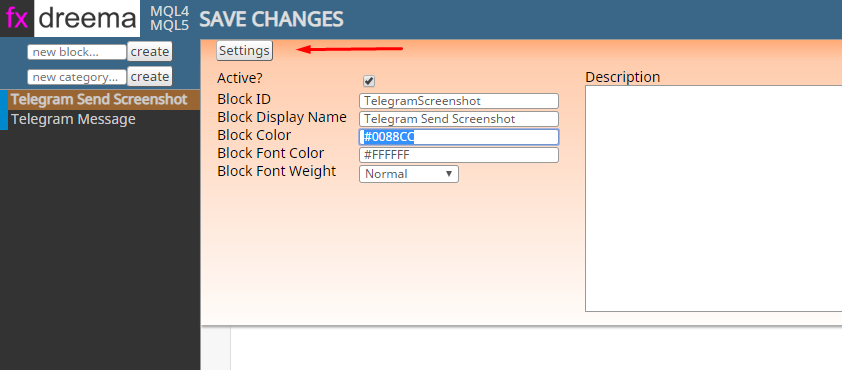
if you want to make the block telegram blue color so they look nice click on settings and use #0088CC for color

now you will need to allow your metatrader client to access https://api.telegram.org
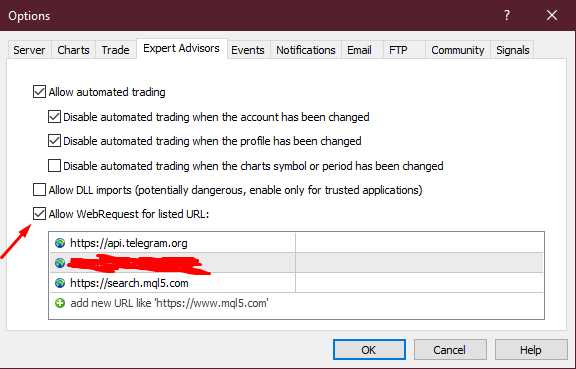
go to tools-options 
go to Expert Advisors tab, enable "Allow WebRequests for listed URL:" option and paste the url above into the box
Since we are using includes that are not hosted on fxdreema servers you must always download .mql4/5 file, not .ex file
you must open it up in metaeditor and compile it yourself.
Now to setup the actual bot and how to get Chat ID.
On telegram search for BotFather and open up a chat with him
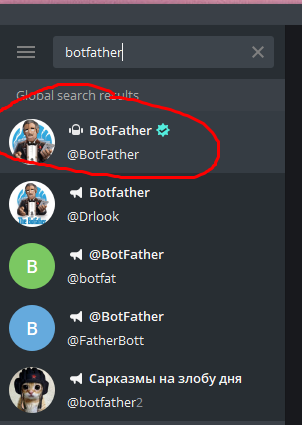
click start and type in /newbot and follow the instructions, once you are done you will get your bot's token
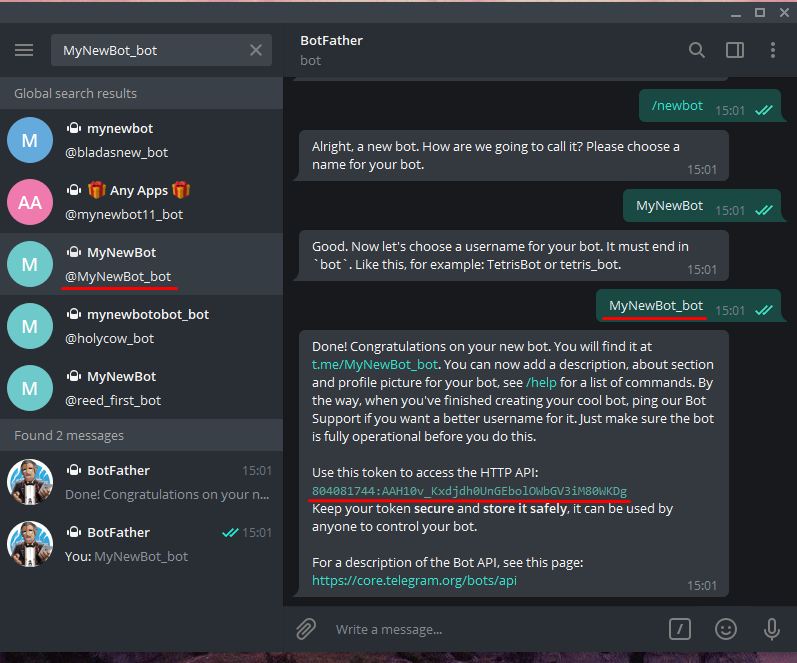
copy and paste that token into the "token" part of the blocks.
you can make a string variable with your token and use the variable in the blocks so you don't need to copy it always.
Make sure to share the token with no one.
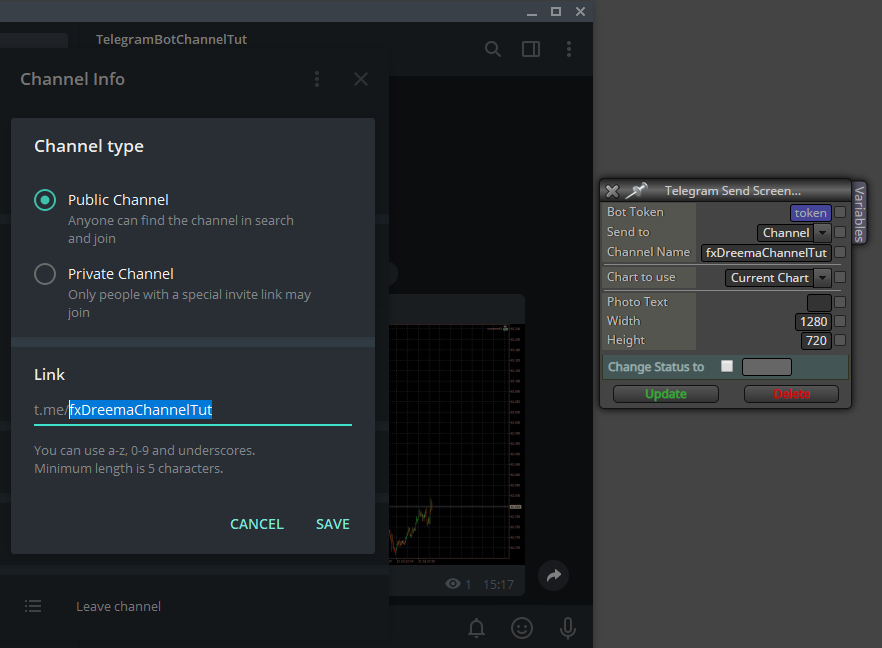
if you want to send to a channel you need to make a public one and then copy it's adress into the channel name box
if you want to send to a group make a new group and to it add IDBot and your bot
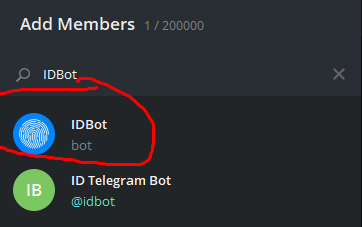
type /getgroupid to get your group's ID and then kick out IDBot and you can Pin his message so you have easy access to the ID if you'll need it again/often. Be sure to kick out IDBot.
now take your ID and put it in the ID Box
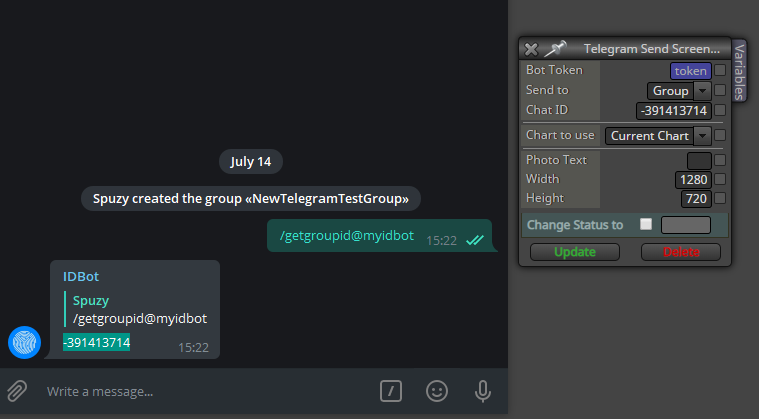
Channel name is a string value while Chat ID is int. so if you will be making variables for them for easier use in fxdreema make sure you give them the right type, string or int.
That should be it, if there are any problems be sure to notify me as I haven't done a lot of testing.
if my tutorial is missing something or is unclear please notify me I will edit it up to make this available to everyone.
Edit 1. Added "_callback(1);" at the end of the blocks code so you can connect other blocks after the telegram blocks.
unfortunately fxdreema custom blocks currently can't have 2 outputs (one yellow for if the block received error and didn't send a message) so any blocks connected after it will be activated even if the telegram block received some kind of error and didn't send the message.
Edit 2. To send to a private channel follow these steps
- Login under your account at web version of Telegram : https://web.telegram.org
- Find your channel. See to your url, it should be like https://web.telegram.org/#/im?p=c1055587116_11052224402541910257
- Grab "1055587116" from it, and add "-100" as a prefix.*
so your Chat ID would be -1001055587116
don't use option send to channel but use Group and make it into an int variable, just like with groups

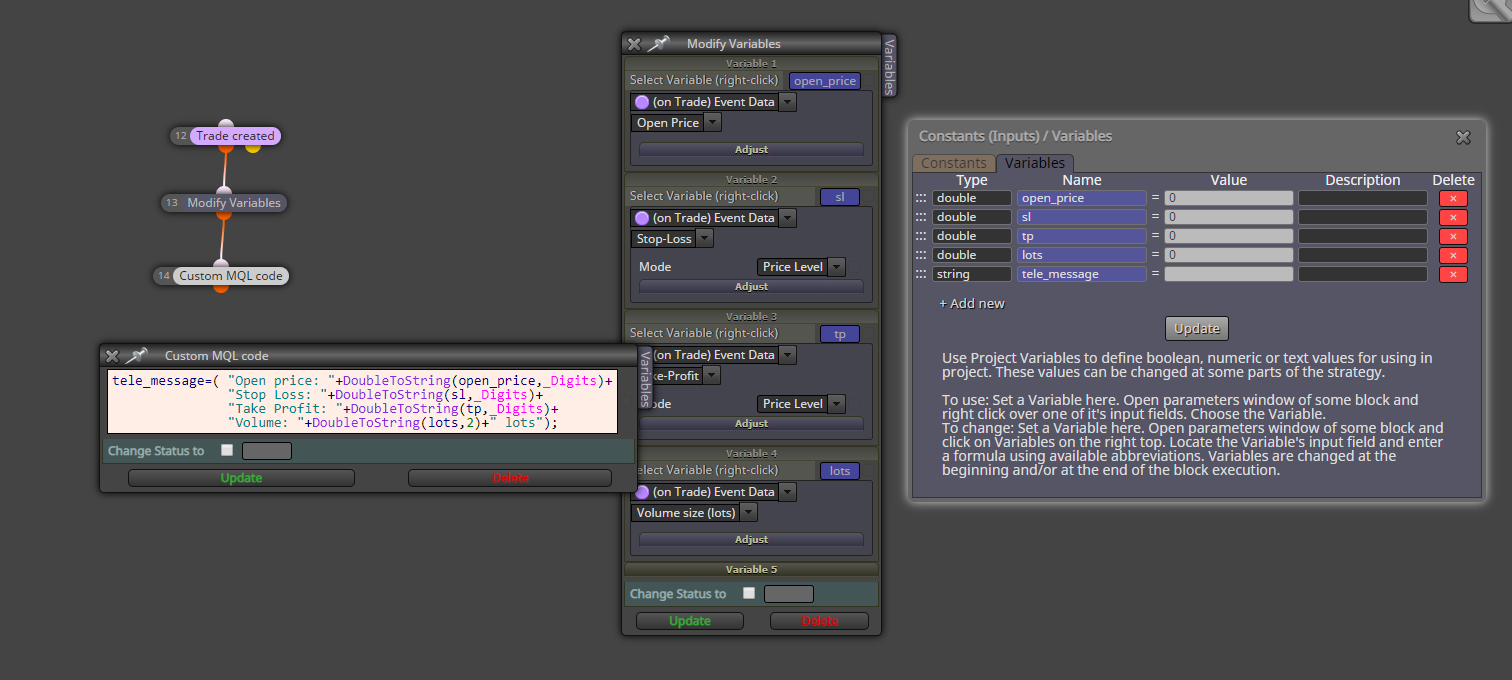
 check at the bottom