Using Multiple Comment Blocks
-
How do I get the comments from multiple comment blocks to write in the same area of the screen without overlapping on each other?
On the 2nd comment block I tried leaving Data Row 1 blank and using Data Row 2. When the 2nd comment block activated this simply wrote the comment over the top of the comment from the 1st comment block.
Next I tried putting the same information in Data Row 1 (Buy Level) in the 1st block into Data Row 1 in the 2nd block so that it would over write the same information. This worked well when comment block 2 activated (Buy Trade: Executed).
So I tried the same thing with comment block 3 but when this activated both Buy level and Buy Trade: Executed are now illegible.
I have attached screenshots of when each of the three comments blocks were activated.
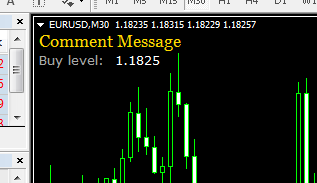
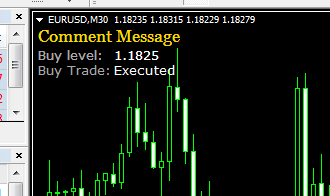
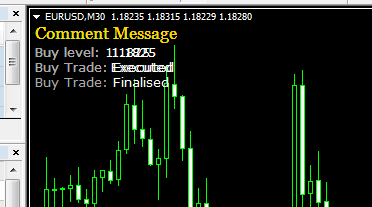
I have also attached a copy of the EA here https://fxdreema.com/shared/4wYlVdaGb.
-
Is there a solution for this? @fxDreema
-
delete comment (comment objects) before you execute it
-
Each Comment block creates its own text. So I added options to put the text in another corner, so you can have 4 Comment blocks that will not overlap. This is how it is now

-
@miro1360 Thanks again. That works well.
