J
Posts made by josecortesllobat
-
RE: Negative numbersposted in Questions & Answers
Hi martin 1
I guess that you use the "Search" tool of the forum to find interesting post that probably will answer your questions. For example, here you have a post explaining the "Adjust" field that is available in almost all the blocks
https://fxdreema.com/forum/topic/4247/question-regarding-the-adjust-field
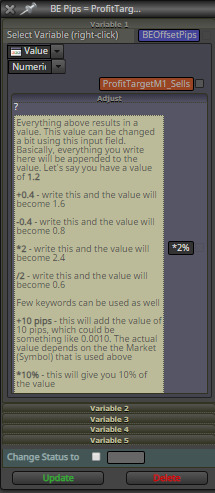
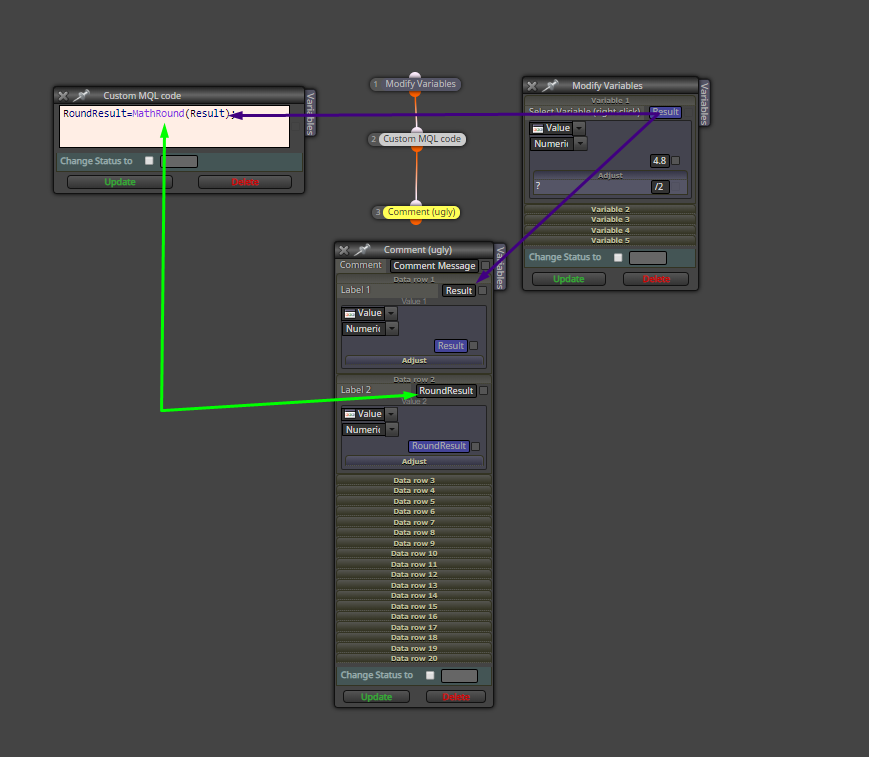
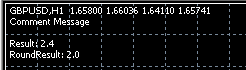
In addition to this, the adjust field has a "?" character. When you click over it, you will get some examples of what you can do with this field. For what you are requesting, you just write "*(-1)" without quotes in that field to get the positive number you need. In the example above, the ajust field calculates the 2% of the value of the constant "ProfitTargetM1_Sells" and the result is stored in the variable called "BEOffsetPips".
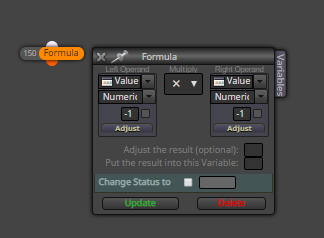
You also can use the "Formula" block that allows to code from the basis of the math functions to more complex ones.
-
RE: Save to a variable.posted in Questions & Answers
You have this option
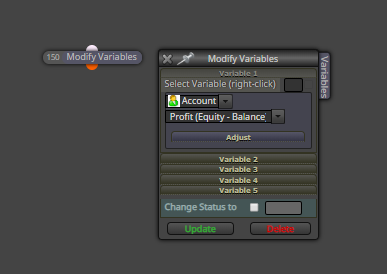
But I am not sure if it is what you are looking for.
-
RE: Find blocksposted in Questions & Answers
I usually look for a specific block´s number by using the "Find" tool of the web explorer.
-
RE: COSTUME INDICATORposted in Questions & Answers
I added one of your indicators to a MT4 chart
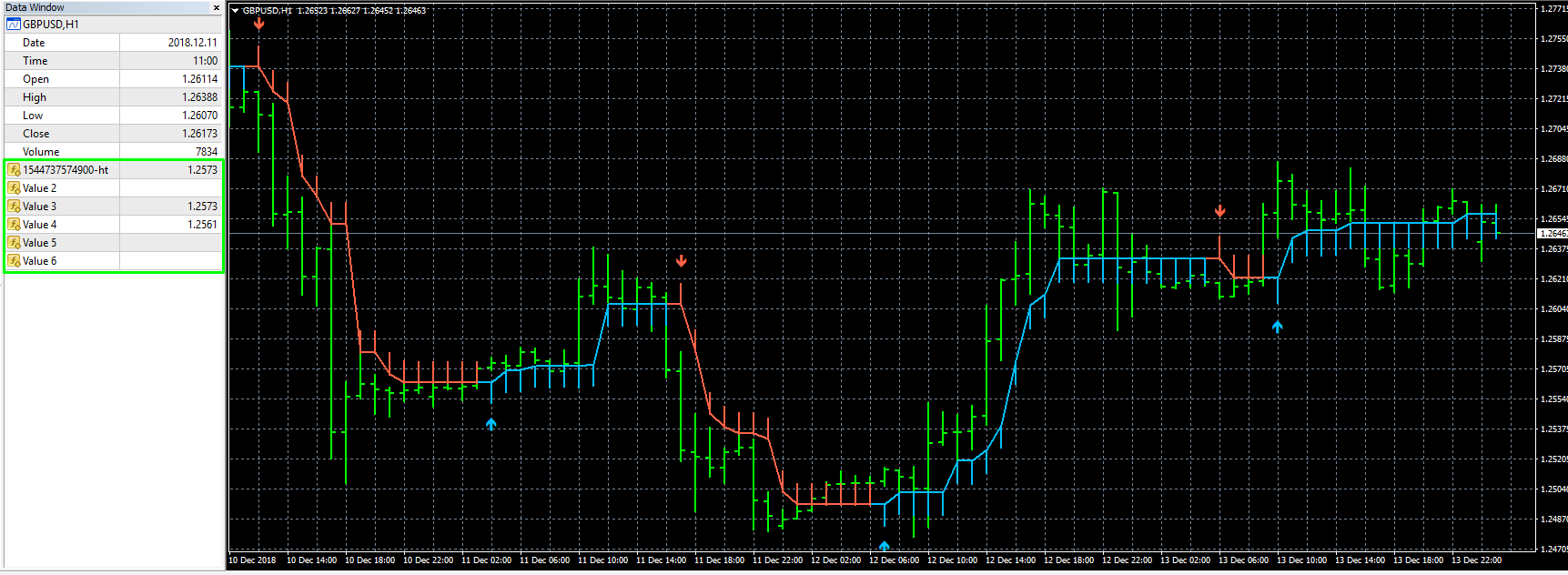
The values given by the indicator seem to be Price Levels.
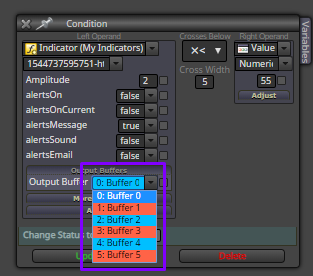
I guess that 1 of the 6 buffers showed above give you the value you need to compare. Then, you should not use the condition "==" because, as admin explained several times, it might be probably that your condition will never not be met. It is better to use a condition like "Buffer0 >= 1.95 -> pass" or similar.
I hope this helps you.
-
RE: COSTUME INDICATORposted in Questions & Answers
Which is the indicator's output? PriceLevel, Numeric value, etc.
-
RE: Error: MQL 4 is not supported code language (Try to create new expert)posted in Bug Reports
I encourage you to use the web builder.
-
RE: COSTUME INDICATORposted in Questions & Answers
Here you cand find good help
https://fxdreema.com/tutorial/builder/indicators
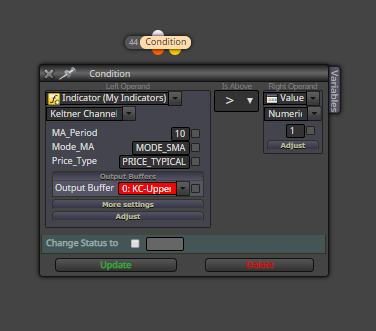
Here there is an example of how to use a custom indicator in a "Condition" block
-
RE: Close in losses.posted in Questions & Answers
Is this what you are asking for?
BUY + SELL trade at the same time
BUY trade is closed having some loss -> save the loss as money into a variable
or BUY trade is having some loss and you close it -> save the loss as money into a variable
What happen with the sell trade? Same as buy trade?
-
RE: Confirm a buy or a sellposted in Questions & Answers
This could work
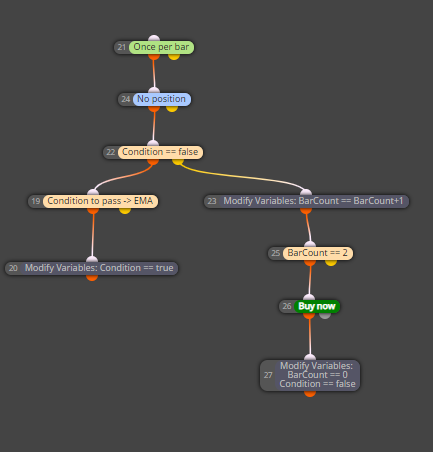
When "Condition to pass -> EMA" is true, "Condition" to start counting bars is enabled.
At the next bar since "Condition" is true, the count starts by adding 1 at the current BarCount value.
When "BarCount == 2" passes, the block to enter at market is executed and the BarCount and Condition variables are reset.
-
RE: I need a simple ea that buys after a bullish candleposted in Questions & Answers
You can choose between different types of candle conditions
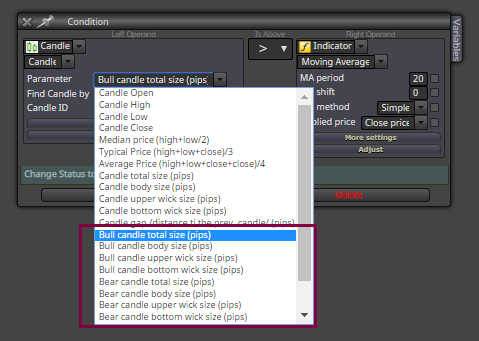
So you can use the condition that you need.
-
RE: Close position profit >= Xposted in Questions & Answers
Can you show the settings inside the "Check profit (unrealized)" blocks?
Which is the problem? Is that the trades are not closed when the Profit reaches your value?
-
"Spread filter" block always set 5.0 fixed pips in the codeposted in Bug Reports
Hi @fxDreema
It looks like if the "Spread filter" block is always setting 5.0 as the value for the "spread" field even though it is set a different value or a constant.
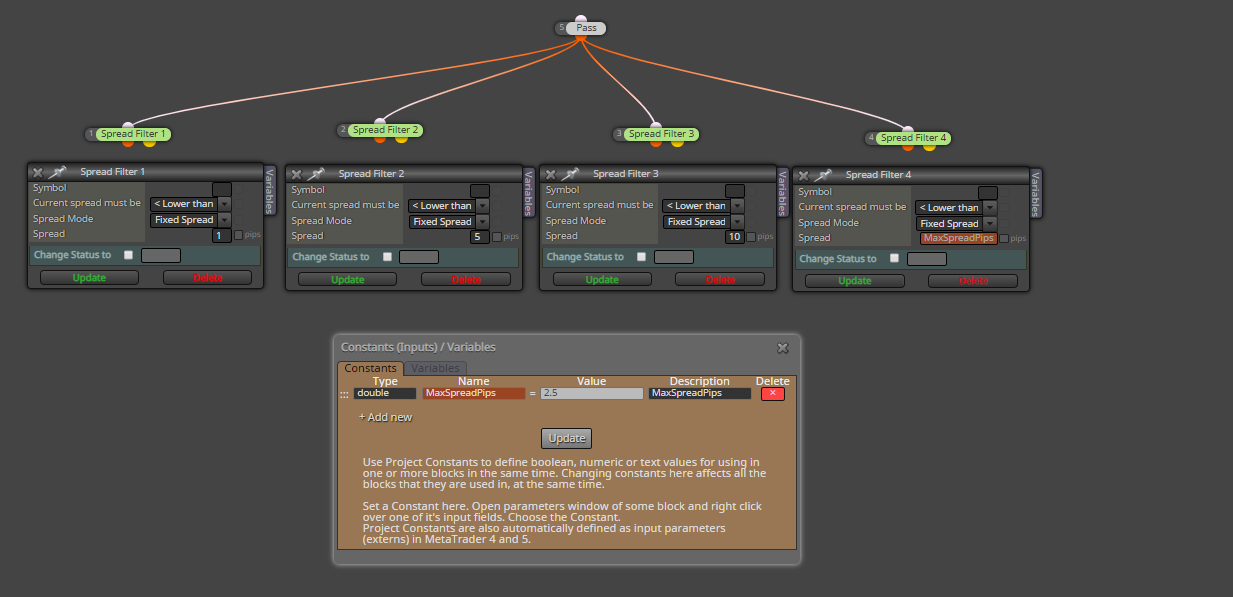
Might it be related to the next code part?
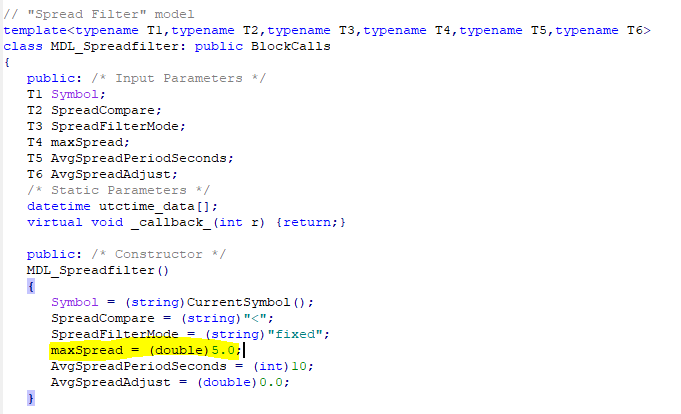
Thanks for looking over this issue.
-
RE: Save the value in pip of an operation when it is created.posted in Questions & Answers
Price levels should not be compared with Pips.
You can't get the open price as pips because it is a price level.
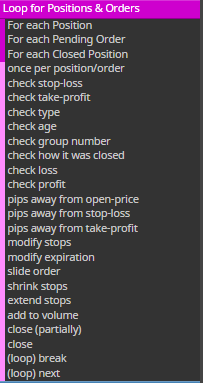
You can get pips by comparing two price levels. This is how it works in "pips away from ..." blocks:
PriceLevel1 - PriceLevel2 = Points distance -> PIPS of distance
1.0010 - 1.0000 = 0.0010 points -> 10 pips (USDGBP)