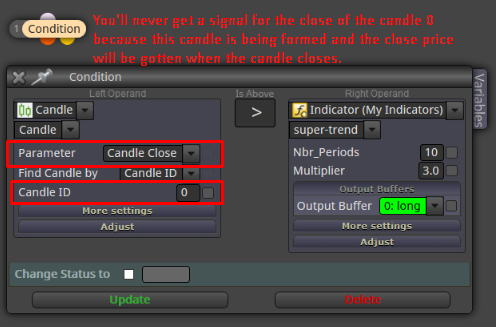
Do you want to say "points"? Because the candle's body is usually measured in pips that can be converted to points.
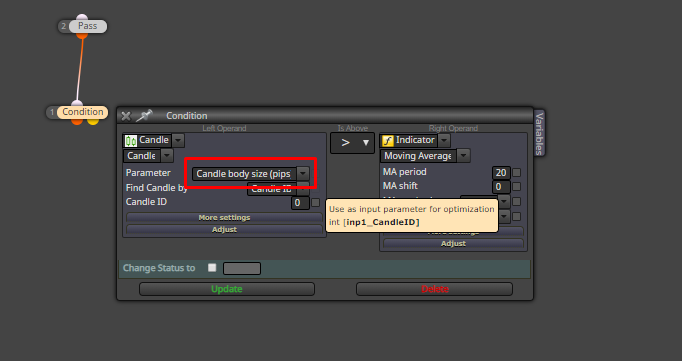
Do you want to say "points"? Because the candle's body is usually measured in pips that can be converted to points.
Yes, it does.
You hust have to change the value in the Adjust "field"
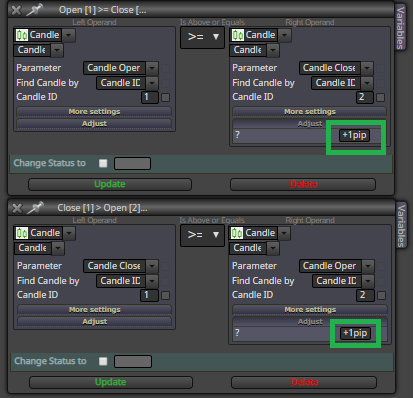
Sorry, I did a mistake. You have to type "pips" instead of "pip"
+1pips will add the value of 1 pip to the operand value -> 1.00000 + 1pips = 1.00010 (5 digits broker)
Hello @Setsuna
I think that it is better if you explain your trading rules in order to help you.
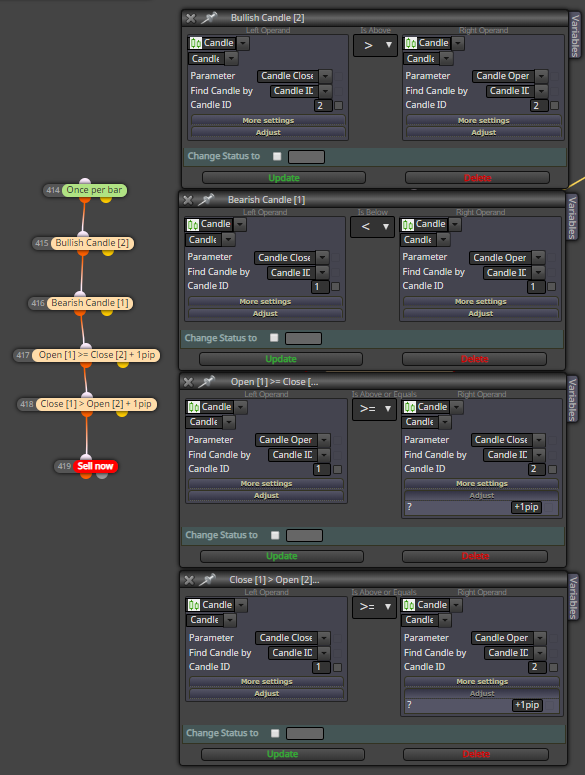
As far as I understand, you are looking for a kind of candle pattern where
Candle (ID = 2) is bullish
&& Candle (ID = 1) is bearish
&& Open [1] > Close [2] + 1pip
&& Close [1] > Open [2] + 1pip
Then, what do you want to do when those conditions are true?
This is an example of what you are requesting
https://fxdreema.com/forum/topic/4858/total-profit-reduces-by-x-then-close-everything
Thanks to the people involved on that post because it is a really nice "Account Profit Trail Stop". This is why the forum and the info sharing is so valuable.
Hi @fxDreema
We were discussing that on this post
https://fxdreema.com/forum/topic/6346/position-s-expiration/6
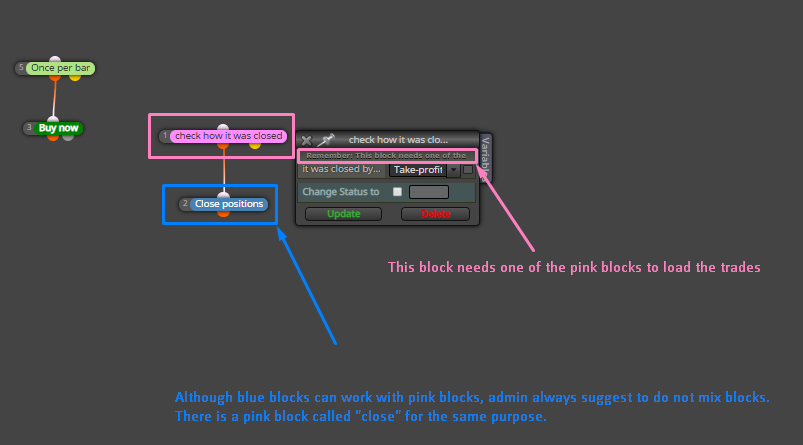
You can try this
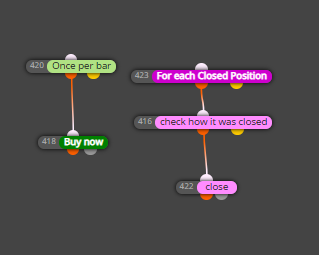
And be more specific using the filters included in the "For each closed position".
Just backtest it using the Strategy Tester Visualization and you will see if it is what you need/want.
Then, if I am not wrong,
list item when the position (#1) exists and its profit is 3 or 4 pips, close (#1) and open a new trade (#2) with the same direction
list item when the position (#2) exists and its profit is 3 or 4 pips, close (#2) and open a new trade (#3) with the same direction
Right?
This could be an approach
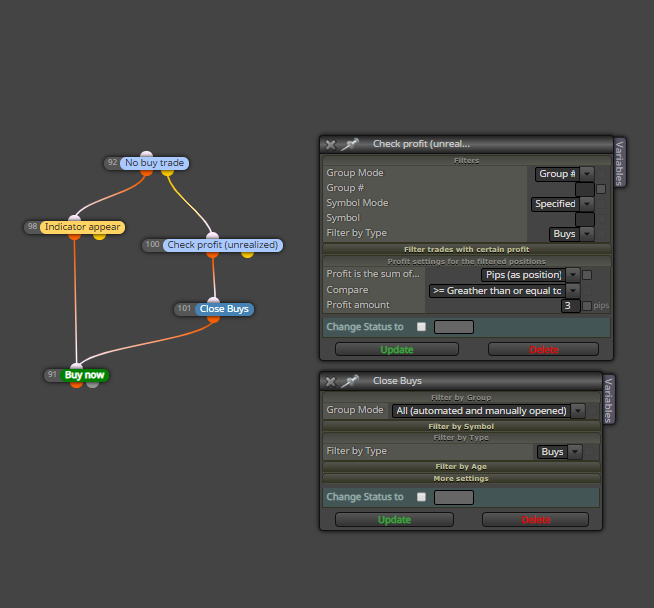
The example above should work as
If you want to limit the number of positions (#2, #3, ...) to open after the first one was opened, you will need to add anything (block, variable, etc.) that counts the number of times that the false yellow output of the "No postion" block passes.
Could you share a screenshot of the project?
Here you have a good example given by @miro1360 about how to create buttons
Then, if I do not understand it wrong, what you want is:
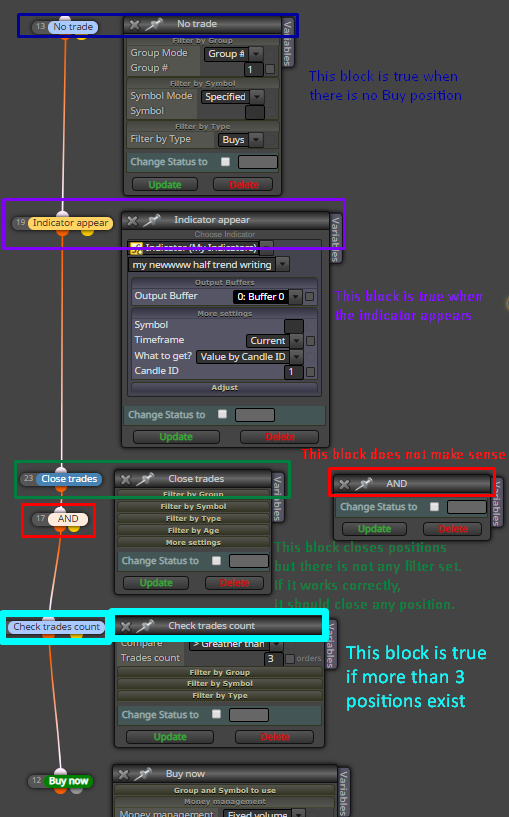
To reach the "Buy Now" block you require:
I would suggest you to start the project step by step.
Open (#1)
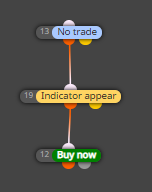
does it work as expected?
If you can share your project or at least open the blocks and take a screenshot, it is better to try to help.
What is not working? EA does not open any trade (sell or buy)?
So, looking at your screenshot, I think that what you want is to open buys when MACD crosses above (x>) 0 and sells when MACD crosses below (x<) 0, right?
Your conditions in the builder states to open trades when MACD > 0 (buy) &/or MACD < 0 (sell).
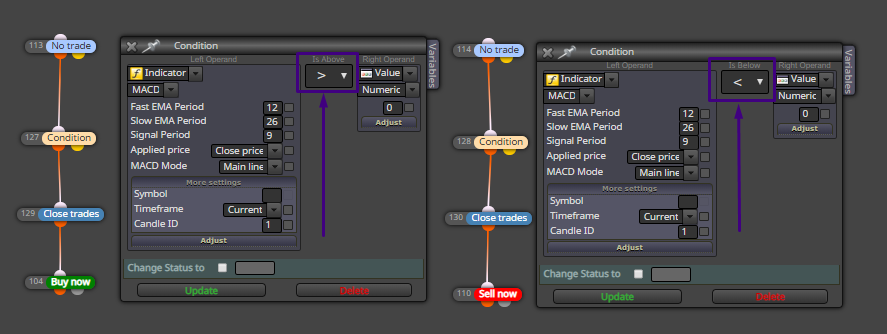

That condition is true while the MACD is above or below 0. So the EA will open trades for each time that the conditions are true.
This could work if it is what you are trying to get
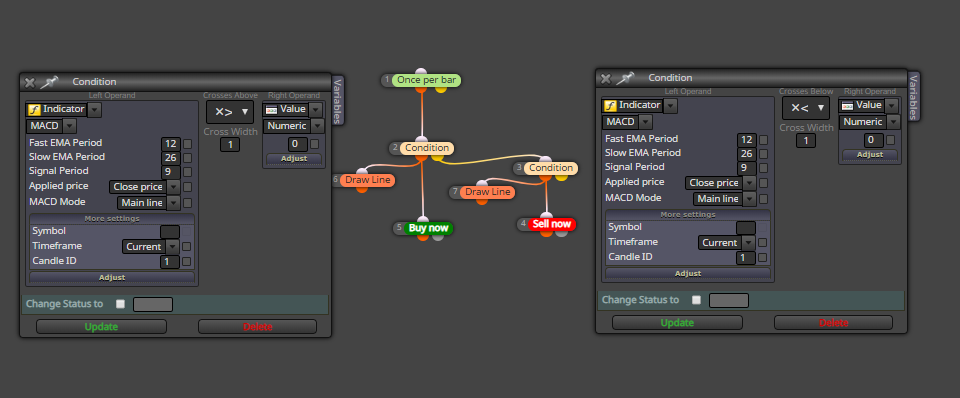
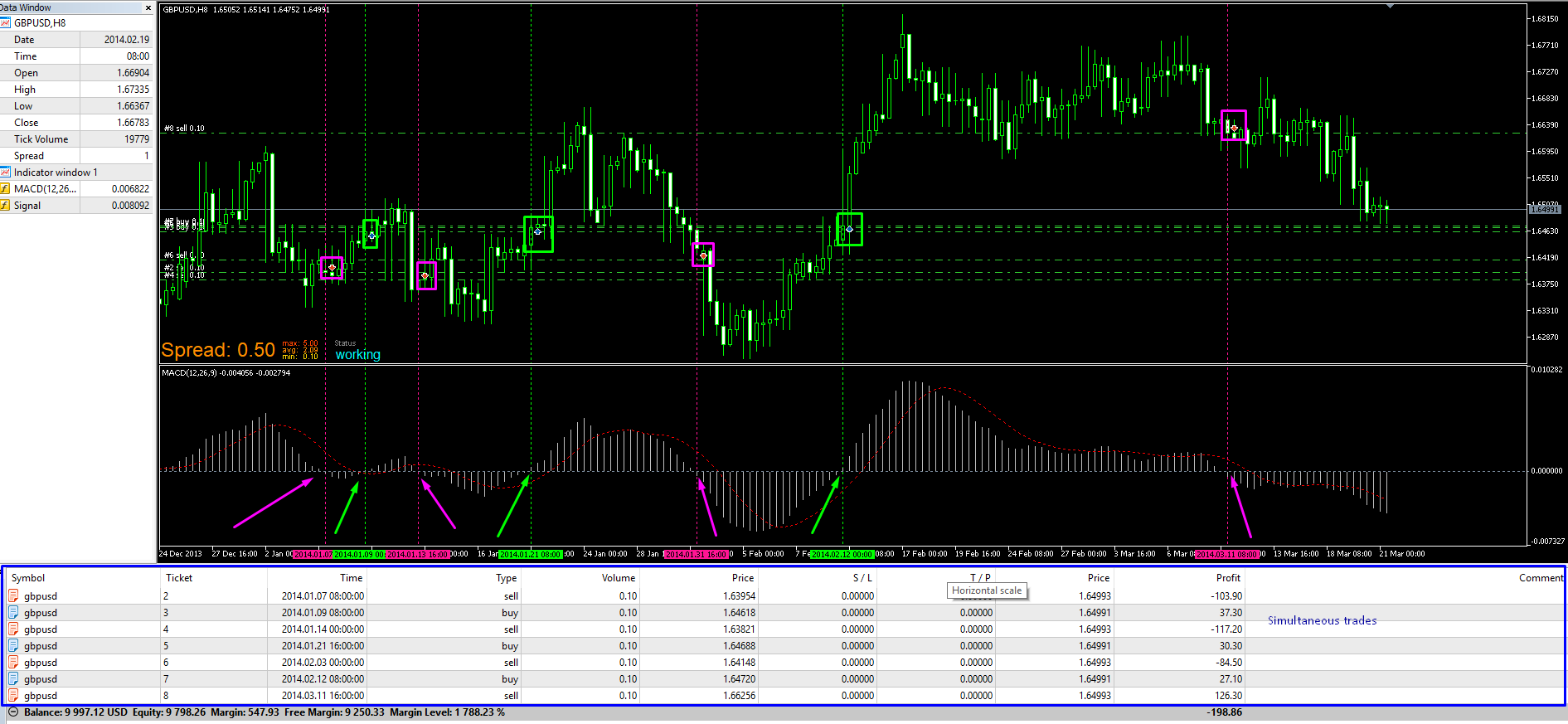
To "detect" a new bar, just place the block "Once per bar" at the top of your project and connect the rest to it. With this configuration, the EA will be executed at the first tick of a new bar and you can check what you need for the previous bars like the "Candle close" with ID = 1 that is what you are asking.
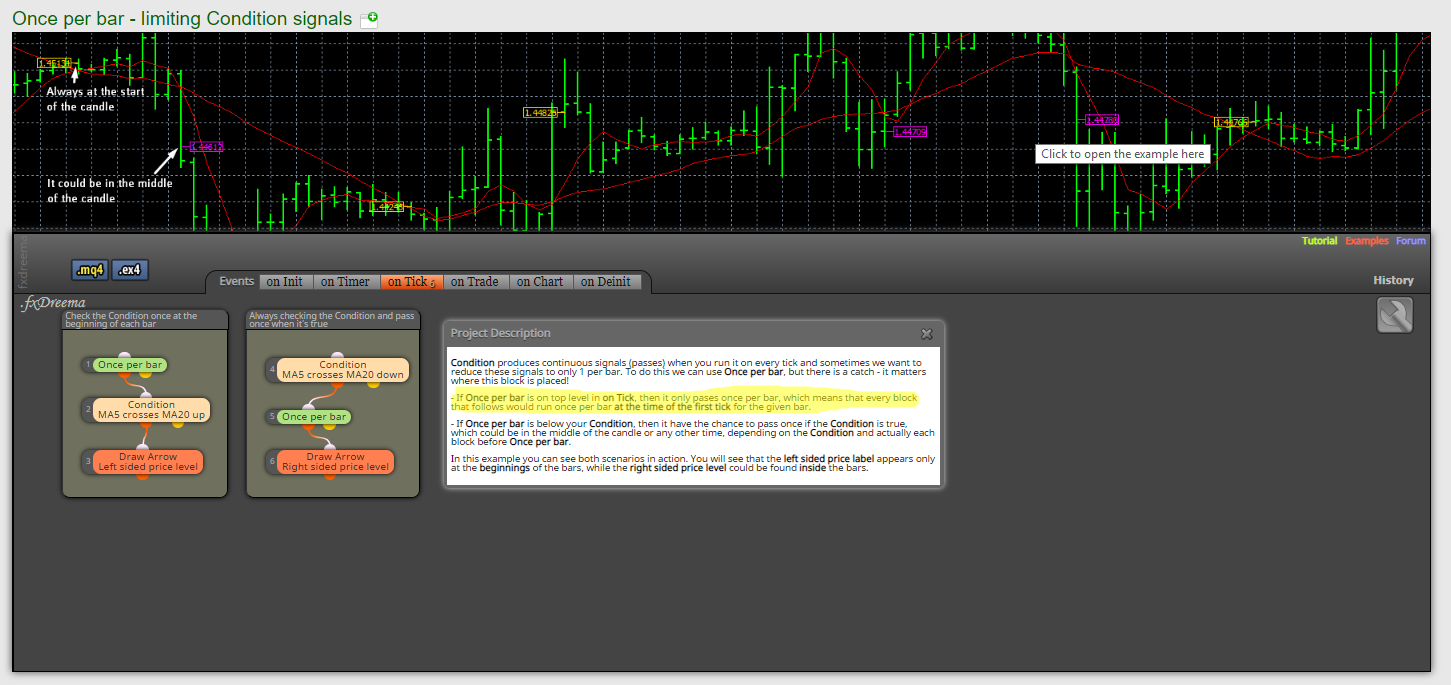
https://fxdreema.com/examples#Tips-and Tricks
Once per bar -> if trade -> Close (or similar)
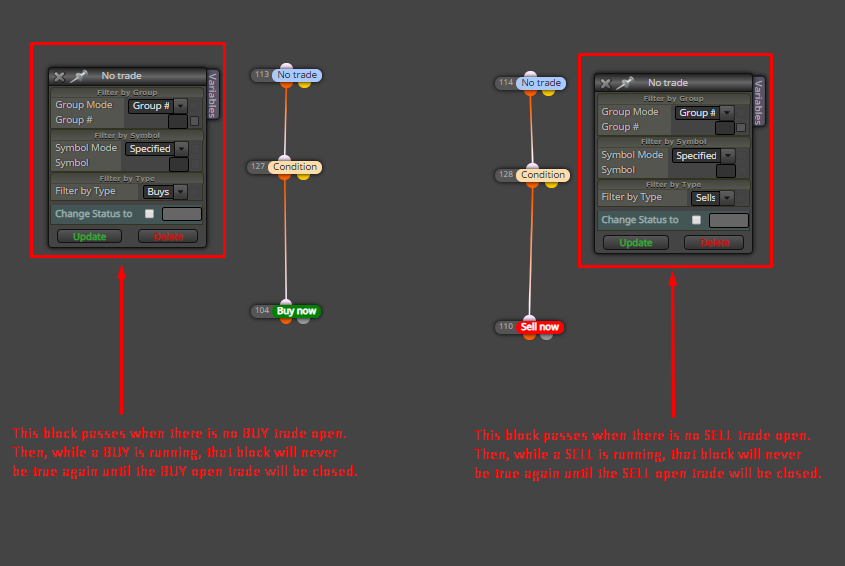
If you want to open a new position when the condition to go in is true regardless there is a trade running, you can't start the project with a "No trade" block.
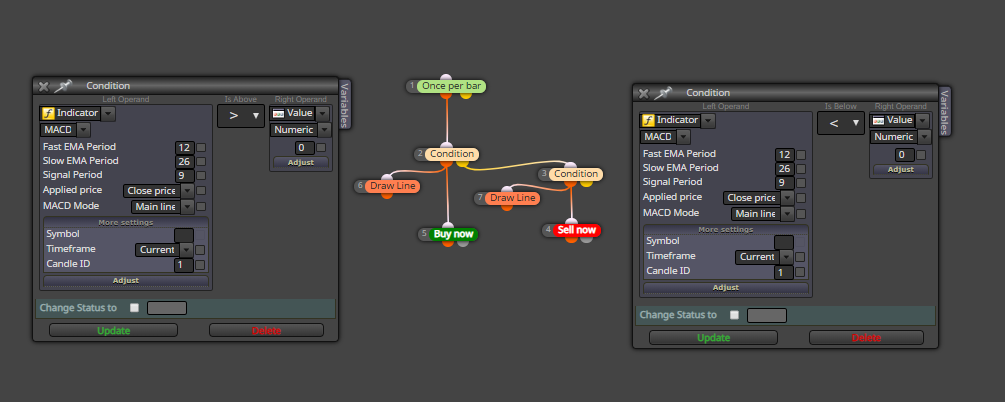
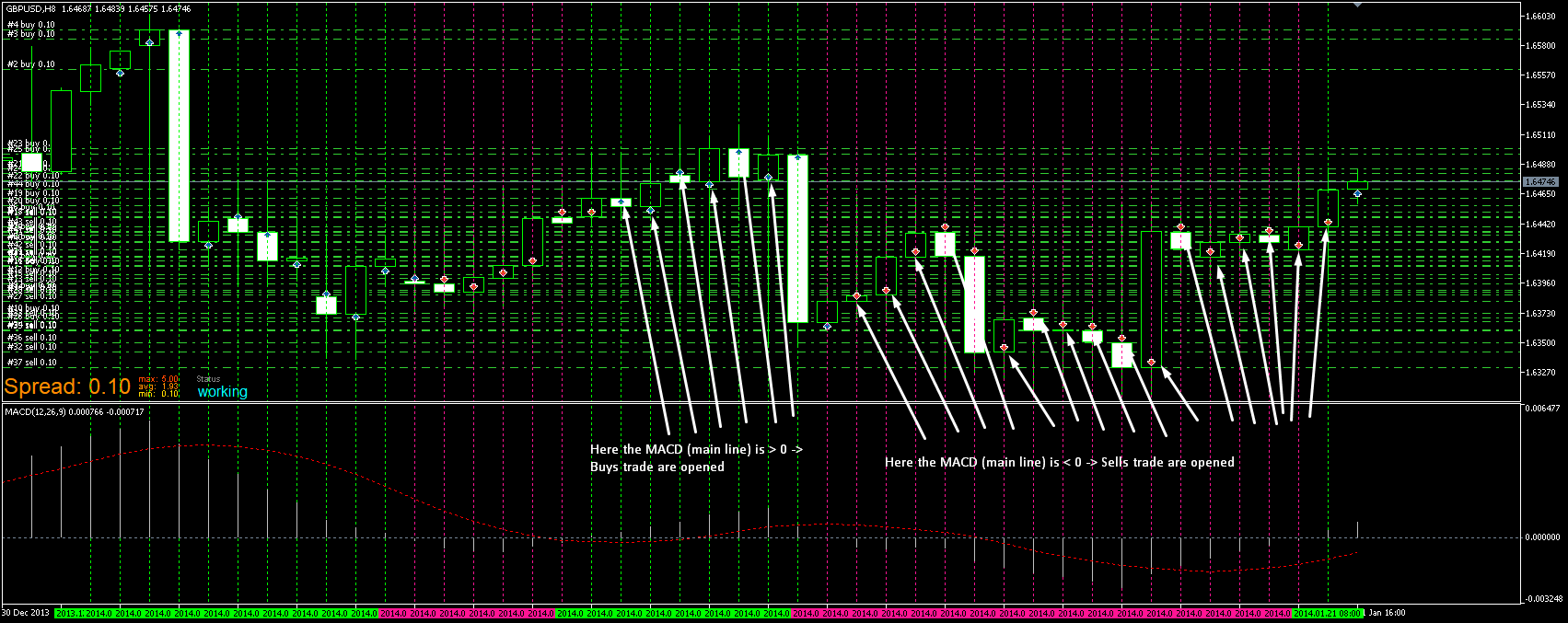
But I am not sure if this behavior is what you are looking for because, as for example, if the MACD stays above 0 for each candle/tick, you will get a new trade for each new bar/tick.
Could you share the indicato'rs mql file?
What you want is that EA opens a trade each time any of the conditions is true, right? I mean: if buy/sell trade exists and condition to go long/short is true, open a new position.