What do you want to do when Profit is 5$?
For example,
profit (for each position or for all as a bucket?) >= 5$ -> Close/Open/Add?
It would be better in order to help you if you share your project's logic or a screenshot?
What do you want to do when Profit is 5$?
For example,
profit (for each position or for all as a bucket?) >= 5$ -> Close/Open/Add?
It would be better in order to help you if you share your project's logic or a screenshot?
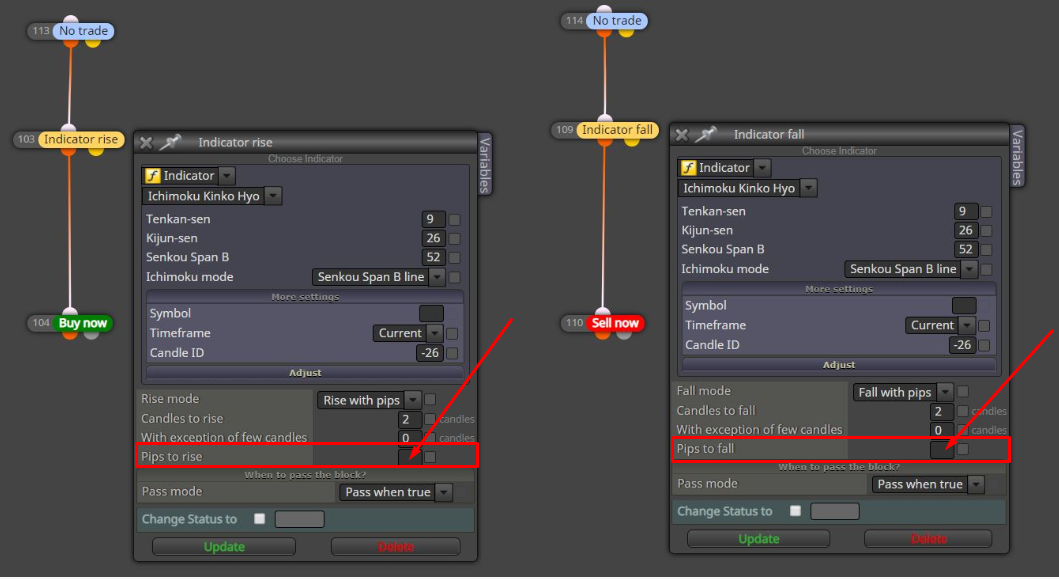
Try to add a value in the "Pips to rise/fall" field.
Hi @miro1360
Thanks for your advice. I placed that "Comment" block as you suggested and it works fine on backtest.

GOOD JOB!!!!
I will check this out on demo account.
:-()
https://fxdreema.com/tutorial/builder/things-not-to-do
The best way to detect a candle close is when a new bar borns.
Hi @miro1360
Thanks for helping.
The EA opens a trade if the conditions are met at the beginning of a new bar ("Once Per Bar"). After the position is created, the value TP1_Pips and other position info is stored in variables
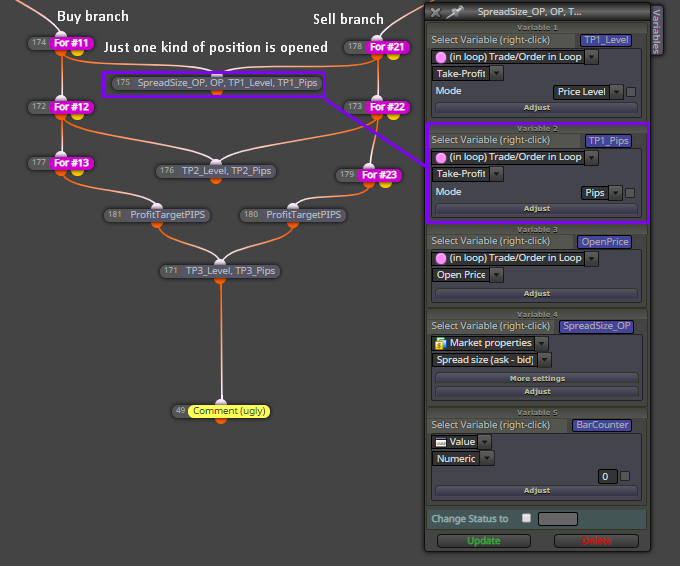
Looking at what I have explained above, I have added a new branch that stores again the value for TP1_Pips if the position exists but for "every tick".
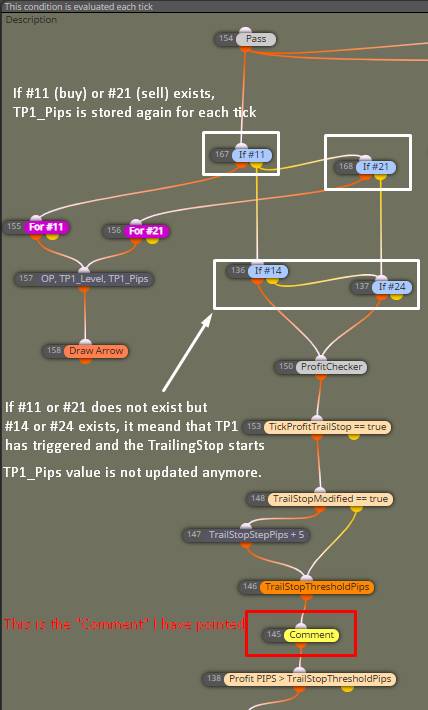
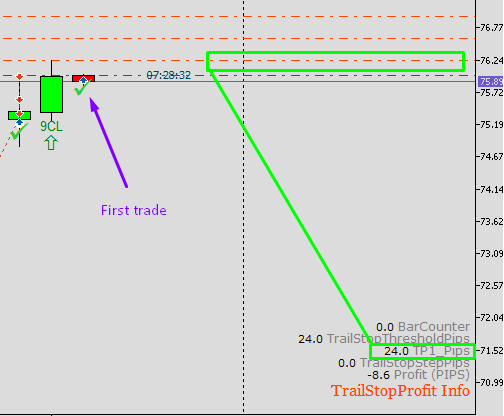
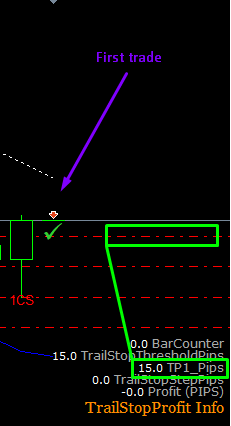
The problem I think is happening is that TP1_Pips value is not stored correctly for the first trade of the EA. Because if the "Comment" is showing
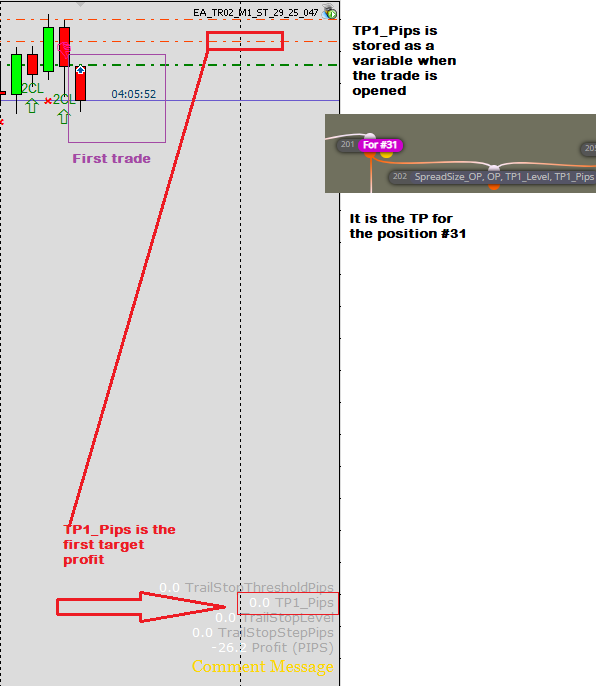
TP1_Pips = 0.0 but the TP line has been placed correctly on the chart,
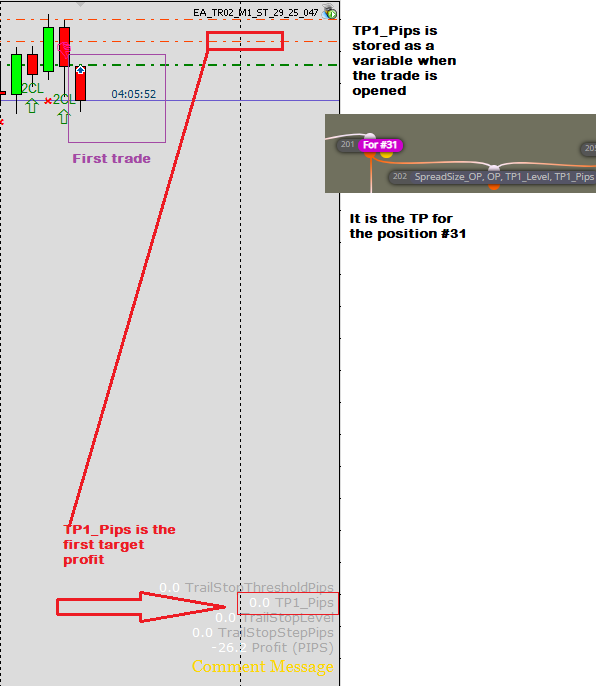
it looks like that the value has not been stored correctly. This issue seems to be specific for the first trade because it does not happen for the next ones.
Hello
This is something that I am seeing using my EAs on a demo account and happens backtesting as well.
The problem is that some values are not updated correctly for the first trade that the EA opens. On backtesting is not a big problem but on the demo account it is.
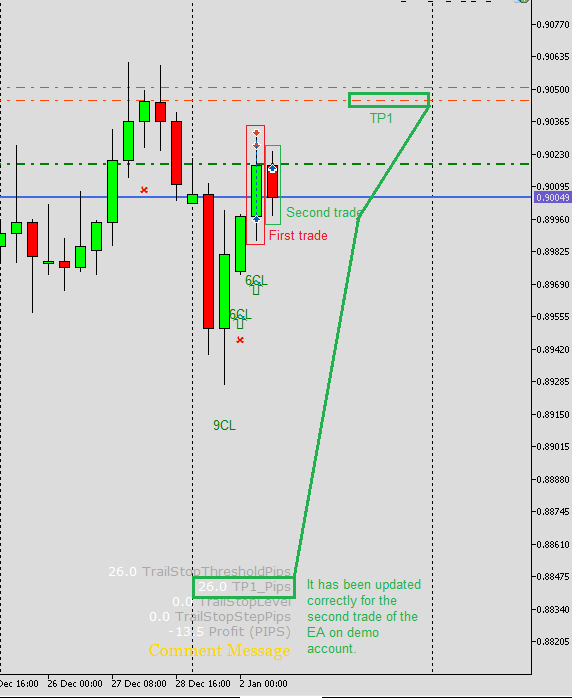
It might be a specific issue of my EAs but I am not sure.
Has anybody seen this particular behavior?
Thanks
You can choose the arrow you want available at the wingdings menu just by typying the number of the element
https://www.mql5.com/en/docs/constants/objectconstants/wingdings
I guess to start looking at
Then, you can read the forum posts where you can find a lot of info. Start with the "Tutorials by Users" section.
You don't need to know too much coding. With fxDreema, most of what you need is easy to code.

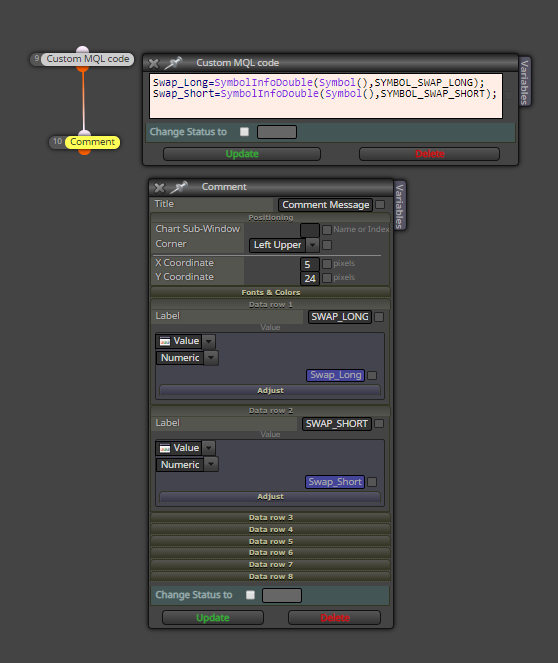
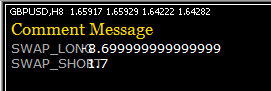
The NormalizeDouble function needs to be used with a variable that can be normalized. Like this
Variable1 = LotsCount
Variable1 = NormalizeDouble(Variable1,2)
That syntax will normalize the variable "Variable1" with 2 decimals. Then you can show the value of "Variable1" in the "Comment" block.
You can get a similar example from here
You can use a "Custom MQL" block with the mql function NormalizeDouble to get the number of decimals you want to show in the variable at "Comment" block
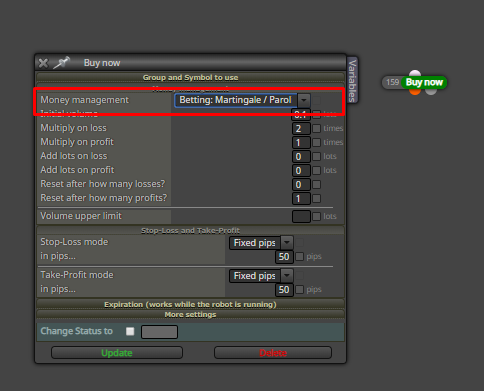
It looks like a "Martingale" strategy.