You need to add to the logic, set flags true/false as things happen, and check before/after this way you control what is classed as happened and can happen.

You need to add to the logic, set flags true/false as things happen, and check before/after this way you control what is classed as happened and can happen.
I find the easiest way is to constantly add 1 every minute to a variable, variable to 0 on event (like candle opening), check the value and when it reaches 16 commit to do something.
The only thing you can do is message support on the FX support page, crypto can take a couple of days but it will be activated soon.
Pips means regardless of lot size the trade will stop when enough distance is covered, so I see why it would make sense. But test with money, once working as you want you can upgrade the logic to pips, because at this point you will know the money value of a trade's action, so on the same lot you will see how many pips give the same result.
I can but get things working as you want, then if needed you can refine by changing set up's to use pips.
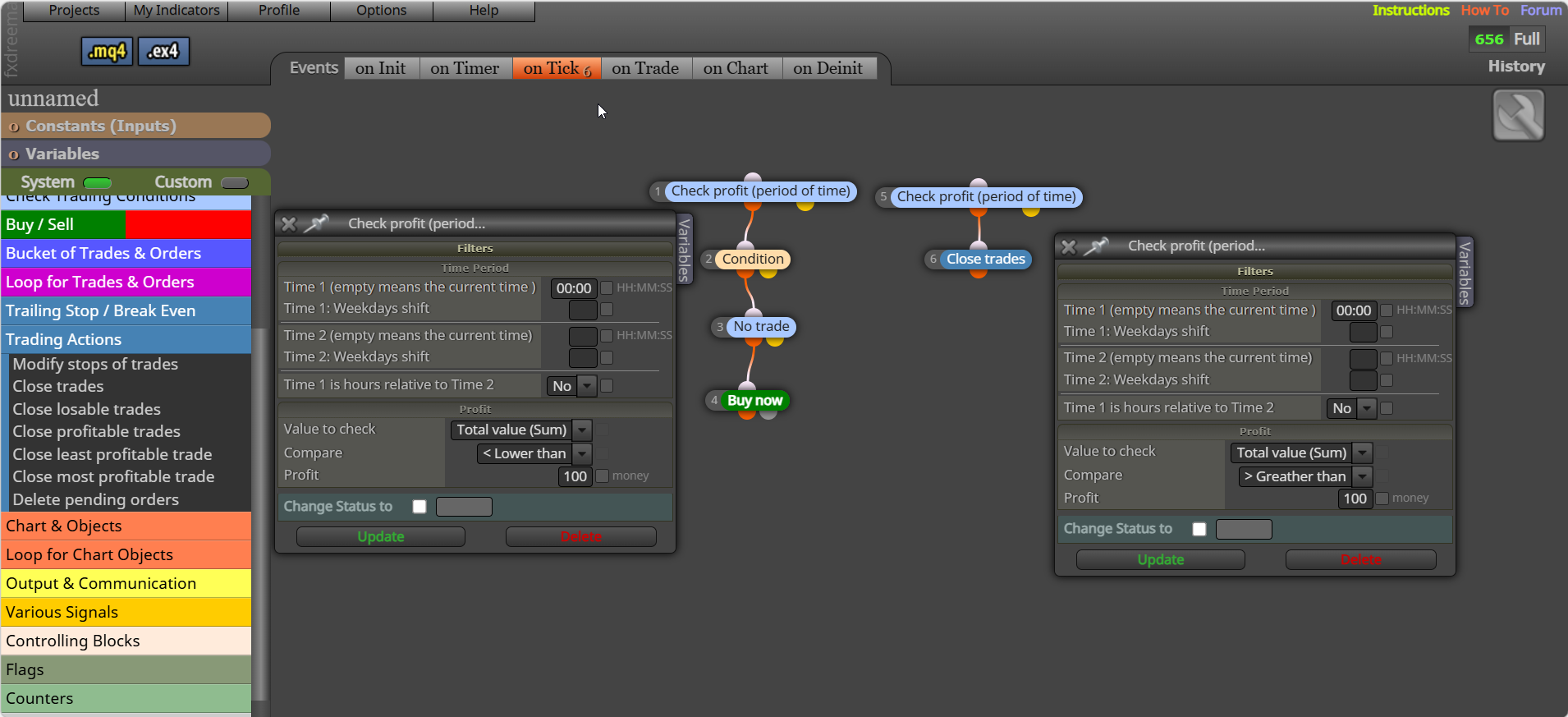
It does exactly that, only allows trades if day profit not met then closes, you could not use the close section, and it would work the same if a trade closes above the value. It doesn't work for pips, a different multi block set up would be needed.
@Bogdaiki of cause you can... buy why...
you don't terminate you use 2 blocks, above your trade blocks < the goal amount, above a close block in a separate tree > goal amount
block, check profit (period of time) - close block, this will check profit made over a given time then close if reached.
Push the mq button to download, import back into FX and you will have all constants and variables on the upper left of the project screen.
I would do it more like this, so it resets back to the original value when there is 0 trades, is a simple continual way but would need more conditions added: https://fxdreema.com/shared/FxWncGSqc
For this expiry date you need to get it from the broker, there is no MetaTrader code that can get this. Once you have it you can make the automatically trade end so you are not committed to buy it.
You'll have to go to the main support page and ask: https://fxdreema.com/support
Added variables to draw blocks, let me know if it works: https://fxdreema.com/shared/9RCAmiyOd
You can not create a enum for this as it is already pre defined, ENUM_MA_METHOD is the correct type, MODE_EMA is the correct value:
https//www.mql5.com/en/docs/constants/indicatorconstants/enum_ma_method
You have it almost right, but your shared link doesn't have these constants in, add the shared link with this enum data and I'll see what's wrong.
This should do it, not tested but compiles: https://fxdreema.com/shared/FoVpQnJDb
no because you are the only person that knows the reason