This for eg can be added via text code input to a variable, "Text "+variable1+" Text "+variable2, or you can put things straight into the box using ""variable1+" Text "+variable2+"Text "

This for eg can be added via text code input to a variable, "Text "+variable1+" Text "+variable2, or you can put things straight into the box using ""variable1+" Text "+variable2+"Text "
That sounds exactly how you would have things work. If things go wrong you can add a shared link and ask how to resolve it.
Light pink is only half what is needed, dark pink (for each) is required above, these have the missing options.
You need to add a shared link so inside blocks can be seen.
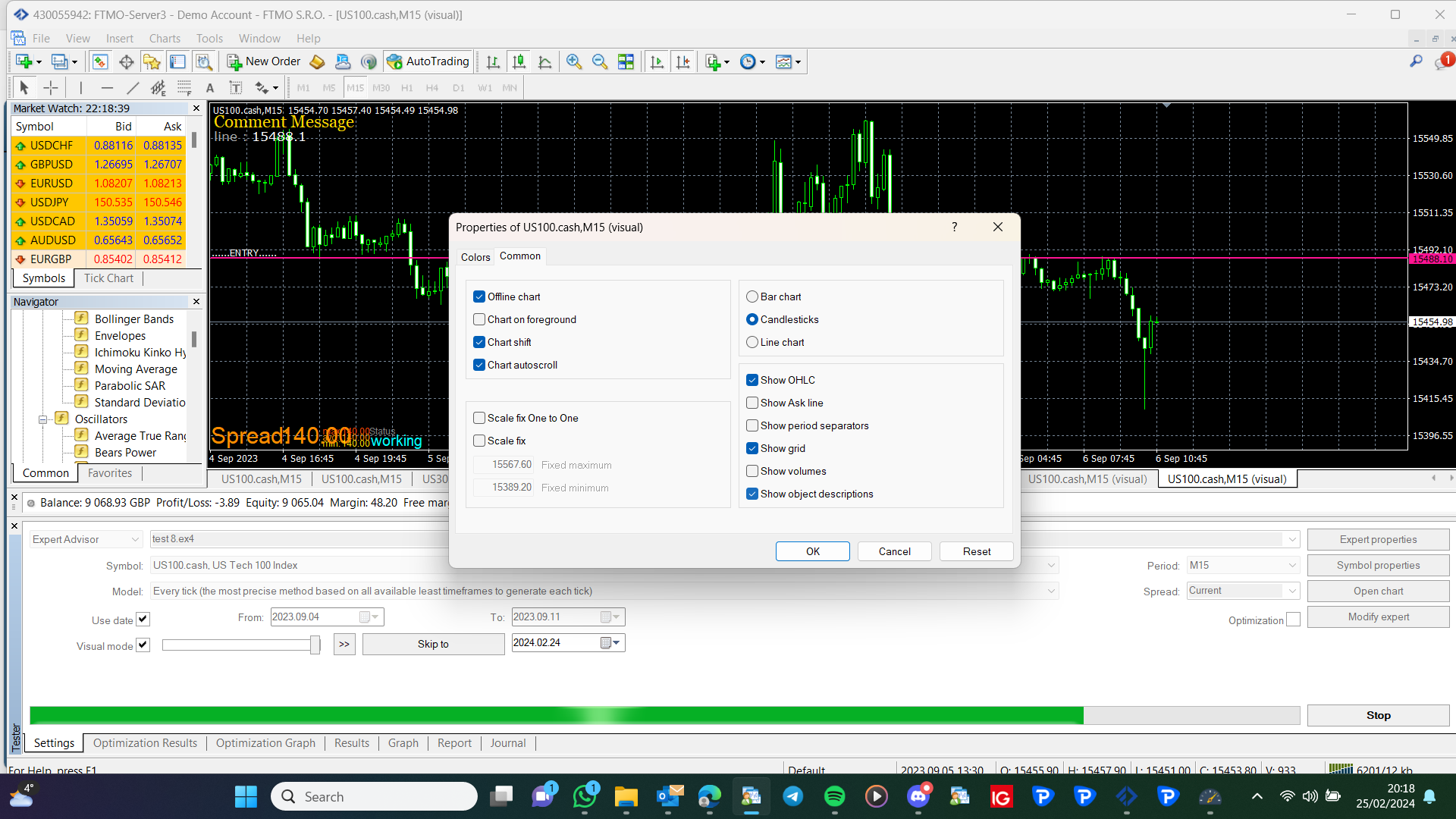
So it turns out this option is turned off as standard in Meta Trader 4, when turned on text is displayed on the line.
:
Make the changes and add a shared link to look at, might see something that's wrong.
If buy or sell in not already in the block, most blocks have it. Use a formula block to add to the variable and saving back into it.
Just connect a sell block where you would normally have a buy.
Interesting because that is not where it put the text on my platform, as you can see in my picture. Also, you misspelt ENTRY.
What I do is ctrl x to cut the file, then ctrl v to past and replace the file, this way the name remains the same. And you don't end up with many junk files.
This depends on how the indicator acts, how it tells you the signal has changed
I thought I replied to this earlier, you have a couple of choices, place trade using a variable and increase under buy/sell, then reset when needed. Use pink blocks in a separate tree, get the last lot and adjust to increase.
Maybe but it is anything that means you have a working copy, MQL can be imported back into FX. Admin has corrected MT5 recently, so until any new meta updates all should work.
Any but I would use (true-false)
Yes, use on trade, under you can put buy/sell blocks, or any others you want to do something. This would be a separate tree, and you can have multiple trees across all tabs interacting with each other
All this is possible, choose 1 thing you want to happen 1st, create a test project and add a shared link to look at.