fxDreema

    • Register
    • Login
    • Search
    • Back to the main page
    • Categories
    • Recent
    • Tags
    • Popular
    • Search
    1. Home
    2. jstap
    3. Posts
    • Profile
    • Following 2
    • Followers 222
    • Topics 37
    • Posts 9382
    • Best 1086
    • Controversial 23
    • Groups 0

    Posts made by jstap

    • RE: BUG. Block " Position Closed "

      You want this to only work on current symbol?
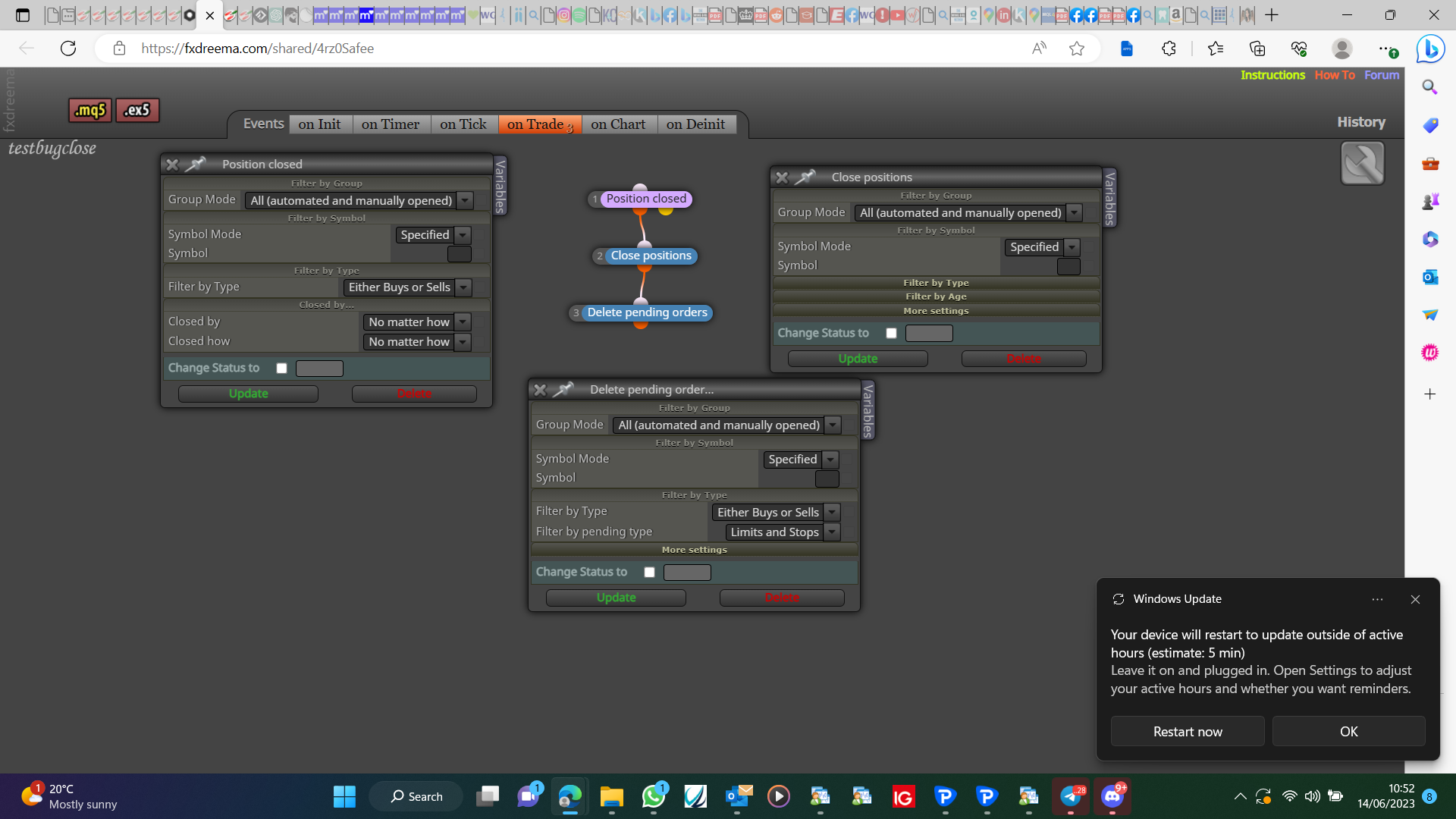

      image.png

      posted in Bug Reports
      jstap
      jstap
    • RE: drop-down menu in indicators method

      Add a shared link, you seem to of added too much information

      posted in Questions & Answers
      jstap
      jstap
    • RE: I need Guidance to duplicate an indicator via FX Dreema

      I use check profit period of time, if< amount place trade, if=> close all trades

      posted in General Discussions
      jstap
      jstap
    • RE: very position robot

      Try this, may want to use 1 close < >
      image.png

      posted in Questions & Answers
      jstap
      jstap
    • RE: Zigzag in multiple timframe

      Add the shared link

      posted in General Discussions
      jstap
      jstap
    • RE: Zigzag in multiple timframe

      I would use this on many TF, add a shared link to look at.

      posted in General Discussions
      jstap
      jstap
    • RE: Zigzag in multiple timframe

      Don't use the TF constant, use the fixed in block settings, all variables need to be different as well.

      posted in General Discussions
      jstap
      jstap
    • RE: Problem to see the code in fxdreema

      Only EA's created on FX work here, my guess is it wasn't created here.

      posted in Bug Reports
      jstap
      jstap
    • RE: Zigzag in multiple timframe

      It does used to use it like this, why have you got the condition blocks under the trees? Get this working on current TF then you can test on a specified Tf, when working you can set up the rest, while setting EA's here, you need to start as simple as posible, then yon can add.

      posted in General Discussions
      jstap
      jstap
    • RE: Trailing Stop (Stoploss)

      I mean it will crash through and close where boom/crash stops

      posted in General Discussions
      jstap
      jstap
    • RE: TRADE CONDITION

      Try and create, back test, if not working correctly add the shared link and say what's wrong.

      posted in Questions & Answers
      jstap
      jstap
    • RE: Please Help

      Change magic number in settings, put place order in one bot, put close in other, put both EA's on same symbol, but diffrant windows.

      posted in General Discussions
      jstap
      jstap
    • RE: TRADE CONDITION

      Condition block, candle 1 closed<EMA15->close block

      posted in Questions & Answers
      jstap
      jstap
    • RE: drop-down menu in indicators method

      Type= ENUM_MA_METHOD - name= your choice - value= simple, this will give you a dropdown in your inputs, right click and add this constant in your blocks.

      posted in Questions & Answers
      jstap
      jstap
    • RE: how to create opposite position after breaking even activated?

      You need to set up trees on the on trade tab, if stop modified switch flag on, check flag if trade closed by SL activate opposite trade, reset flags when necessary.

      posted in Questions & Answers
      jstap
      jstap
    • RE: Please Help

      Try splitting into 2 EA's, make sure you have the same magic number.

      posted in General Discussions
      jstap
      jstap
    • RE: Zigzag in multiple timframe

      The ZZ takes a lot of work what @l-andorrà has showed you is what you need, get this working and get the ZZ point values into a comment, then you can see and know the values to weather ZZ is up or down. Once you have done this people will help to get all working. If you struggle with a specific problem, ask. If you are running this on MT5 ensure you go down to the comments and get the correct version.

      posted in General Discussions
      jstap
      jstap
    • RE: Trailing Stop (Stoploss)

      SL does not work when there is a boom or crash, you need to close the trade before this happens.

      posted in General Discussions
      jstap
      jstap
    • RE: Please Help

      You only have 10 connections free.

      posted in General Discussions
      jstap
      jstap
    • RE: Trade closing assistant

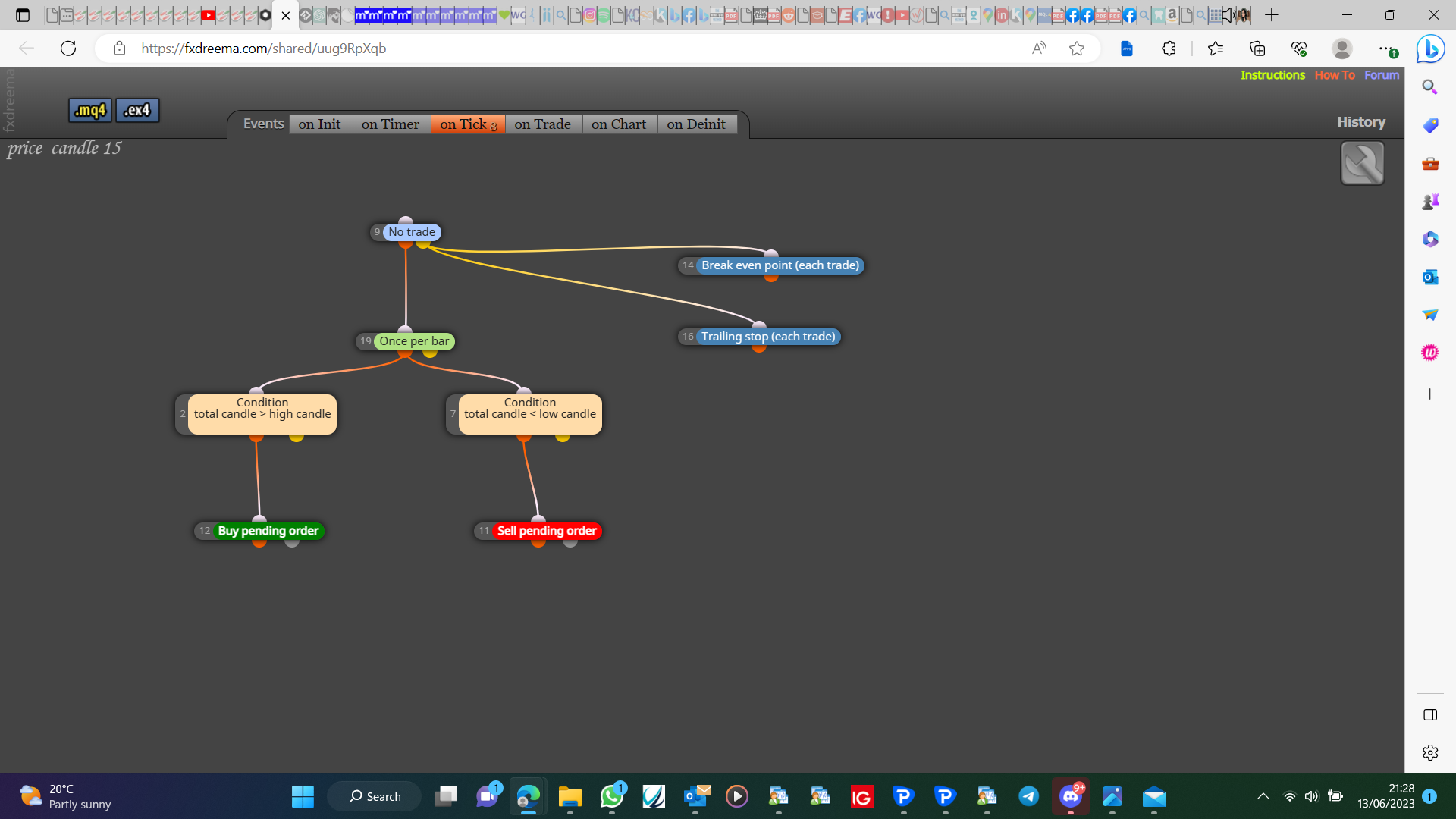
      Exactly so you need to se all symbols and group in both blocks.
      posted in Questions & Answers
      jstap
      jstap
    • 1
    • 2
    • 288
    • 289
    • 290
    • 291
    • 292
    • 469
    • 470
    • 290 / 470