@raj-bearandbull This is how I would do it, it normally adds the pips as expected.

@raj-bearandbull This is how I would do it, it normally adds the pips as expected.
@sauce No this shows you what the indicator is doing, what I would do is put a couple into a condition block with something like > 50, I would then draw text from the orange dot to say over 50 and one connecting to the yellow dot saying under 50 so when I press F3 I can visually check, once this is working you will know what to do to use the global (terminal) variables, you then could add custom code to get the descriptions you need into a variable, put this in a comment to check, you can then use this variable in the condition block. At this point you and then in a tree so all is doing as wanted, then copy and mimic all because you know it works.
@sauce This is how you set global variables on fx: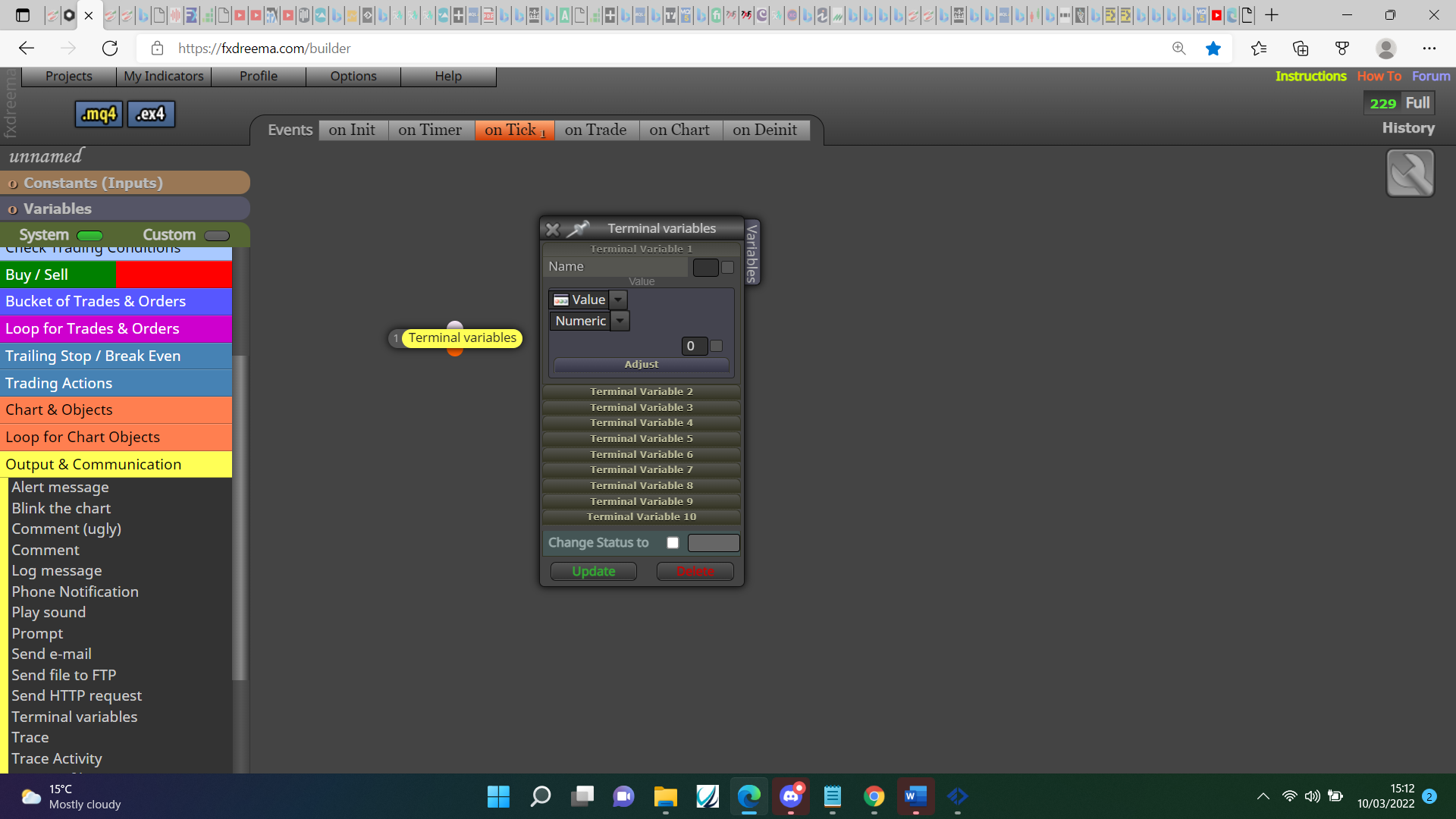
If that indicator fills the global variables push F3 to check all is as needed.
@sauce Your modify variables blocks should work, put into a comment to check, Your condition blocks are checking global variables but you have no global variables being set, check with comment, set the global variables.
@jim67 Change the new Take-Profit (level) to unchanged.
@tipsywisdom On MT4 a variable isn't needed.
@btrader Undeclared identifier is normally when a variable is expected, not sure why it would do this. You could try not using the custom code and redrawing the button, not sure if works but worth a try.
@william-1 To simply work out if the MACD has dropped use candle numbers, so MACD on candle 0 < MACD on candle 1, if you want a set pip distance adjust the candle 0 value to something like +2 pips.
@pais Your indicator link doesn't work, upload the file on here directly, is buffer 2 a price level? if not you cannot compare candle close, you cannot compare text to a numeric value, 80% of what? don't think you can use % in this way.
@sauce The TEST was just so you could see how to add data from a constant,
Where you have (QUOTE) and (BASE) move to the other side of " and change for the variable.
@dutchyynl Most likely if you want the EA to control trades other than the chart you are on.
@sauce I will gladly show you but is this not the same as what you have done already?
@yazar-ilyas There is an option to do somthing with an object on chart, as long as it's named using should be easy.
@sauce For every variable that contains something different needs a new but, if the data is only relevent to something that is specific to something like the chart EA is attached to, a variable can be shared, it just needs a condition like base = USD change variable to ???, if different change to ???, in this case yellow dot can be used to check the next condition.
@dutchyynl In market properties you have base/quote, when placing a trade save this into a variable, check with a condition if different before placing a trade.
@ontradingx I believe MT5 is the same for this.
@sauce I too would use multiple variables, you could create a list and get the data from there but I do not know how.
@sauce Everything is in what I did before, mimic and change the names as required, create necessary variables and all will be done. Any variable that already has relevent information you can use without re-creating.