@pais Put a shared link and the indicator here, I'll have a look.

@pais Put a shared link and the indicator here, I'll have a look.
@yeaha Put a shared link so what is happening can be looked at.
@jluu188 Put a shared link here so where you're at can be assessed, generally though you don't need to turn blocks off as a condition block does all that's needed.
@trdjb3 I am unsure if this is what you were trying to do, not tested but should work.
@od Use a purple block, trade closed by SL, under delete pending order (use on the on trade tab).
@ontradingx I don't think it's possible to get information from market watch.
@youngtreptrader That is simple if no trade place trade and set trading to false, at the start of the next day set trading to true, place trade and set to false, this continues indefinitely.
@afoa This depends, if on tick tab a pending is placed, when it activates a purple trade created block on the on trade tab with a buy/sell block will activate an instant buy/sell, when the pending's are placed you could likely place buy & sell on the same level. You could create hidden grid levels so when price reaches the level a buy & sell are placed but this would be a lot hardest to achieve.
@youngtreptrader Here is an example, the result is in a comment so you can back test to see working.
@afoa What exactly do you mean? Generally if you determine when an order is placed, you can get buys & sells to place at the same time, inside the pending grid block you set individual settings.
@campero This is likely because your magic number isn't set to 0, 0 = manually opened.
@traderthomas Not if this is outside of the realms of MT4/MT5, I find that quite often when the term A.I is used it is false and just describing something someone has done using human inelegance. Real A.I's use a lot more computer power than a PC offers.
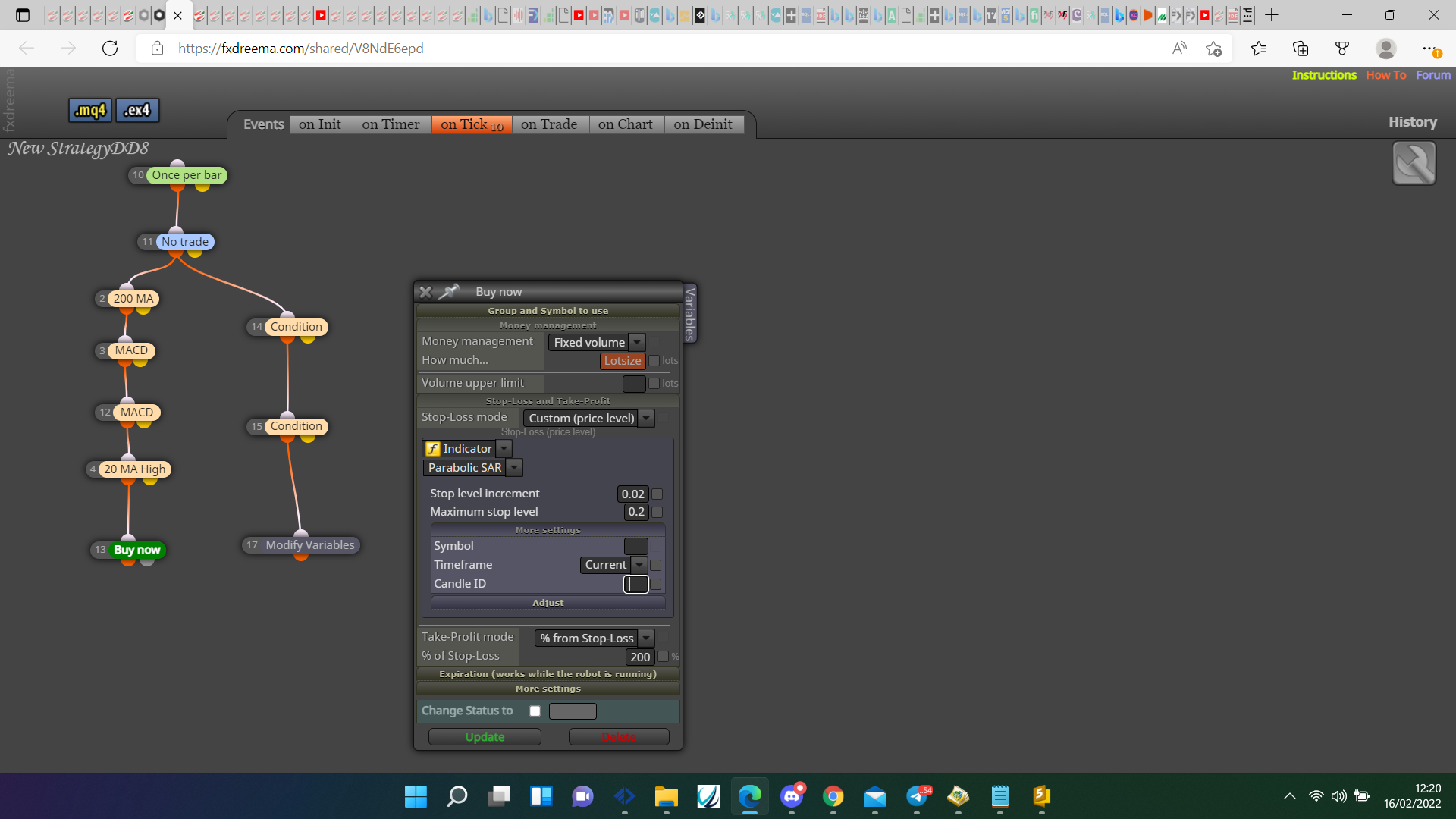
@wctrade36 Set it like this, set the candle ID for your desided position.
@chriswillson Pink for each trade block>modify variables block with a pink trade loop using the lot>pink pips away block>formula block either adding or multiplying the lot variable and saving into the same variable>buy/sell block using the variable for the lot size.
@youngtreptrader On the on trade tab, when trade closed modify a bool variable (or flag) to false, once per daily bar reset to true and before buy/sell check variable/flag.
@william-1 The bool variable is doing the same as flags but, it allows the result to be viewed in a comment. It just allows you to see if things are working as expected.
@sleek This is working as expected, it places a trade then when it closes it places another, on back test you cannot compare 2 timeframes to view if things are doing as wanted, maybe add a once per bar block to limit it to one trade per candle.
You can add all from a FX script providing it is from a corresponding tab, if not may still work if put in the right place, Maybe you just need the logic involved, put here what exactly the script does.
@sleek I would think this is only opening one of each type maximum, may be share the no trade block, so can only place a buy or a sell, if it's still not doing as required put a shared link here.
@truongvnd This is the start, you need to add a no trade block and your conditions to place a trade, you'll also need to add your desired TP & SL.