@walter-0 Sorry, I can't help you.

@walter-0 Sorry, I can't help you.
@walter-0 I have noticed this before, try switching the terminal off/on.
@biokaja The easyest thing to do is add a start to the trailing stop:
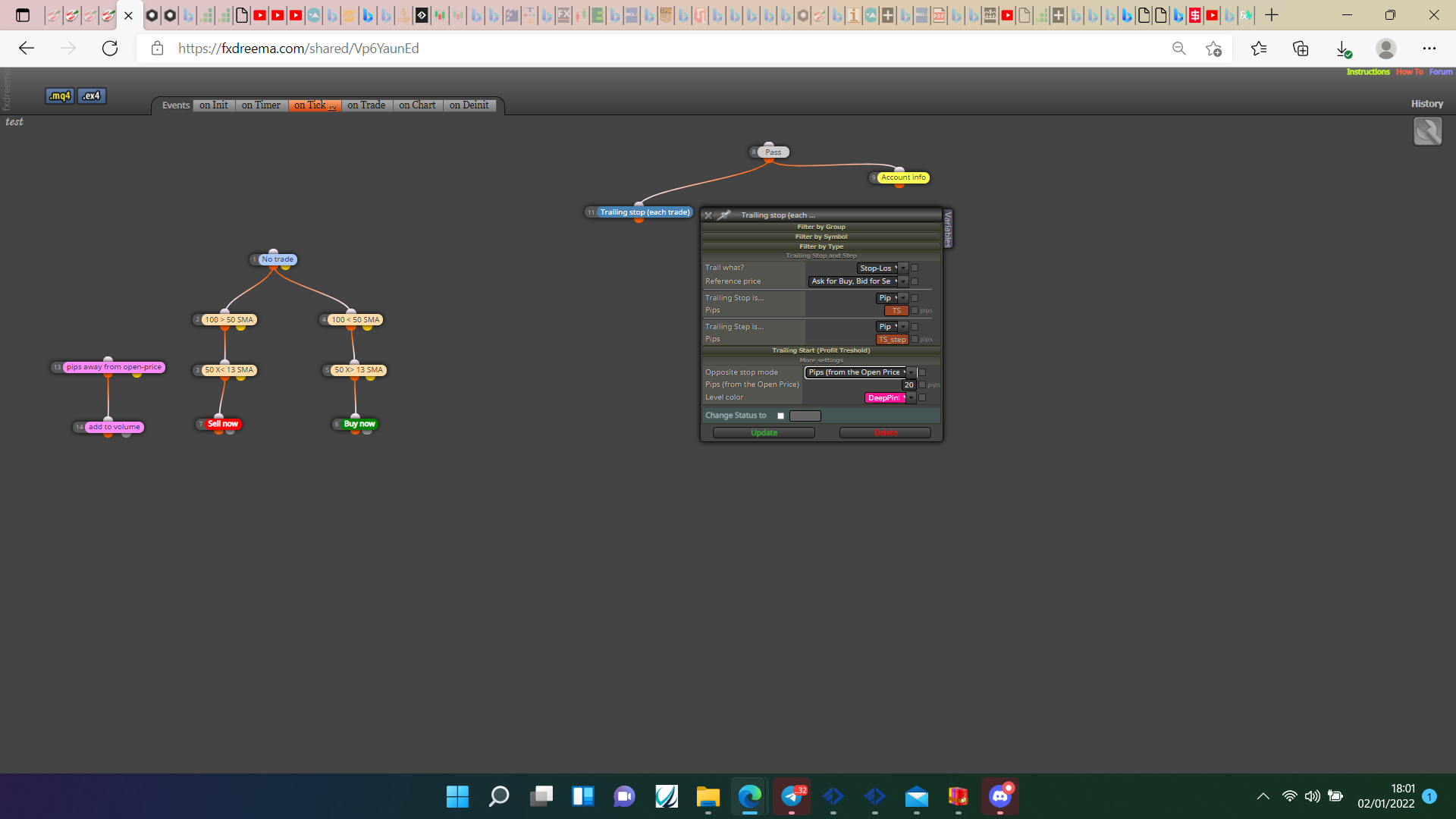
Or add a condition to start/stop:
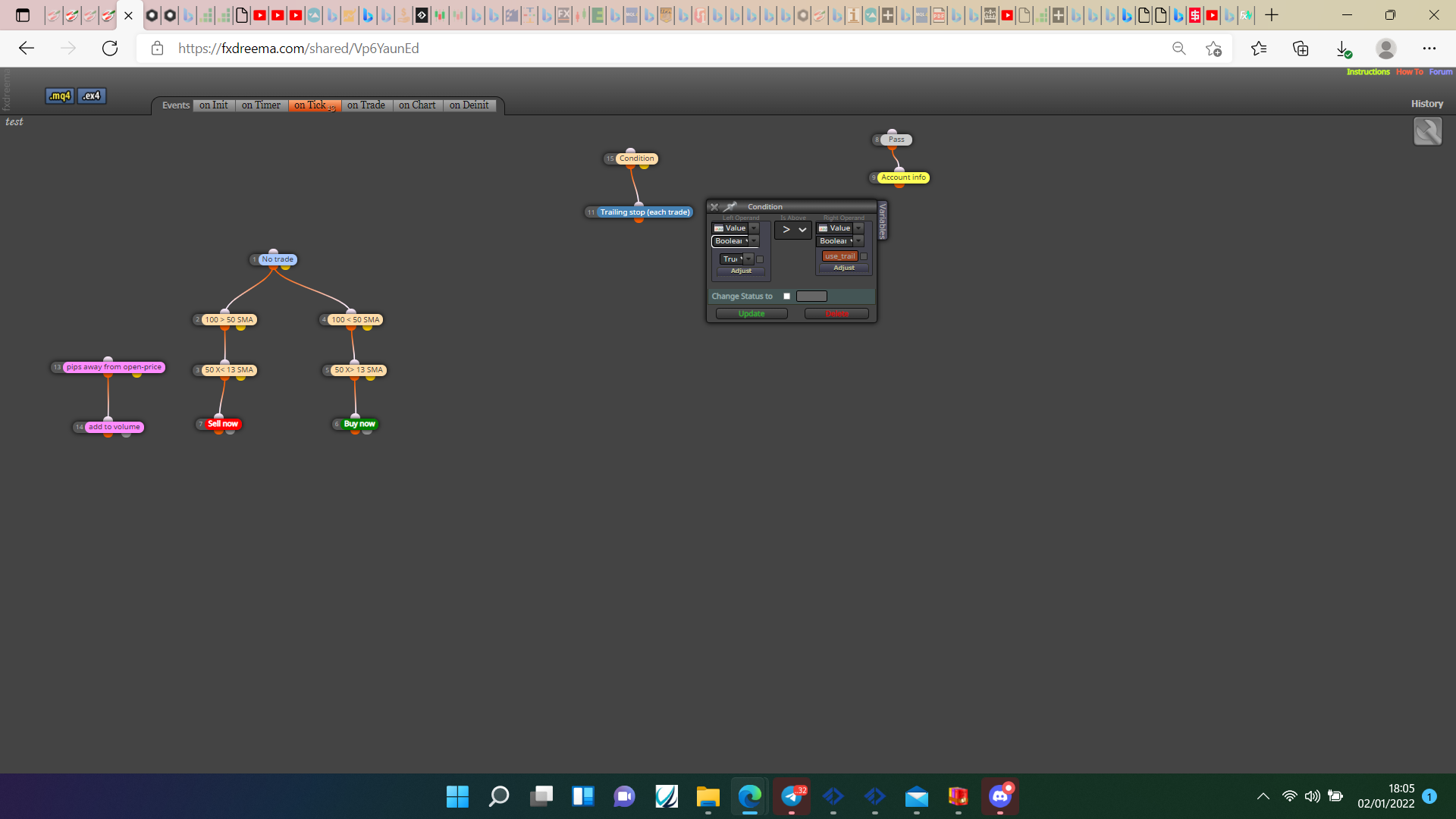
@piotras10000 Block 33 & 35 work well because they do nothing.
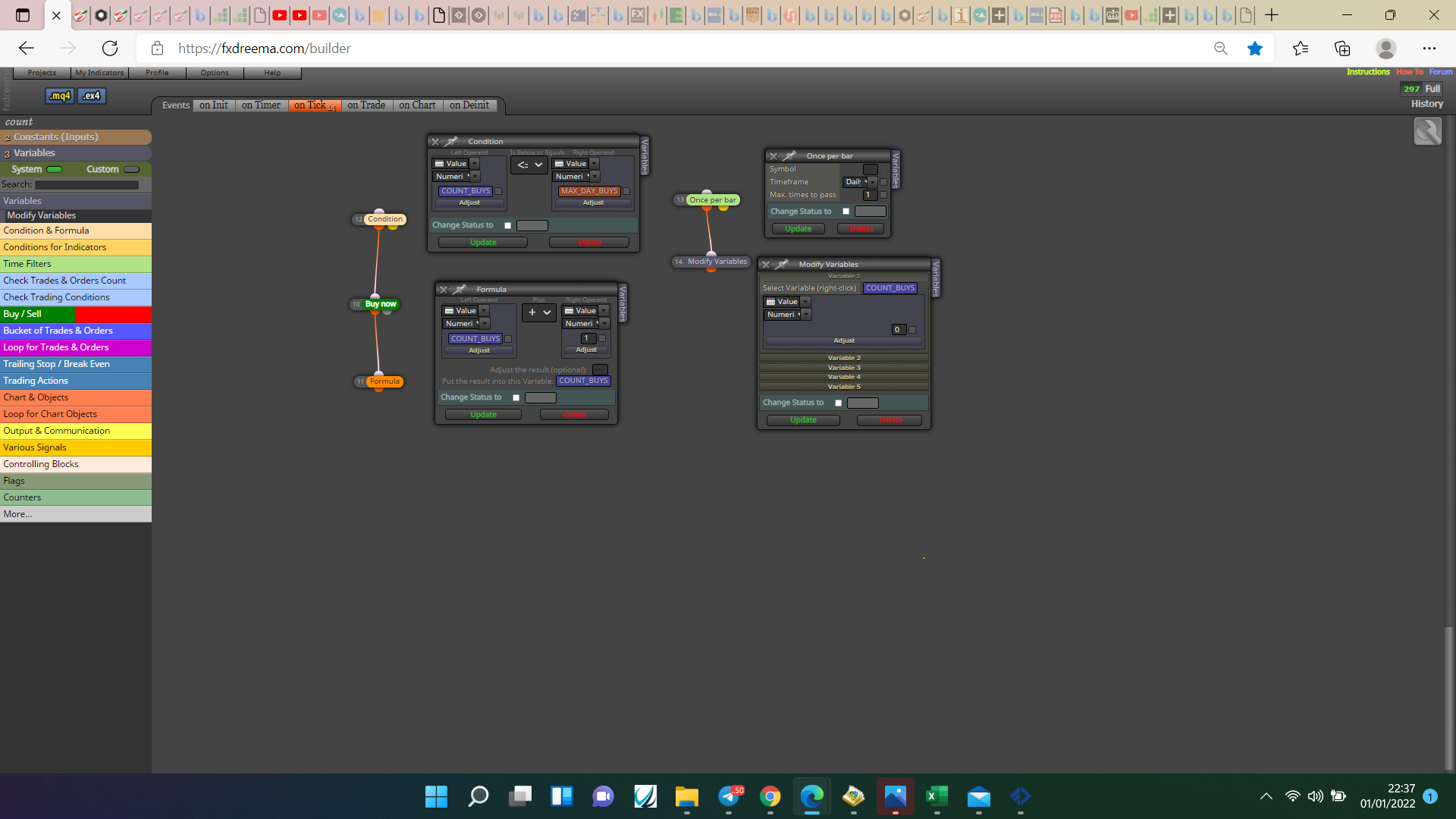
@davidmcc In that picture you can see the variable and the constant tabs in the top left, click on constants and create one for your max trades and save, then click on the variable tab and create one to count buys, they are double values standard change the constant value but leave the variable. Back test to check all is working as wanted then mimic for sells, you can use the same constant for buys and sells, if you want the max trade to count for buys and sells connect sell block to same formula block and copy the condition block. If this doesn't work when done put a shared link here and the reason why can be checked.
@diazoviedo No mate the code being used converts the ATR value into pips.
@elton076 If payed it's unlimited.
@davidmcc Every blue rectangle is a variable, double or int either will work, the orange is a constant double or int, the variables change them selves and constants are in the input list so you can change if wanted.
@william-1 Your question is not very clear, do you mean place a sell when upper wick x> MA20, and place a sell when lower wick x< MA20?
@davidmcc This is how to do buys, replicate it for sells.
@william-1 You could count the candles from a cross and only allow trade when numbers are within the desired range.
@piotras10000 Put everything in the project how you think it would work, if it still doesn't put the latest shared link here.
@piotras10000 I have never used math round although I assume it works, I would use DoubleToString(variable,2); although this includes creating a string variable to change into, the comment block already has this function built in, your general logic is wrong, every time you have something making a change (like custom code) the variables need to have a value to start with, if you want a comment to display something from a variable, the variable needs to contain the information.
@william-1 I think the simple way of looking at this is something like
If
MA1 is > MA2
and
MA2 is > MA3
and
MA4 X> MA1 (used as the trigger) BUY.
Or any combination of this logic, I may be wrong but a cross happens once and after the MAs are either above or below.
@matic-0 Create a separate project just for the indicator, if it doesn't work try and find a replacement.
@hiten7405 Use pink blocks, for each trade-pips away-add to position.
@matic-0 https://fxdreema.com/shared/vpRGnUEA
I changed the digits custom code to the market properties option, makes no difference I just didn.t realise it was there before, I added the ATR TP to comments so it can be visually checked and removed the conditions, replaced them with a random output block for back testing and I don't have the required indicators. All is working as expected so problems were in you conditions. Hope this helps.
@matic-0 That code is code I put together so I know it works, put a shared link here and I'll see what can be done. In the top left in the project link, you can create a shared link to paste here.
@matic-0 Change custom pips to fixed pips, and all should work.