fxDreema

    • Register
    • Login
    • Search
    • Back to the main page
    • Categories
    • Recent
    • Tags
    • Popular
    • Search
    1. Home
    2. jstap
    3. Posts
    • Profile
    • Following 2
    • Followers 222
    • Topics 37
    • Posts 9382
    • Best 1086
    • Controversial 23
    • Groups 0

    Posts made by jstap

    • RE: how to set maximum trade by condition

      @ziyaad9310 I never find multiple trades added under a no trade block, if your condition blocks are for or, connect 1 to no trade and the conditions to each other threw the yellow output, if you still have problems put a shared link here so all blocks can be checked.

      posted in Questions & Answers
      jstap
      jstap
    • RE: how to set maximum trade by condition

      @ziyaad9310 This is likely the blue if trade above pink, pink should normally be by themselvs.

      posted in Questions & Answers
      jstap
      jstap
    • RE: creating a button that can provide other buttons when you click it

      @michelle-1 In here is what I do to achieve what your doing, you don't need mouse click as a condition block will achieve the same, you will also see how to add to on tick so you can back test to check results.

      Where I have a bool variable changing you can use something like draw or delete.

      Ignore what I have things called 🙂

      posted in Questions & Answers
      jstap
      jstap
    • RE: creating a button that can provide other buttons when you click it

      @michelle-1 Are you aware that on chart doesn't work on back test? You have a select object by name but no object with that name, I wouldn't have modify above the draw blocks, and I would put a pass block above all, make these changes and if still not working put the latest link.

      posted in Questions & Answers
      jstap
      jstap
    • RE: Price Crossing

      @apostle @l-andorrà is saying if you supply the start then what is wrong can be corrected.

      posted in General Discussions
      jstap
      jstap
    • RE: creating a button that can provide other buttons when you click it

      @michelle-1When you click a button it should stay on, switching the draw buttons to on, when pressed again it should switch off and activate the delete block. If you look at Miro1360 work you will see how to do this, if you struggle put a shared link here and ideas of what to do can be given.

      posted in Questions & Answers
      jstap
      jstap
    • RE: Heiken Ashi Bars

      @zahin007 Likely just select the indicator in the condition block. If you still struggle put a shared here so problems can be assesed.

      posted in General Discussions
      jstap
      jstap
    • RE: How to get the signal of the arrows when it is on the candle ID1 ?

      @ambrogio Use THIS, variable CAN_H1_DATE_TIME in the name field. Let me know if it works.

      You can run this in tester to see how it works.

      posted in Questions & Answers
      jstap
      jstap
    • RE: HIGH OF THE DAY, LOW OF THE DAY

      @foxbat Roar isn't here much any more, high point price - low point price will give you the mid point price.

      posted in Questions & Answers
      jstap
      jstap
    • RE: Slide order

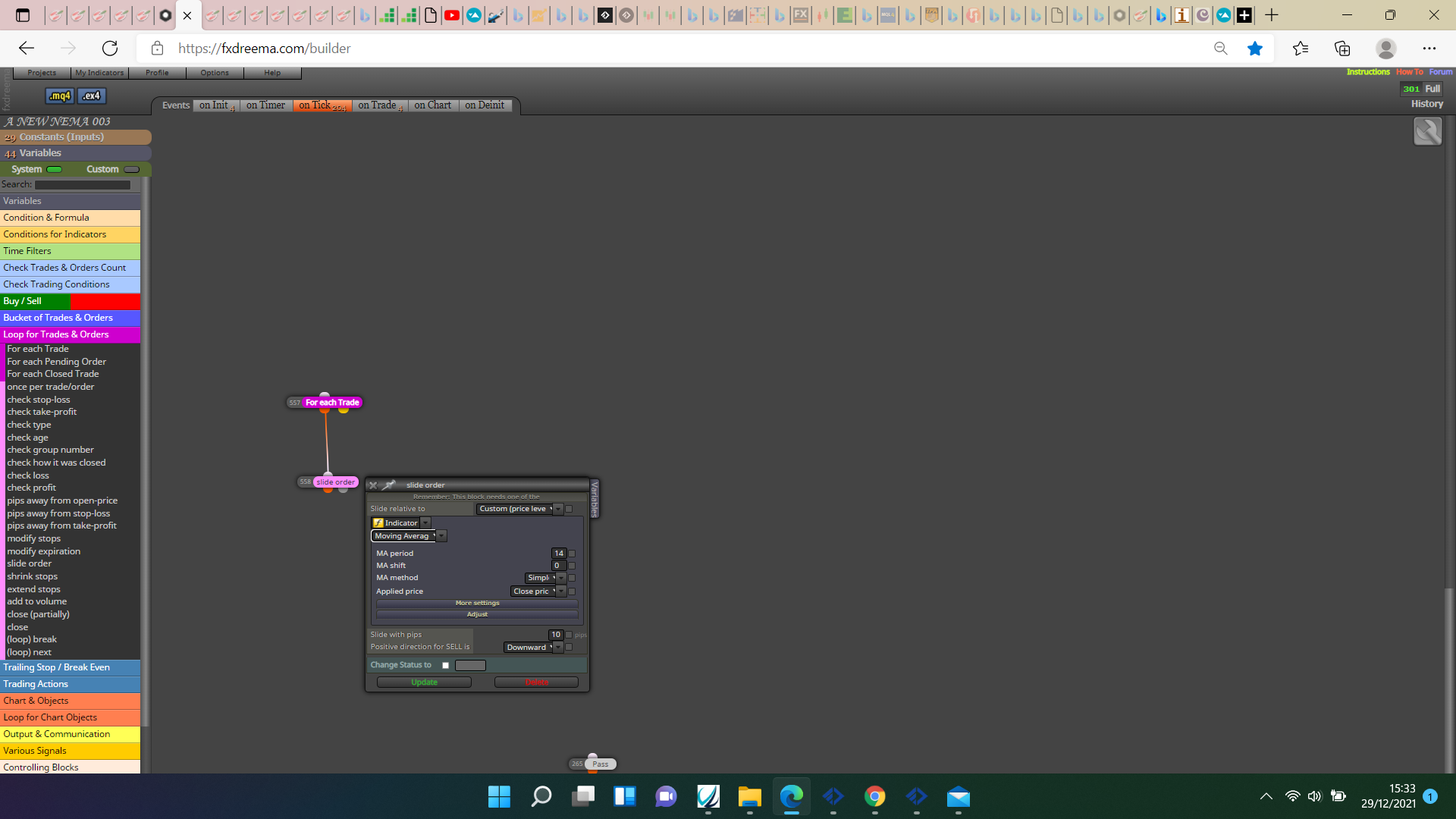
      @ontradingx Yes mate like this.
      :

      0_1640792073091_9ad75492-3147-485d-a344-93381e16f2b3-image.png

      posted in Questions & Answers
      jstap
      jstap
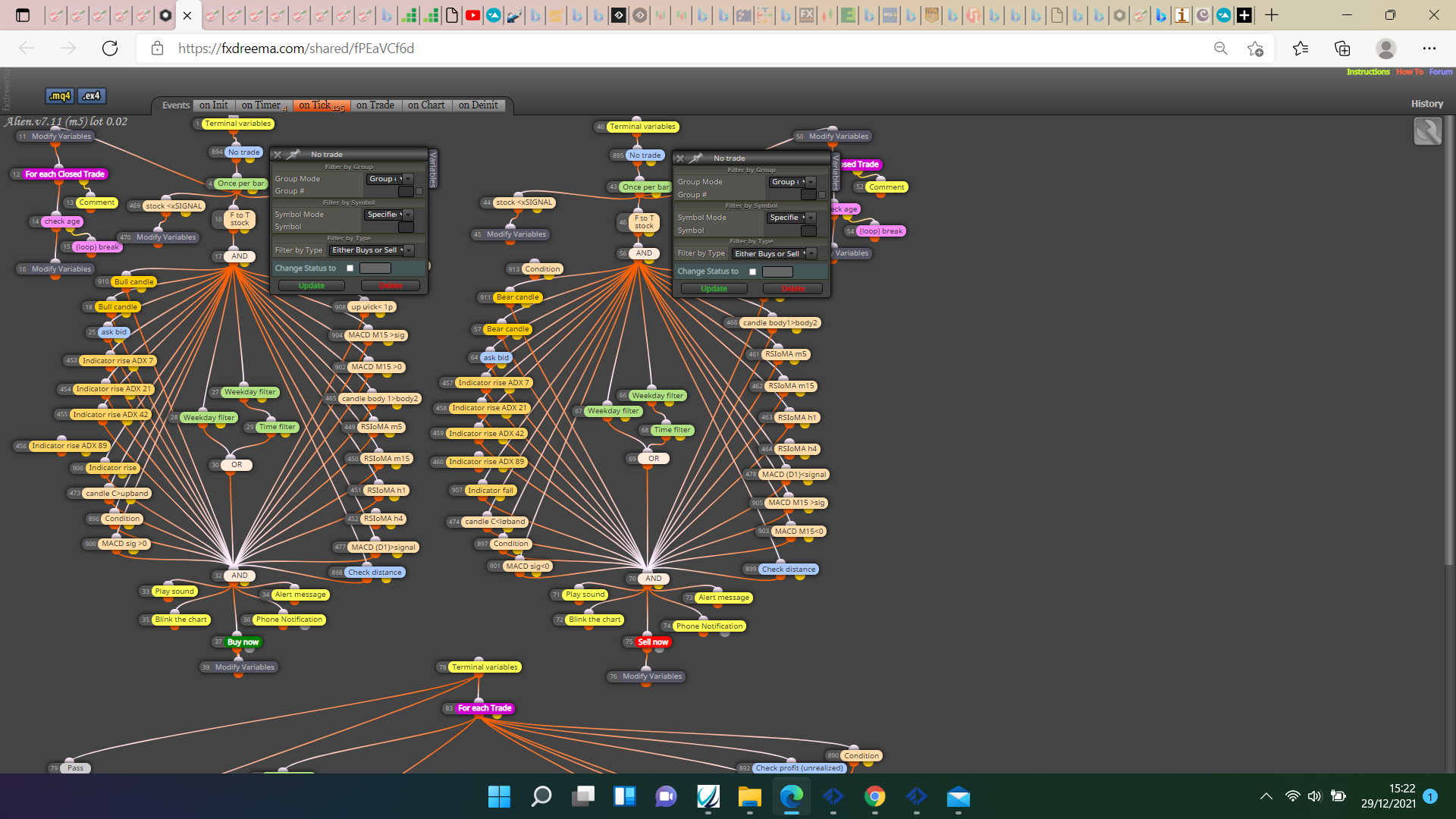
    • RE: 1 trade at the time in the whole account

      @haidang8055 Shouldn't these be just buy or just sell?

      0_1640791380040_b46d3b96-6405-451f-a37e-c7e42a009359-image.png

      I have never found the no trade block to allow more than 1 trade, the modify variables block at the top are resetting variables every tick, I would have them under a condition so things only change only when necessary.

      posted in Questions & Answers
      jstap
      jstap
    • RE: close profitable trade when profit is higher then past lost trades

      @dthtdyh95 The variable is what is added when loss happens on chart, the constant is whatever value you want to use if trade before was a win. You can use any conditions you want here.

      posted in Questions & Answers
      jstap
      jstap
    • RE: 1 trade at the time in the whole account

      @haidang8055 In top right in the project tab you have create link, copy and past here., saves from downloading the file and allows the project to be opened.

      posted in Questions & Answers
      jstap
      jstap
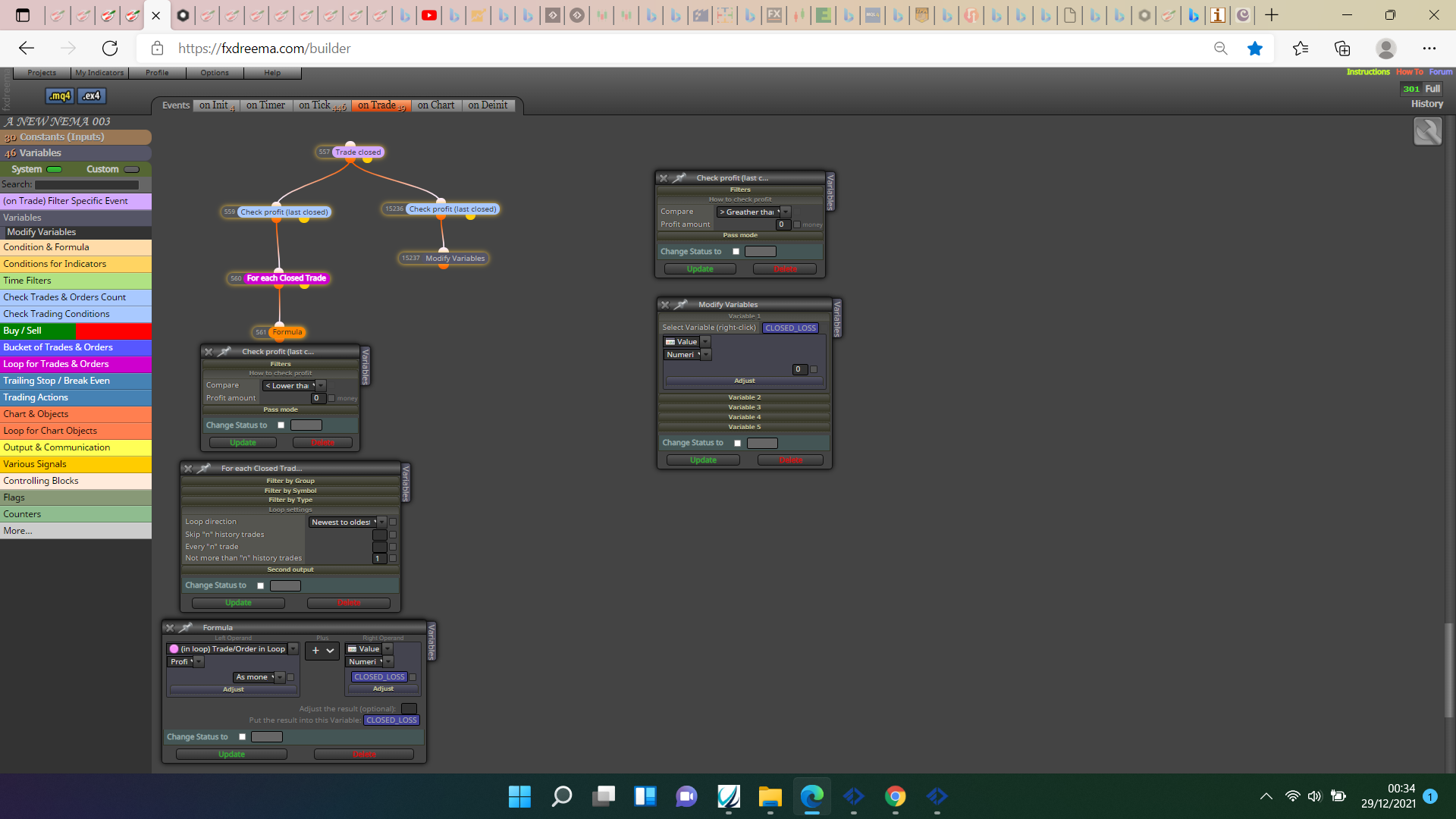
    • RE: close profitable trade when profit is higher then past lost trades

      @dthtdyh95 I would do something like this, on trade tab:

      0_1640738183788_f9c58402-c104-414b-954c-238045afd170-image.png

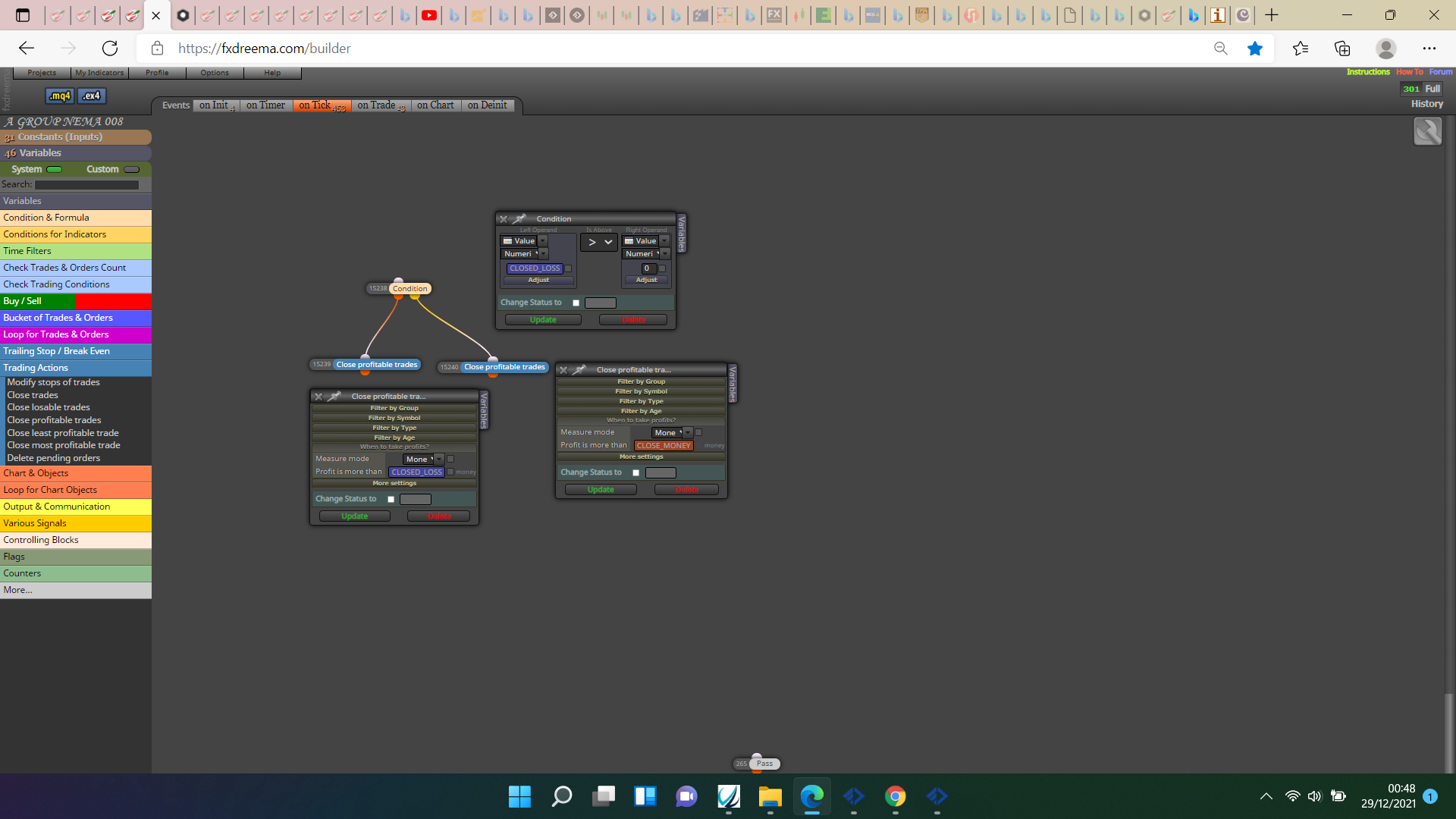
      And something like this on tick

      0_1640738951142_99a71416-4809-41eb-a6f9-8d68ee1eb2d4-image.png

      posted in Questions & Answers
      jstap
      jstap
    • RE: Autotrading Disabled

      @jrpscanavini There is not that much in your EA so should work. Search google and you will likely find answers, ensure auto trading is switched on in platform and in your adviser settings.

      posted in Questions & Answers
      jstap
      jstap
    • RE: trigger as text in chart

      @trader-1978 The bottom right of the list.

      0_1640624885839_d7146760-ebec-44d3-b7fb-364c7ae4c3aa-image.png

      posted in Questions & Answers
      jstap
      jstap
    • RE: Candle ID, how to use it?

      @uriel-0 A cross can happen on 0 then reverse, so on chart cross never happened but EA reacted, if something like 1 is used then the cross is guaranteed.

      posted in Questions & Answers
      jstap
      jstap
    • RE: Trading Zones

      @edmundlbc Are you manually drawing the rectangle? if so you could just have the EA draw lines on chart so when you drag into position and price is in-between, EA reacts.

      posted in Questions & Answers
      jstap
      jstap
    • RE: Iam not able to find a way plz help me

      @jithin If you put a shared link then it can be looked at, often people check if it is on the previous candle for conformations, it may also help to add the indicator so what and when it does something can be looked at.

      posted in Questions & Answers
      jstap
      jstap
    • RE: recheck condition

      @trader-1978 Ok

      posted in Questions & Answers
      jstap
      jstap
    • 1
    • 2
    • 390
    • 391
    • 392
    • 393
    • 394
    • 469
    • 470
    • 392 / 470