@michaemia Yes it's called being lazy, but it stopes having to research (rubbish memory) 

@michaemia Yes it's called being lazy, but it stopes having to research (rubbish memory)
@l-andorrà Like this, maybe I have not understood your problem correctly but this is what I mean. 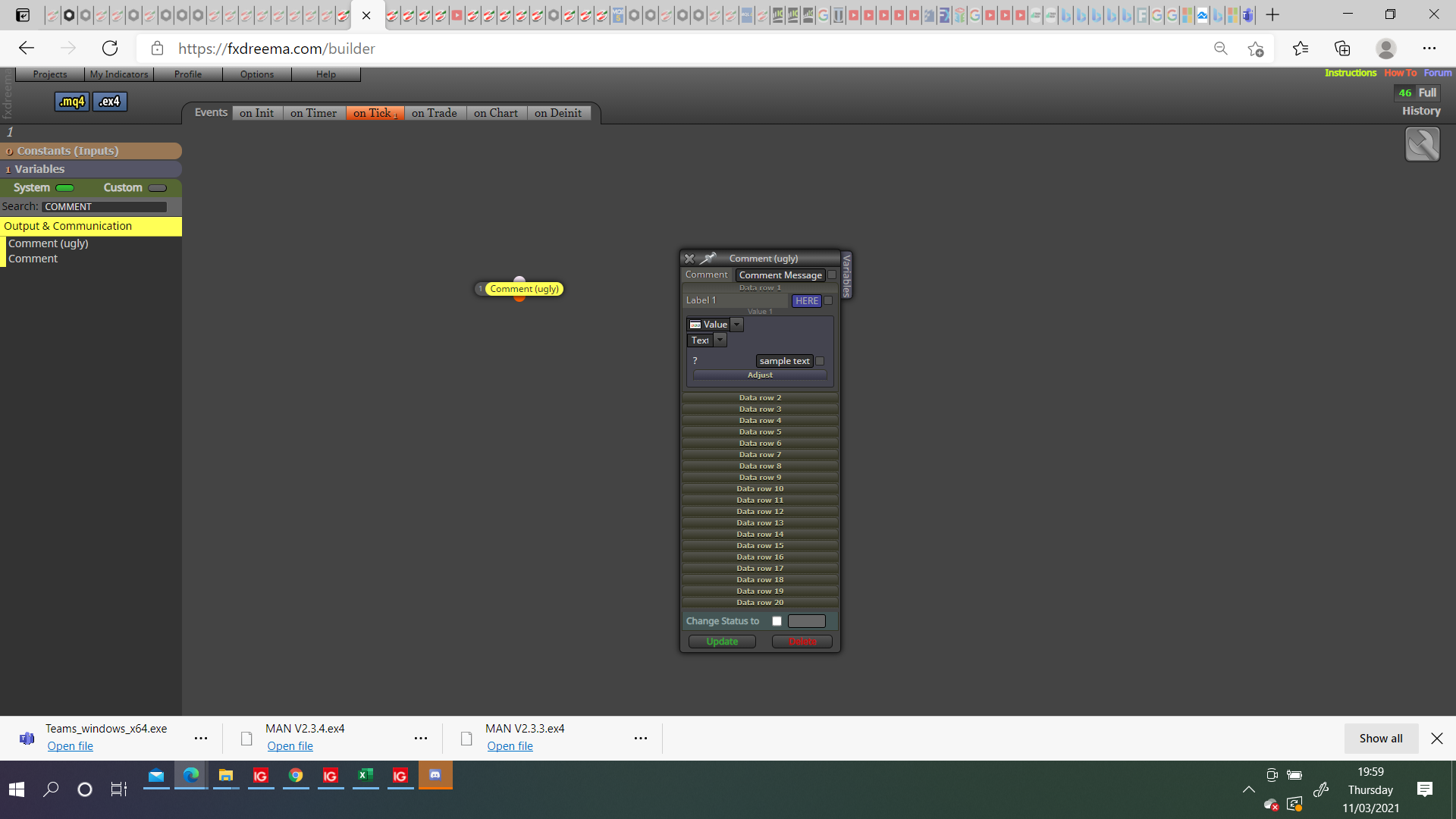
@l-andorrà hI L-andorra, have you tried adding a string variable into the label box, and then under on trade, for each closed trade modify variable, and then after set time se variable back to blank.
This is how I would try, hope this helps, I have not tested but I have done similar things before.
@l-andorrà Brilliant thank you, I will give this a shot.
@mcarl42 No worries, place a delete object by type on the deinit tab to remove the field box if you remove the EA from chart.
@l-andorrà Thank you but this is the first setting I tried, the custom pips setting was a later version.
@mcarl42 Hi, I think you will find most of what you need in here (https://fxdreema.com/shared/8ISjumc9c).
@mcarl42 Hi, look in this link (https://fxdreema.com/shared/ZRRVG7XHb), everything you need should be there.
(https://fxdreema.com/shared/eMEBBPV9c)
I have been trying to get the trailing stop to start from a set price, but for some reason it just starts immediately regardless.
The project in the link is simple can anyone see why it doesn't wait until the start price?
@xyon126 Thank you very much, am sure this will help a lot.
I will put it into practice now and see where it gets me.
@xyon126: Hi xyon thank you for your info, I am sure you are correct that there is a conflict in the following link everything seems to work but I cannot add a pending condition to on tick, if I do then all buttons stop working.
Latest version
I have looked at your posts but you have a lot and I didn't see anything that may correct this, (is quite possible that I missed what I needed).
What did you mean by everything is under what to do? My understanding is that in general:
This is what I think the EA is doing, I may be wrong, if you have any ideas of how to get this working better I would be glad of the advice.
After a couple of days of testing different sections of this project I have found the problem, although this still doesn't work on live/demo when everything is in the on tick area, it does when in the on chart area.
The answer was quite simple, remove/delete the condition block under the mouse clicked on object block, it seems that having mouse click and a condition basically trying to do the same thing caused problems.
Back test project link
No back test project link
In the "back test project" link, is my latest project but although all works properly in back test it doesn't in live/demo, when the button to place trade is pressed nothing happens.
In the "no back test project" link, is my latest project that will only work on live/demo but it doesn't, like the other when the button to place trade is pressed nothing happens.
Can anyone see that I have done somthing wrong with these? Maybe someone has an idea of what I can do to get them working? Thank you
@jstap Something else I figured out, if the top block is comma separated e.g 1,2, then the connected trees can contain both group 1 & 2 providing it doesn't conflict.
@l-andorrà So I jumped the gun in blaming my computer, this was not the problem, I found the problem though.
If your 1st block (No trade in this case) has an empty group number, and you 2nd and 3rd block (buy and pending sell, in this case) have a group number.
Then the EA will generate multiple trades, if all 3 blocks have the same number then it works as expected.
@l-andorrà So you learn new every day, so they say, well today I did.
It turns out that having too much happening with my computer caused the group problems.
Thank you, I think I can now get all working
@l-andorrà Interesting, I will ty again now, it is possible I had too much happening with my computer and it caused the problem.
 thankyou