Posts made by jstap
-
RE: Problem generating Oninit code?posted in Questions & Answers
No mate, only the Amazon version, you can get the app to view it on the ipad.
-
RE: Problem generating Oninit code?posted in Questions & Answers
you just need a pass block above it, single blocks don't work on FX
-
RE: And Blockposted in Questions & Answers
bool is simply true/false, so i9t either pass es on to next or not, without seeing inside blocks your conditions may be the bigger problem, once per bar above means it fires first requiring the condition to be true at that point in time, once per bar is generally better under the conditions. The and block is pointless in this case, because condition on top of condition on top of condition without the and means 3 conditions have to be true to work. The and block is expecting the 3 above blocks to be true at the same time, but if the bool is false then only 2 can be, if you connect the yellow bool dot to the and block then the 3rd condition will be skipped and and will work of 2 conditions.
-
RE: Indicator Buffer dataposted in Questions & Answers
Is this the standard indicator? Past that into AI and see what answer you get.
-
RE: Indicator Buffer dataposted in Questions & Answers
mq is a lot easier as all buffers are already in the file, ex works but can be difficult. input all input parameters (I make sure all names are identical, just to eliminate a possible problem), then check if the indicator has relevant buffers, load to your MT terminal and view your data window, this will show you the available buffers, they be be in an order starting with 0, the value shown is what FX can retrieve, put in the buffer list on FX all the relevant buffers, call them what you want. Once loaded onto FX you should see all the indicator can do and the buffers in the my indicators section.
-
RE: WHY OPTIMIZATION IS SO SLOW WHEN I USE "ON TRADE" BLOCKS ?posted in Questions & Answers
You will have to create a block, not really tested much with this though:
https://fxdreema.com/forum/topic/21603/close-all-mt5-trades-quickly
-
RE: WHY OPTIMIZATION IS SO SLOW WHEN I USE "ON TRADE" BLOCKS ?posted in Questions & Answers
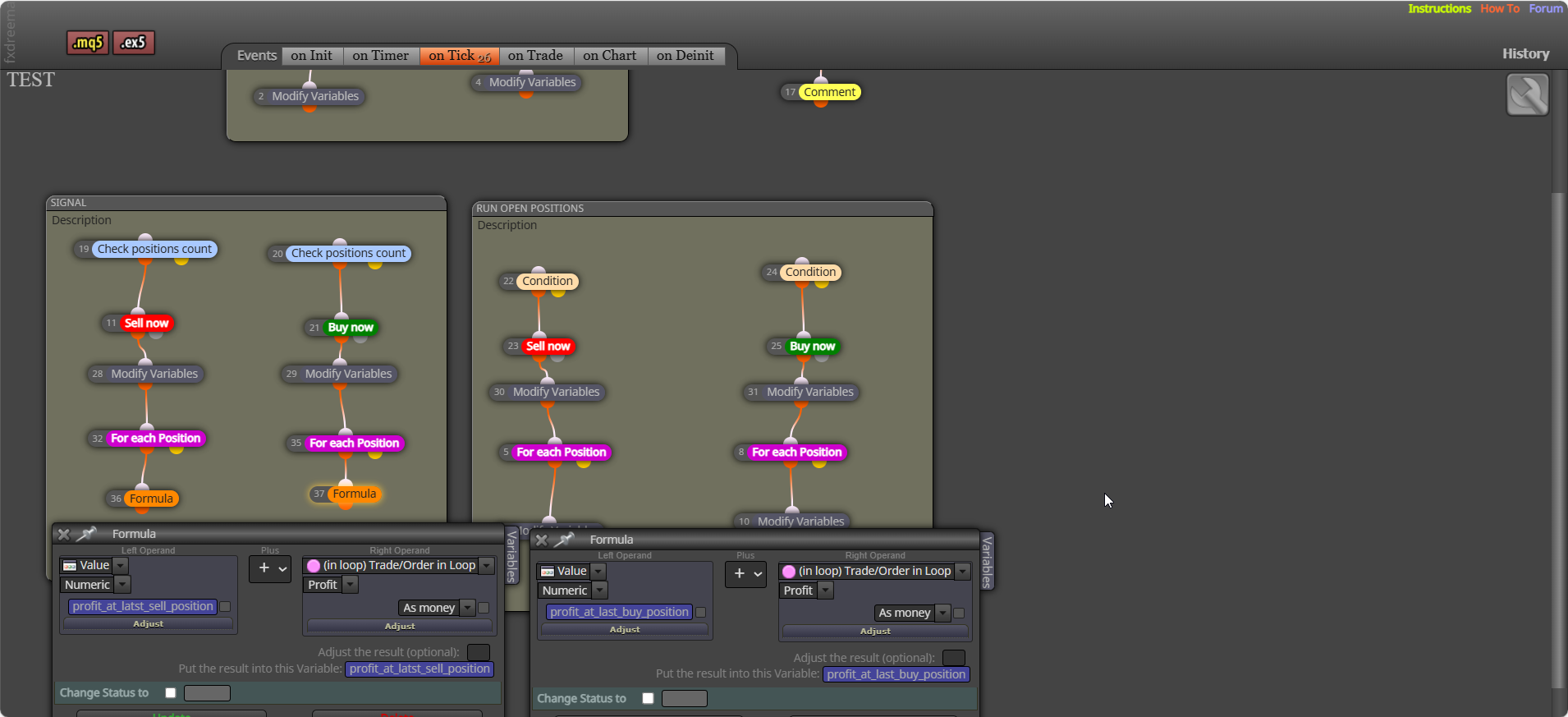
The current just placed trade will be in a spared distance loss, what I put it how to get the value of all closed buy/sell trades:. Use a formula to get the value of each closed position:
-
RE: Logic (true-false) block not behaving as I expectedposted in Questions & Answers
Yes, most either check what you have set, or check a condition that changes by it's self.
-
RE: what is the difference between close and close psitions blocks/posted in Questions & Answers
Close (pink) will only work correctly under a for each, the for each selects in a loop the trade/trades to close. Close positions will close all selected (this will us a loop, but is internal)
-
RE: Logic (true-false) block not behaving as I expectedposted in Questions & Answers
You have nothing setting that flag, default will be false, meaning this is the only option that will create a trade.
-
RE: New here.. how can I post a link to fxdreemer files for help?posted in General Discussions
Click on create shared link - open in web browser - copy address bar and paste here
-
RE: WHY OPTIMIZATION IS SO SLOW WHEN I USE "ON TRADE" BLOCKS ?posted in Questions & Answers
Under your buy or sell block - modify variable to 0 - for each closed trade (set up as you want) - formula + trade profit and save into the variable you just set to 0.
-
RE: daily profitposted in Questions & Answers
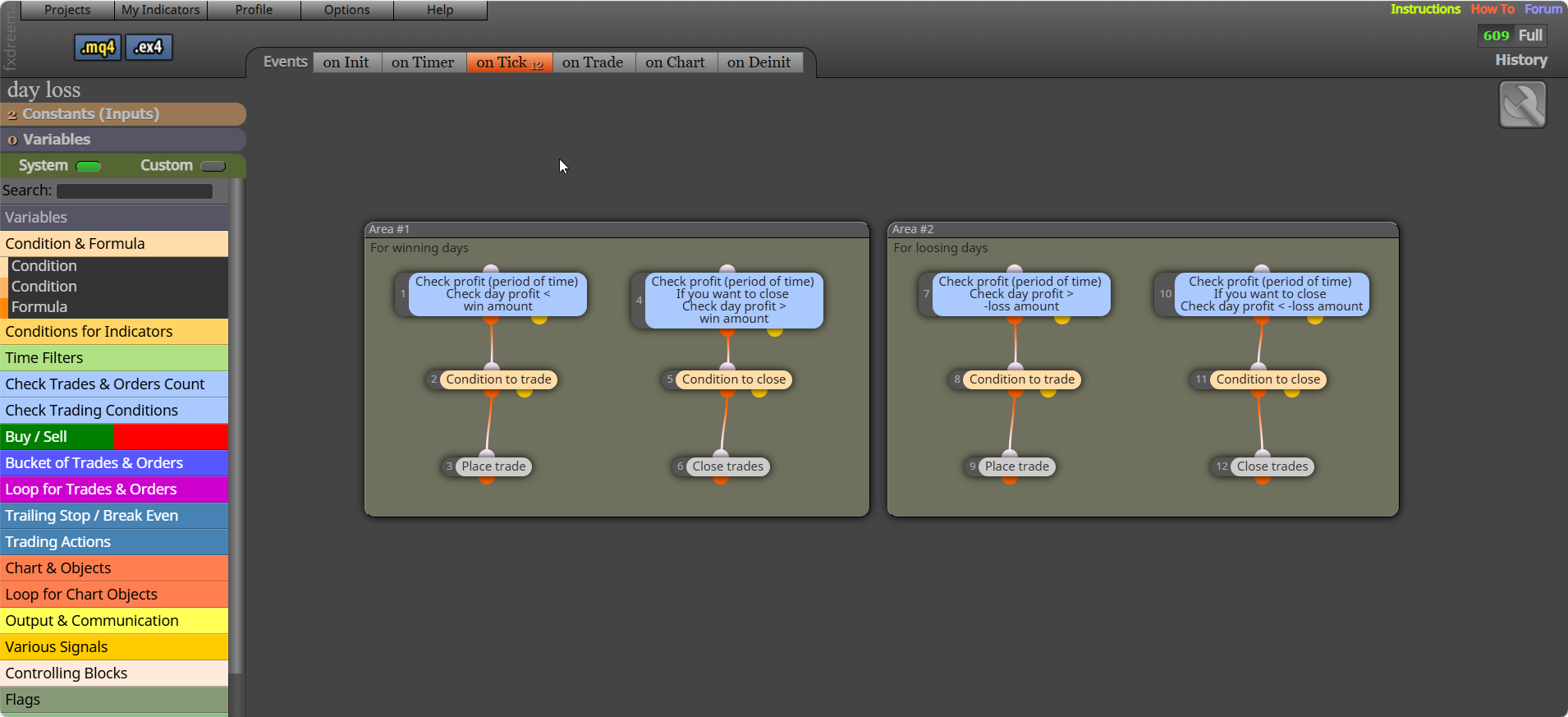
Above trade tree - check (period of time) < x.xx. In a separate tree, above close block - check (period of time) > x.xx.
-
RE: WHY OPTIMIZATION IS SO SLOW WHEN I USE "ON TRADE" BLOCKS ?posted in Questions & Answers
Is hard to say without looking at your project link, I do not find these blocks slow things too much, although it can happen. Generally this is too much computing power being used on backtest, stopping blocks working every tick will normally fix this... like putting trees/blocks under a once per bar block set to 1 minute.
-
RE: How can a file be created on back testing?posted in Questions & Answers
You can write in backtest, try this: https://fxdreema.com/shared/mSTWWc6Cb
file should be created here: <terminal_data_folder>/Tester/files/test_output.csv