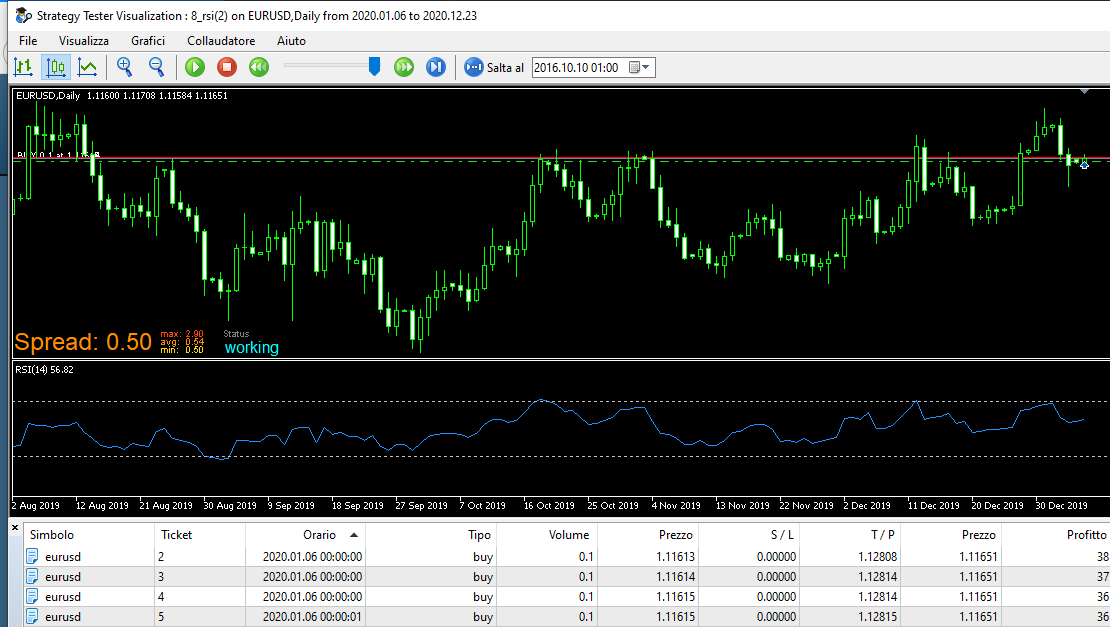
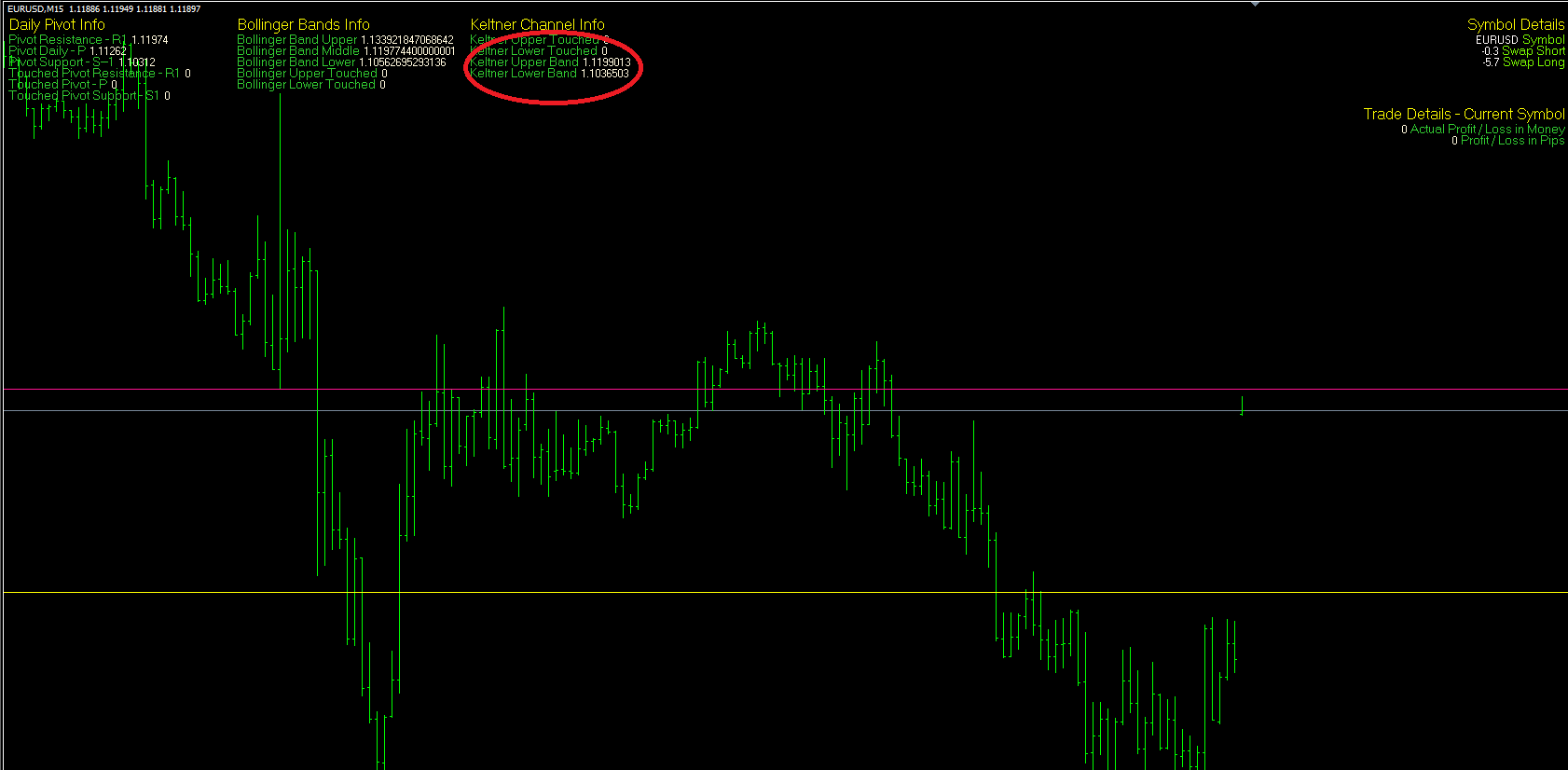
@sm24 the problem arises when there are child trades created with add volume block, otherwise it works correctly. To work around this problem you need to set the loop in for each position from the oldest to newest so that the parent trade goes first. If anything, the bug is in the close partially block when you want to close a percentage.
M
Posts made by miki
-
RE: Close partial profit works in mt4 but not mt5.posted in Bug Reports
-
RE: how to assign the stop lose at tradeposted in Questions & Answers
@saeed-2 What is the need to create 2 identical posts?
-
RE: Close partial profit works in mt4 but not mt5.posted in Bug Reports
@sm24 you are right, i know this bug for a long time. I solved it changing the code by hand.
-
RE: Doubt with SELL and BUYposted in Questions & Answers
@xyon126 here we are talking about percentage based on total capital or equity, it being understood that the minimum tradable remains 0.01. Therefore this type of money management comes in handy when the capital is high enough.Assuming you have a capital of 1000 € and I enter 300 (ie 300%) 0.03 is the volume that is taken. It only serves to determine the volume of the position not the risk. Otherwise you have to use "risk% of Equity" in this case choose the percentage to risk and the calculation is done taking into account the stop loss. Sorry if i still don't understand.
-
RE: RSI problemposted in Questions & Answers
@alfi you put "check position count" on top.With what parameters?
-
RE: Doubt with SELL and BUYposted in Questions & Answers
@xyon126 From instructions: % of Equity => Lots
Using this setting you will get a lot sizes depending on your current Equity.
If you currently have equity of $1000, then with setting of 100% you will get a lot size of 0.01 lots when 1 lot equals to $100,000.
-
RE: how to get message just onceposted in Questions & Answers
@qais-3 Don't duplicate posts, i answered you in the other.
-
RE: print messageposted in Questions & Answers
@qais-3 Use pass once blocks where needed but remember to reset them in the project.
-
RE: Assigning group IDposted in Questions & Answers
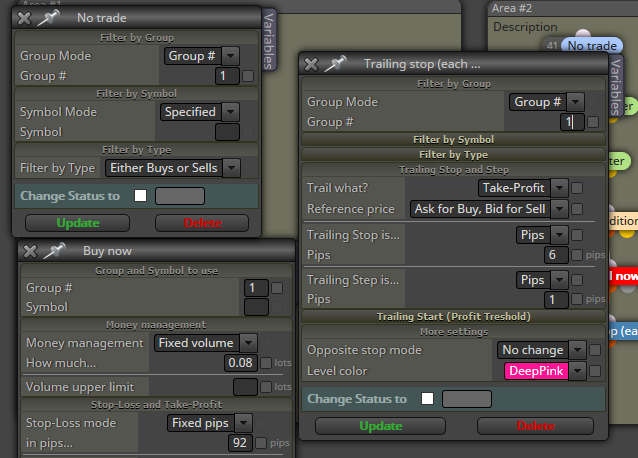
@didymario7 In your case open No Trade/Buy Now/Trailing Stop blocks and put number 1 in the filter by group sections. Logically put number 2 for the sell area.
-
RE: Adding custom Currency Strength Meter indicatorposted in Questions & Answers
@sauce have you tested it on many years? I myself tried to create an ea based on Spearman correlation using it as hedging, but with no luck.
-
RE: Keltner channelsposted in Questions & Answers
@markz1 Paid/free version they differ only for max block can you connect 10 for free, unlimited for the paid version.
-
RE: Custom Indicatorposted in Questions & Answers
@ramimoujaes try this: https://fxdreema.com/instructions/builder/indicators#12 last step of the page.
-
RE: Keltner Channel - Custom Indicator Valuesposted in Questions & Answers
@sjthetechguy did you see in the diary tab tester if thereisn't error?
-
RE: Keltner Channel - Custom Indicator Valuesposted in Questions & Answers
@sjthetechguy Check that the indicator has the correct name and see if it loads correctly
-
RE: Invalid Purchase,Stillposted in Bug Reports
@ghq It's possible that you have 2 account on fxdreema and did you upgrade the other one? Otherwise only fxdreema can solve the problem.
-
RE: Invalid Purchase,Stillposted in Bug Reports
@ghq does the transaction appear on your bank statement?
-
RE: market is closed errorposted in Bug Reports
@wiraputu you need a filter for not to open buy / sell every tick if these have already been placed. In your picture every tick if hours filter conditions are met, one buy/sell are opened.
-
RE: market is closed errorposted in Bug Reports
@wiraputu I don'know your project, but you can do this
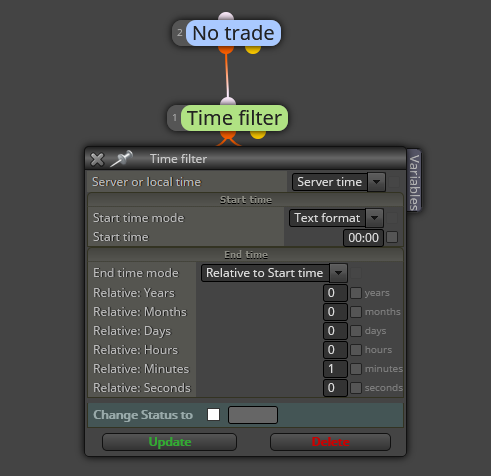
in the End time section try to change parameter starting from few second to a minute or more, because we don't know how many time broker close market. This is only a guess at your initial problem. Tell me if work.