Happy to hear that L'andorra, and with this our desire entered in the chat archive. Any idea how to promote this improvement ?

Happy to hear that L'andorra, and with this our desire entered in the chat archive. Any idea how to promote this improvement ?
Dear Fxdreema, can you please add a comment line in the condition blocks. Because the EA inputs window looks very cluttered and it is often difficult to distinguish quickly between the different indicators.
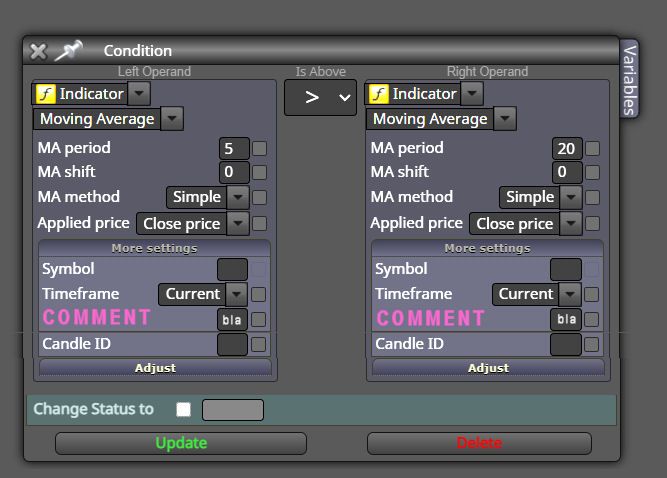
So this would allow us to write a comment between every indicator ... like this:
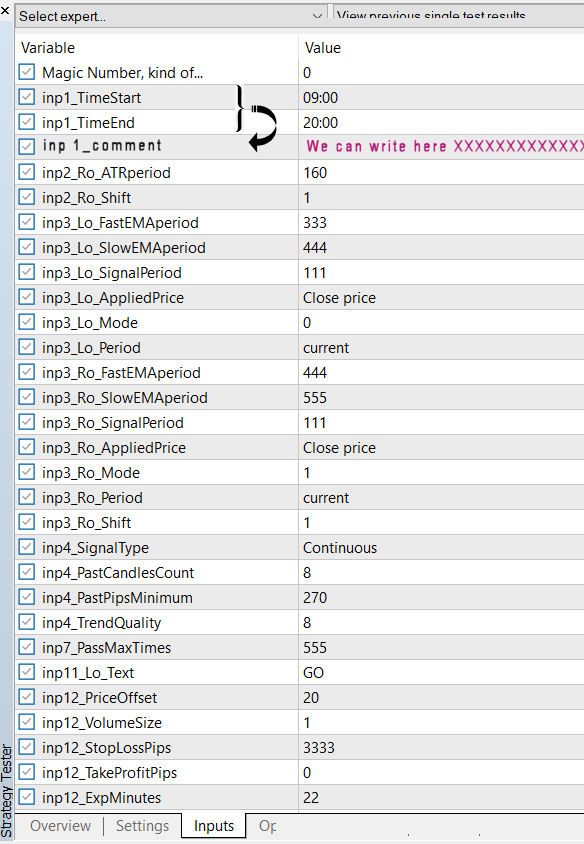
Thanks for considering
Test and curve fit it on 15 years of data, and than (forward) test it on 15 years of OTHER data of the same instrument. Than ... you will be 1 disappointment richer.
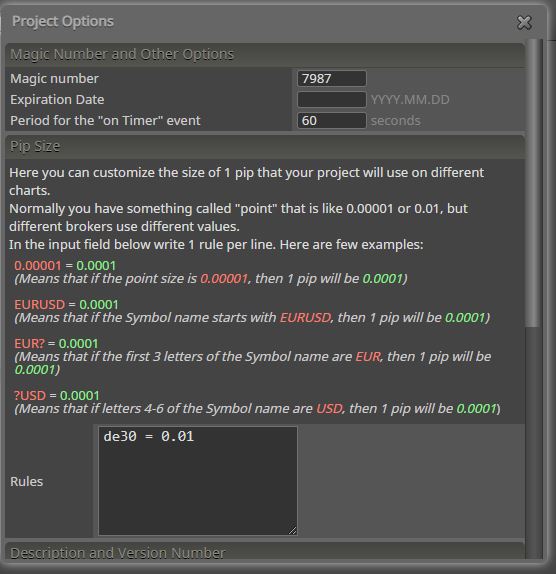
The value of DAX is now like 15900.00
When I set de30 = 0.01 the tick value is 100 time to big. A move of 10.00 gives a money value of 1000 in stead of 10.
Setting the Pip Size in Project Options to 0.0001 decreases also the value of the profit pips of the EA.

Please help .
Ahaaa.....josecortesllobat !
Thanks for the tip !
2 Problems:
Thanks for your kind help josecortesllobat. You solved my problem !!!!

This EA .... when my profit goes above 3 .... it schould close all trades ?
But it doesn't !

Here is the EA:
https://fxdreema.com/shared/aWpM1Opie
0_1523878802085_bucket test 9.mq4
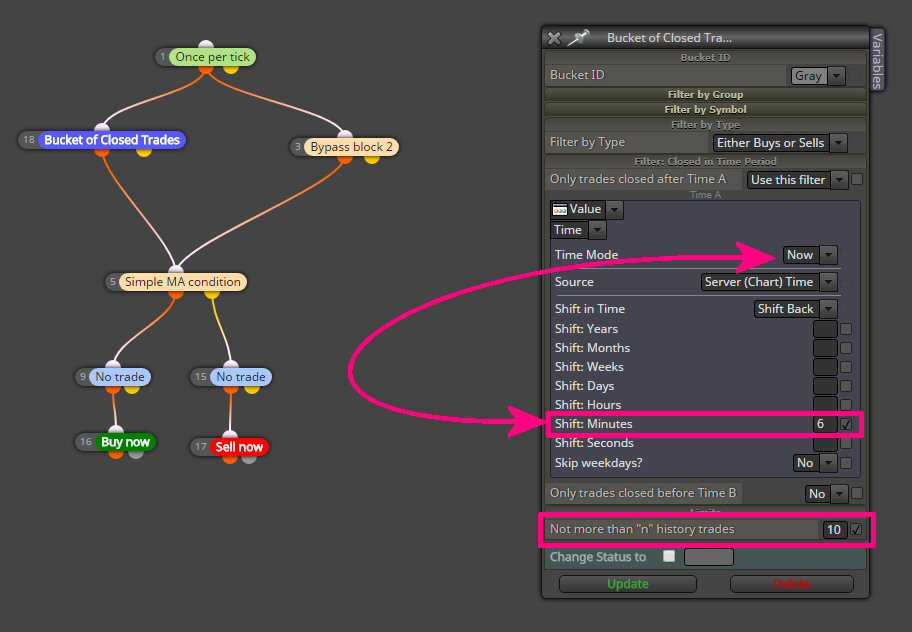
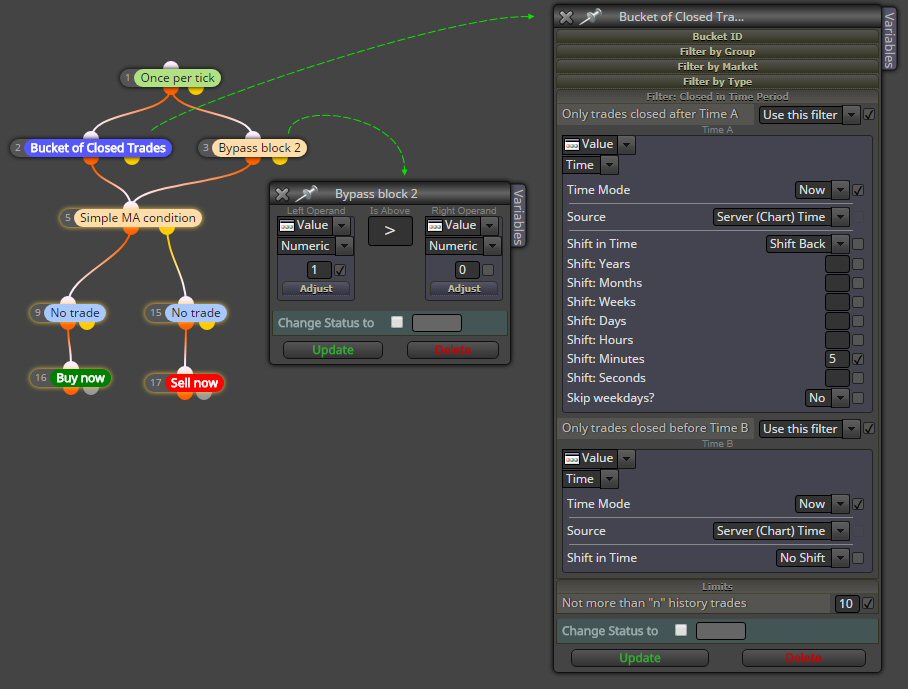
In this simple setting the block "Bucket of closed trades" will look back 6 minutes from NOW (the server time) and pass when there are LESS than 10 trades in these last 6 minutes ... correct ? So I may expect that when I start the EA in the back tester, and the bucket sees 0 trades ..(less than 10) ... it will pass. Nope ! 
When I run the EA in the tester it shows 0 trades. When I bypass the block it shows hundreds of trades. I tested on 2 different brokers : same result.
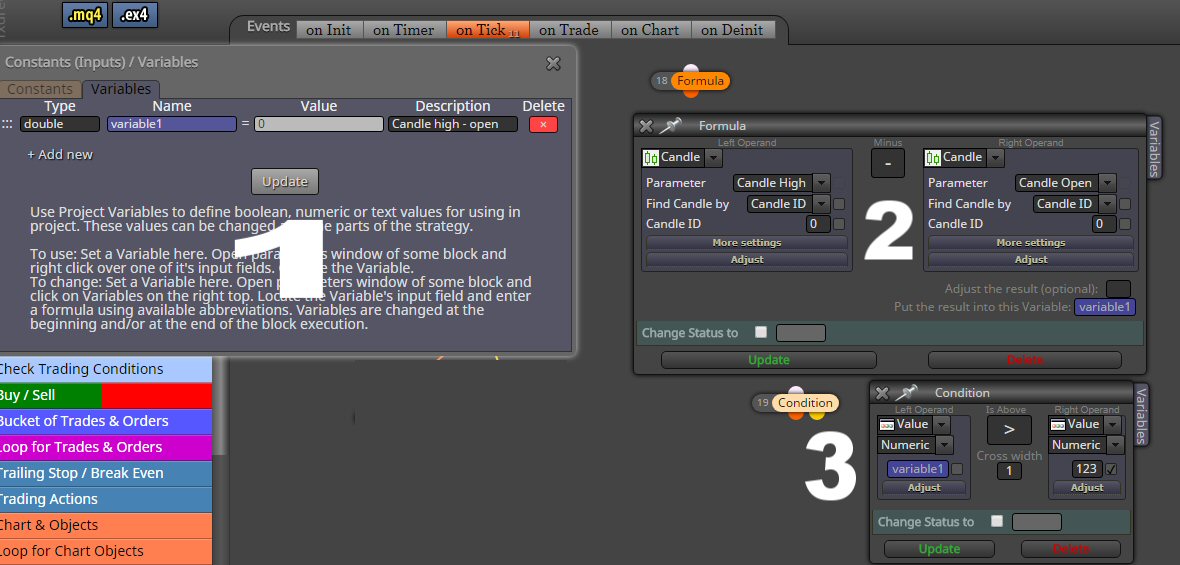
My subtraction of high - open is rather for a shooting star than a hammer ... sorry. But the logic is the same .
0_1523015068848_Bucket test7.mq4
This is the test EA ... How to use this "Bucket of closed trades" block ?????
I made a simple EA to test this "Bucket of closed trades" block. But in no way I get it to pass.
https://fxdreema.com/help/working-with/magic-start-and-groups
There will be an other reason why the EA does not trade. We can even give trades from the same EA a different MN by using the Group Number (the upper parameter you find in every block).
No need for 2 instances of MT4, if you run them on the same account. Just use 1 MT4 and run on 2 charts of the same instrument (like for example 2 charts of EURUSD 5 min) and put your EA on both the charts, but with a different Magic Number. For example on chart1 MN: 1234 and on chart2 MN: 6789. The EAs, even when exactly the same on both charts, will leave each others trades in peace.
One big disadvantage is however , that the "Detailed Report" of MT4 can not sort the trades per EA (magic number). So you get a report with the trades of both EAs mixed through each other in chronological order. For this reason I test my EAs on different instances of MT4 , but on DIFFERENT ACCOUNTS. In this way I can plot a chart per EA.
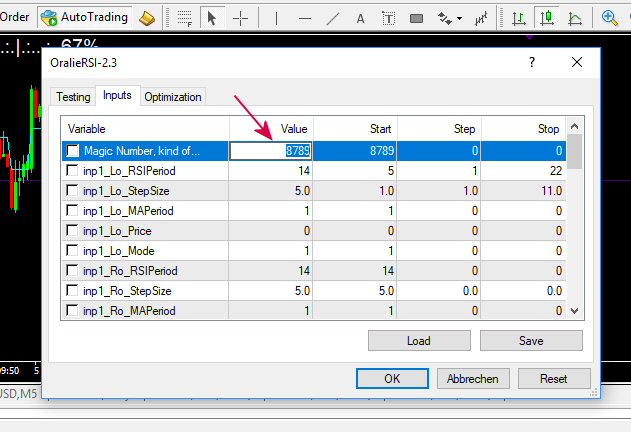
 image url)
Can I use this block like any other condition ? When the condition in the block is met, it passes. In this case I want that in the current candle only 1 trade can be executed. So: After candle time of candle 1 and till candle time of candle 0 ... there can be maximum 1 trade. In case there is 0 trade .... the block passes, in case there is 1 trade the block does NOT pass. Correct ?
Does this block works also in the Back Tester ? Can the block read from the tester trade history ?
Please address this bug asap ... because it makes the builder unworkable ! Changing a blocks number should only do that, but let all blocks visually at the same position on the screen.
Since this morning .... when I change the number of a block, the block jumps out of it's place ... (graphically) ... pls test it and you will see.
If I use the once per bar block and set it to 0, than I expect the following blocks not to be executed ? But they are still working ... how that can be ?
Yes at a previous occasion I asked Paypal that question and they said that it was the CC that refused the transaction. Strange that it does that every time I pay you and never when I pay for example Amazon or Ryanair for example. But I am used to it now, and I learned how to instantly transfer money from my bank account to Paypal ... for every problem is a solution ! (most of the time...hahhah)
Since the beginning I am paying my subscription via PayPal . And every single time my CC rejects the payment. I pay all the time stuff with my Credit Card via PayPal. I can't remember when a payment was rejected last time, it simply never happens...except for my payments to Fxdreema. First time I thought it was a Visa card problem or a Paypal problem, but since it only happens here and every 3 months ... I know now who the guilty one is ! 
I also know the solution : I have to fund my PayPal with a bank transfer and than pay from that PayPal saldo. Please Fxdreema could you look for a solution ?