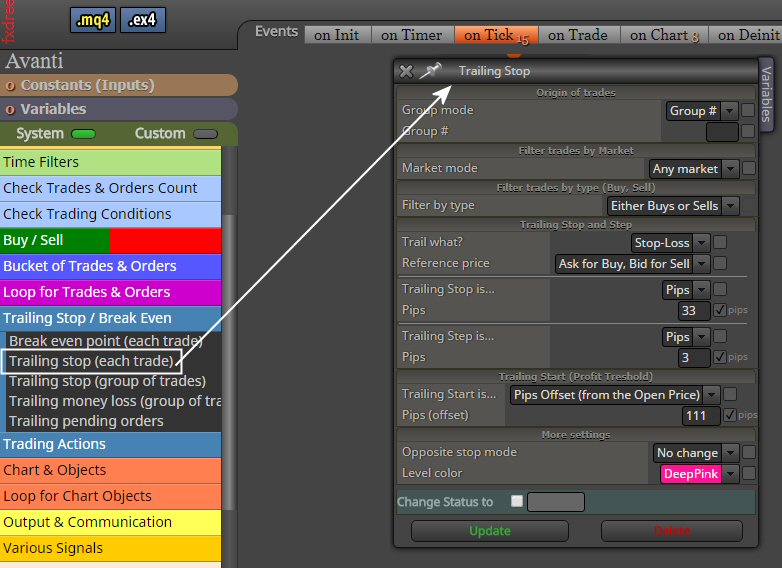
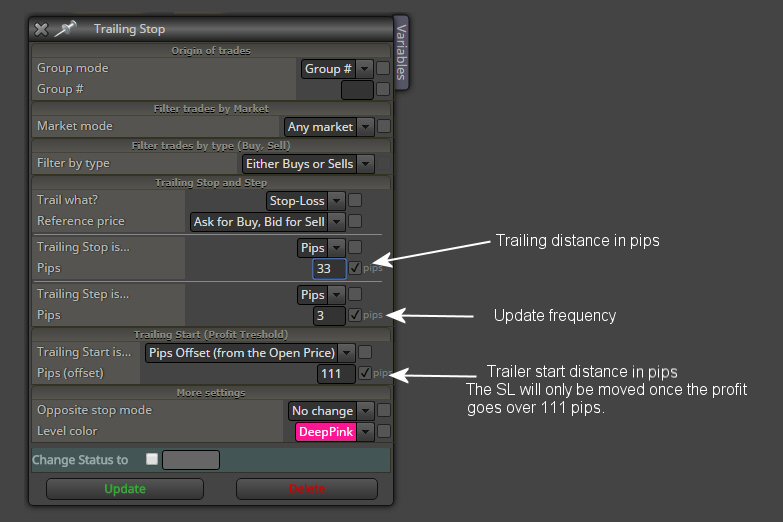
Your broker might have a minimum on that expiration. Mine, GKFX, has on DAX a minimum time of 11 minutes.

Your broker might have a minimum on that expiration. Mine, GKFX, has on DAX a minimum time of 11 minutes.
@YOSEF said in how can i set #property version in source code?:
Thank u very much! how do i set it in the source code itself? can i open the ea source code on metaeditor? and than how?
Of course you can. Save the file as mq4 and open it in the MetaEditor. And in the source code you can write what you want , as long as you start your text with // and close with //
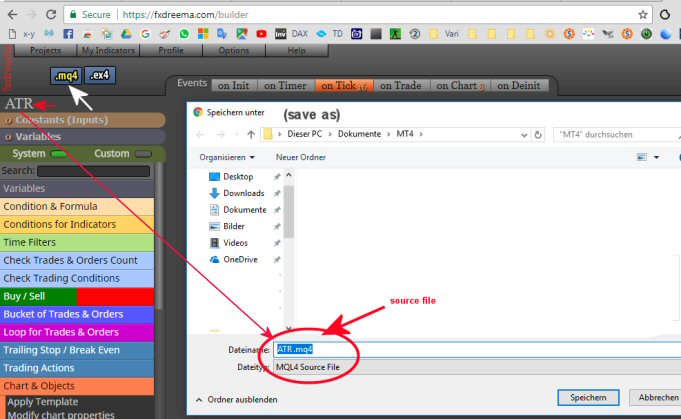
Be careful ! Metatrader is not good in making a chart of Renko. It creates BRICKS that look like candles .... BUT THEY ARE NOT. In a Renko chart (on MT4) the values for open high low close are useless. The only value that is correct is the close value, at the instant of closing (formation) of the brick ONLY. If you make an EA that use "once per bar" it will react on the bar open. But this value is only created retrospectively in a Renko chart. If you want to invest time in Renko ... make EAs that ONLY take the brick close for action ...(good luck with that)
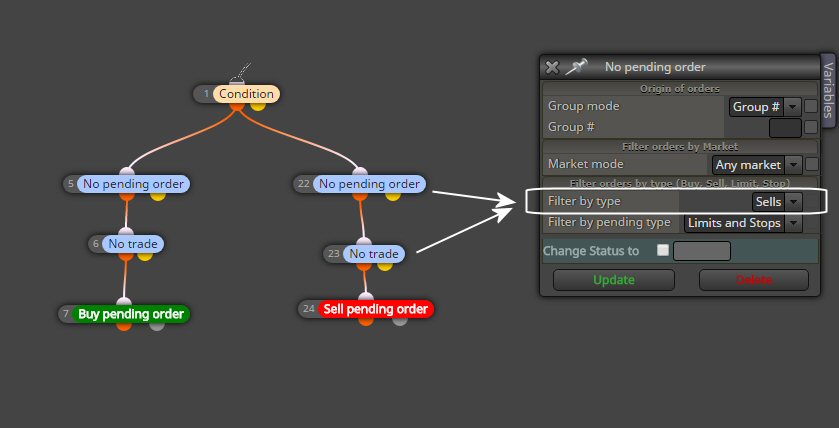
This will open 1 Buy pending and 1 Sell pending order at the same time ...if condition 1 is true .
if you want help from this community , present your project like this:
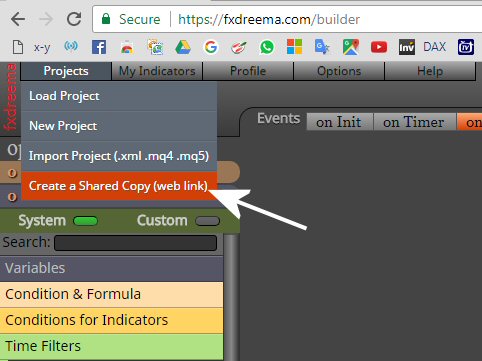
Your EA is a totoal mess. But once I was an absolute beginner too.
simple mistakes are:
Here I want to provide an answer for a common question on Fxdreema:
How to open a trade at Candle Open ...and close it at candle close time.
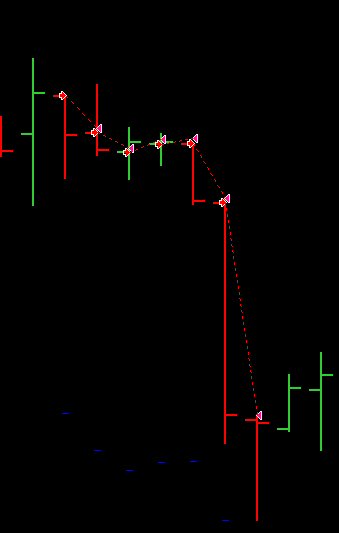
I suggest to do it like this (example for 5MIN chart ONLY) : shared example
But if somebody knows better ...
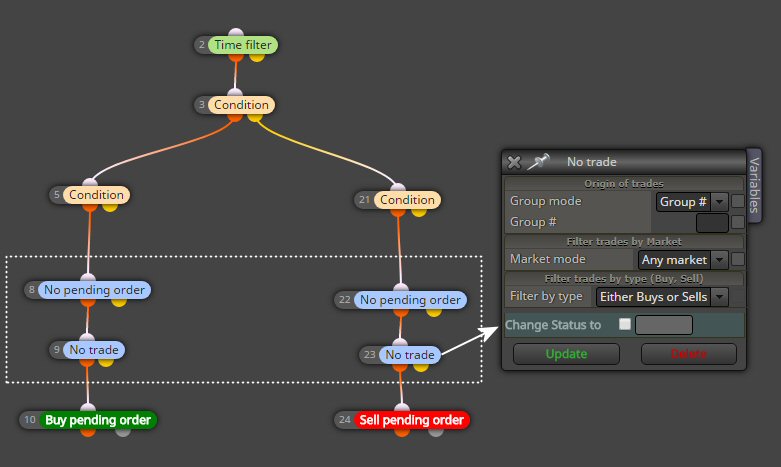
For any EA you make ... Before allowing a new order to be placed, we need to check first if there is an already pending open order or an open trade.
Once per bar is probably not a good idea. If you use your EA on more than 1min chart ...a bar can be very long and a lot can happen in that time.
You also want to use a time filter.... (if you want to sleep well...hahahah) I trade for example DAX and I want my EAs to work only during Euro and US market times.
Hi.
A simple question:
I have a project and I save the ea under the name: EA1. When I want to make a new EA, but don't want to start from zero, I use this EA1 and modify it. Now I want to save the newly modified EA1 under the new name EA2.
HOW TO DO THAT ?
When I change the name of the original EA1 to EA2 and than hit the yellow MQ4 button above it ... It changes the original EA1 (in the project list) to EA2.
I don't want to start every new EA from zero with: Projects > New Project
Thanks Tcanuto for the suggestion. But ... the purpose of my question for a text block is to insert text anywhere between the Mt4 tester input fields. Can that be done with this constants ? The text appears on top of the list. How can I let it appear at (for example) between input field (row)10 and 11 ?
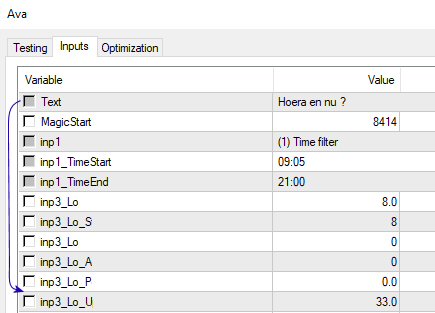
Come on Fxdreema ... this is a super simple block ...please !
Fxdreema, could you please add a block that inserts a text line in the tester input fields ? Especially in EAs with a lot of input parameters, it would be very useful to be able to add some comment text.
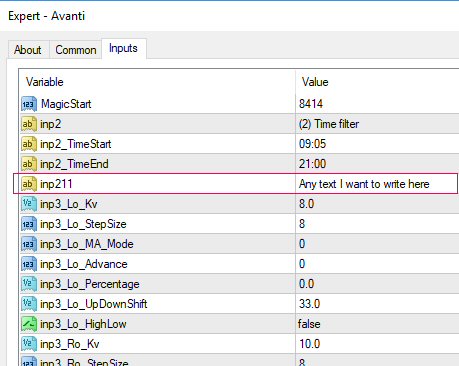
In the code it is a tester string input field
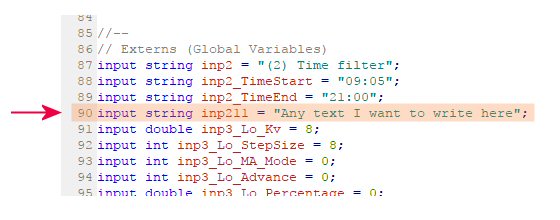
If you could make a block that adds this text line in to the tester input fields :
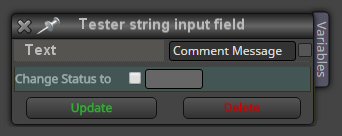
Thanks in advance !
@fxDreema
So I have to choose: fast and able to optimize in the tester ....against a logic header ? A no-brainer.
Not sure what the relation is to my question but since you suggested CONSTANTS as the solution .... I did a test . 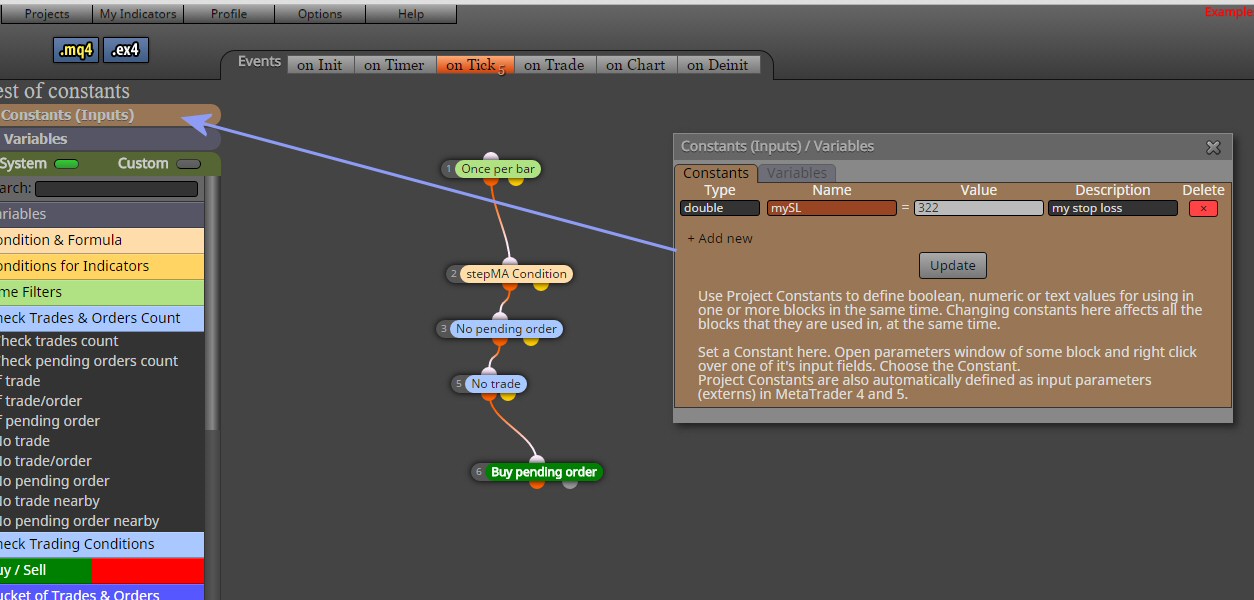
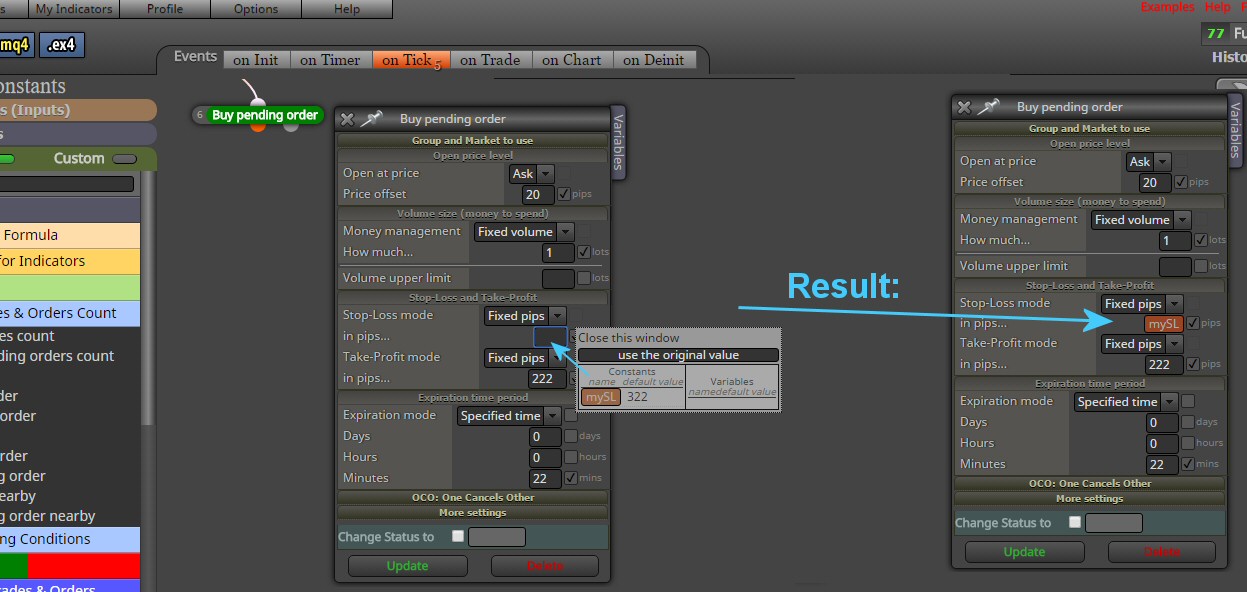
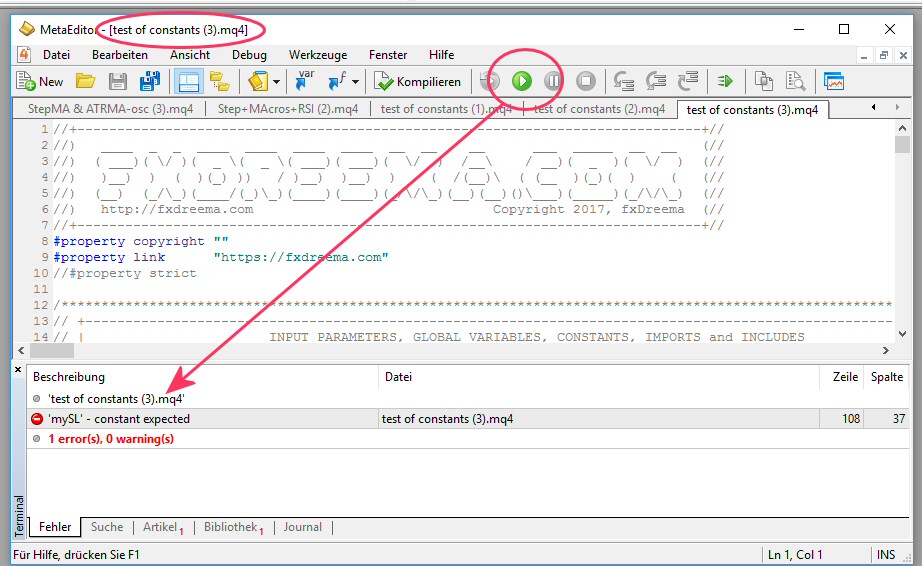
What have I done wrong ?
Hey Rado, I am NOT a coder ... I have no idea when you start about constants and double ... But I just tried to follow your suggestion.
Also ...just filling in a number in the SL field and checking the box beside it, is a lot quicker than first filling that value in the Constants dialog window. All these Constants we need any way only in there respective fields in the box where they are used. So making a constant first is from the perspective of user friendliness a big step back.
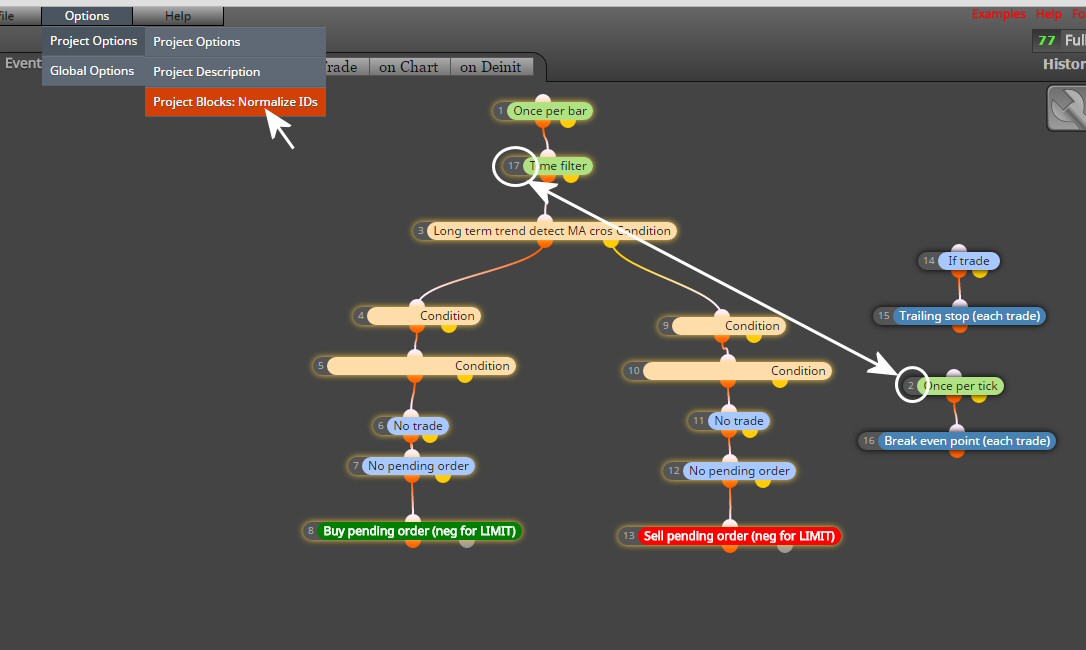
Updated.
This usually does the trick of auto-sorting the ID numbers .... BUT NOT ALWAYS !
Sorry for not understanding...
Are you suggesting to use 1 constant SL for my EA? Do I have to understand SL (as you explain:) "Don't try to modify the Constant. The word "Constant" here should be read literally." ??? But I have to access the SL in the Tester Settings and optimize it. Please explain more ...because I don't get it.
And what is the relation with the missing Headers and my question if we could have a block that add a text string only ?