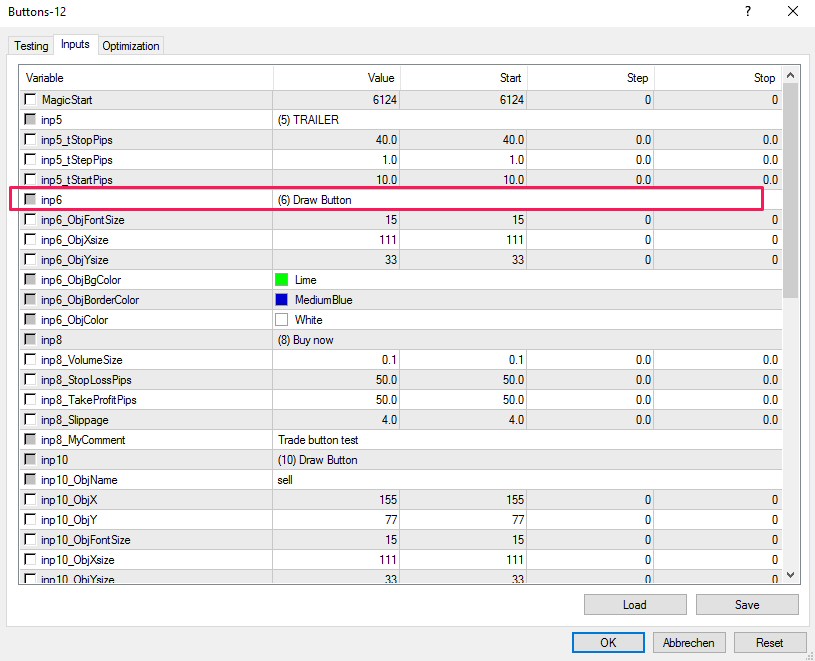
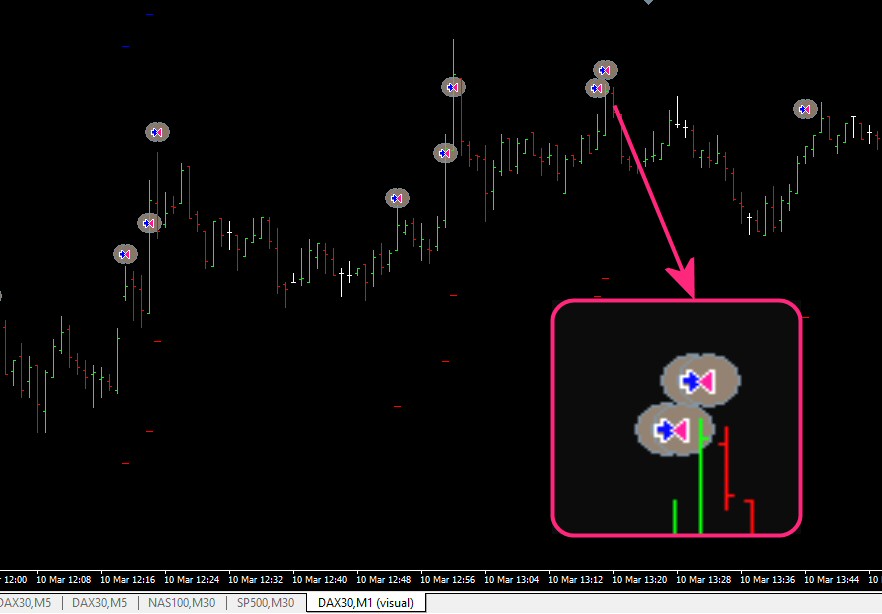
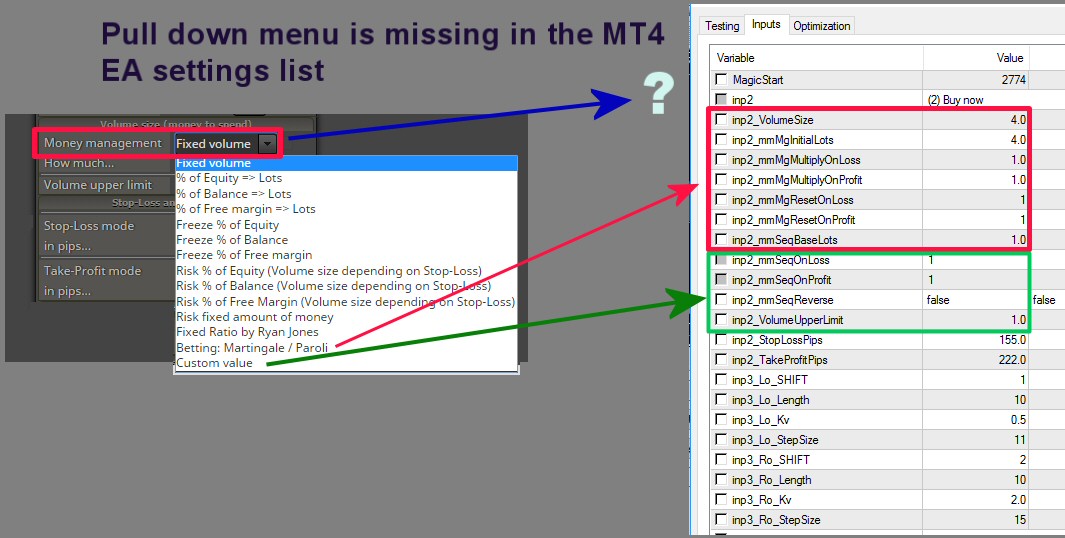
Am I the only one ? It is messy to search what setting belongs to what indicator. Or am I missing an obvious solution ?
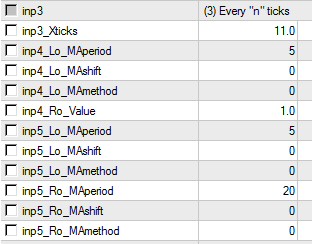
In this picture you see the input settings for Standard Deviation and an MA cross under each other without the headers ...as the fxdreema webtool generate the resulting EA.
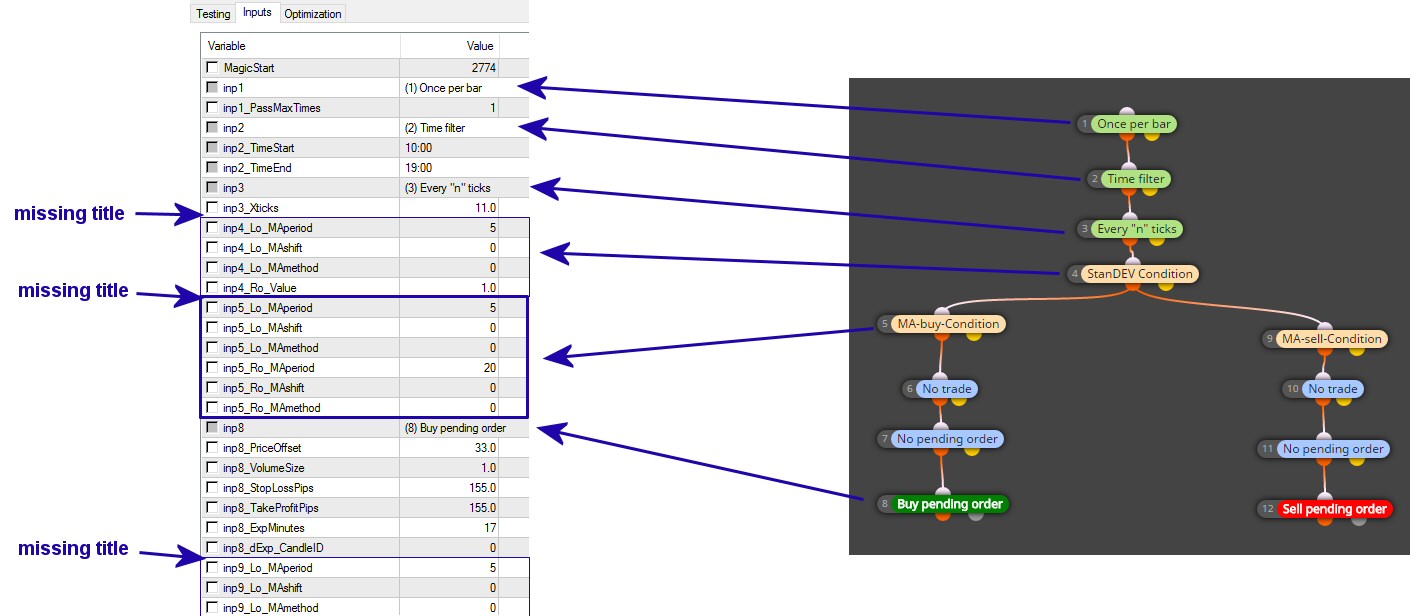
The admin could cure this bug. Or could we have a text string block to force a title ?

Posts made by Pipperoni
-
RE: enter a text line in the EA properties input windowposted in Questions & Answers
-
Block sequence warning plsposted in Bug Reports
First: Congratulations with your great web tool !!!!!!!!!
A request for improvement ....
I always forget to look for the block sequence numbers when I add something to an EA under development. Could you add something to your website that pops up a warning when the block sequence seams odd ? Or simply always when I hit mq4 or ex4 button ? (with a setting to omit it for people who have a clearer head than me and never forget this )
30% of my downloaded versions, I have to redo because I neglected the block sequence. -
enter a text line in the EA properties input windowposted in Questions & Answers
I noticed that the Block Title ...as seen in the Builder window in the browser, is NOT always repeated in the finished EA, when opened in the tester. We can of course add the string later in Meta Editor, but I often make 10 or more versions before I get (even close to) what I want. So it is not workable to edit every version in the metatrader editor before testing .
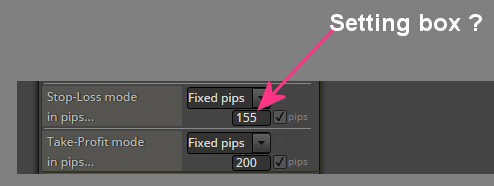
Is there a way to add a 'blank block" that will just add a text string in the properties input window. See picture.
-
RE: How to delete the PREVIOUS pending order ?posted in Questions & Answers
Correct ... I also found that after I wrote this comment. However, the user manual could be better and should have a search function to find the items more easy. Now I use google to search in fxDreema.
-
RE: How to delete the PREVIOUS pending order ?posted in Questions & Answers
Thanks for this basic but vital information Miro. The lack of a very detailed instruction manual for using fxDreema makes that I have to learn by trial and error ...and in this case through friendly fellow users like you.
-
RE: How to delete the PREVIOUS pending order ?posted in Questions & Answers
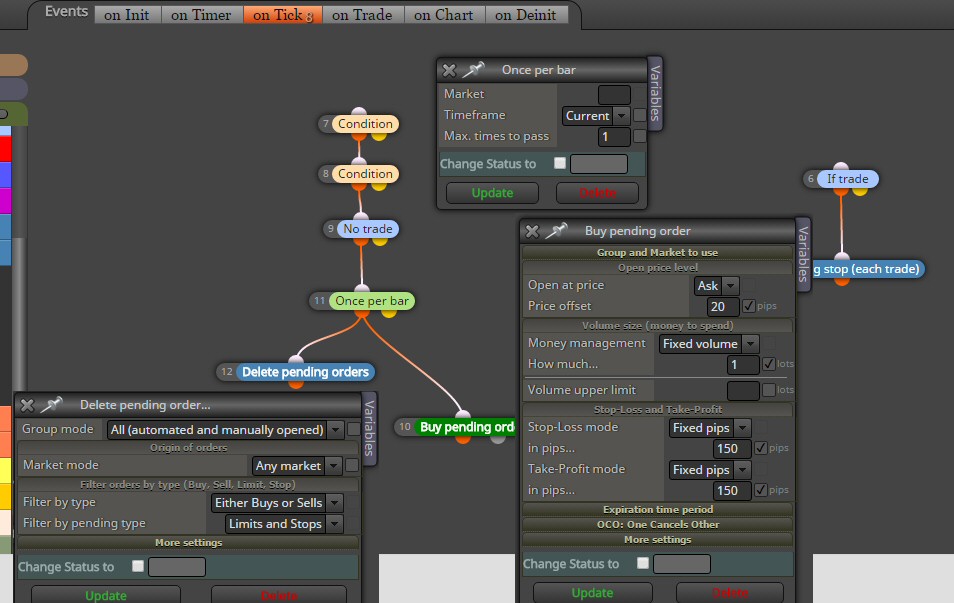
Thanks for your answer Miro. This does not work, because as soon as it opens the pending order ....the order is deleted. See picture. (I want it to run on a 1 min chart)

What am I doing wrong ?

-
How to delete the PREVIOUS pending order ?posted in Questions & Answers
Please help.
When I have a pending order in place, and I want, at the beginning of a new bar, to close that pending order and open a new one ... how to do that ?
I could use the "once per bar" block, but how to I specify the priority of events within that bar ? -
RE: Not updating the EAposted in Bug Reports
You are an advanced coder and you can obviously not good imagine anymore ... that we are NOT . I use your fxdreema web tool as a graphical interface to make EAs ... It is up to you to prevent hurdles.
I will investigate your suggestion to use constants. -
RE: Not updating the EAposted in Bug Reports
Thanks for helping.
I found a partial solution for the problem. When I use the pull down menu, for Money Management and select for example "Fixed Volume" ... than when I check the box beside the value, it will show up in the compiled EA. When I use the pull down menu and select an other Money Mangement version for example Martingale / Parole... and I check there some parameters ... they also will show up in the compiled EA ... So I better uncheck all, before selecting a new MM version. It is not yet clear if in case I select (check the small square right from the default value (see my first picture) parameters in 2 MM versions and they both show in the compiled EA ... which one works than.
Any way ... still my question: Why do the Pull Down menus not show in the compiled EA ? -
RE: Not updating the EAposted in Bug Reports
Hi. I am trying to use your tool since a few weeks now. Forgive me for asking stupid questions. I am just changing the default value in the parameter input fileds checkboxes for the EA only once, so that the EA loads automatically with a value that I use most. To be sure ... This is what you speak about ? (see picture)

But this is NOT what I am having as a problem. Of course I change the value in MT4 when I open the EA there. The pull down menu of the Money Mangament parameter in the Buy or Sell blocks is missing in the MT4 settings (see picture) so when I want to change the MM I have to go back to Fxdreema and change there from for example "fixed volume" to "Custom volume" and save the EA again, download again, etc ... Am I missing something ?
But these changes are not updated all the time ... or I have both options at the same time ... as you see on the picture.

-
RE: Not updating the EAposted in Bug Reports
clicking on .mq4 saves the file. I use Chrome, it appears under in my screen in the downloads. Clicking on .ex4 opened the default program for that file. One of the many MT4 instances on my PC. So I uninstalled that MT4. Now clicking om .ex4 does nothing any more ...
But this does not explain why I see "wait .. updated" in the gray space right from the .ex4 button when I click the update button on the BuyNow block. But when I download the file, it is still the old file without the change. -
Not updating the EAposted in Bug Reports
When I change the MM settings in the BuyNow block from Martingale / Paroli to anything else, for example Fixed ...it doesnt update when I click the .mq4 button. In my saved EA it remains always at Martingale / Paroli. I noticed this before that sometimes after changing the same EA often and saving ... the changes were no longer updated. What to do ?