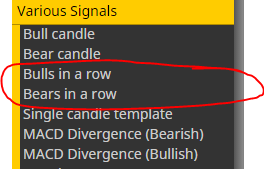
It's a block:

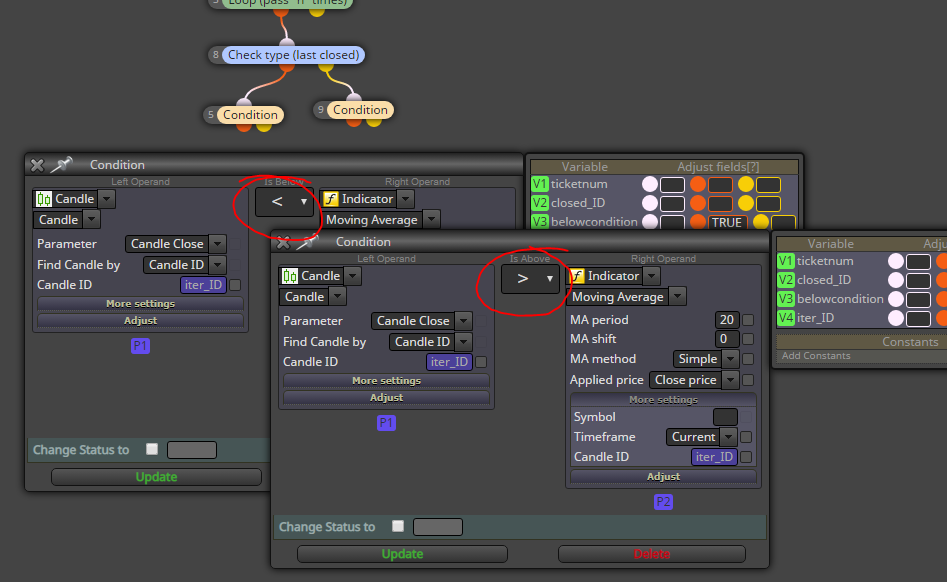
@trader-philipps I would put a "Check type (last closed)" before the condition, and copy the condition and then just flip the comparator for the case of sell order:
Hi @trader-philipps!
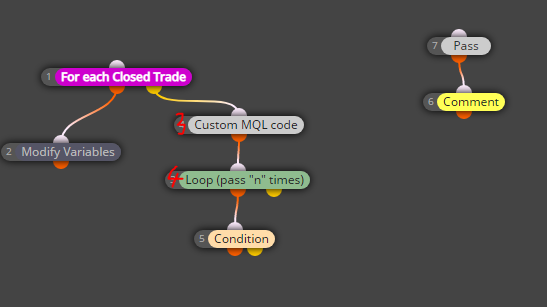
Here's how I would approach this. It might still have some bug, I'm too lazy to properly test anything.
Blocks:
When the process makes an iteration, decrease iter_ID by 1.
Hope this helps.
https://fxdreema.com/shared/JOQCkRG3e
If you import the .mq4, you get the correct variables as well.
0_1567877553885_check past.mq4
https://fxdreema.com/shared/1mJlTAsXb
This is probably lacking some logic, but lets work from there.
How does this differ from your logic?
I assume that normally the EA only trades 1 trade a time
@newbietrader That's correct. By default, trailing stop tightens your SL when your trade makes more profit. Take-profit stays at fixed level. (Unless you modify the trailing stop to move TP instead of SL)
@zackry This will need some AND-blocks lol 
Let's clear up some things first:
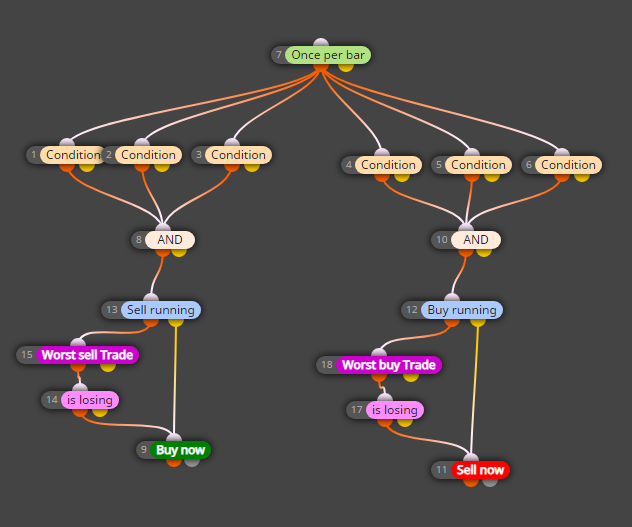
but if the buy trade turns against us before condition 4 , 5, 6 becomes true , then open a sell on each candle as long as the condition 4 ,5, 6 is true
@monocska3310 Well, the errors refer to invalid stops. Try a version that uses larger SL and TP, or none at all
@l-andorrà said in false move:
Just curious. What's the logic behind block 15? Why is it conditioning all buys and sells?
This one?
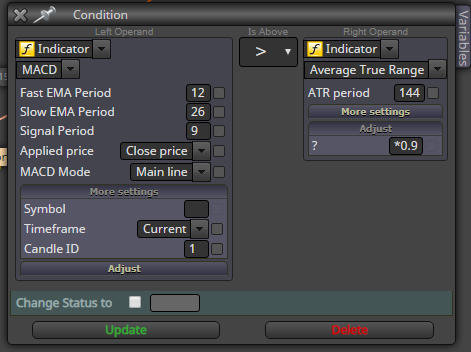
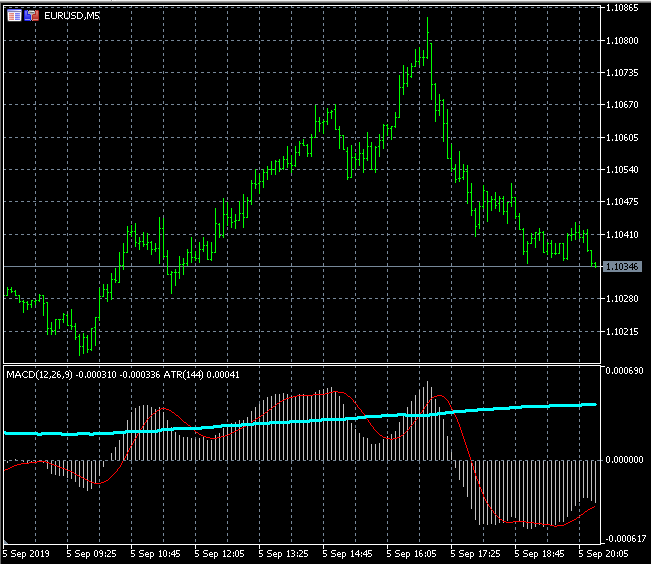
It filters out those flat MACD periods. The EA will only sell a strong MACD mountain, and buy a strong MACD valley.
Block 18 is a mirror of 15.
The *0.9 adjust on the ATR side is just for fine-tune purposes. This is also a quick way for the genetic optimization, if you replace 0.9 with a constant name.
@specialfx I shared the block logic. For the visually stacked indicators, I really don't know how to setup that on fxdreema, there is no easy way.
You can filter the volatility by combining macd with ATR:
https://fxdreema.com/shared/SmrMuW4vc
In mt4, you can see 2 indicators in same window if you drag and drop them from the navigator pane.
@keshb96 That's correct! The constants will always show up in mt4.
Personally I never use the tickboxes, they only mess things up.
@keshb96
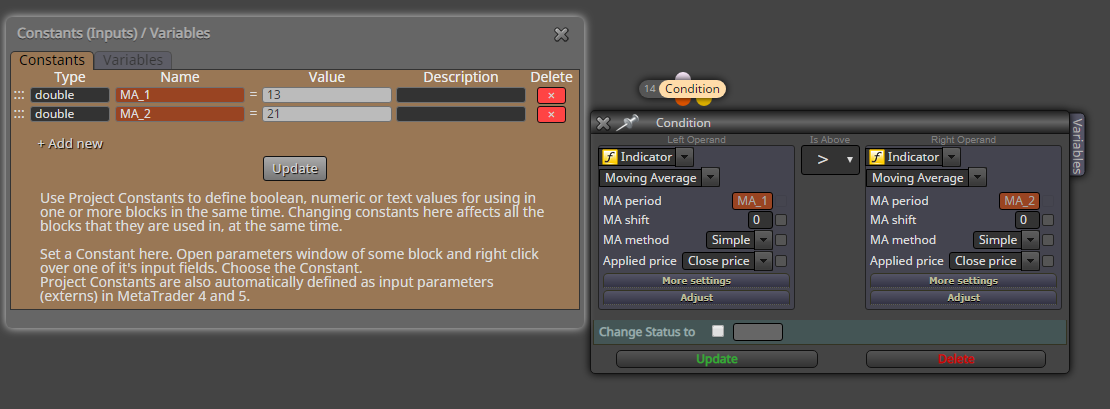
Make a constant and use that in all blocks:
@monocska3310 So it opens only sell order, no buy, or vice versa?
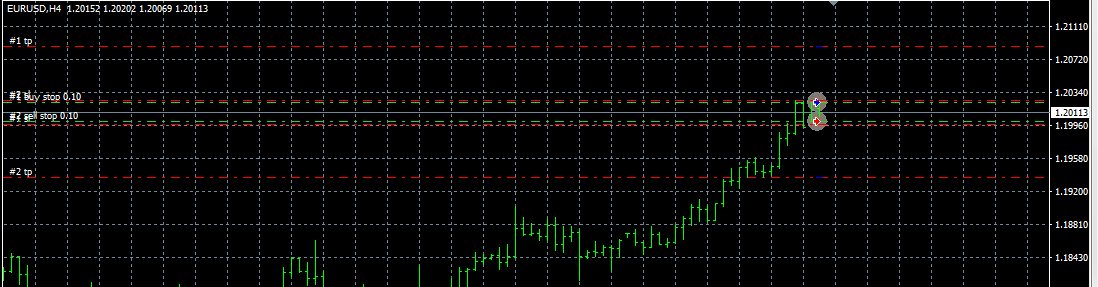
I don't see why it would do that. I tested it and it opens two orders:
Are you intentionally filtering this to work on only the 01:00 - 02:00 hourly candle?
@faidz80 You're describing Martingale:
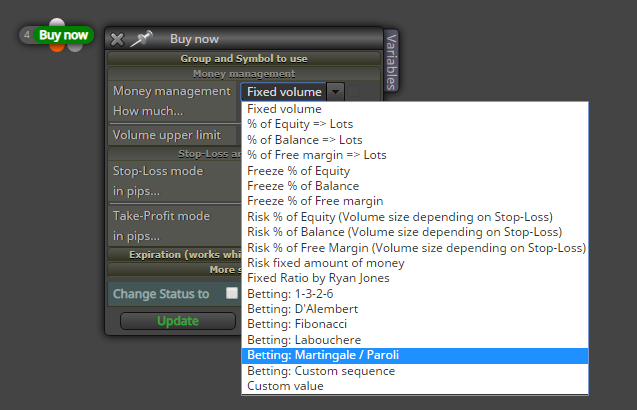
@janefx
Working EA = opens and closes trades
or
Working EA = makes profit ?
Every EA made with fxdreema should be technically functional
Hmm, maybe your EA is currently using the ADX instead of ADR. Those are two different indicators
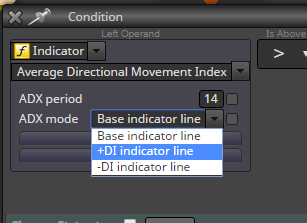
@specialfx Hmmmmm did you download new data from the f2 history center?
@specialfx The history files are in .HTF format.
Another way to delete is selecting the "1 minute (M1)" panel from the left, and delete it altogether.
@specialfx Yes, go to your data folder (from mt4 menu), and find something like "history" and "bases". You will see a folder named EURUSD, delete the content. Sorry cant check it myself, I'm on mobile