fxDreema

    • Register
    • Login
    • Search
    • Back to the main page
    • Categories
    • Recent
    • Tags
    • Popular
    • Search

    Adding text to a variable

    Questions & Answers
    4
    6
    2145
    Loading More Posts
    • Oldest to Newest
    • Newest to Oldest
    • Most Votes
    Reply
    • Reply as topic
    Log in to reply
    This topic has been deleted. Only users with topic management privileges can see it.
    • V
      VendettaFX last edited by

      I would like to add a * sign to a constant and put it in a variable
      i tried this "" + "*" + Recovery_Factor + ""
      in a modify variable Text (code input), where Recovery_Factor is my constant but it return 0. Is there another way to do it

      roar 1 Reply Last reply Reply Quote 0
      • roar
        roar @VendettaFX last edited by

        @vendettafx
        Maybe this gets you going
        https://docs.mql4.com/strings/stringconcatenate

        Need small help? Tag me in your post
        Need big help? https://www.fiverr.com/big_algo/automate-your-winning-strategy-in-mql4-or-mql5

        1 Reply Last reply Reply Quote 0
        • M
          miro1360 last edited by

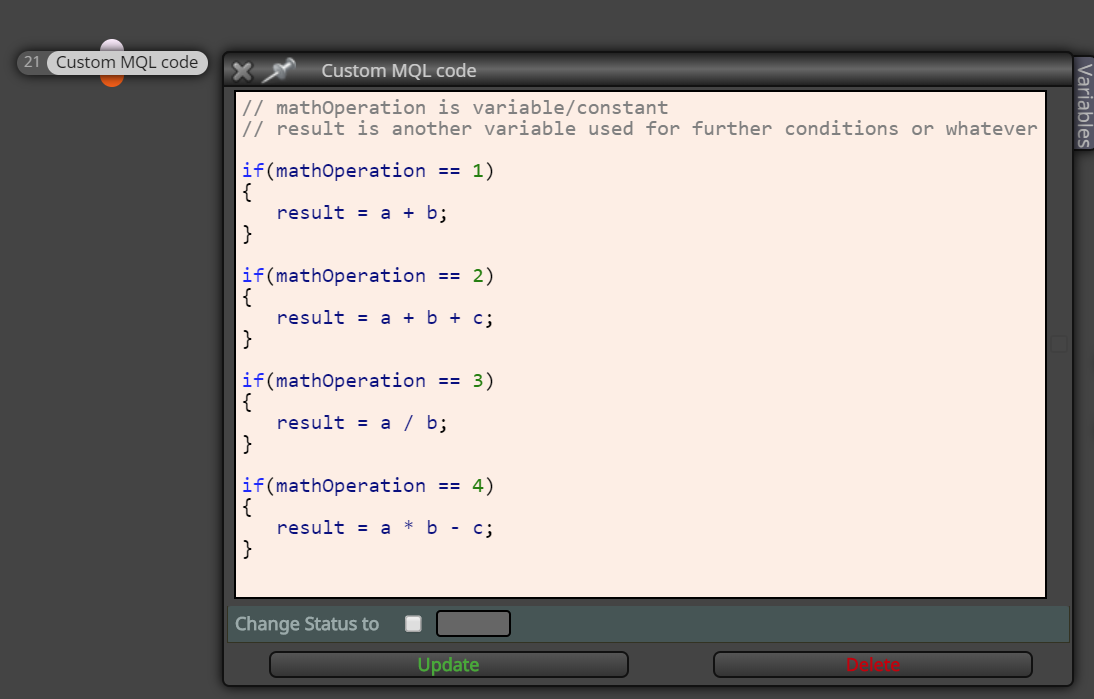
          if you are attempting a math operation inside a string variable, this is not possible in programming ... you have the possibility to create more condition/formula/custom code blocks which acts as many possible math operations and access them with the variable ...
          0_1564350686027_fdaf18f3-d4d1-42ee-8cf6-190f8d648806-image.png

          Between trading and gambling is a very small gap, be careful.

          1 Reply Last reply Reply Quote 0
          • V
            VendettaFX last edited by

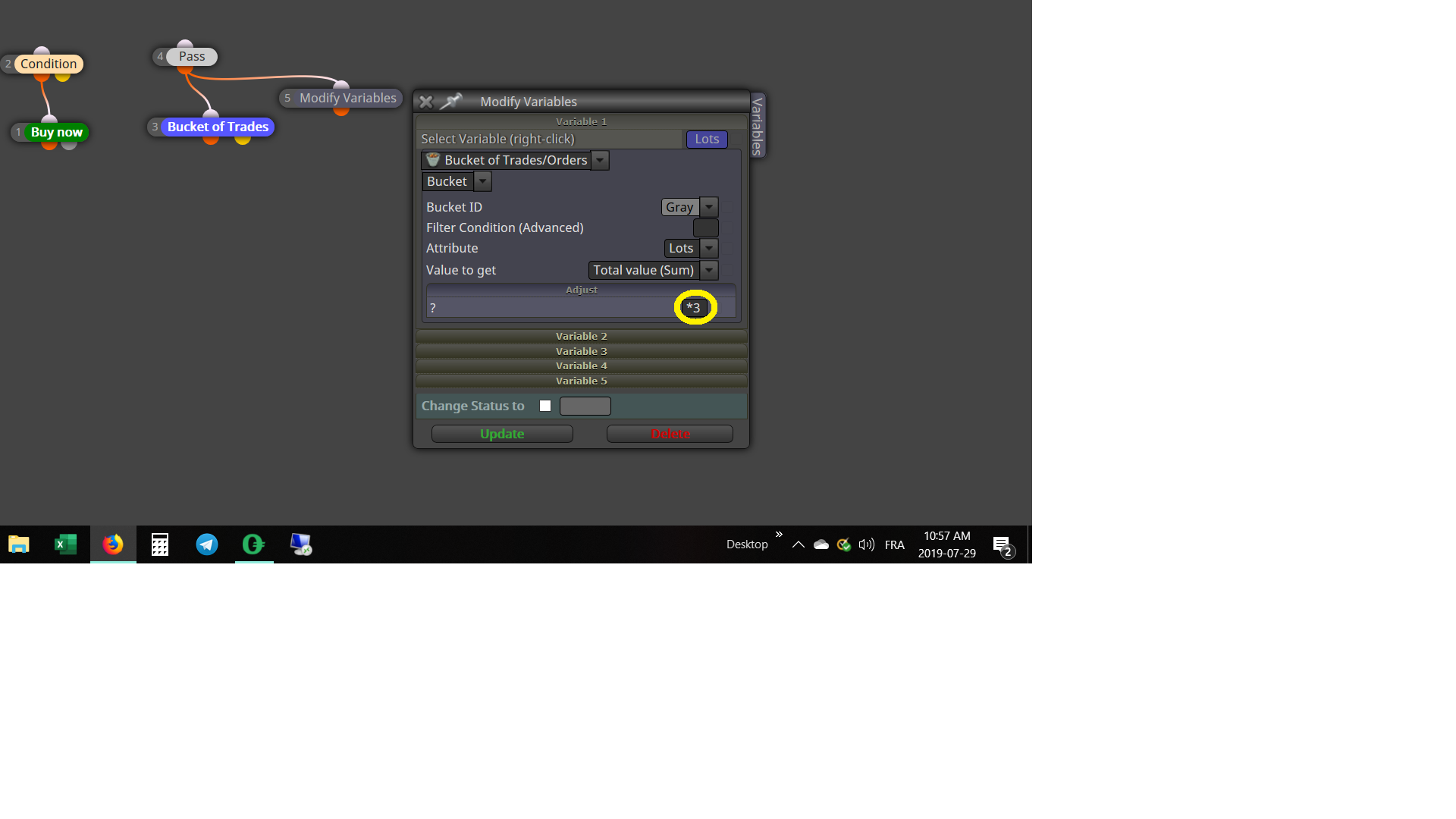
            @miro1360 What i would like to do is make the *3 from the adjust case of the modify variable, customizable in the optimization of back testing. I would like to do this with a constant but Since i can only enter number in the inputs, and cannot put a multiplication sign. Is there a way to work around.0_1564412505413_Test.png

            roar 1 Reply Last reply Reply Quote 0
            • roar
              roar @VendettaFX last edited by roar

              @vendettafx You don't necessarily have to right-click and then select your constant - you can as well just write the constant as text, together with the multiplication sign. I think.

              Need small help? Tag me in your post
              Need big help? https://www.fiverr.com/big_algo/automate-your-winning-strategy-in-mql4-or-mql5

              1 Reply Last reply Reply Quote 0
              • FXFun
                FXFun last edited by

                Create a Constant (input), named like Multiplier.

                In Adjust field enter: Multiplier*

                You can now use Multiplier in your backtest, to find the right setting for your strategy.

                🙂

                Life is FUN - when you have control over it. Take control over FX & Have FUN all the Time! :-)

                1 Reply Last reply Reply Quote 1
                • 1 / 1
                • First post
                  Last post

                Online Users

                B
                A
                P
                A
                A
                X
                K

                20
                Online

                146.7k
                Users

                22.4k
                Topics

                122.6k
                Posts

                Powered by NodeBB Forums | Contributors