Use a time filter above with only these times

My idea is to start it from scratch, there is nothing wrong with your set-up
No mate because you would have gotten it on your 1st post, (you did get help on that post), call people like @roar without the need to duplicate threads. I am quite interested to see if we can use custom functions here, I don't think we can. As I said you can get all the needed info from pink blocks.
Add this:
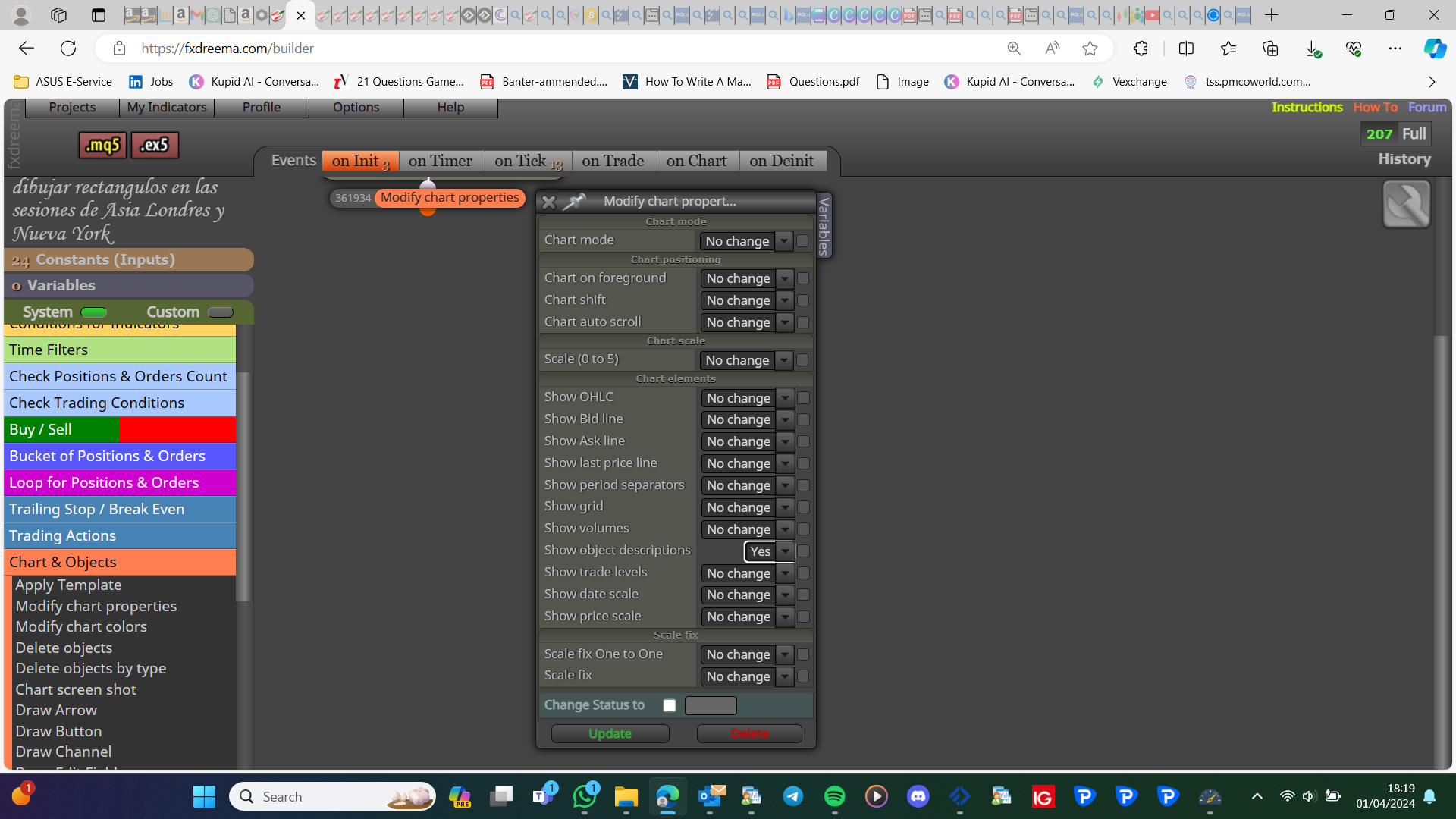
and this
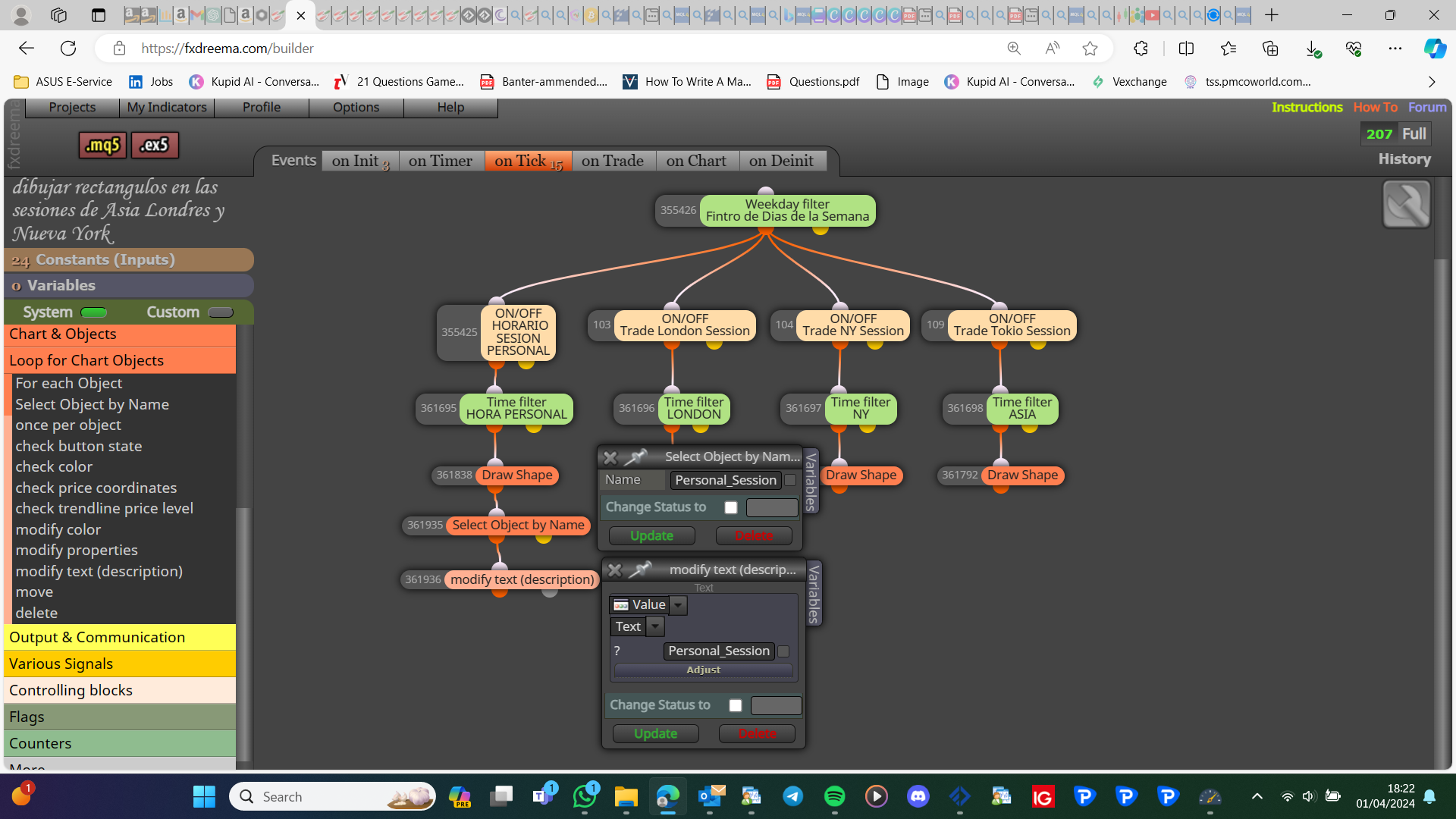
Let me know if it works
Block trees start with the lowest number but run in a line. So in your trees 1-8, 2-65-66-10, 3-419-472, 11-13
I kind of explained my reasoning to this here: https://fxdreema.com/forum/topic/20102/please-does-anyone-know-how-to-close-all-positions-exact-pips/3 Even large prop firms restrict this because they cannot execute operations exact or quick enough
If you manually check a chart after a pending is placed, you can see why it was placed, quite often trades are only placed if conditions are correct, just unexpected, but the only way to know is to look
Close profitable trades (there is a blue block)
Think this will show you all you need: https://fxdreema.com/shared/HToMwtsCc
Or: https://fxdreema.com/forum/topic/19545/create-time-stamp-for-optimisation
That set up is correct but you need a level to move stops to, maybe save the trade slop loss price in a variable as placed, then move the rest to that price
You want price value, ID is the candle number
Add a shared link: project screen - projects - open in web browser - copy link and place here
string, string, string, color, color, bool, color, color, int, bool, bool, int
They both look the same to me, and all candle 1 so looks like it should work
I cant see a problem, try replacing blocks, or unlinking blocks 1 at a time until you find where the problem is
To work out if this is right, run on visual backtest, and check if once every candle when the condition is true you get a trade, otherwise, you get none.
Put this one condition If you do this and test, you will see how this range works
You need to add the constant, then to the box, to have it in your inputs
Add a shared link rather than pictures, under your condition draw text, and redraw with the same name to print the opposite condition.