Add a shared link to look at

Use components to optimise, and convert them to a string to use in blocks like time filter.
MT4: https://fxdreema.com/shared/IbgvGjJY
MT5: https://fxdreema.com/shared/VpOj39mrc
@jstap Good mate, glad you sorted it. I said that first...
"Magic no is always there, the rest are created by boxes you have ticked in a block or two".
Magic no is always there, the rest are created by boxes you have ticked in a block or two.
Does this help? From Copilot (chatGPT)...
It sounds like your friend’s custom MT5 code used to reliably write to the log file via Print(), but after a recent update, the log location may have changed or the behavior of logging might have shifted slightly.
Here’s how to track down the new log file location and ensure the output is still being captured:
 Where MT5 Stores Log Files Now
There are two main types of logs in MT5:
 ️ If Nothing Is Showing Up
If your friend wants to make the output more persistent or structured, I can help them write to a custom file using FileOpen() and FileWrite() instead of relying solely on Print(). Want to go that route?
depends on traded asset and pip rules set in settings.
Trailing stop is the easiest way to achieve this, in the block using a separate tree to the one placing the trade, you can set start in pips from open price so stop doesn't move until price goes in the right direction. Stop is how for behind current price the stop should be, if price retraces the stop will stay in place until it's hit. Step is how often stop should move.
They are numeric, because although text is a string, it counts the tecx as a position (buy=0 sell=1, both=2) All I know is this compiled for me, it is tried and tested. Basically check if the enum text is what is selected in the inputs, if so activate blocks below, if not go through yellow and check the next. this https://fxdreema.com/shared/m27SSDMZd you can run on MT5 back test, and see that every time you change a input the drawn text will change.

Set it up as an enum: https://fxdreema.com/shared/R8XxH6iSc
@sktsec you do not need to select int any ware, because it is using the ENUM data type, all you need is ENUM and the named type. In the other blocks you need numeric not text.
@merajmusic It is how the logic is set up, if all is correct for a sell place a sell, but if you want both there is no yellow connection linking back to "BOTH", you either link back like the picture, or you make the choice above your buy/sell trees. It depends on how you want this set up to work. 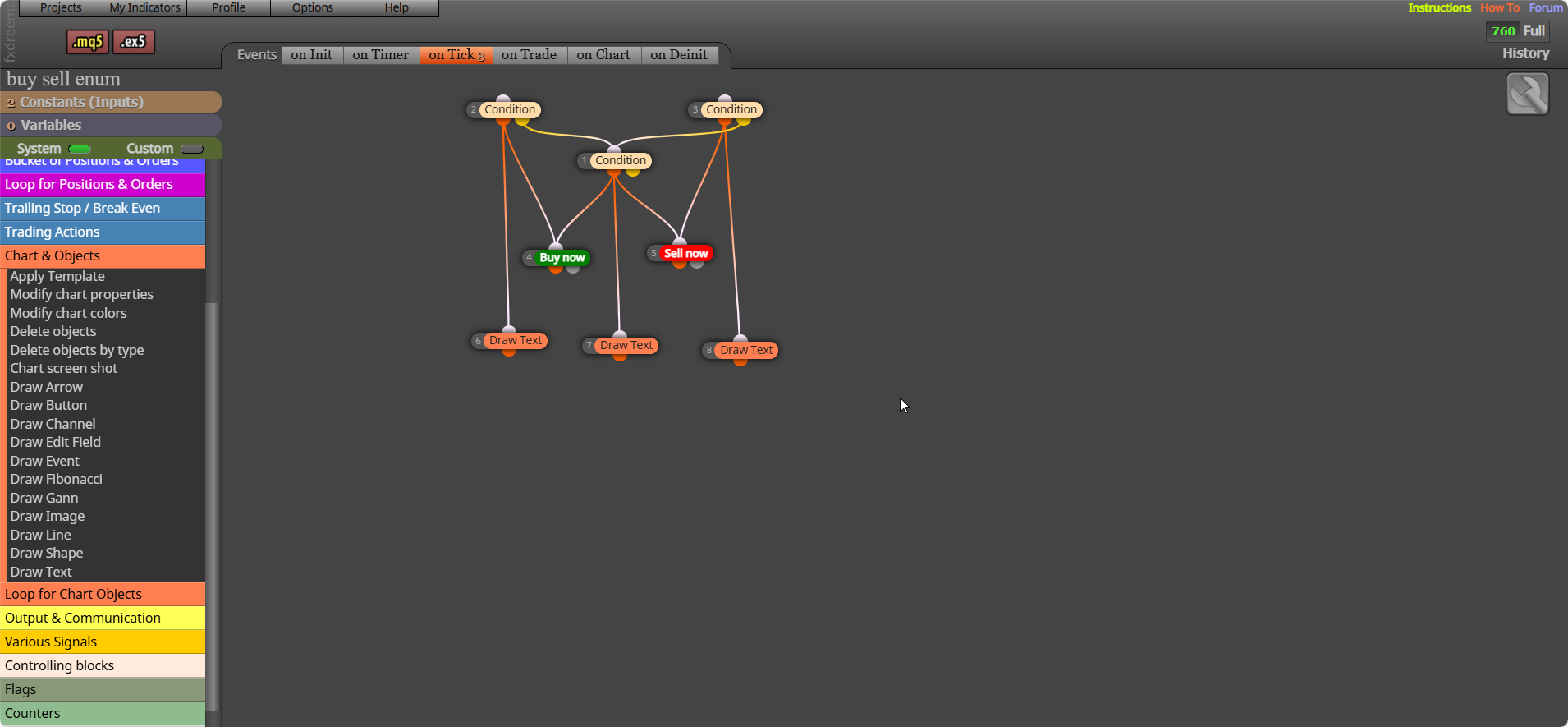
@sktsec His condition didn't have text, it was yousef builder that did.
Yes if you search fib you will find how to do that I would think. Like this: https://fxdreema.com/forum/topic/19269/using-fibonacci?_=1759609337943
I
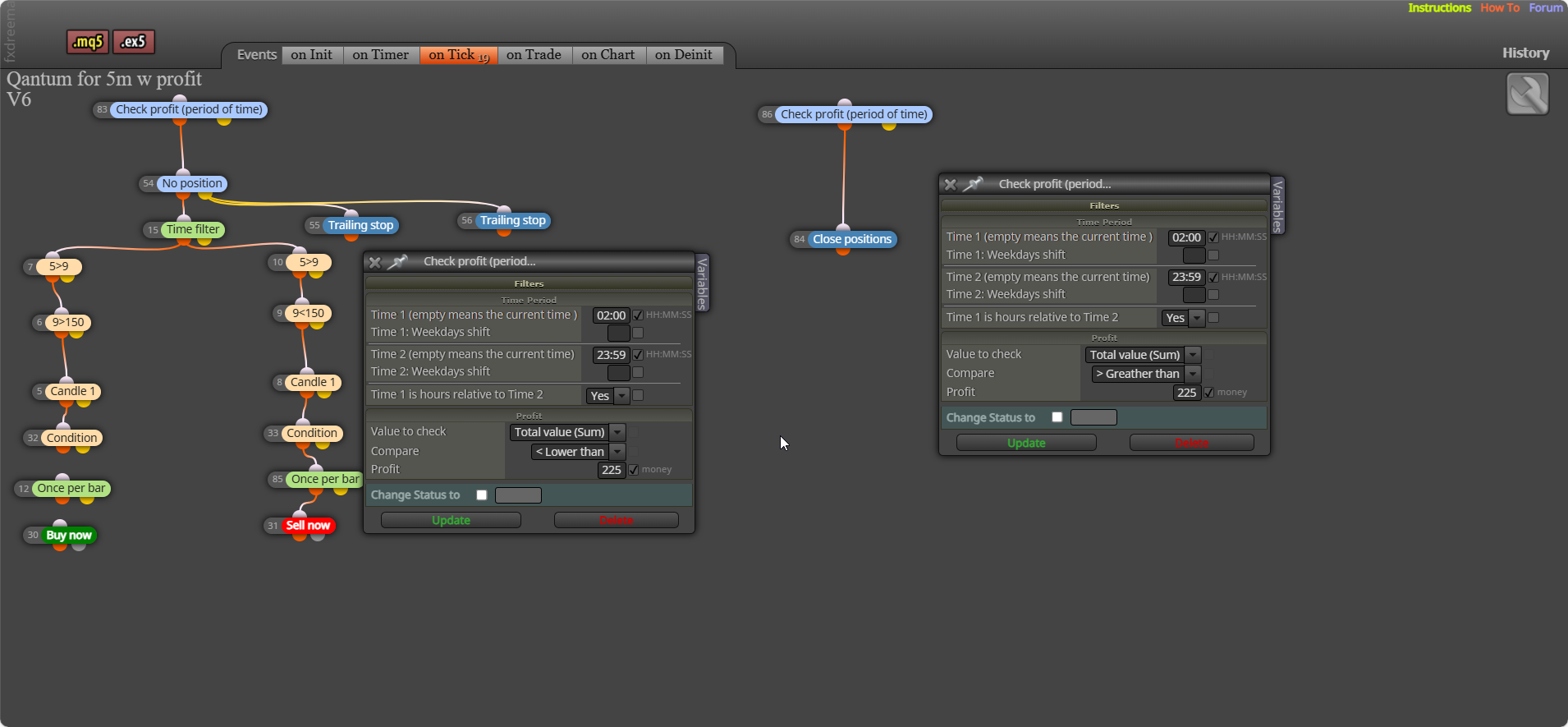
I wouldn't have once per bar above that many conditions. And I would have 2 check profits (what you had may have worked but I have never tried it).
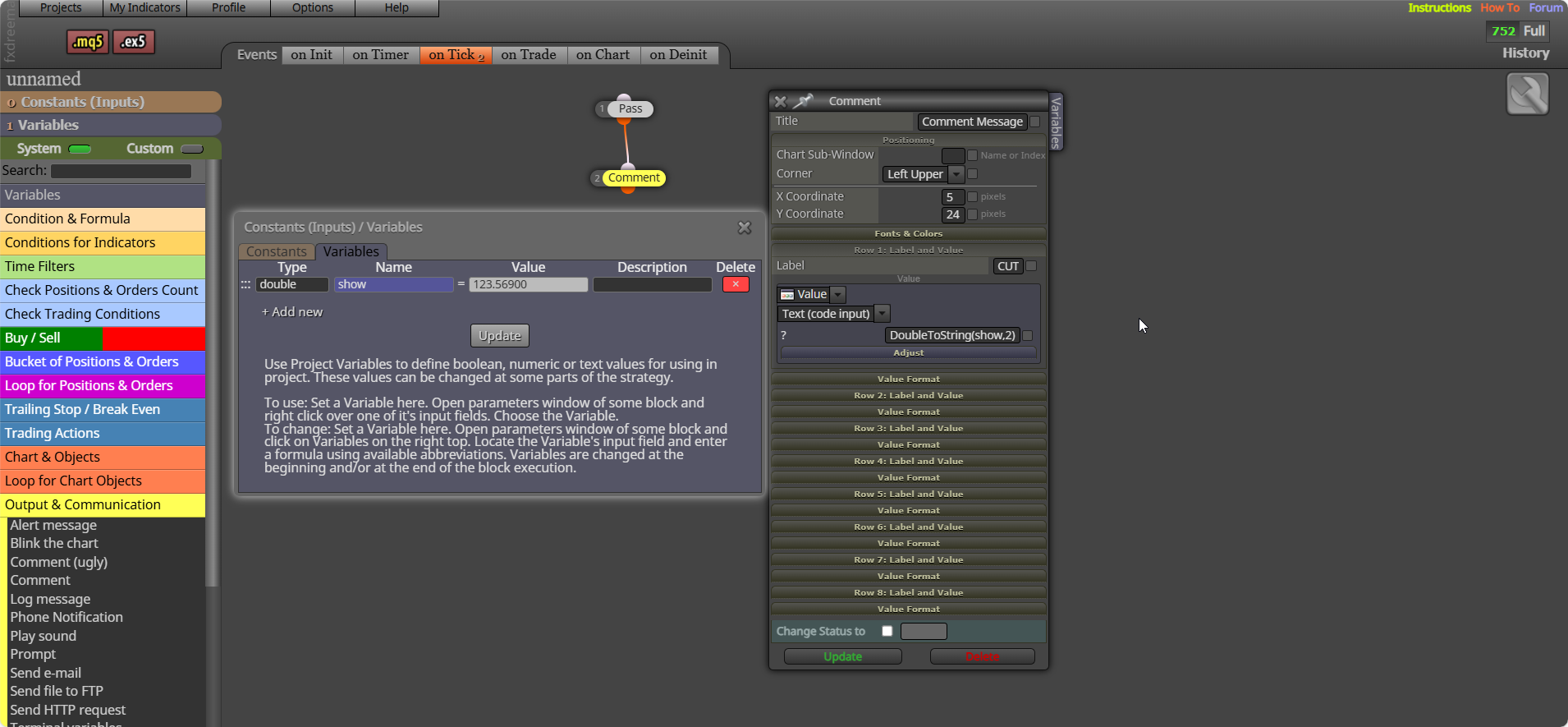
Not exactly sure what you need but if you put this in text code input: DoubleToString(x.xx,2)
x.xx being the number you want to cut, you can also add the name of a variable and this will be cut, 2 is the number of digits past the decimal point.
If phone is connected to your pc terminal by getting the number from your phone, that's in the picture. Then your phone can receive notifications. I cant remember exactly because I haven't done so in years, but I think this cam do all you want. 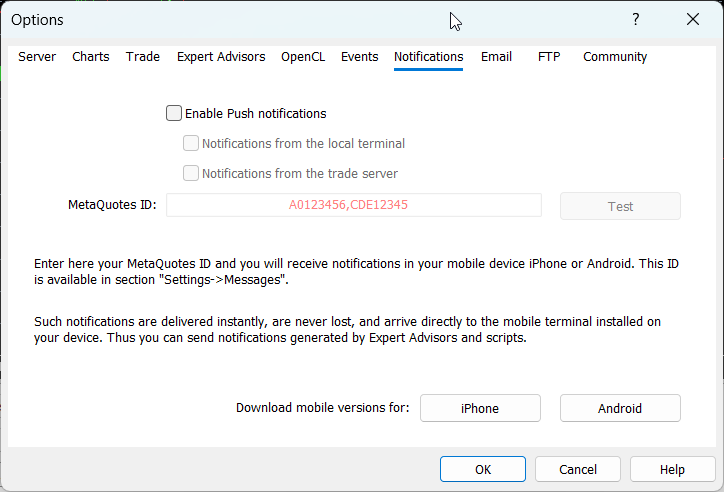
it sets the atr variable to 0, then loops through and add us the value from the last number or candles in the candle range, then it takes this total number, and divides it by the number or candles in the range giving you the average number over the range.