@tipsywisdom If I ever learn I gladly will.

@tipsywisdom If I ever learn I gladly will.
To ask the system administrator, click back to main page at the top of this one, and send a message from there.
You can put the client's account number in a condition, if different terminate, you could put a password in a condition, if friend doesn't enter the correct password, the EA again terminates
@thilili23 If lines are named then you you could set a flag for 1st line being touched, and then in tree check flag, in condition candle closes under line, reset the flag under buy/sell.
Add a shared link saying what's not working (in the blocks you can stop TP moving)
I was talking about this: https://fxdreema.com/instructions
I regularly sell books from Amazon around the word so am unsure why this would be.
@zhahz In this link you'll see what I did to test if we have an above & below 0, for it to determine if it's <> 0 means the same logic can be used to place a trade. Have a look and see if you can get it working in your project, if not let me know and I'll see what is happening
Instead of MQ file paste the shared project...
If the value changes the global is updated, this way if the value is changed at any time the latest value is saved, so if the platform crashes and deinit isn't activated, the value is already saved.
@ZhAhZ I am quite selective on using cross, on this I would use above > or below <, although the line goes from one side and crosses to the other, I would just use < or >, if you look in the link I posted this is the condition I used, also doesn't wait for this to happen on previous candle or check the width for condition do happen, so is all about what works best and what suites your condition best.
As people have said what you are doing should work, on your picture triple is on 0.0, this says that that the indicator is not working for your conditions, if you click the link I put then press ex5 you will get that ea so you can test and see working, if you then press mq5 and import back into dreema you will have the project to copy or amend.
Not sure if there a known fix for this situation but this might help: Previously with indicator problems I have seen data is remembered somewhere in the background, to fix this I changed the indicator name (by only adding one letter) I then added it to FX as a new custom indicator ensuring I used all the correct settings.
The new version was installed and worked without errors.
I hope this fixes your issues, let us know what happens.
In this project is how to draw 2 lines, and when the top is dragged the bottom line moves to match, and the relevant candle ID is put in a variable.
This also shows how important block IDs can be, if you run this on backtest you will see that when correct ID numbers are set to false the line is drawn on 0 and cannot be dragged, but when set to true the line can be moved, and the candle ID changes, this also highlights that lower number actions will react quicker to higher numbers. (your terminal will loop through numbers starting with the lowest, meaning that whatever action comes first, will happen first)
@xlestergg Yes that's what I mean, you are welcome
I think you need to decide how to place the second trade, you can use pink blocks Pips Away to place another trade, or place a pending trade?
The picture was from that link, otherwise just write the word else in the code.
@maledetu Try using the yellow indicator appear block instead of condition, if you only want 1 trade at a time replace the one per bar block with a blue no position block.
purple trade closed block on the on trade tab will allow blocks to work only once as something happens
@ddz111 It covers everything from the beginning. It will show you how to go from basic to advanced and give you an understanding of why things are set up the way they are.
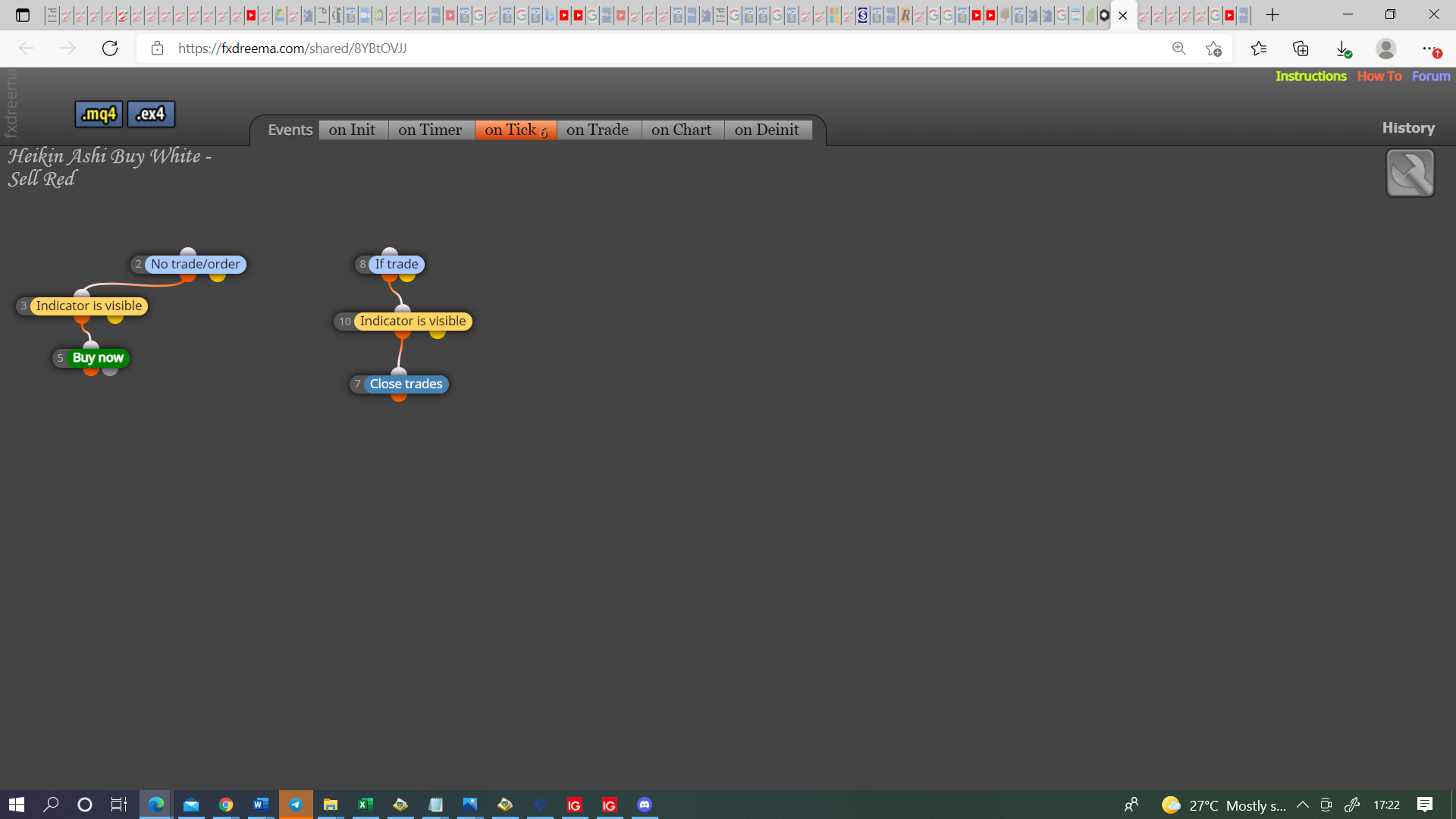
@muneeb00 I have never used heikin ashi but it is probably because you needed 2 separate trees, those colour blue blocks need to be separate to each other.
Good question but this is normally a browser problem