fxDreema

    • Register
    • Login
    • Search
    • Back to the main page
    • Categories
    • Recent
    • Tags
    • Popular
    • Search
    1. Home
    2. jstap
    3. Posts
    • Profile
    • Following 2
    • Followers 222
    • Topics 37
    • Posts 9381
    • Best 1086
    • Controversial 23
    • Groups 0

    Posts made by jstap

    • RE: HOW TO SET THE NEW TRADE VOLUME EQUAL TO THE TOTAL OPENED VOLUME IN THE SAME DIRECTION ?

      This will save the running trade lot into the variable:
      https://fxdreema.com/shared/clq4xy9hb

      posted in Questions & Answers
      jstap
      jstap
    • RE: Help with Automated Template Loading for Open Charts in MT4

      It doesn't work on backtest

      posted in General Discussions
      jstap
      jstap
    • RE: Timeframe as input

      @fxgump πŸ‘

      posted in Questions & Answers
      jstap
      jstap
    • RE: Store Profit whenever there is position // if no more position, profit resets to 0

      Yes create as many as you need, just make each pink block missis already recorded trades and save the next. The bink block for trade 4 would look like this:
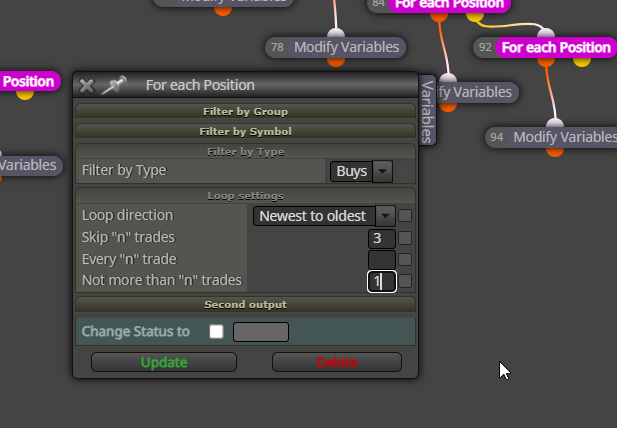
      image.png

      posted in Questions & Answers
      jstap
      jstap
    • RE: Send and receive variables to different accounts/terminals

      been a long time since I looked, but I'm pretty sure they are saved in the common folder
      ~
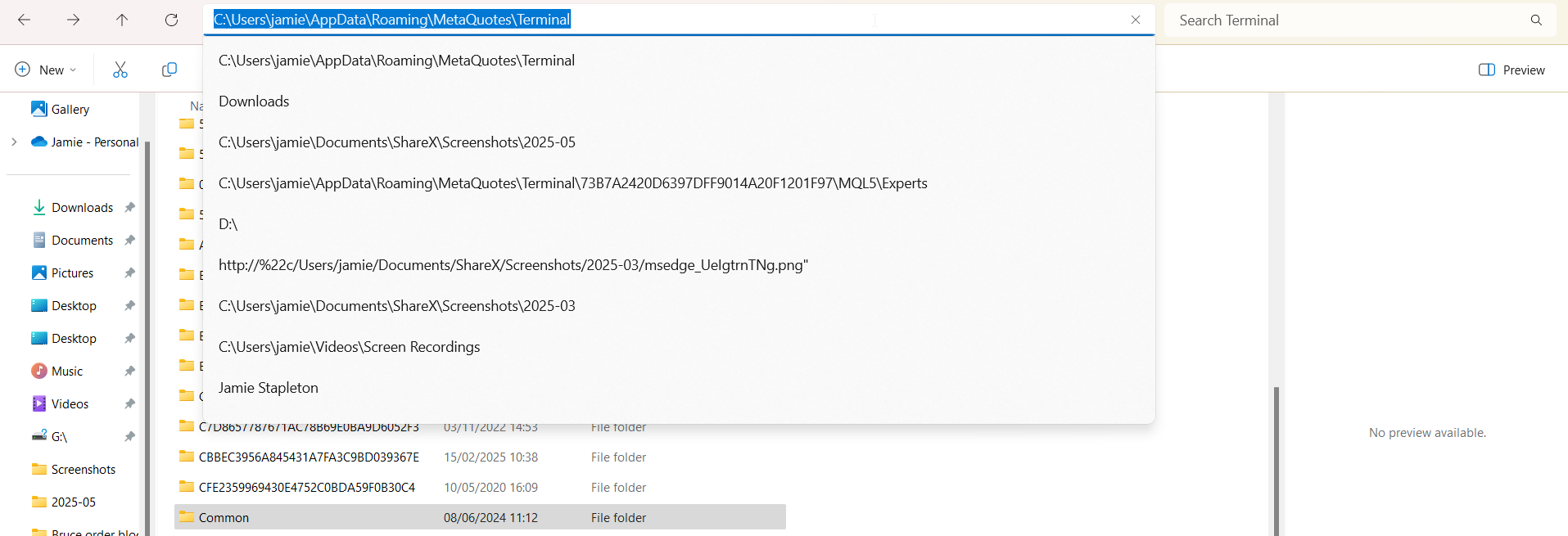
      image.png

      posted in Questions & Answers
      jstap
      jstap
    • RE: Store Profit whenever there is position // if no more position, profit resets to 0

      I mean like this, every time it com[lates the loop and saves the relevant data into the relevant variable, it will move onto the next, then the next etc
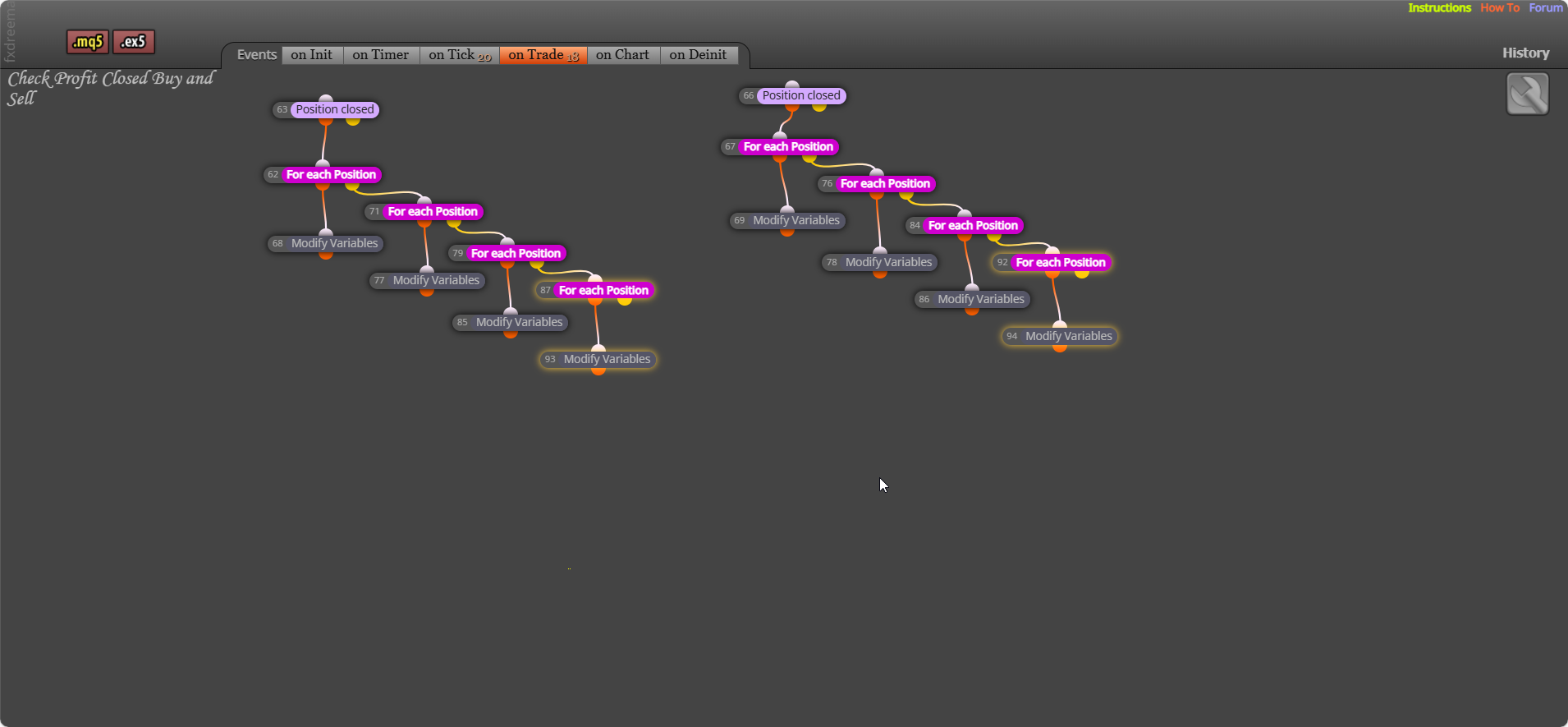
      image.png

      posted in Questions & Answers
      jstap
      jstap
    • RE: Send and receive variables to different accounts/terminals

      same VPS so basically the same computer... you can use a terminal variable (global) and it will be saved onto a shared folder, that you can read from another.

      posted in Questions & Answers
      jstap
      jstap
    • RE: Store Profit whenever there is position // if no more position, profit resets to 0

      what I mean is the for each (pink) - under the trade closed block - connect more than 1 pink for each changing the relevant modify variable block, then the next pink off yellow, this will collect the profit from every trade.

      posted in Questions & Answers
      jstap
      jstap
    • RE: Most loss position

      @Pheaktra-Capo πŸ‘

      posted in Questions & Answers
      jstap
      jstap
    • RE: move pending sell buy stop 2 pips higher or lower

      @smille99 πŸ‘

      posted in Questions & Answers
      jstap
      jstap
    • RE: Store Profit whenever there is position // if no more position, profit resets to 0

      more difficult, but simply tee off the pink with saving the information for each running trade

      posted in Questions & Answers
      jstap
      jstap
    • RE: How to copy / manage trades from other EAs

      @Boillot84 πŸ‘

      posted in Questions & Answers
      jstap
      jstap
    • RE: Studio Custom Functions All Deleted

      True, not many users know a lot about it either, hopefully you get a usable answer at some point.

      posted in Bug Reports
      jstap
      jstap
    • RE: Store Profit whenever there is position // if no more position, profit resets to 0

      use purple (like you have ) on trade, then pink blocks to get the last trade profit. This should give you all you need.

      posted in Questions & Answers
      jstap
      jstap
    • RE: How to copy / manage trades from other EAs

      Any trade if you know the magic number can be controlled, 0 is manually placed, can you get the MN that the trade is placed with?

      posted in Questions & Answers
      jstap
      jstap
    • RE: How to copy / manage trades from other EAs

      Need more information on exactly what you are trying to do?

      posted in Questions & Answers
      jstap
      jstap
    • RE: move pending sell buy stop 2 pips higher or lower

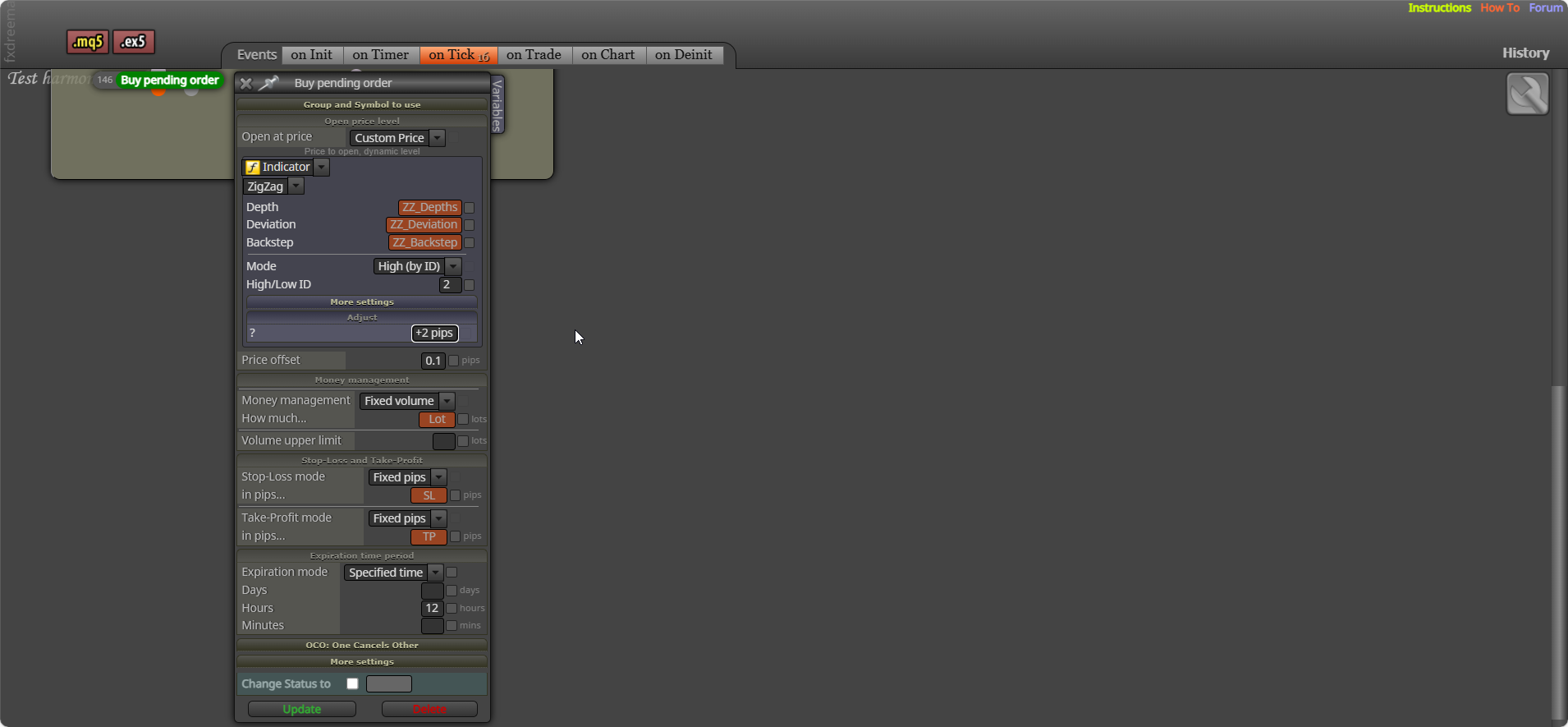
      add 2 pips to adjust:
      image.png

      posted in Questions & Answers
      jstap
      jstap
    • RE: Timeframe as input

      it's enum, add how mql5 says: https://docs.mql4.com/constants/chartconstants/enum_timeframes

      posted in Questions & Answers
      jstap
      jstap
    • RE: What is it Negative to Positive in EA ?

      what do you mean?

      posted in Questions & Answers
      jstap
      jstap
    • 1
    • 2
    • 32
    • 33
    • 34
    • 35
    • 36
    • 469
    • 470
    • 34 / 470