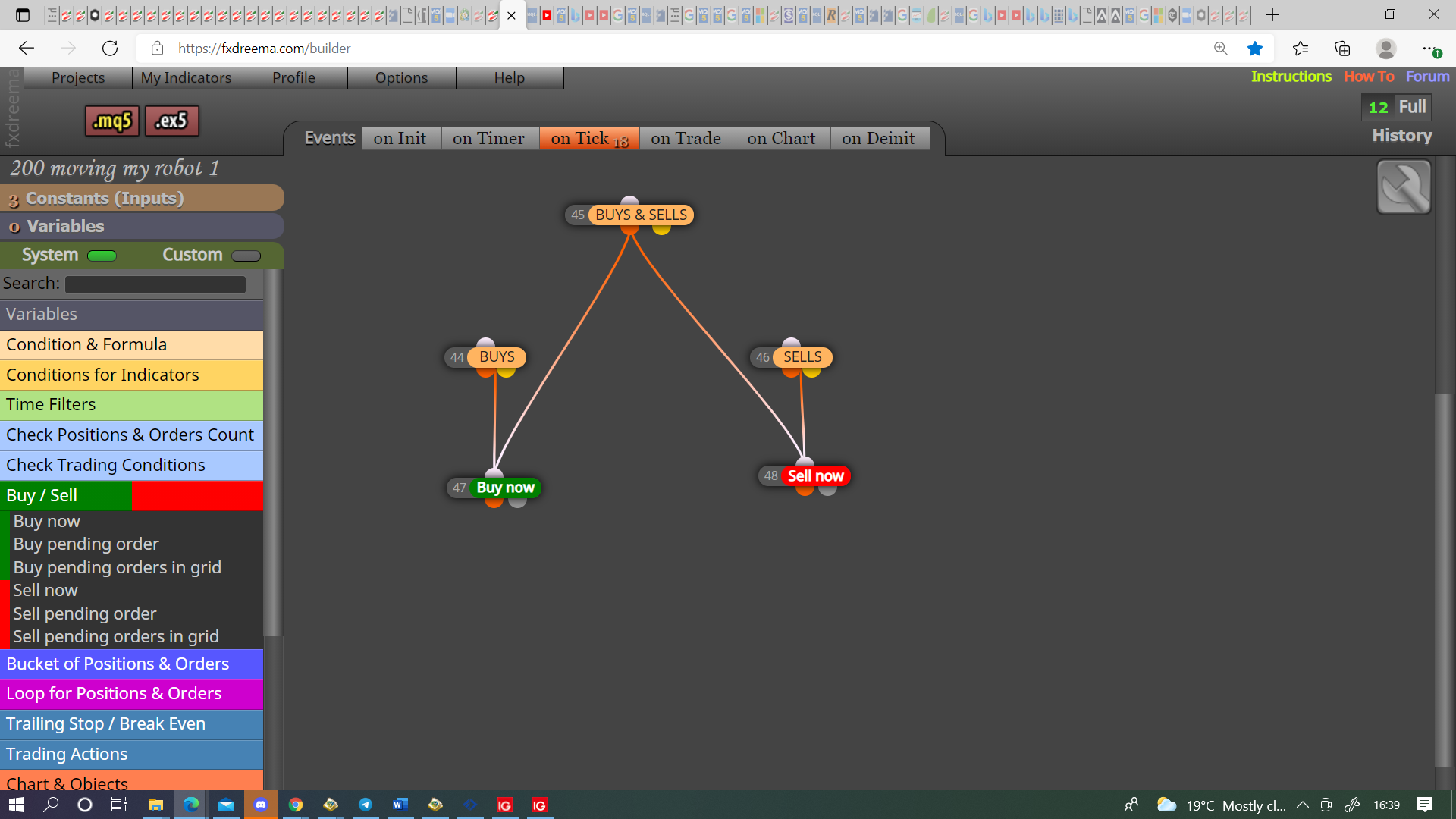
@khalids222 Sorry I thought about this earlier, would think if you set the modify variables under your first sell then the rest will take over from there. The first buy/sell can be opened by any set of conditions.
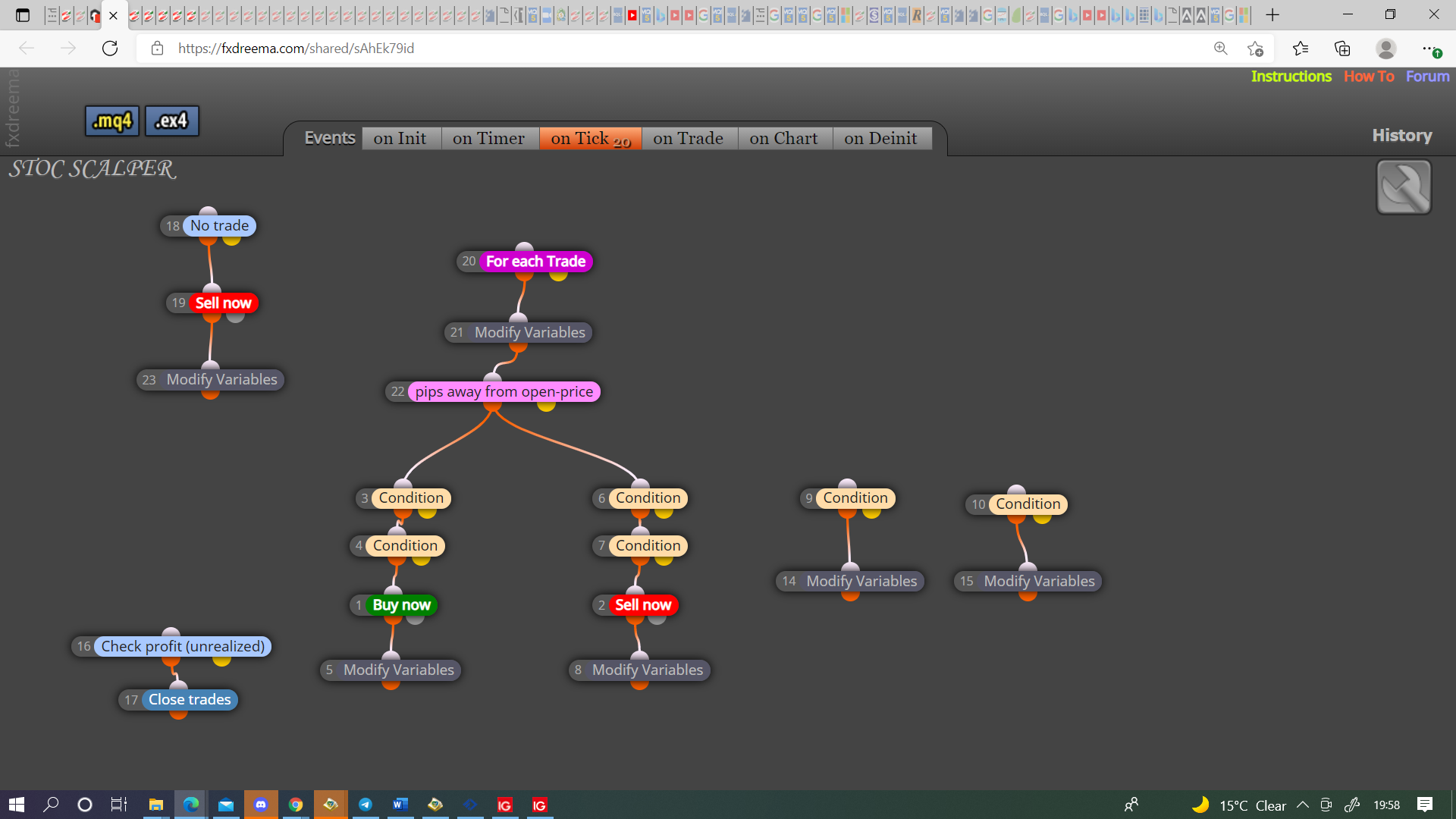

@khalids222 Sorry I thought about this earlier, would think if you set the modify variables under your first sell then the rest will take over from there. The first buy/sell can be opened by any set of conditions.
@piptheripper Have never used but would have thought what you've done would work. sorry
@khalids222 Try THIS maybe putting all in a comment block to see what is happening, there was a couple of issues I corrected.
@alex81 Just put a buy/sell beneath the conditions as you have above, you can do this as many times as you like, use a bool condition to switch on/off in inputs if you want to limit what EA can do.
@emreizmir Sorry I told you wrong, stop is how far price moves before moving stop, step is how far to move stop relevent to stop.
@emreizmir If you put in step yes, if put in stop it will move every pip.
@tashab I don't but 5 lots is a lot for $5000, most assets would be more like 0.01 lots max. sorry
@ralph1 If you create an fxdreema ea then put a shared link on here what's happening can be assessed, I couldn't get files from your link. You have various ways to hedge if this wants to hedge on a different then needs a lot of confirmations, if is on same pair branch off the condition to buy and sell at the same time, you could also use a condition to place oposite buy/sell upon order creation.
@emreizmir The above link works but I set the SL at 100, you just need to decide the parameters you want to use.
@khalids222 There is a few ways, like THIS is how I would do it haven't tested but should work, you could also use a combination of the check trades count blue blocks.
@emreizmir Your trailing stop needs a stop otherwise it wont move, it needs an existing stop to be able to modify, this can start a long way from open, then start and move either using start in block or a condition.
@jobotgold1 Use modify variables under your buttons, every time colour changes it changes the variable, bool for example from true to false, then have another condition to count the bools and enable your buy/sell tree.
@besttrader I thought about how you could reduce the amount of variables used, you could draw event field on init, then type on screen the days you want to compare, this way you only get the relevant data displayed on screen
@fxpip-0 Put a shared link on here, someone will look and see what could be causing issues.
@ossy You don't need once per bar because no position limits to 1 trade only, you don't need check type because this is in the for each trade block, as in picture will work.
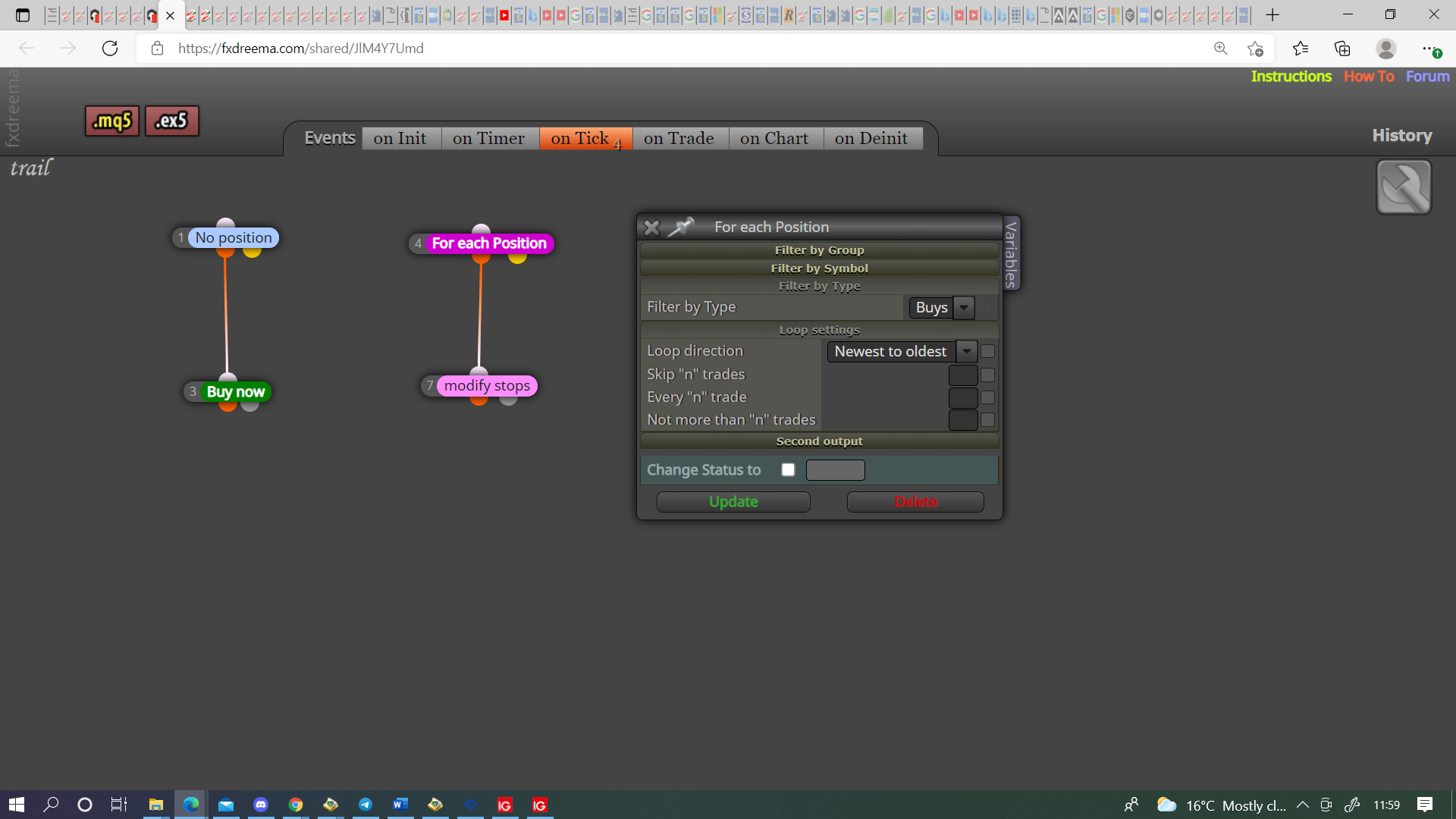
@emreizmir At the minute from your las link you have conflicting logic on your trails, you have a trade limit but in my experience this will open all at more a less the same time, so you need a filter like once per bat to separate. Put on here what exactly you want to happen with each trade, what condition you want to separate and start, what condition you want to start/stop each trail, I will show you how to achieve.