@supersako If anyone clicks your link and then MQ5 button they will get your exact EA fully working, this will also work for MT4 people just need to change the no position blocks for no trade blocks.

@supersako If anyone clicks your link and then MQ5 button they will get your exact EA fully working, this will also work for MT4 people just need to change the no position blocks for no trade blocks.
@zedeai2 Could you explain what you need exactly? Left blank this will be the symbol of the chart the EA is added to, you can also add a variable or a constant.
@amincgi Set the magic number to 0, this will allow EA to work with manually placed trades, if you use the pink blocks then pips away will make EA do something at chosen pips, in the on trade tab you have purple blocks that will do something whenever something specific happens like trade opened, in the pending order blocks you can set the place where an order is placed. Between these 3 options you should be able to achieve everything you want.
@khalids222 So while sleeping the correct answer came to me, as you'll see in this picture just change the number of trades to check from1 to 2 and put the pink block back. Hope this helps.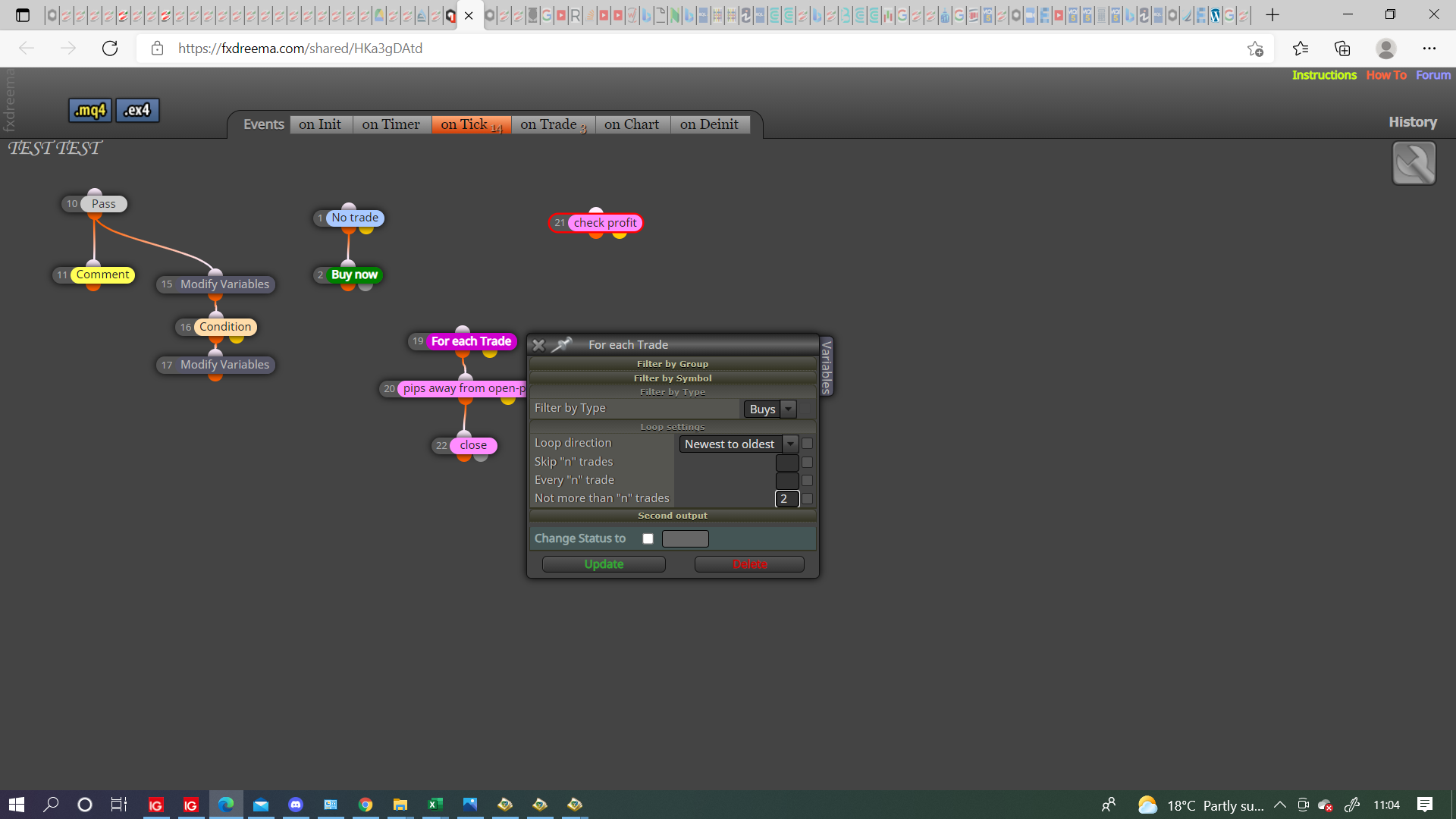
@khalids222 In this case this is where things start to get complicated. In most blocks you can set a group number, if for example you set a trade as 1 you can then set the close block to only close group 1. There may be another way of doing this but I don't know it.
@khalids222 Change the pink close for blue, everything should then work.
@khalids222 Hello, I have had a look at your project I have taken a picture of a few changed bits, although I haven't tested I think should work.
I have put the reset variable under on trade, as long as result is used before a new trade is closed it will work fine, as a general rule keeping pink blocks separate seems to work better.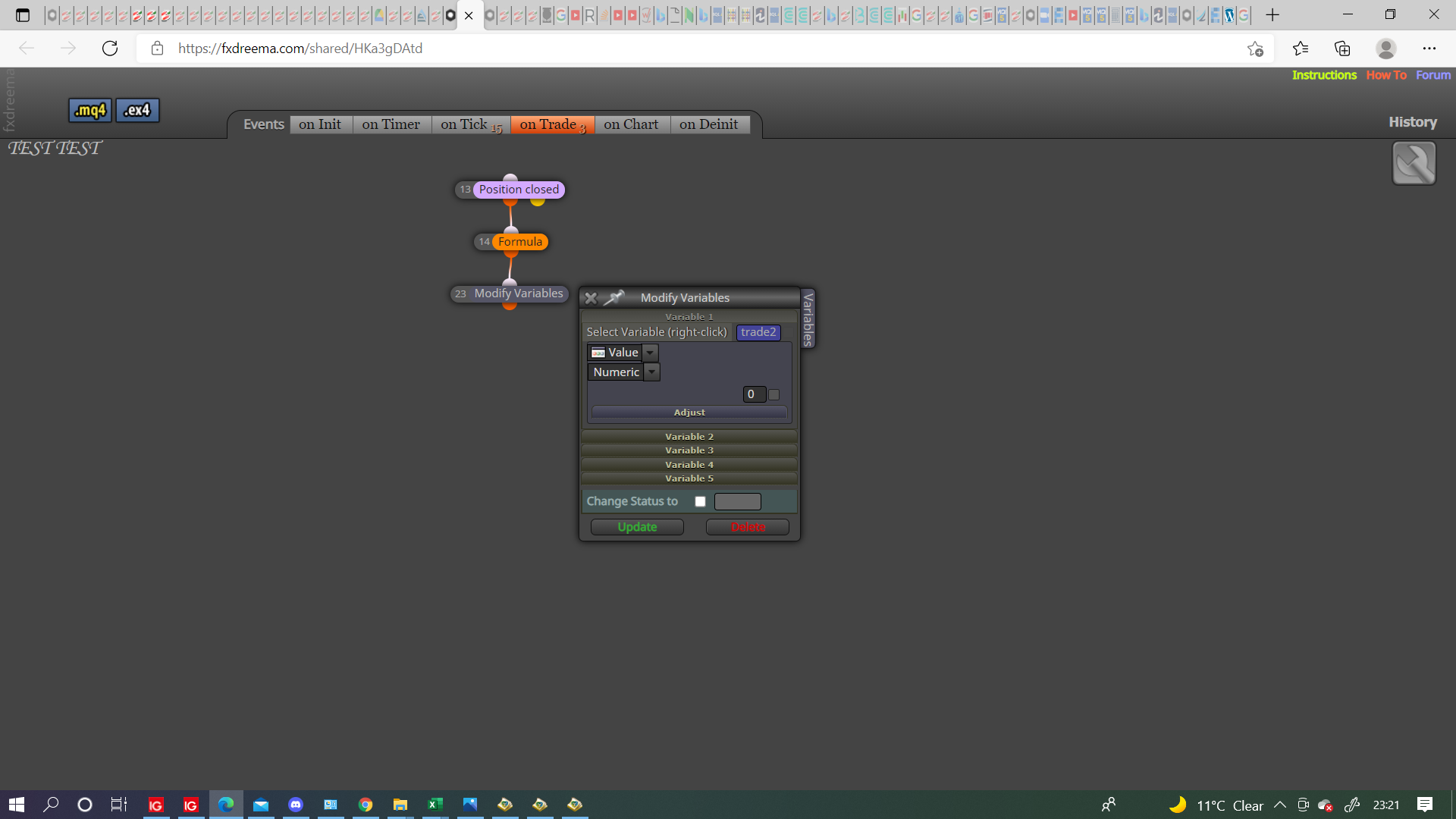
I have moved the other blocks as they don't need to be in between pink, I removed the pink check profit because the pips away is already doing this.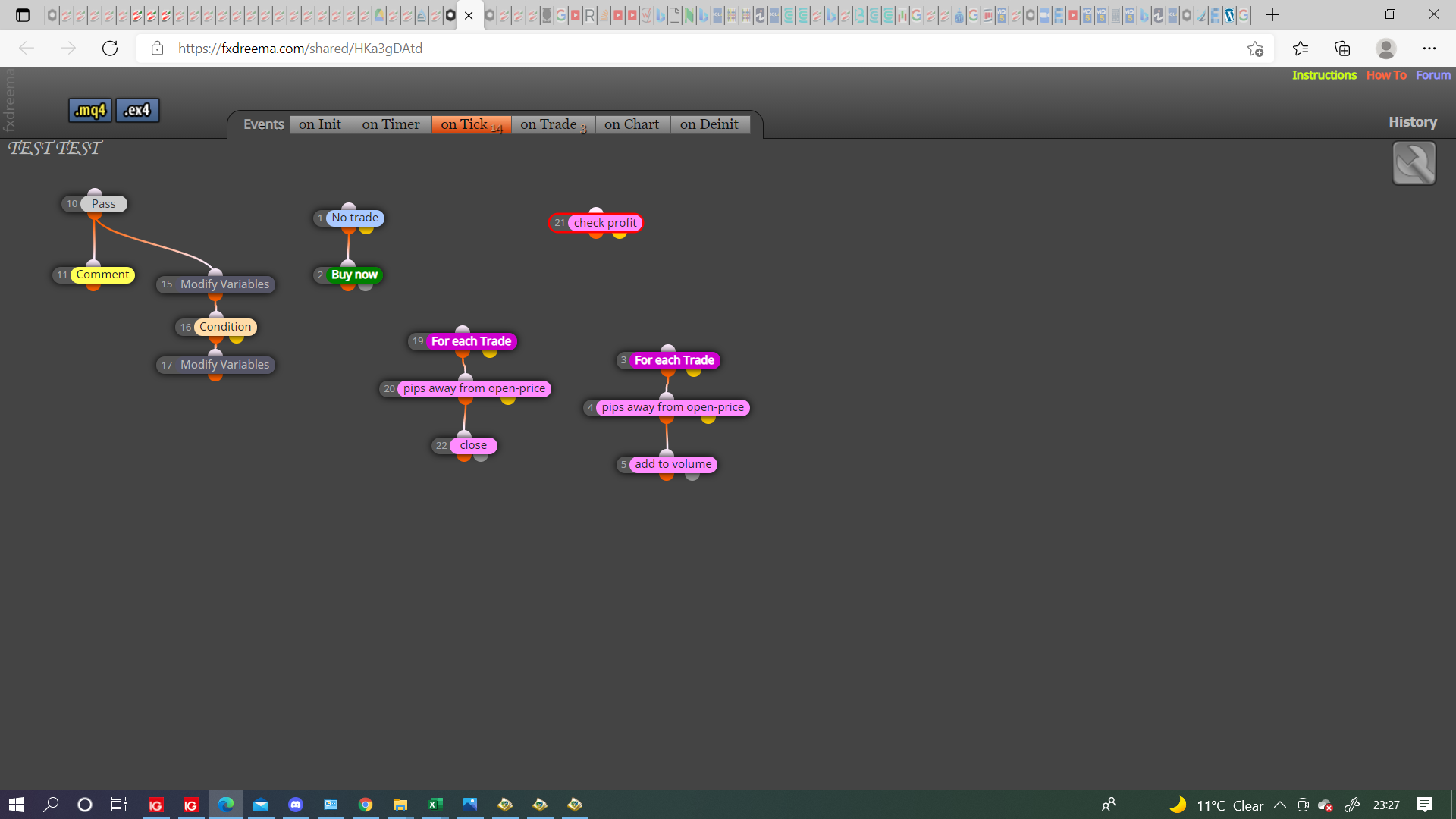
Let me know how this works.
@bk7 Then show as a solution.
@nguyenjohn For an example what you can do is a condition, if condition is true (like RSI>30) put result into variable, then use as required, like a comment, if it's just visual you can put this on screen, if you want to use for something else you can save as number and then use this in a calculation.
@khalids222 I think this link will show you how to achieve what you would like:link text
I haven't tested but I hope this helps.
@baccicin I use a loop for this, you can adjust to do as you require: link text
You can use single candle conditions to do this but I find this the easiest.
@meshii As others have said, you may find that your broker wont allow a pending placed at such a small distance, check your journal for info on this, on the on trade tab you have purple blacks that act only on specific trade information, you also have a trail pending block so if you have to place a further distance away you can at least trail behind price.
@zhahz The other examples work but, I prefer to use the loop in this link: link text
This will reset to 0 whenever the condition is false.
Hope this helps
@limited3an Something like this should do as required link text
@ambrogio You may be right but for me I could only get values in 3 buffers and these lined up with the 3 lines.
@didymario7 What is in the link will set the variable every time a new order is placed, think will only change if buy is added, as long as the last order placed is the one you want to replace it's all good.
@didymario7 The same parameters you used to make the original pending will need to be in the Mon buy/sell block, otherwise you will need a set up like this link text this is how to keep the values for buy in variables and use them, if you have more than 1 it will reset the variables.
@didymario7 As I said in my last post, use the same set up as delete but have it set for monday and instead of delete have buy/sell blocks.
@didymario7 Don't know how to reopen an exact order but, day block-time block-delete pending orders will remove all on a Friday
Same again with buy/sell pending will replace what you want on Monday.
@mohamed80 In your check unrealised it will go from 1 to 2 to 3 but you have it doing nothing if true or false.
For the pink blocks every tick it will modify stops to TP1 then to TP2 then to TP3, so you need a condition before each modify to stop them interfering with each other this is why I separated them, you can have for each trade>condition>modify-from yellow condition another condition>modify and so on so whenever a condition is false it moves onto the next.