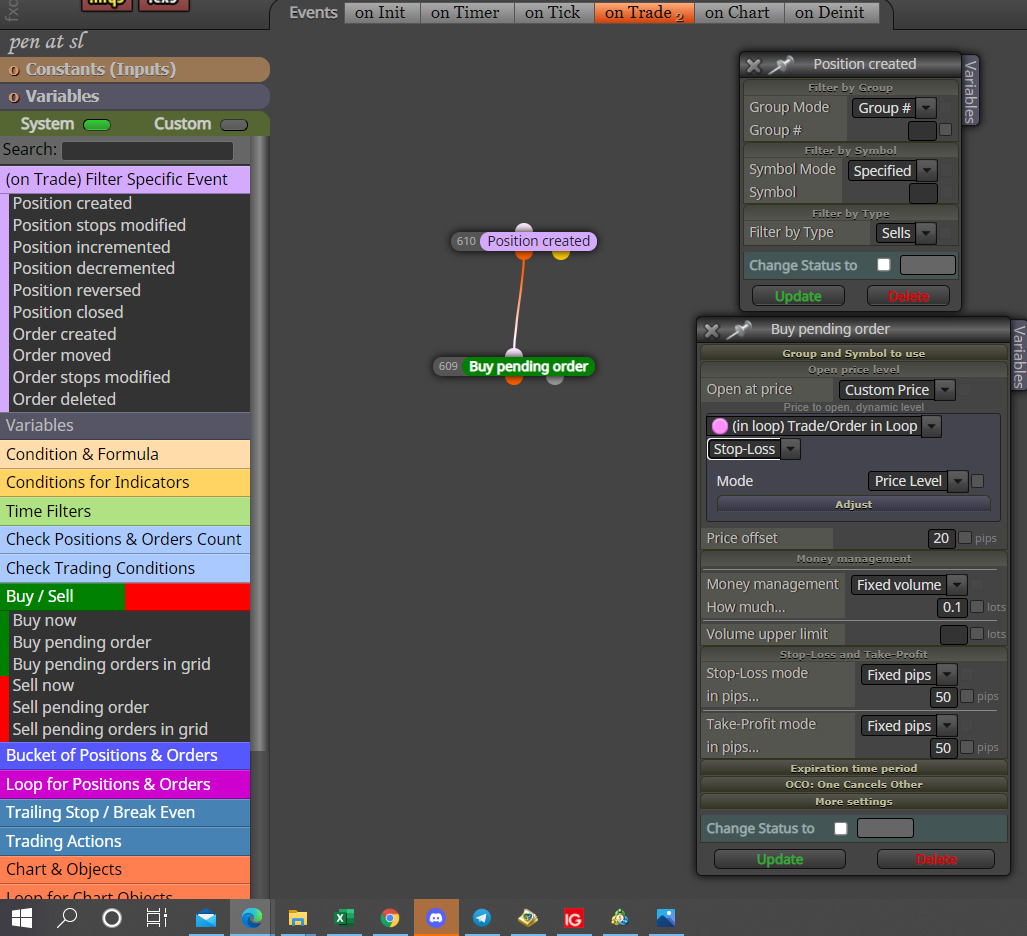
I am not sure but as it stands for de-initialise and to my knowledge only works when EA is removed from chart, I doubt switching PC off or trading hours closing would have any affect.

I am not sure but as it stands for de-initialise and to my knowledge only works when EA is removed from chart, I doubt switching PC off or trading hours closing would have any affect.
@mohamed80 As is you have all in line, the logic here is one block has to be true before the next activates, but if block 1 is true it activates 2, but as soon as block 1 becomes false it will stop 2 & 3 activating.
@bk7 In simple terms this loop just loops the conditions in the blocks surrounding it.
@mohamed80 Because they already have what's needed inside of them, not always but generally using blue blocks separate to pink is the preferred route, in this case you would have gained no advantage.
@scany21 On MT5 automatically viewed indicators is possible but I don't know how, on MT4 you need to save a template that contains all that is required, you can then use the apply template block in FX.
This post should lead you in the right direction for ZZ:
https://fxdreema.com/forum/topic/5060/how-to-use-zigzag-advanced
Hope this helps
@mohamed80 You need to have it set up more like this:
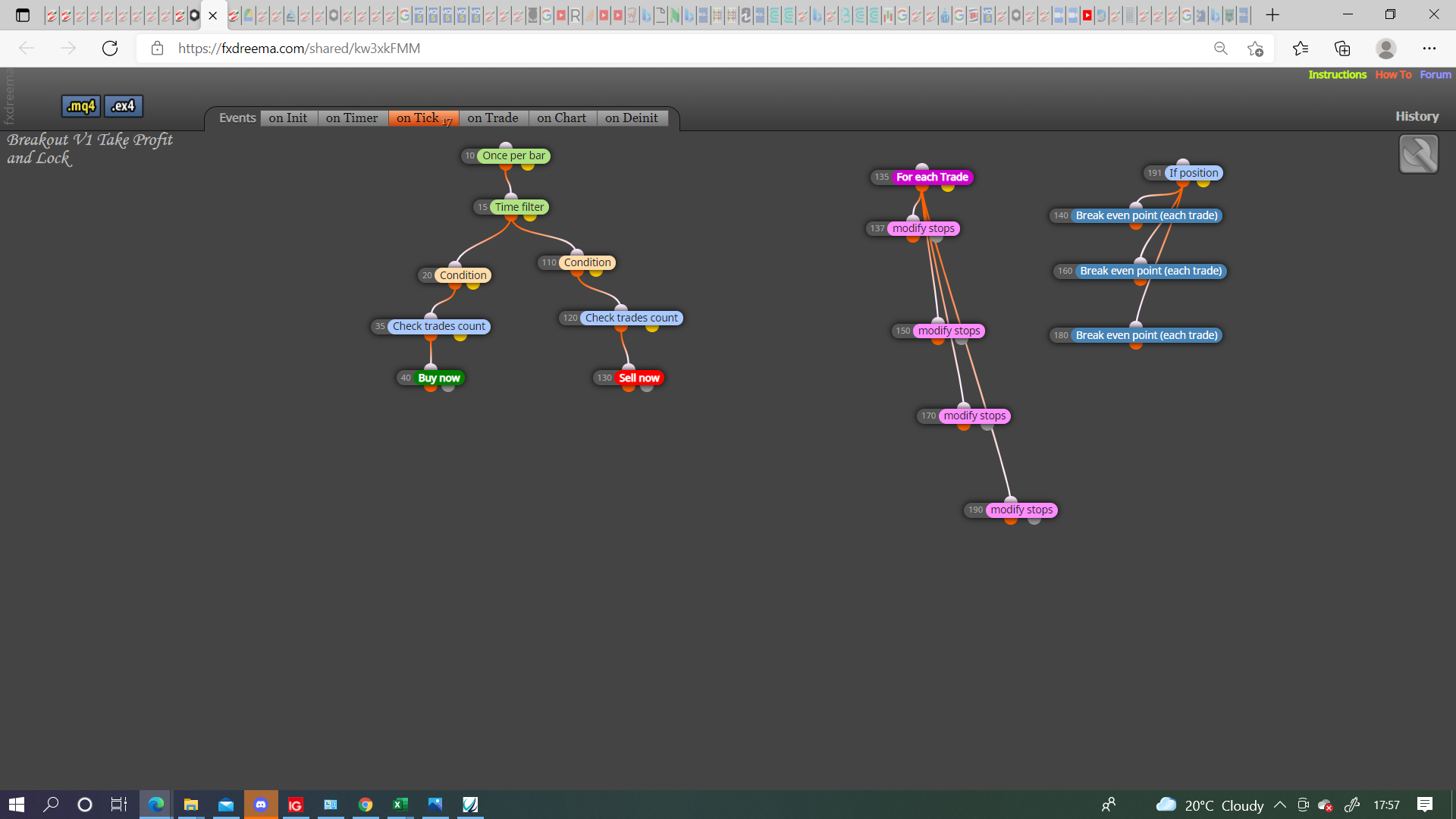
You may need a condition to activate/deactivate modify/breakeven, generally having 1 block to sort many is the way to go.
It means loop the task, can loop the order if connected with buy/sell block.
@ambrogio By all means @Ebukaitalian can try this, buffer 3 is just the bottom line so no reference to an arrow, put the indicator on the same chart as the EA and you will see that the arrows will rarely line up.
Your condition are:
if candle 10 high is higher than the high of candles 1-9
&
if candle 10 high is higher than the high of candles 11-15
then
Save candles 1-15 low
I see no reason why this doesn't work as long ass conditions are met, I would put all results into a comment block so what is needed can be verified
.
@ebukaitalian There is no sell buffer, is just visual. the 6 buffers you can see on the picture are buffers I added to see what was there, none of them represent the arrows, this is why D, E, F have the same value.
@coinmaster These values are what is called comma separated, am not sure but if this is a CSV then I think this is all you can do. the ; is what is used to separate values (in this case), you can get excel to place each value into separate cells but it's not a simple task.
|If this helps this is how I get data from a comma separated sheet into another.
=IFERROR(('C:\Users\Bob\AppData\Roaming\MetaQuotes\Terminal\06980EAAF7FCC460D7BD131105CC3518\MQL4\Files\folder[csv document name]sheet name'!$A2)," ")
Hope this helps
@ebukaitalian Unfortunately this indicator has no buffers for the arrows, in the pictures you can see how to add and the numbers placed in to the 3 buffers, they represent the end position of the 3 lines. FXDreema uses the numbers in buffers to work out what the indicator is doing.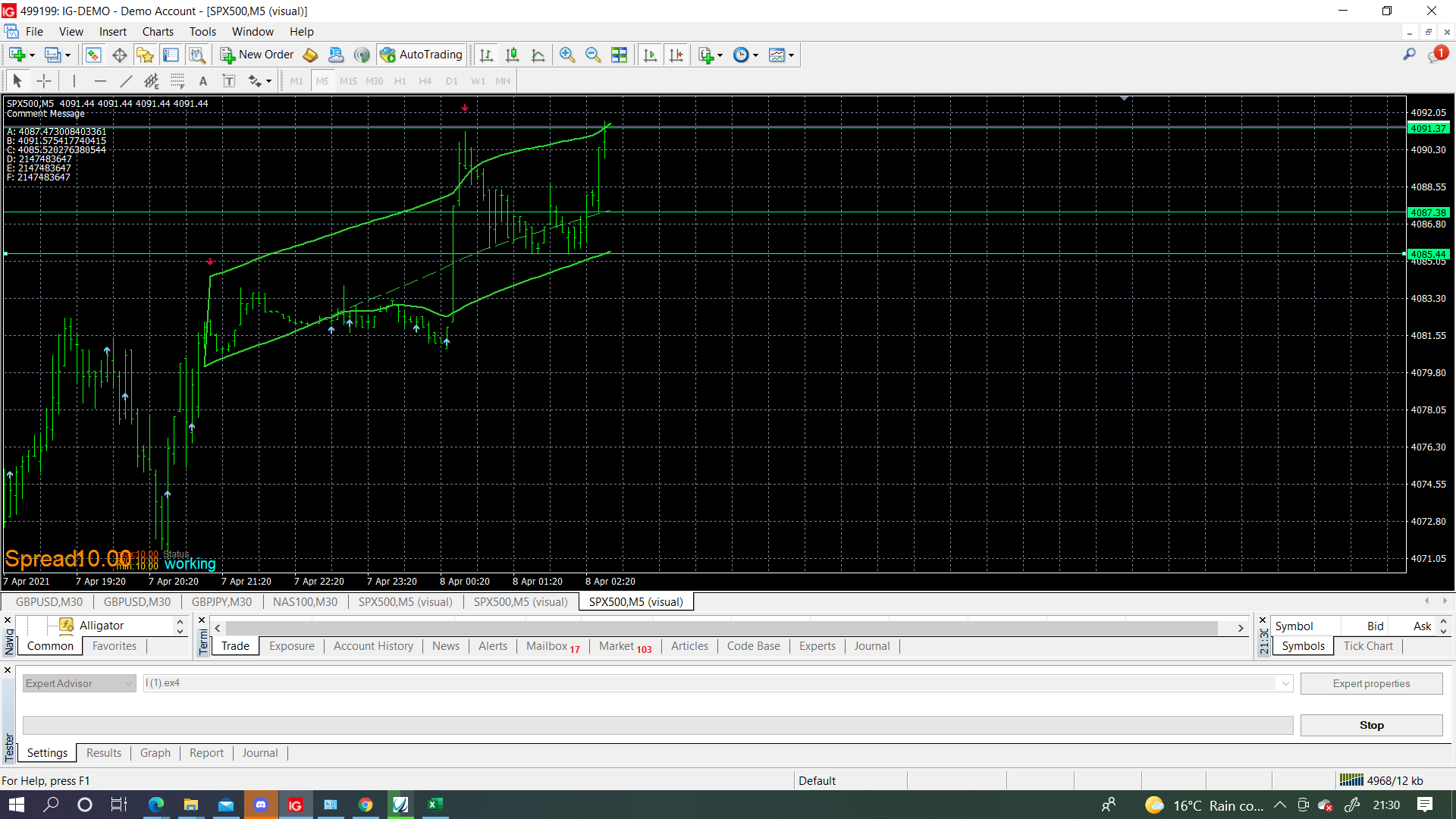
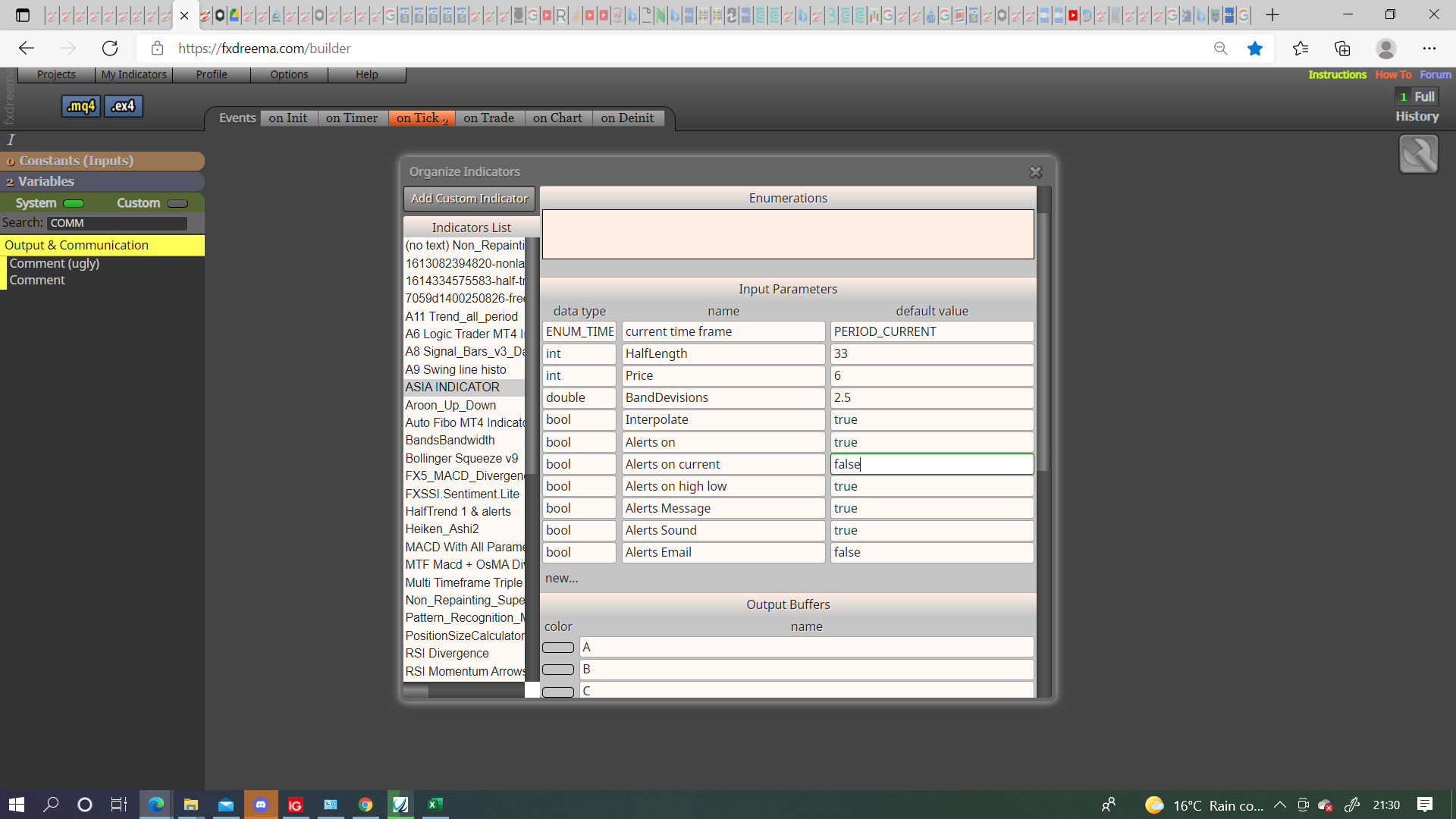
@ebukaitalian Your link doesn't contain an indicator so advising on what needs to happen is difficult.
@l-andorrà said in Question of Logic:
blocks
Ill answer for Tipsy, there are effectively an on off switch, used in the same place as a light orange condition but instead of bool in left operand == bool in right operand, same bool constant, in the dark orange condition you have the bool e.g (TRAIL). so basically it's if bool (TRAIL) = true, then pass.
@ijoh Whatever settings in the buy/sell block are what will be used.
@mohamed80 To have a specific group work with a specific symbol you need to have applied that symbol B4 placing trade/order. (at least I think)
If you drag something like SL then on the next tick it will get reset to EA settings, to stop this change the EA settings from the face in top right, you can set a bool condition to switch it off if you prefer, you can also change the settings from screen but this concept is quite advanced, you would need to learn button concepts for a start.
Not sure if this helps but, previously EA's I have spent a long time on haven't worked on demo when they worked on back test, leaving left running for a couple of day has made them work, just re-arranging a set up can help.
I have never used it but, a condition block, bulls power indicator on left operand =< value -10 in the right operand.
@tashab The last picture was showing the wrong setting.