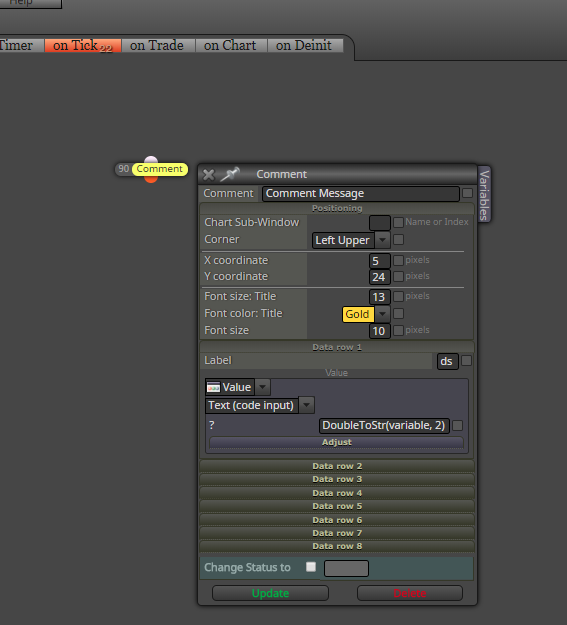
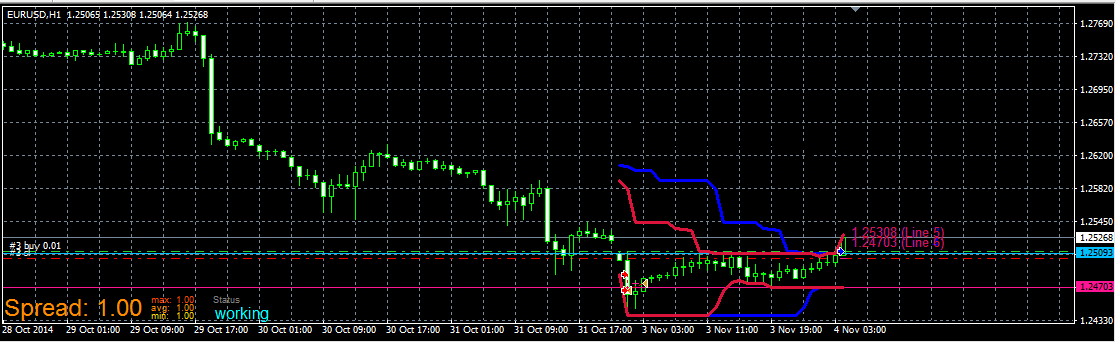
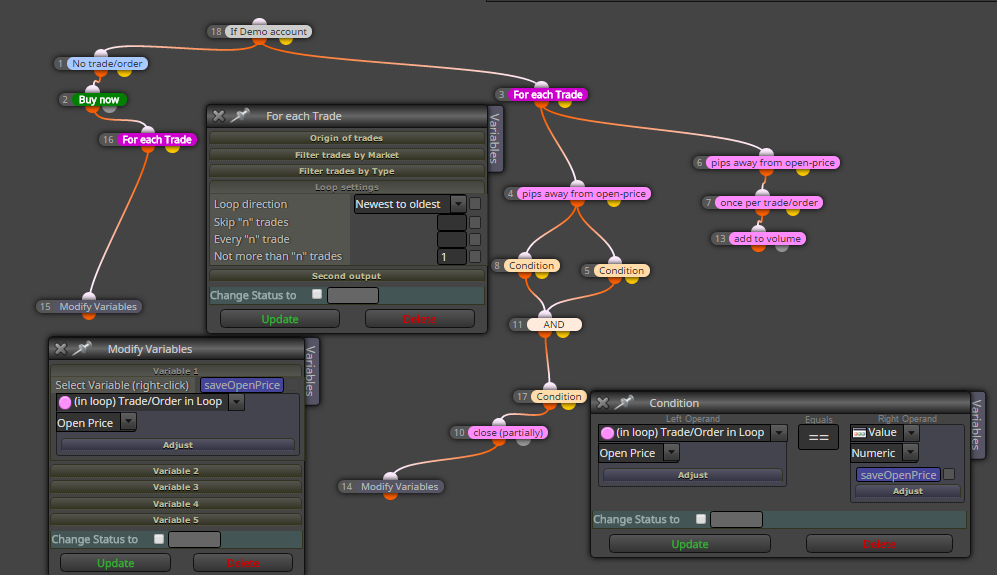
I dont see here problem with extend stops, look here:
(I used onTimer section for blocks, but the same happen with on Chart, dont be confused)
https://fxdreema.com/shared/KQV8gHcfd
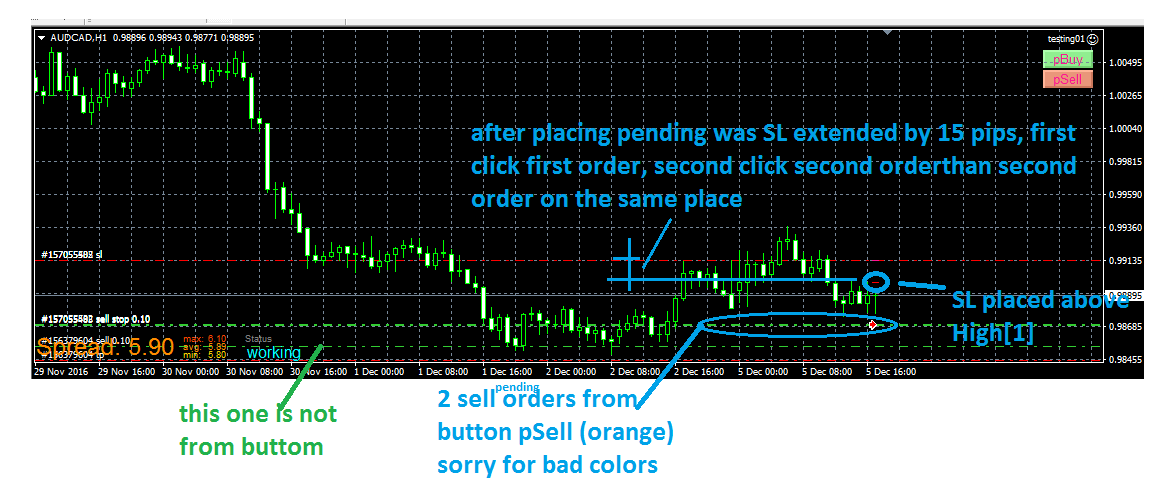
I dont see here problem with extend stops, look here:
(I used onTimer section for blocks, but the same happen with on Chart, dont be confused)
https://fxdreema.com/shared/KQV8gHcfd
slippage is not spread, spread is spread ...
slippage is something what is broker not guaranted to you, it happens in ECN accounts (also normal accounts), when big volatility is here (news) and you place Sell on Bid price 1.1000 (when is spread 15, for this example Ask is 1.1015), your order must not be filled on this Bid price, can be filled on 1.1008 or 1.0992 (when slippage is +-8) .... your Buy order is normally filled at 1.1015 (spread 15) but when is slippage +8, will be filled at 1.1023 ...
back to your question, when you give into EA slippage, 4,10,20, all depends on your broker if he is guaranted slippage, when is, your order will not be filled if slippage from broker is > your in EA, but when is not guaranting, order will be filled on slippaged price and doesnt matter what you have in EA ...
you have to improve your skills by practicing, because even if I gave you a working example here, you wouldn't be able to work with it ... use the search button and you will find all my topics about zigzag, about variables, chart objects, and overall all my posts and with them you will be able to do almost anything
use the custom code block and default templates folder, be sure your template is saved with loaded EA for simple logic - if template does not contain EA, the loaded template will be without EA 
(you can use the code anywhere .. here it is after button clicked on object)
https://fxdreema.com/shared/vvk9mDAtc
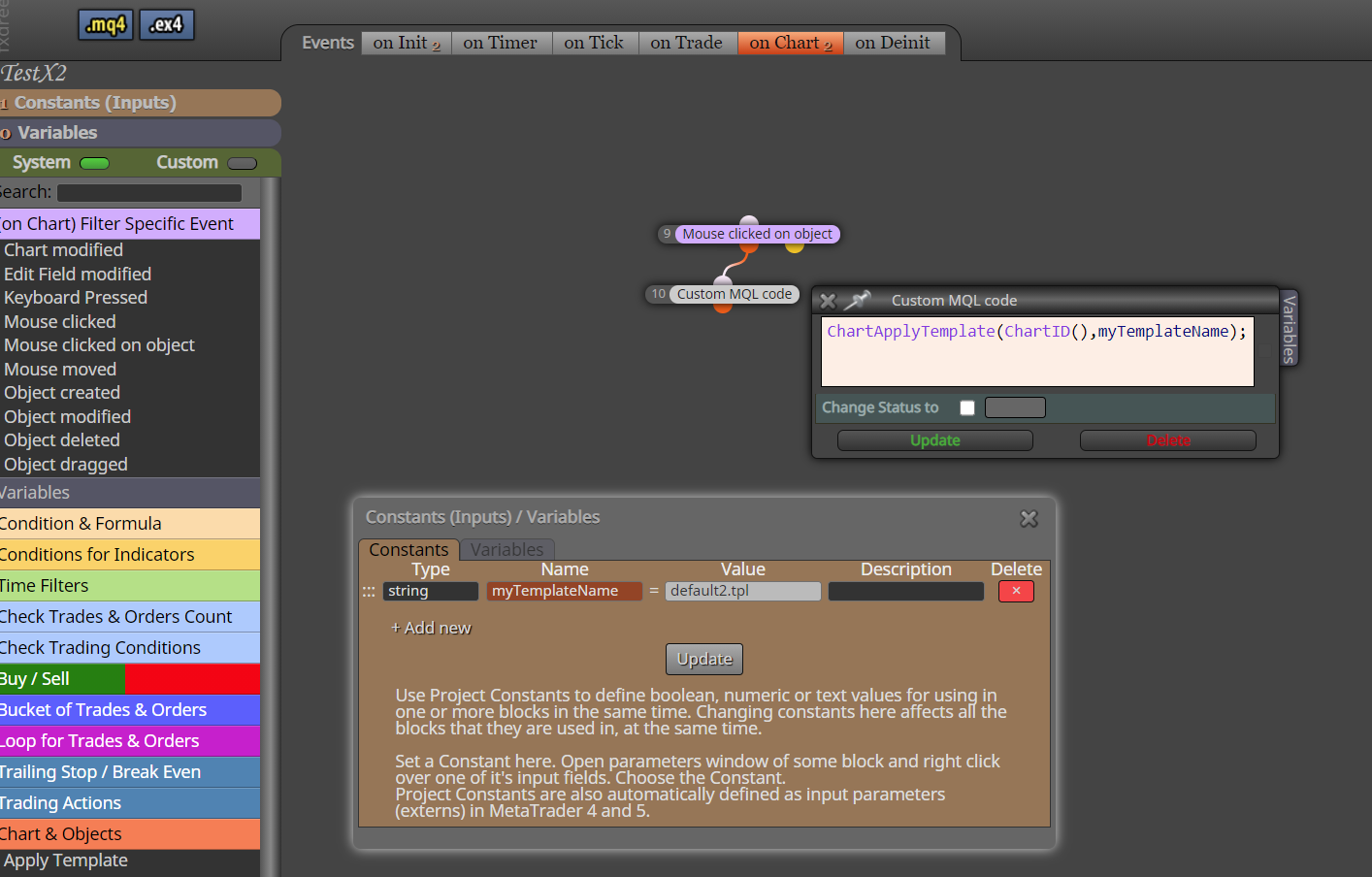
take an inspiration from this quite an old example 
https://fxdreema.com/forum/topic/4222/example-price-pullback-ea
Here I provide you few examples how to work with blocks For each Trade, or For each Closed Trade, you can also work with blocks for pendings ...
https://fxdreema.com/shared/FRLmvb2Bb
you can also download mq4 file and import it into your projects to have my provided original:
0_1482090825721_example_loop_trades.mq4
maybe something must not working and need some little change, I have not tried this my examples in tester, you can ... and here are other ways how to do this, better or worser, it is up to you and your invested time
have a fun ...
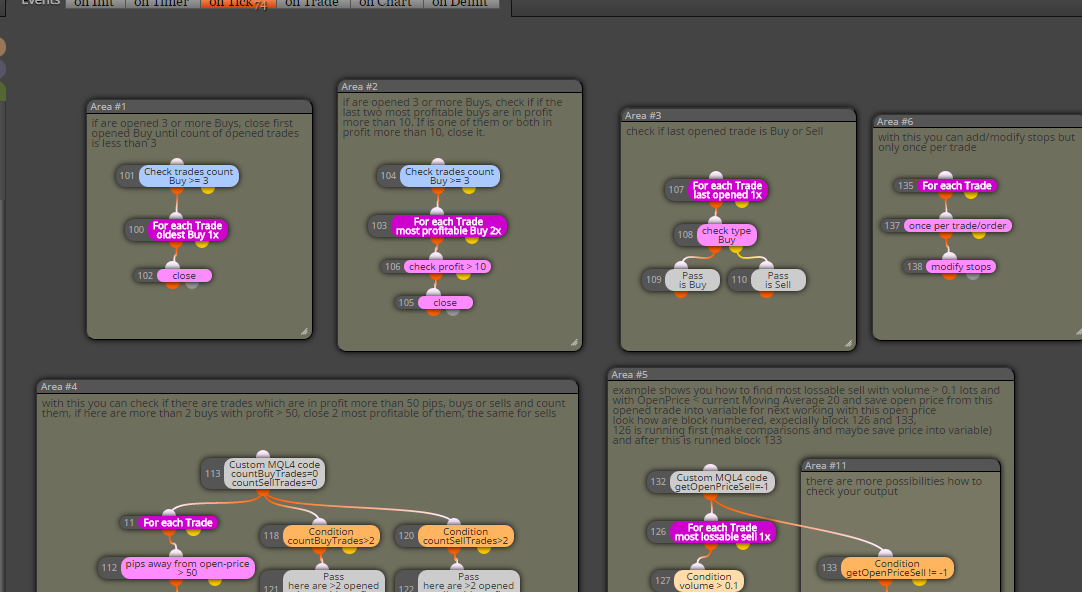
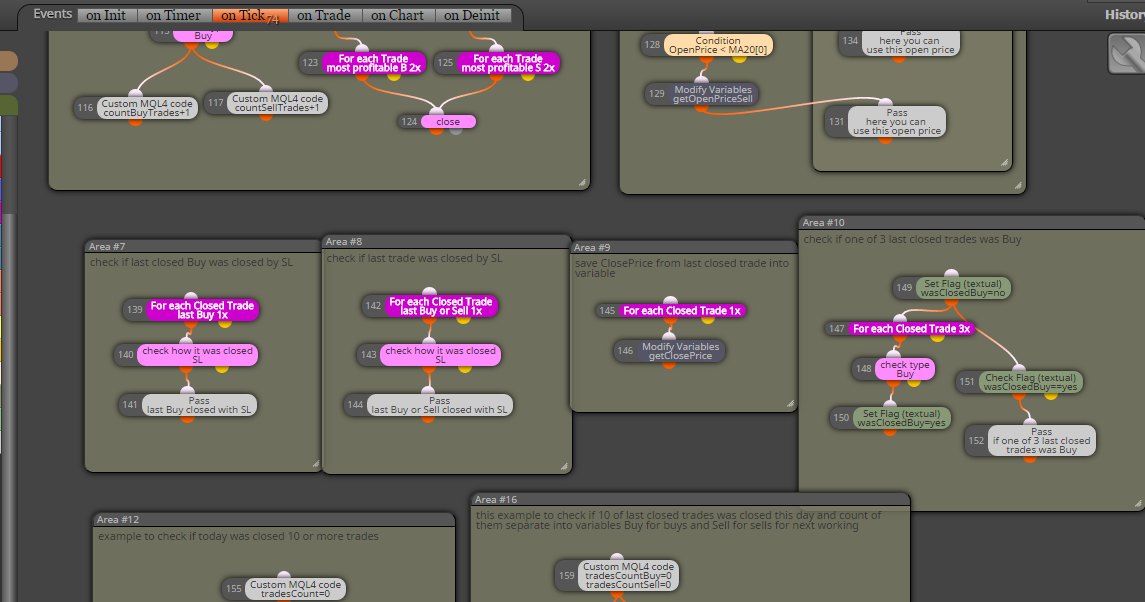
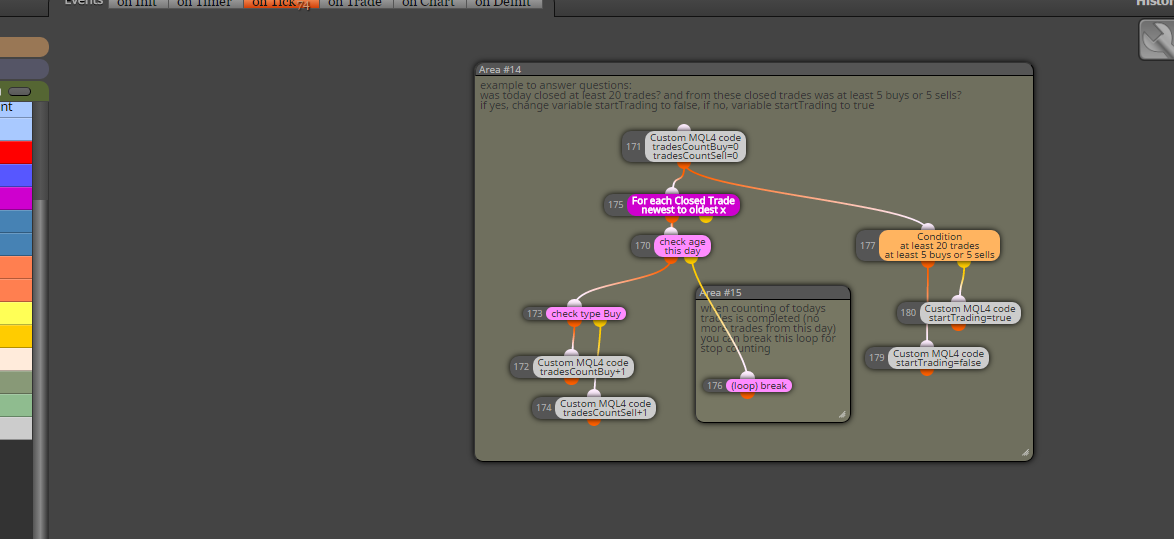
all you described can be easily done, behind this closing can be trailing (and ofc. missing block for filtering - once per bar - daily if you will one trade per daily candle - placed before block for opening trade), look here (trailing is off, you can turn on if you will) :
https://fxdreema.com/shared/f3F0AWBF
it is also example how to make closing on opposite situation with period 10 for highest/lowest ...
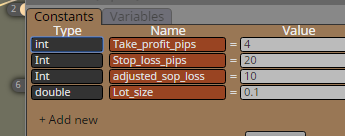
int type must be with small "int" not "Int" ... try correct all int ...
before buy/sell blocks connect block named: Spread Filter, you can find this block under Time Filters drop-down menu, or just in condition block is this option under Market properties
here you can see 3 examples how to use spread filters:
https://fxdreema.com/shared/63ondNL9e
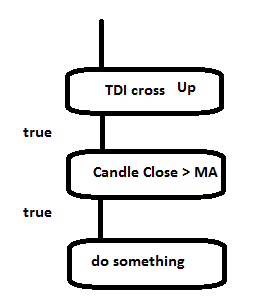
just add next block with MA to your conditions
you can give more EAs on the same pair (each EA for own chart), you give different MagicNumber while inserting EA into chart and each EA will control own trades
I think this can be also possible, now try this yourself, practice give you skills and post here what you found :simple_smile: ... the harder you try, the better skills you get ... when you fail, I look into that problem
note: manually opened trades have magic 0
next is explained here:
https://www.youtube.com/watch?v=h38Wd7NH4_4
@Andermaiden2nd thanks for info ... if you find something not working, give reply and I (or we ) try to find solution 
... be sure that each EA must have own variables file (1 EA >> 1 variables file), otherwise there will be a big fight between EAs
connecting more filters is not working?
like "Minutes filter + Seconds filter" ?