Why bothering with complex indicators in studio? It will slow down your work. Any complex indicator is mostly a combination of math, logic, arrays and custom functions. As a developer you are comfortable with the code and debugger. Metaeditor is the right tool for creating complex indicators. You can run the indicator directly on the chart to view the history. When you have the indicator ready, then import it into fxdreema and test it for a trading strategy.
M
Posts made by miro1360
-
RE: MQ4 Indicator to Custom Blockposted in Questions & Answers
-
RE: How to put MQL4 code to condition block?posted in Questions & Answers
that is how it is made, 0| |0 is added there by fxdreema (it causes the warning, not error)
so far it has worked without problems -
RE: Drop-down menu & Ea, s within EA,s.posted in Questions & Answers
the whole point is controlling it by a logic (if one button is enabled, run these blocks, if another button is enabled run next blocks)
-
RE: Drop-down menu & Ea, s within EA,s.posted in Questions & Answers
It is not possible to run EA or script from EA (this is how metatrader works) ...
only what can you do, is created one mega EA with different functions (block areas), which can be enabled or disabled in the panel ... -
RE: Constant Type for Dollarposted in Questions & Answers
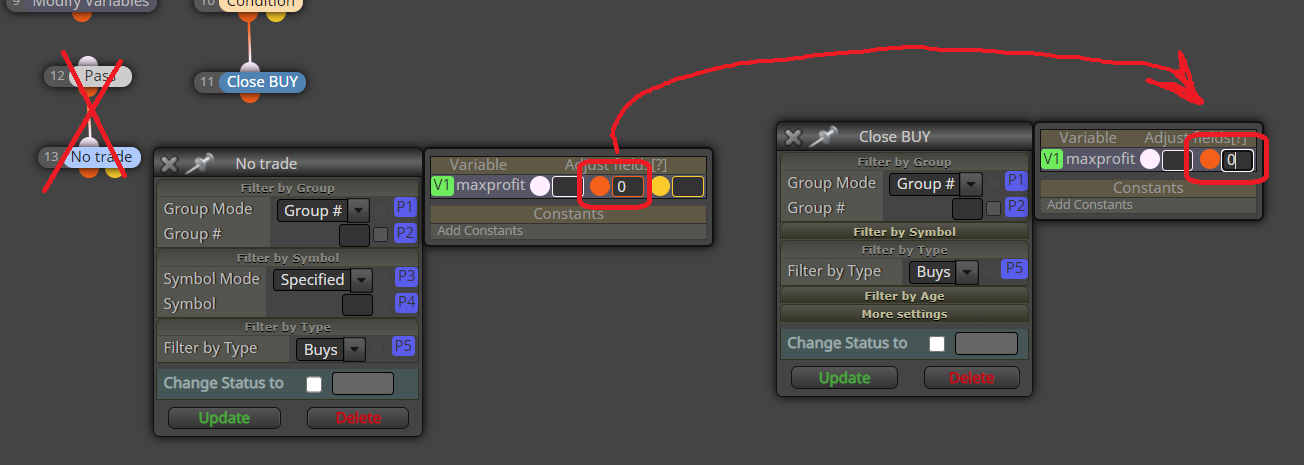
with Delay block?

not sure if this helps you to gain one connection
-
RE: Constant Type for Dollarposted in Questions & Answers
perhaps opening 3 trades at once during one tick? try to slow down (delay) the opening process (between blocks 4-5 or 5-6)
-
RE: Constant Type for Dollarposted in Questions & Answers
@biztet said in Constant Type for Dollar:
ERR_TRADE_EXPERT_DISABLED_BY_SERVER
it is question for none of us, but rather for your broker
your broker has not allowed automated trading on the account, specific account type or for any other reason it is blocked ... try to read in the specifics of the account whether this trading is allowed and if so, ask the casino broker why it is not allowed for you -
RE: Video Tutorial - Signals Dashboard EA [advanced] - looping Objects, arraysposted in Tutorials by Users
exactly, xxoffset is moving first group of objects (+), be_xxoffset is moving the second group (BE)
the blue BE button "hides" all BreakEven control blocks, they are still active after the hide (shift) ... similiar as the blue "+" button
yes, you can change it to "fixed values" ... maybe it doesn't work at all because I didn't test it (if so, it will be an easily fixable mistake)
xoffset shifts all objects (if you set it -1500, the objects will be moved to the left) ... I put it there because I don't use such a high resolution as you (if I didn't put it there, I would have to move all the objects to the left, you have them on the right for your high resolution) ... you can delete xoffset variable, it has no other use ... -
RE: Video Tutorial - Signals Dashboard EA [advanced] - looping Objects, arraysposted in Tutorials by Users
it can be done, buttons for controlling the visibility of objects (they are not removed, but shifted away from the chart)
you can separate the BE for each chart or you can do it like this for a better view:
https://fxdreema.com/shared/eigVnyG1c
some loops are now slightly changed (so that the state of the button and the BE data must be preserved and cannot be redrawn if it already exists)
... I have not tested the BE functionality (if does it trigger at all), you can test it ... if that doesn't work, there may just be a little change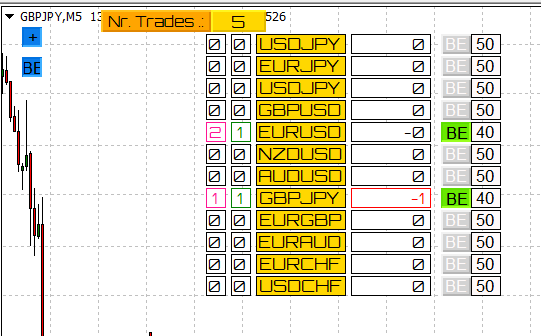
-
RE: Video Tutorial - Signals Dashboard EA [advanced] - looping Objects, arraysposted in Tutorials by Users
instead of worrying about what you don't know, work with what you have mastered in life

-
RE: Video Tutorial - Signals Dashboard EA [advanced] - looping Objects, arraysposted in Tutorials by Users
Do you mean information how to do things from fxdreema blocks? Only in this forum
Or do you mean about mql4/5 languages? mql4.com, mql5.com and whole internet with tutorials ... it is similiar with C/C++ language. -
RE: Video Tutorial - Signals Dashboard EA [advanced] - looping Objects, arraysposted in Tutorials by Users no worries, the more you practice the better you become
this is important in the loop
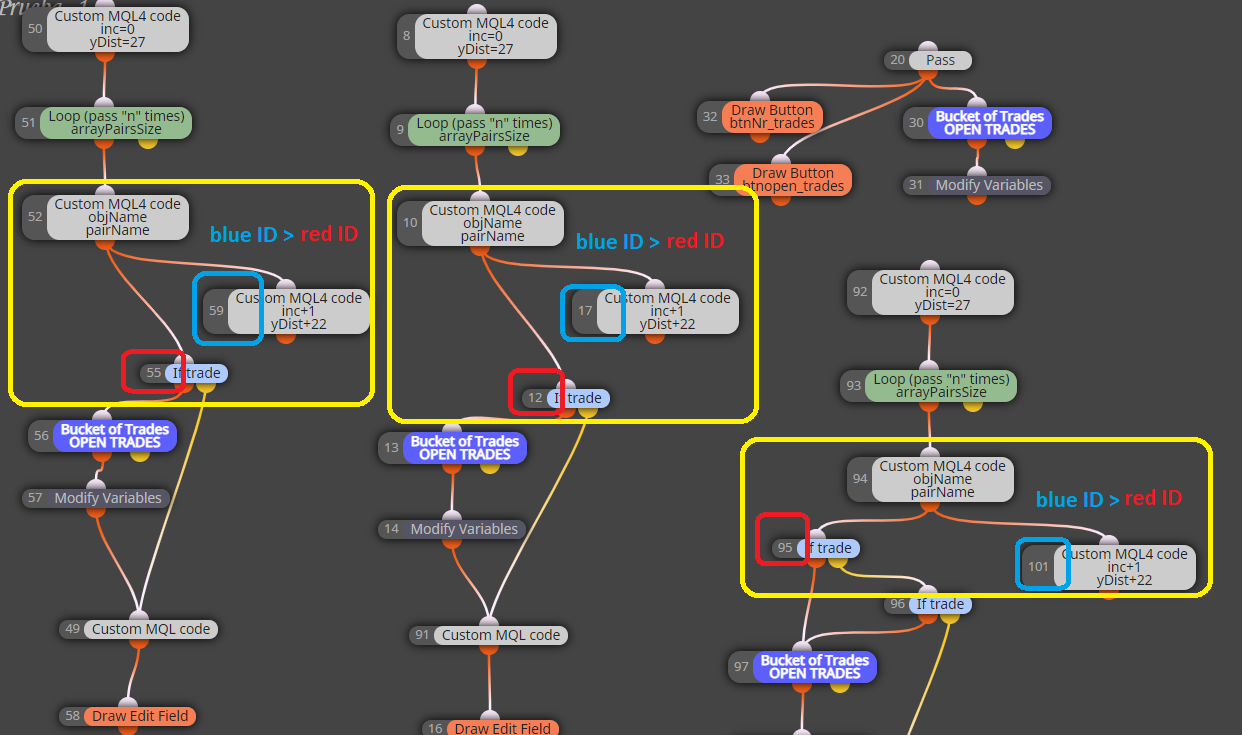
I wish you Merry Christmas too
-
RE: Video Tutorial - Signals Dashboard EA [advanced] - looping Objects, arraysposted in Tutorials by Users
here with profit/loss info ... you can add all additional info that way:
https://fxdreema.com/shared/WkqqYegkb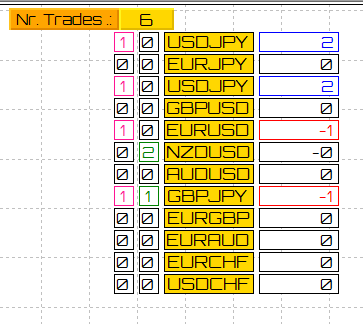
-
RE: Video Tutorial - Signals Dashboard EA [advanced] - looping Objects, arraysposted in Tutorials by Users
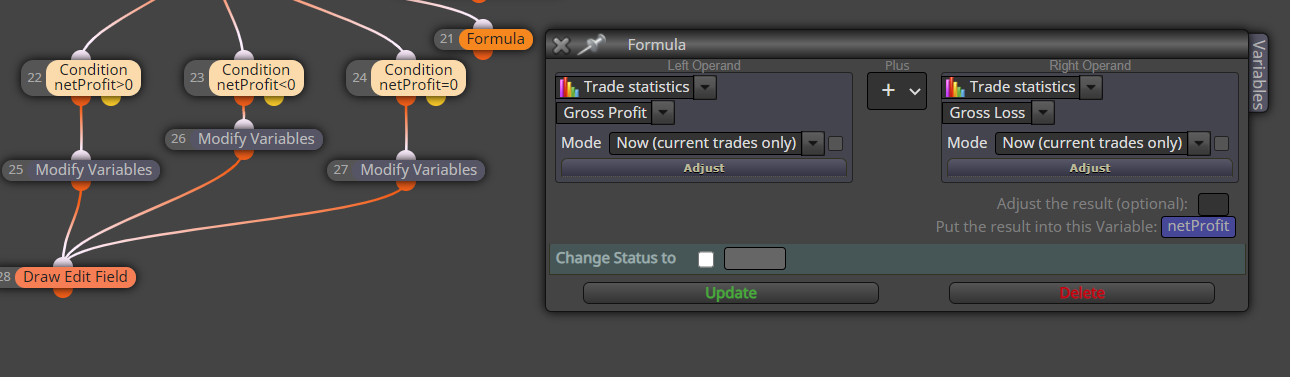
I am not sure if this will be sufficient:
... perhaps you will need somehow filter the trades, because "Trade statistics" count with all opened trades (regardless of the pair) and therefore all blocks will be either green or red
-
RE: Video Tutorial - Signals Dashboard EA [advanced] - looping Objects, arraysposted in Tutorials by Users
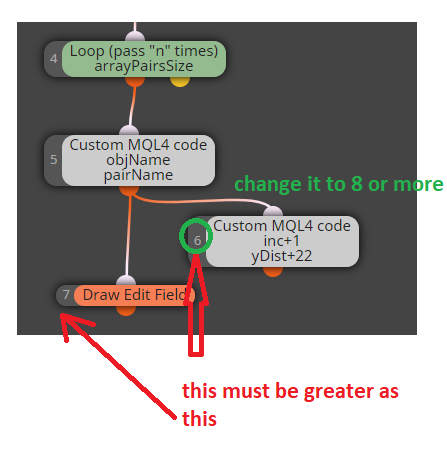
and do this correction for each loop:
-
RE: Video Tutorial - Signals Dashboard EA [advanced] - looping Objects, arraysposted in Tutorials by Users
as I said, many things
....
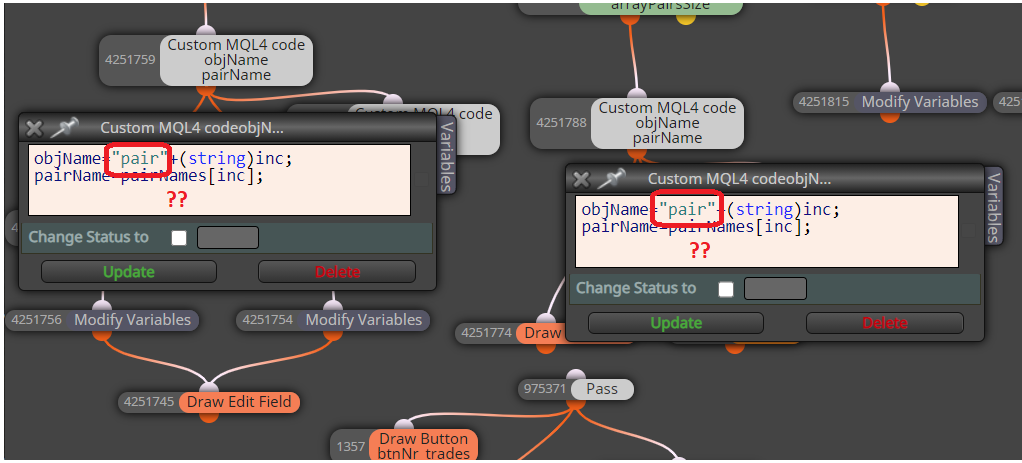
all "conjoint" objects have the same name and it is wrong, change it ... for something different, like "field-a" and "field-b"
-
RE: Video Tutorial - Signals Dashboard EA [advanced] - looping Objects, arraysposted in Tutorials by Users
many things ...
- block IDs (numbering) is wrong (it must be incremental as my first example does)
- prefix name is missing
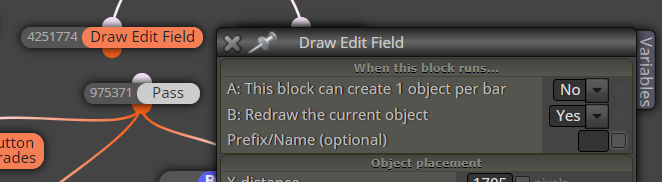
- this is not working that way ... move it in the loop (and add blocks for trades filtering - by name)
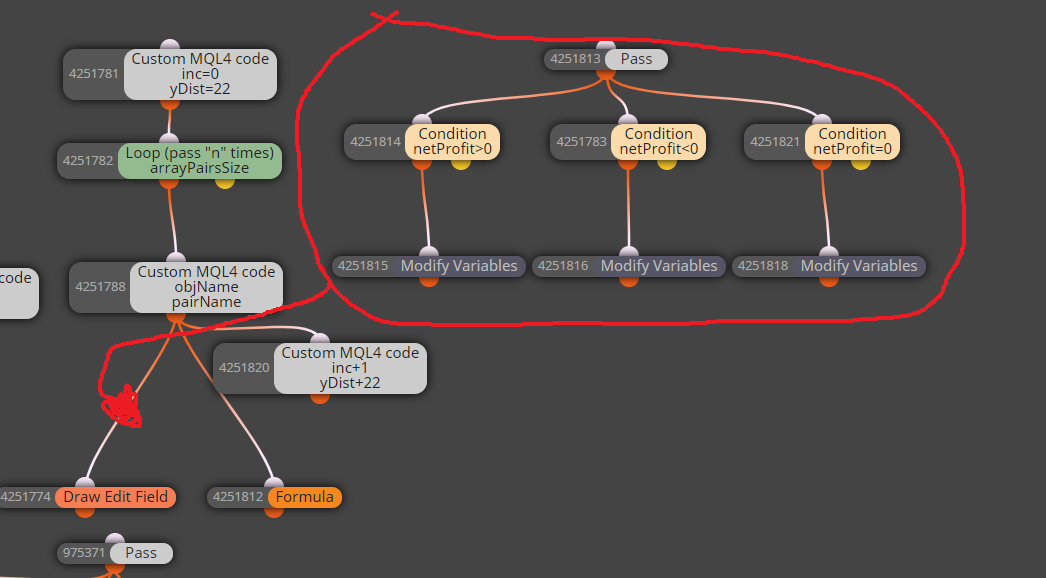
-
RE: pullbackposted in General Discussions
take an inspiration from this quite an old example
https://fxdreema.com/forum/topic/4222/example-price-pullback-ea