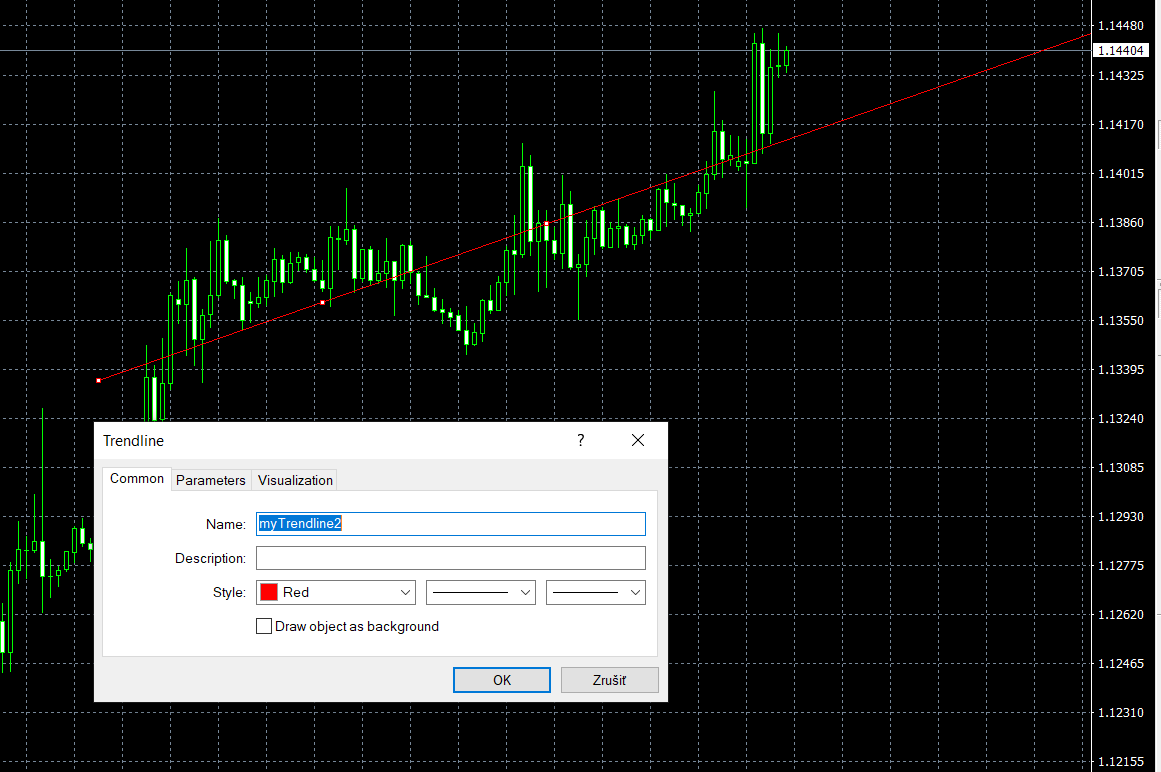
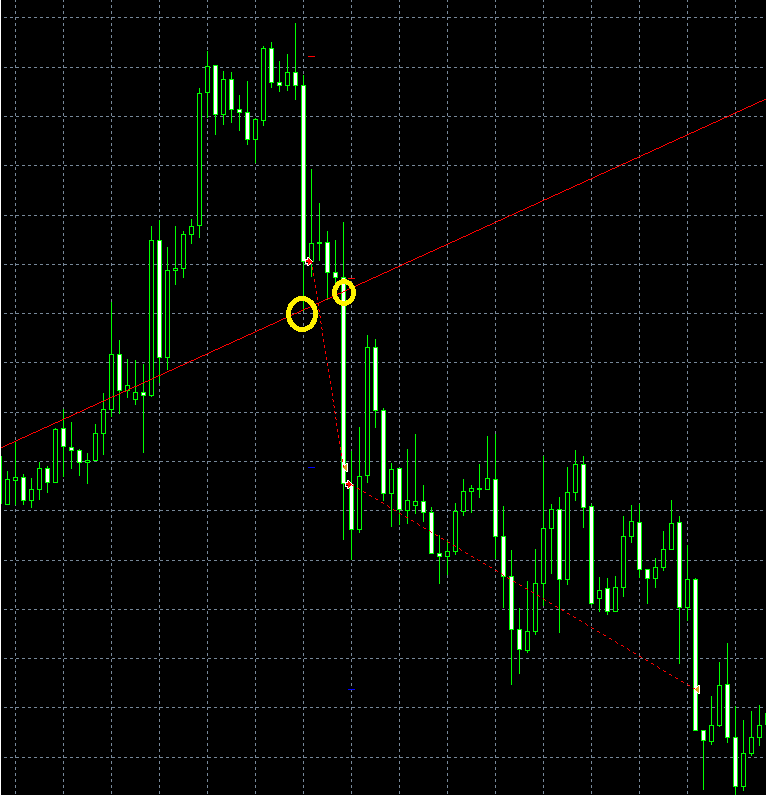
I don't have it anymore, try this:
https://www.mql5.com/en/code/8655
M
Posts made by miro1360
-
RE: how to create indicator Divergence Stochastic Alertposted in Questions & Answers
-
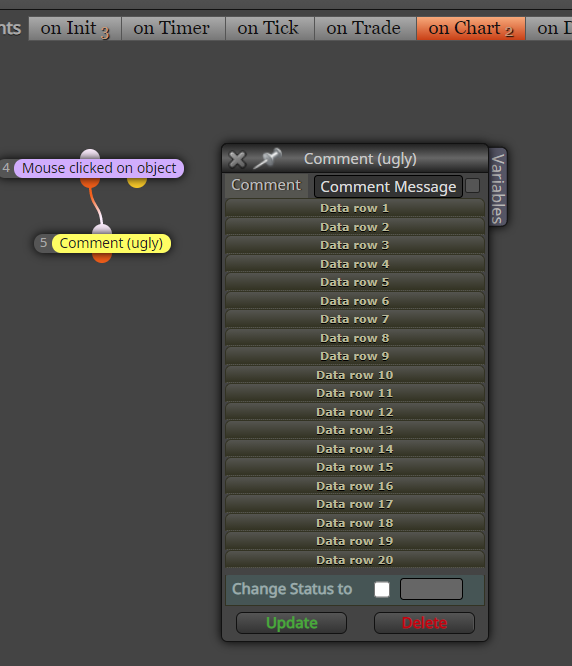
RE: How to delete the texts created with the "comment (ugly)" blockposted in Questions & Answers
you write the empty comment

-
RE: SEND OBJECTS TO THE BACKGROUND OF THE GRAPHposted in Questions & Answers
you need to refresh (recreate) all relating objects in ascending order ... sending an existing object in the background actually does not appear graphically, but only for mouse clicks (selecting) --- this is how metatrader works
-
RE: How can I get the same blue/red arrows for manual trades?posted in Questions & Answers
good point
looks like it is not possible to select and simply send objects below an existing object, but it is possible to "redraw" the existing object (run the object block) and it will be stacked one on top of the other ... -
RE: How can I get the same blue/red arrows for manual trades?posted in Questions & Answers
The block For each Closed trade with many history trades should be used once (which is done in the on Init). Then you can use the same block with one history trade and place it in On Trade section (so as not to unnecessarily recalculate the entire history of trades that have already been recalculated and plotted).
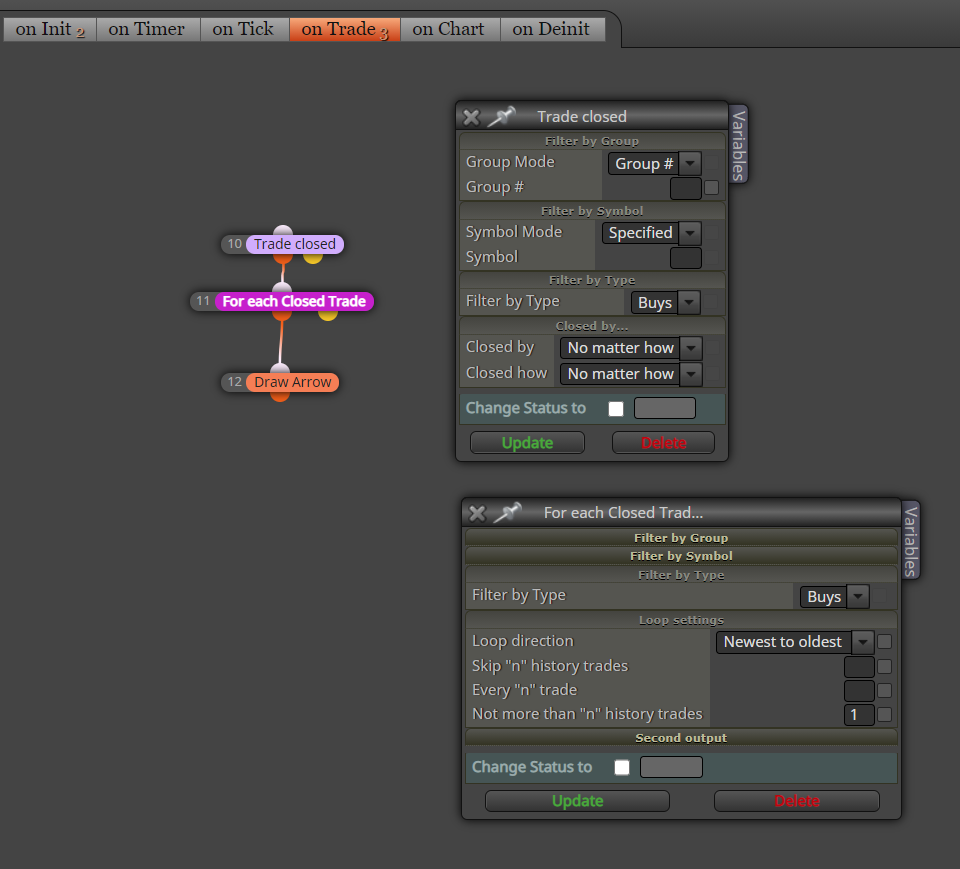
Set the magic number to 0 ... it will catch the manually opened trades.
-
RE: How can I get the same blue/red arrows for manual trades?posted in Questions & Answers
Something like this ... add all Draw Arrow blocks for each parameter of trade, include also a trendline ...
but not exactly the same arrows will be created (this I think is caused directly by metatrader) ... you can use wingdings codes
https://docs.mql4.com/constants/objectconstants/wingdings
here are the arrow codes: https://docs.mql4.com/constants/objectconstants/arrows
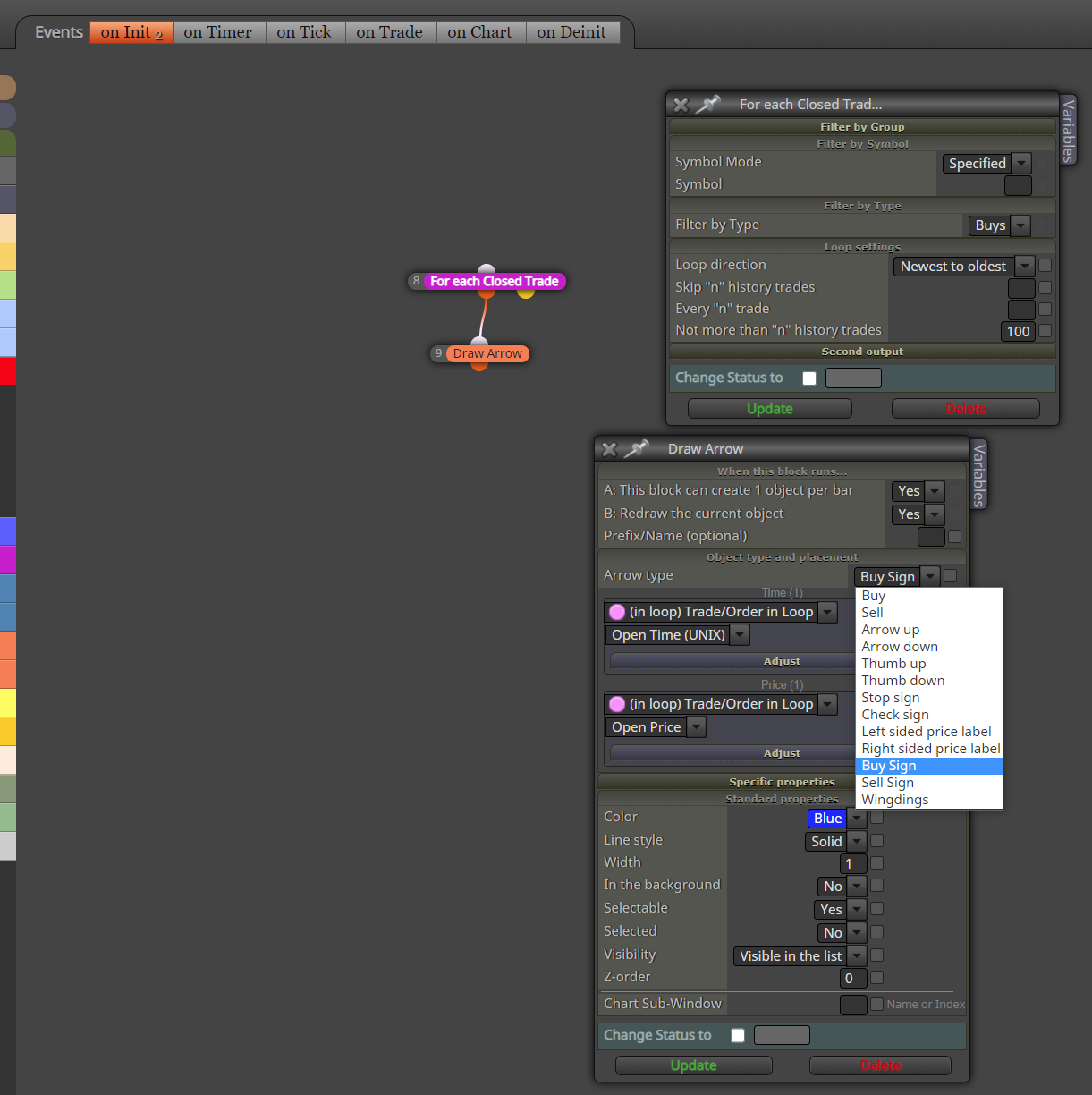
Try it
-
RE: example: Trendline EAposted in Tutorials by Users
you most probably forget to put a name for the trendline on the chart, the example from my first post is working fine

-
RE: How Do I Create An EA With This Type of Custom Indicator?posted in Questions & Answers
your EA is right, but the indicator repaints on many past candles (indicator is useless for any EA)
How to check if an indicator repaints?
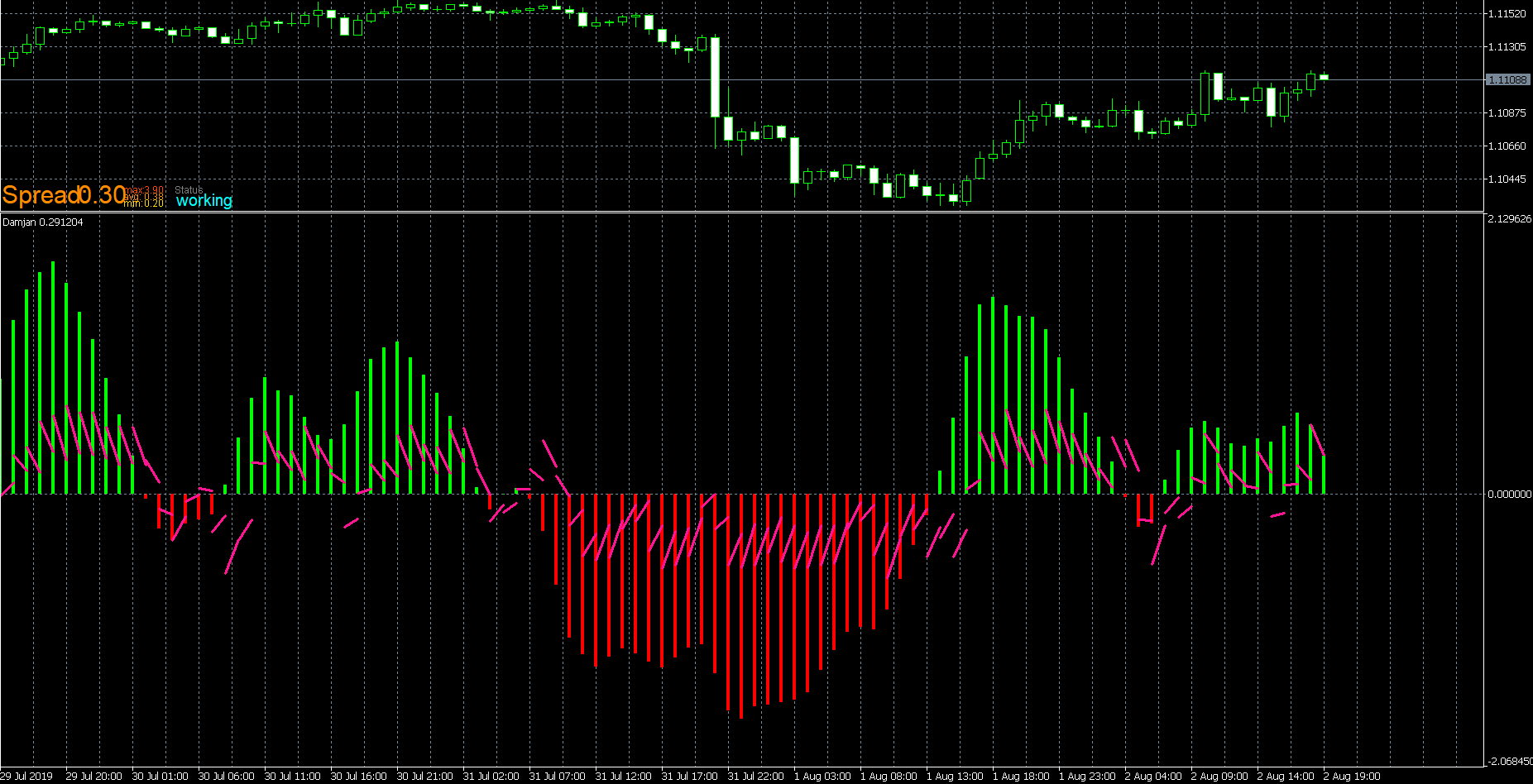
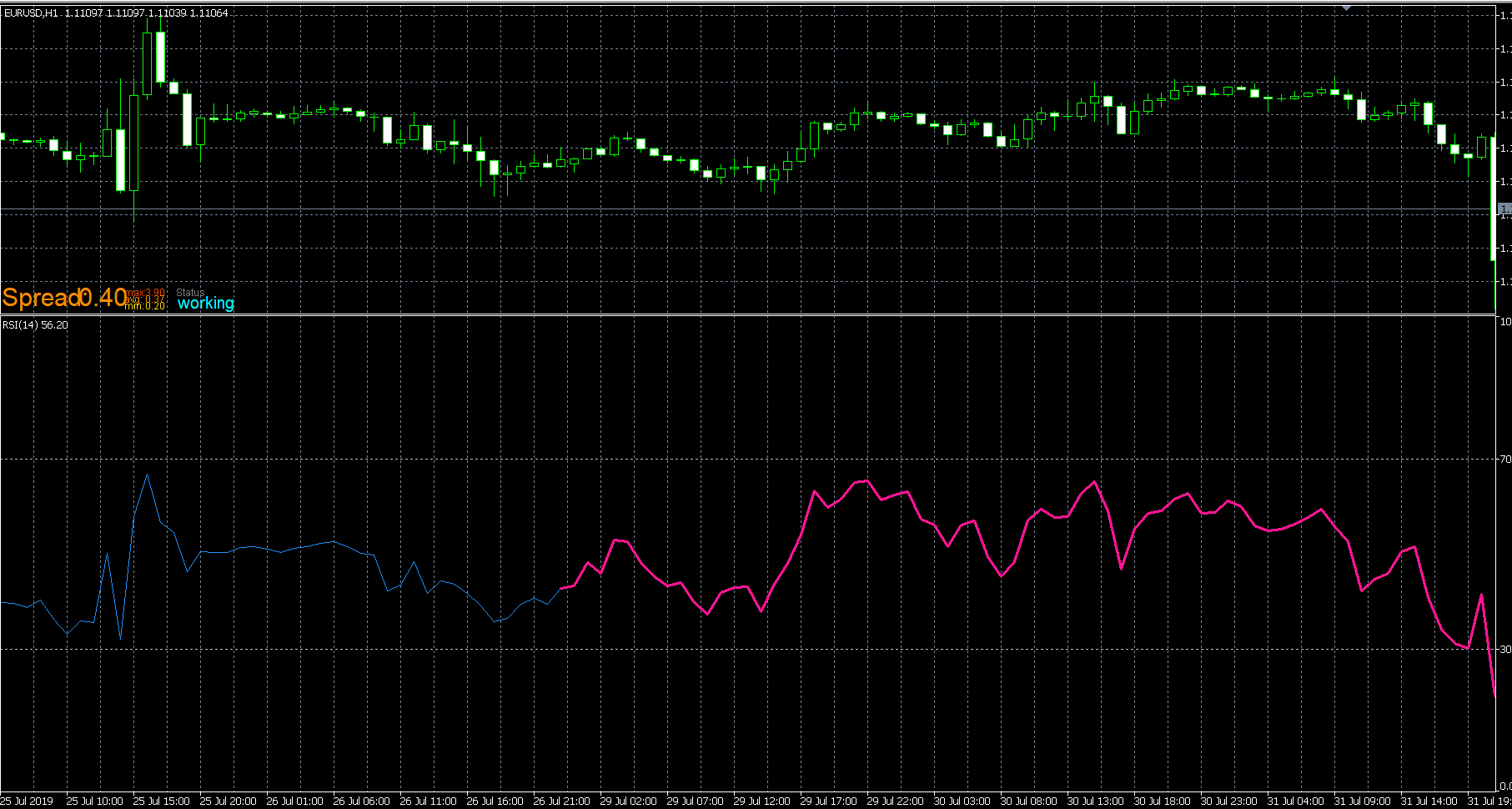
you can trace the values of indicator (in the main or a separate window) using trendlines
https://fxdreema.com/shared/5vQ8dwt0c
(Trace block can be used for indicator in the main window)
purple trendlines are the real values from the current and first candle
you can clearly see how the indicator repainted itself over time (where the values were at the beginning), crazy .... this youtube guy has a good reaction for the indicator https://www.youtube.com/watch?v=kyPzl8M4yCE
see, how the same trendline is stable on RSI
-
RE: How Do I Create An EA With This Type of Custom Indicator?posted in Questions & Answers
correct, in this case the color depends on the zero, sometimes it is much more complicated because the code contains different conditions to set up the color
in this case it is just the null ...
exactly, this "fisher yurik" indicator repaints like crazy, up to fifth or sixth candle -
RE: How Do I Create An EA With This Type of Custom Indicator?posted in Questions & Answers
this indicator code recall me an indicator which repaints, fisher ... not bad one for a visual analysis but a wrong choice for EA ... it repaints on a fifth candle or so
anyway, the condition is simple, if indicator is more or less than null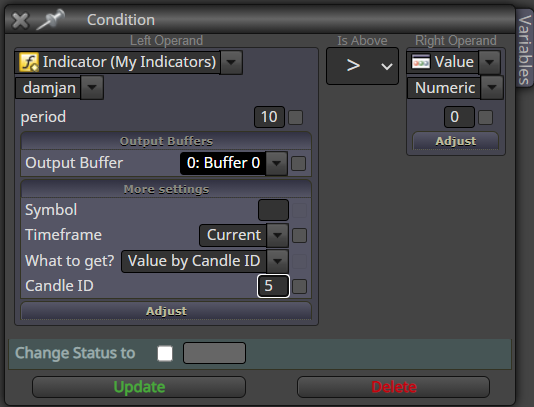
-
RE: how can Set Order for Each Candle ?posted in Questions & Answers
remove the No trade block, it restricts opening next trades on each candle
-
RE: how can Set Order for Each Candle ?posted in Questions & Answers
use a time filter, Once per bar
-
RE: Alert - Informationposted in Questions & Answers
use variables and add them together to a final message:
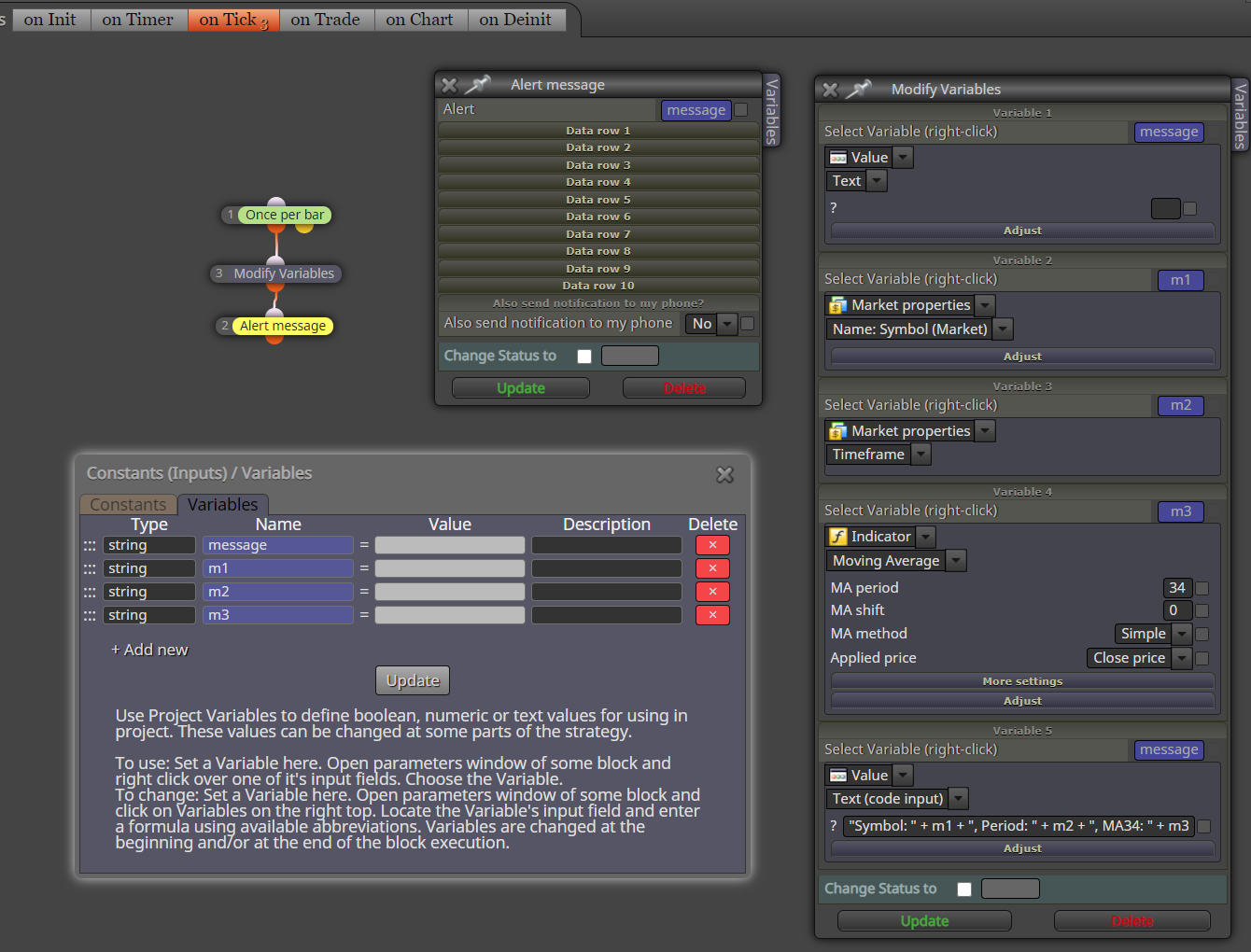
-
RE: getting the candle id for previous day high and lowposted in Questions & Answers
the custom code can help you ("for" is the loop, "break" ends the loop before it comes to an end)
iMA is the indicator, it can be any, even a custom
https://docs.mql4.com/indicators/ima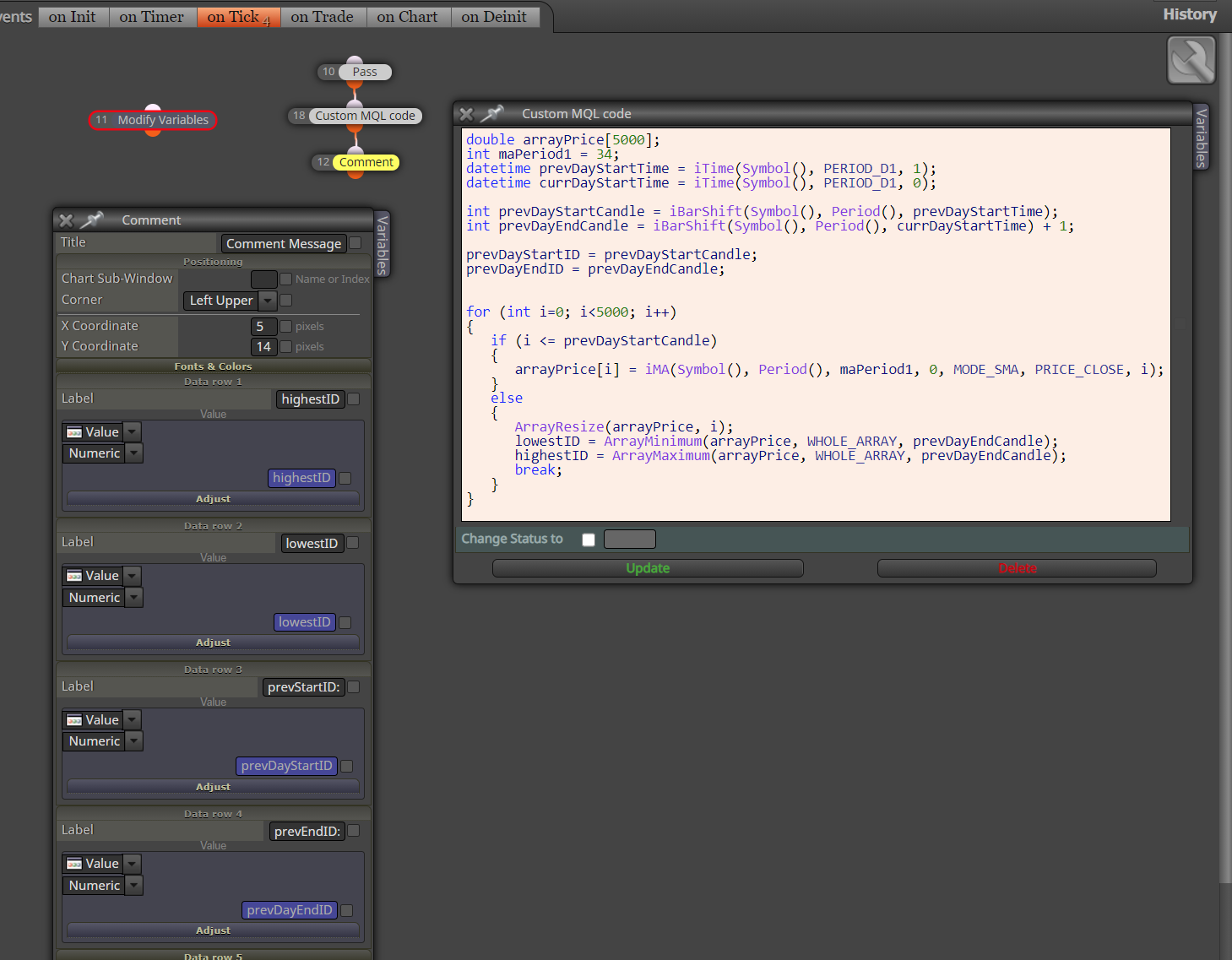
you can recreate it into blocks, or use it as is
https://fxdreema.com/shared/ye5WVCBpbworking with time in mql is sometimes tricky
if you don't understand some variables, you can easily print them on the screen with the comment block (debugging :D)
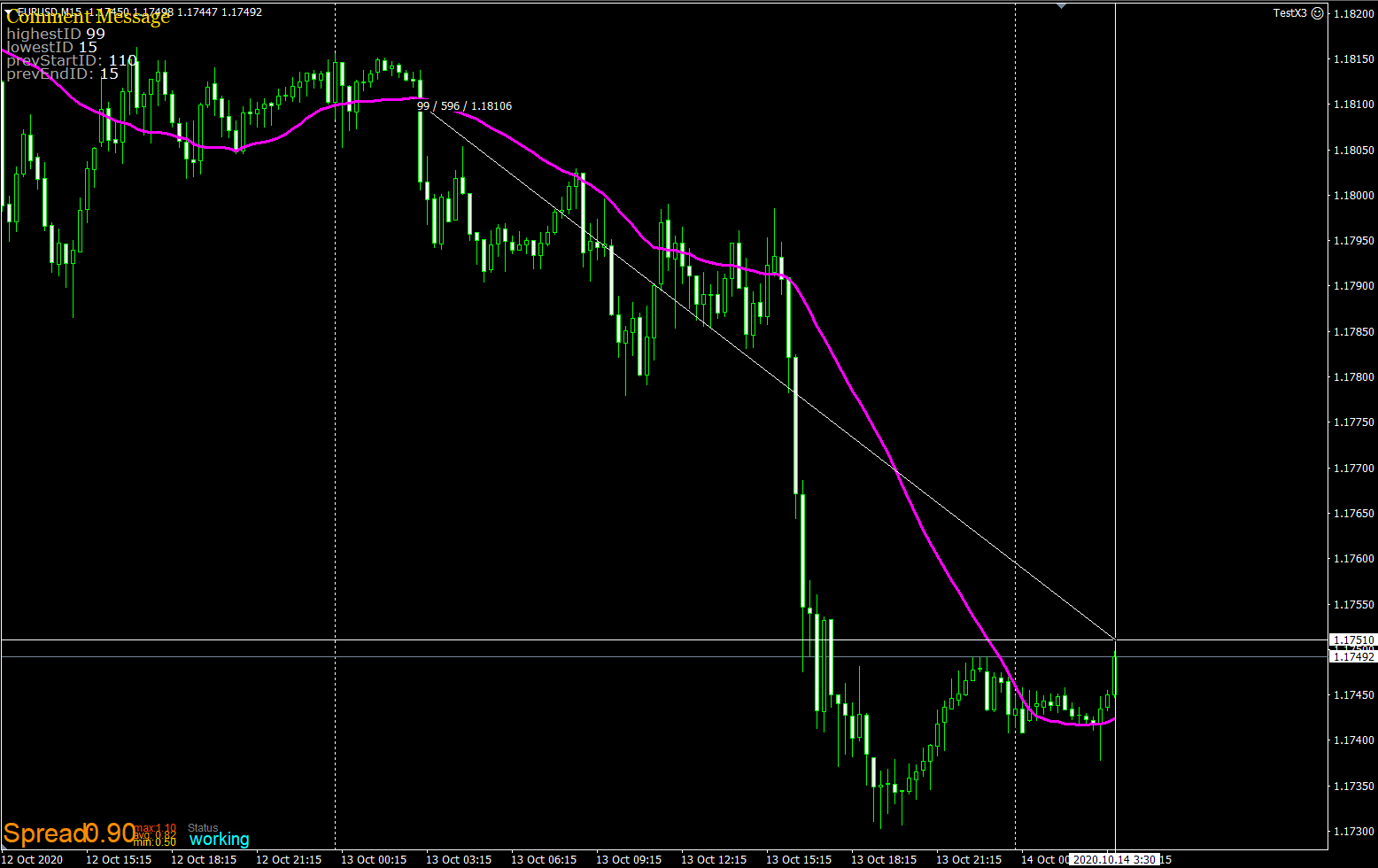
-
RE: getting the candle id for previous day high and lowposted in Questions & Answers
But there is no option to get Candle ID
anyway, you can always do a loop -
RE: getting the candle id for previous day high and lowposted in Questions & Answers
again the same technique, but with "My Indicators" option, because it has much more settings
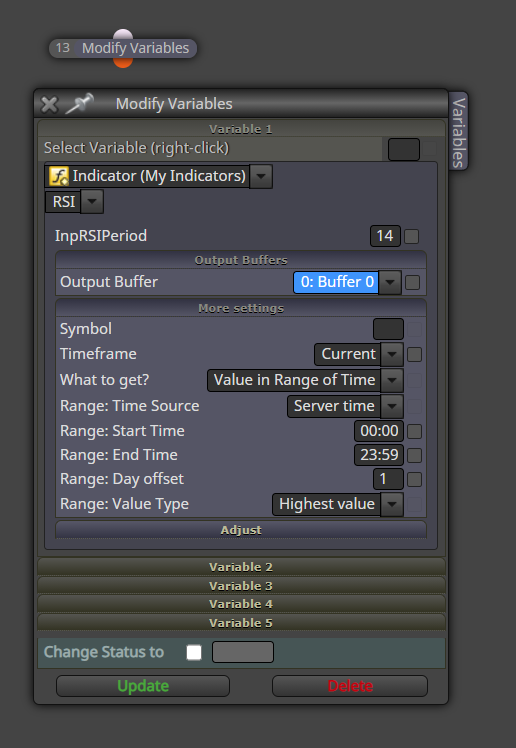
indicators can be downloaded here:
https://www.mql5.com/en/code/mt4/indicators/page57