ok ... timeframes, indicator modes, prices, etc are useful into inputs (default mql code)
M
Posts made by miro1360
-
RE: CONSTANTS TYPEposted in Questions & Answers
-
RE: CONSTANTS TYPEposted in Questions & Answers
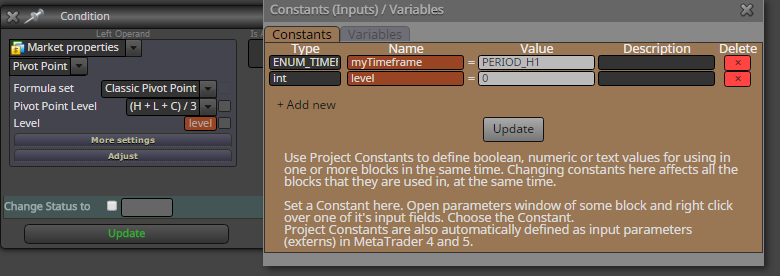
these datetypes info you can get when you go with mouse above checkbox square:
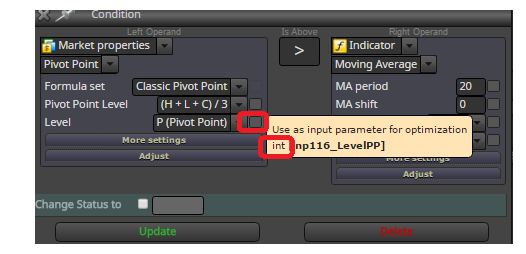
and for this pivot, only with datetype int and numbers (but this list of numbers is not visible, so you can try it or find/read it from generated code)
0 is Pivot
1 - R1
2 - S1
3 - R2
4 - S2
5 - R3
6 - S3
7 - R4
8 - S4
....
-
RE: CONSTANTS TYPEposted in Questions & Answers
datetype is ENUM_TIMEFRAMES
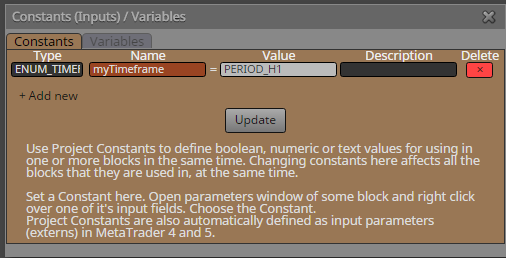
or if you preffer type timerfame manually with number (like 60,240,1440,...) datetype give int and value in number
-
RE: problem in use my indicator ? importantposted in Questions & Answers
just copy your indicators into that indicator folder
 what is not clear about it? --- you see this error "cannot open file"? it is because your indicator is not in that indicator folder ... copy your indicators there and done ...
 -
RE: problem in use my indicator ? importantposted in Questions & Answers
do you have these two indicators in MT4 indicator folder?
-
RE: X> and x< without comparing candlesposted in Questions & Answers
I dont understand exactly what you need
ok lets say you need only one trade opened?
use block No Trade ... or once per bar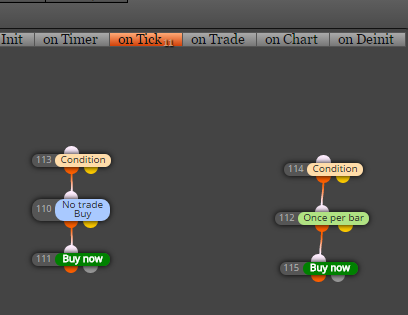
or your problem is that you have more indicators which are not crossed in one time and you need take trade when these crosses appears - historical and current? like this picture where fast MA (blue) is crossed slowed MAs one after another?
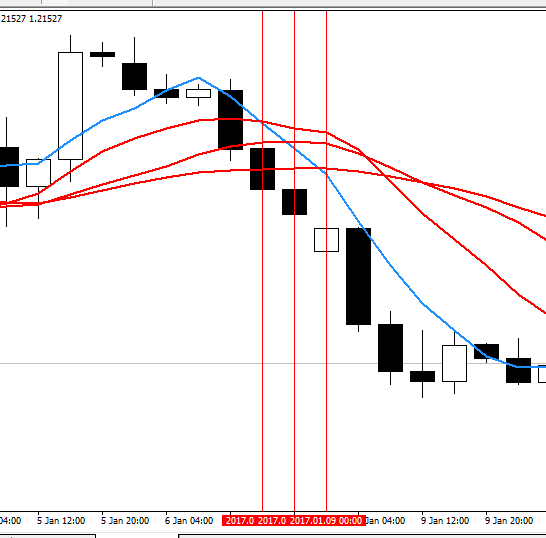
well ... for this second situation you need flag blocks to save state that cross happens .. or do it in another logic ... start at current candle and look into history ... you see that fast MA is below other slower MAs? you can define this only with last cross:
bMA1 x< rMA1 (blue MA crossed last red MA1)
bMA1 < rMA2 (blue MA is below red MA2)
bMA1 < rMA3 (blue MA is below red MA3)but you can still use crosses but use flag blocks to memorize state ... how to do it I showed somewhere in my previous comments, again hard to find it
... maybe sometimes I add some tutorial how to work with crosses which are not aligned ... -
RE: problem in use my indicator ? importantposted in Questions & Answers
this second problem is logic problem because you shifted indicator and shifted cross, that means candles which are compared while crossing are shifted one with another with few candles and comparison is not valid
-
RE: problem in use my indicator ? importantposted in Questions & Answers
I really have no idea what you are doing and why it is not working for you, because for me it is working and I was tested it. Here is mq4 file which can you import into your projects and try it.
and candle ID 0 is just candle ID in conditions, now is there 1, you can change it to 0, but ... indicator repaints on candle 0 so you get false signals, therefore I suggest you candle ID 1
... candle 0 = current candle (not closed) and candle 1 = previous candle (closed) ... -
RE: 3 consecutive lossesposted in Questions & Answers
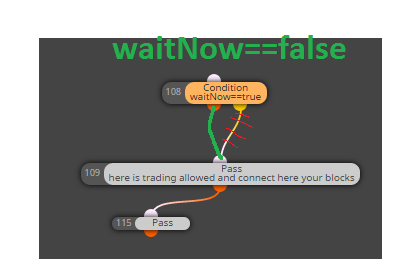
you can give condition: (waitNow==false) but than connect next blocks (109,etc) to 108 block orange output (now is yellow) ... I am working often only with true condition (I ask myself "is that true?" and if is, orange output, if is not than yellow) but it depends on what is for you familiar ...
-
RE: Cannot load Expert MT4posted in Bug Reports
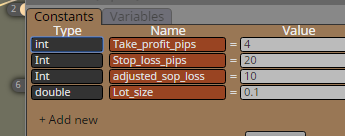
int type must be with small "int" not "Int" ... try correct all int ...
-
RE: problem in use my indicator ? importantposted in Questions & Answers
without spread filter is working?
-
RE: problem in use my indicator ? importantposted in Questions & Answers
or combine more conditions in right order ... just test more
-
RE: problem in use my indicator ? importantposted in Questions & Answers
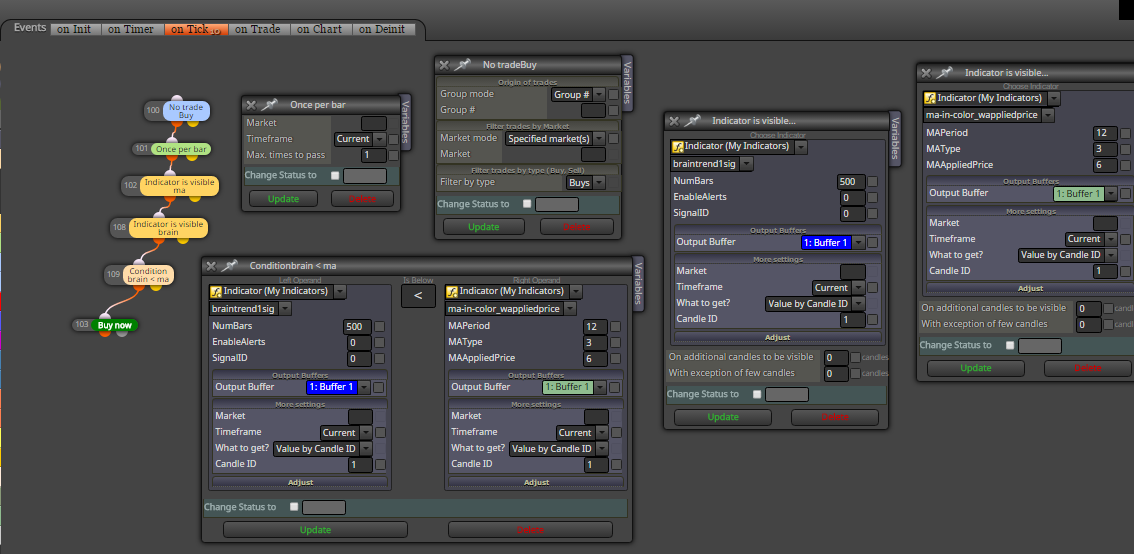
this type of multicolor indicators you need work with Indicator is visible block ... when indicator is visible, you can catch their values (compare, save into variables, etc) ...
anyway,, this type of indicators I explained in one of my tutorials, you can read them or look for fxdreema help section, or examples section for more details
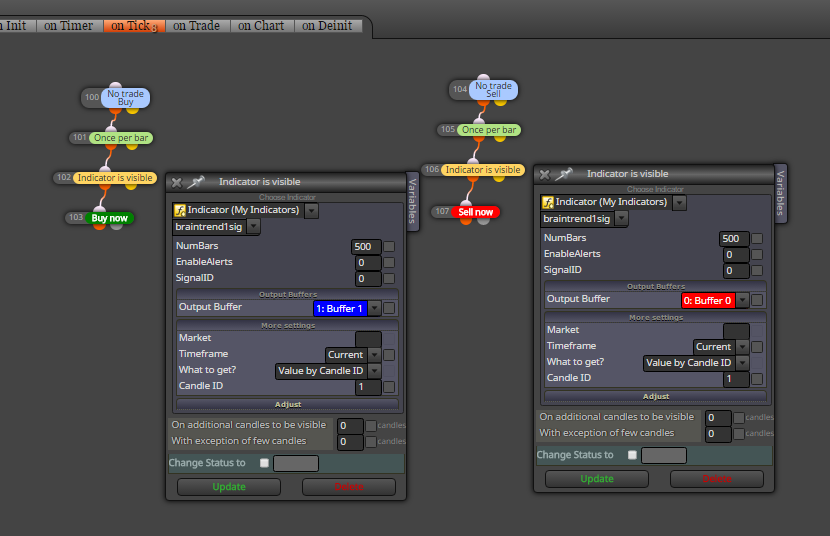
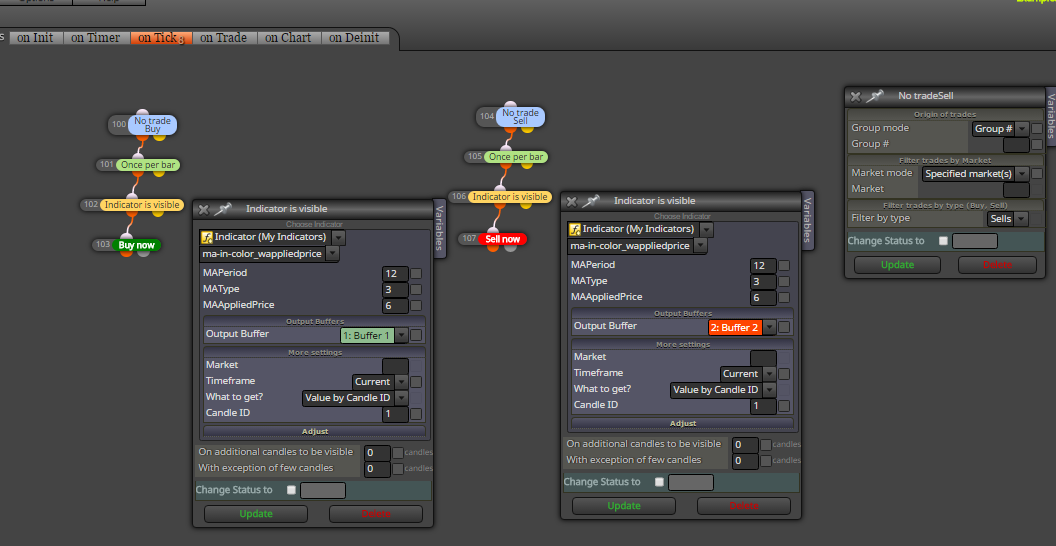
note, I am working here with candle ID 1 ... if you need working with candle ID 0, remove once per bar block (and expect repainting on candle 0 logic) ...
-
RE: 3 consecutive lossesposted in Questions & Answers
hard to find it
...https://fxdreema.com/shared/2P7vlmVue
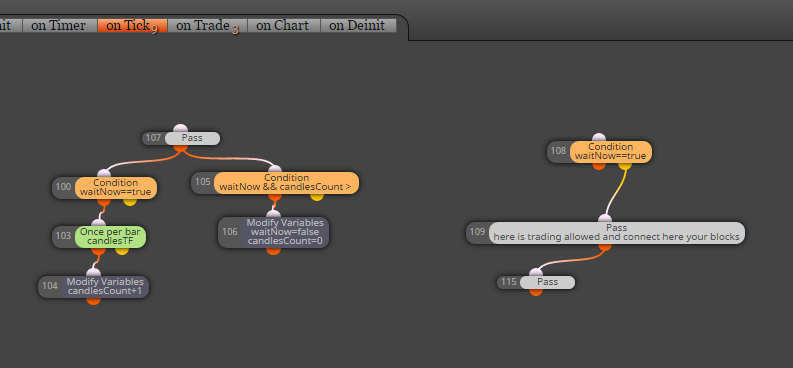
on Tick section:
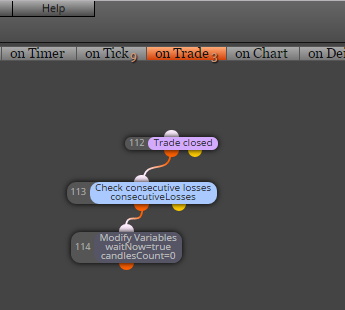
on Trade section:
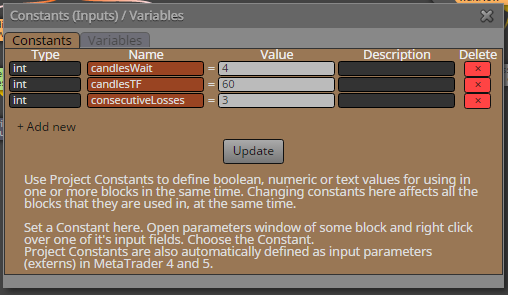
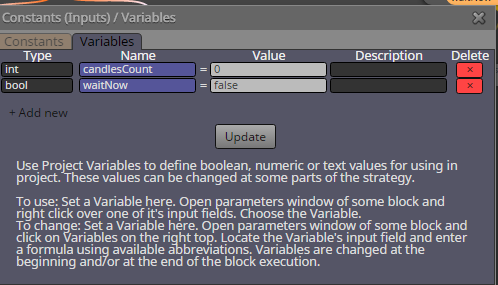
some Constants and variables:
-
RE: 3 consecutive lossesposted in Questions & Answers
look somewhere in my posts how to use Candle counters, you need create one ...
I provided here few examples -
RE: Opening Range Breakout: something wrong, but how to find it?posted in Questions & Answers
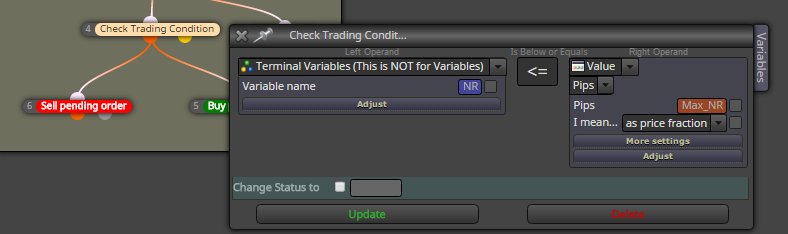
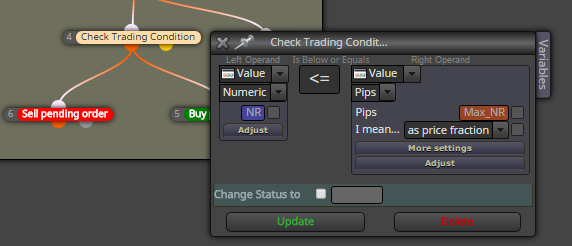
you are working wrong with variables ... terminal variables is something else ...
this is wrong:
this is correct:
-
RE: problem in use my indicator ? importantposted in Questions & Answers
it is the same problem
indicator is not painted signals forward, only into history ... why you dont test indicator in tester? there you see this problem ...