@azzazel
no.

@fred2 did you ever get this figured out Fred? Asian breakout is effective if you do it right
dont repost your request in several places, it clogs up other peoples threads. thanks
most of everything you're seeking is in the block called Buy or Sell pending order.
you should at least start the project and try to help yourself. Once you do that and if you still need help, please reply with the project link. That can be found in the project builder window, top left, "share project"
it has a spot for # of pips to specify, it has a timed expiration as well
the answer is on your screen 

The rest of the sentence says one of the 3 pink controlling blocks. For Each Trade, For Each Close Trade, and I forgot the 3rd.
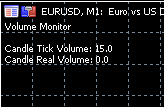
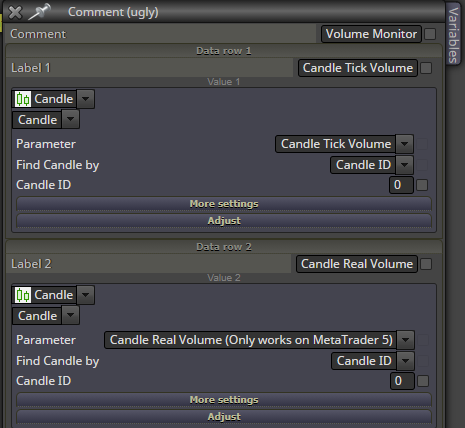
This is a screenshot of both methods of candle volume being monitored on a demo account, so backtest is not the issue.
after some troubleshooting I think there is a problem with shared links, especially for large projects, for the sender and receiver. It seems to break the website for both people simultaneously.
@charlie-4 welcome to common issues of Dreema and MQL and backtesting and markets you aren't supposed to win.
The people who create all the software arent traders, good luck and have fun.
Big problems, any way we could get some sort of fix Mr Dreema? Been trying to build something today and its hard just to create 1 block.
you are exactly right, pink blocks that modify need a pink controlling block at the top of it.
"Remember: this block needs one of the" I dont know the rest of it but there are 3 pink blocks at the top that you must start the pink chains with.
https://fxdreema.com/instructions/builder/things-not-to-do#4
sheesh, good luck. Sounds like it would be easier to eliminate getting into losing trades.
once a day has produced some problems. But if you must use it, I would do it just before the buy and sell now blocks.
More preferable to limit your EA's with once per bar.
@andrew-b share what you have built so far with that on/off
@rolexguy if you were trying to open the trade but on a different market....
for instance, if you have a strategy that is buying EURUSD, you would want to short USDCHF. If that is something you are looking to do that limit isn't the way.
goodluck though, hopefully someone else can help
interesting strategy. i cant even imagine the purpose of intentionally losing half of the trades you place. haha
Unless its a different market you're trying to place an order on...
maybe I dont understand however, I'll leave it to one of the experts to see if they can help.
might as well just click the button twice, buy and sell in the same moment. its doing the same thing but without code.
@rolexguy if its a sell limit at the same price, then logically no matter how you make it...once the spread is right you will be in 2 trades, 1 long and 1 short at the same time.
