Press CTRL +B to open the object information. To know which one is which, hover over what you want, most likely the number.
Depending on the indicator, it will either change color or number.
From there, you can create your conditions.
Press CTRL +B to open the object information. To know which one is which, hover over what you want, most likely the number.
Depending on the indicator, it will either change color or number.
From there, you can create your conditions.
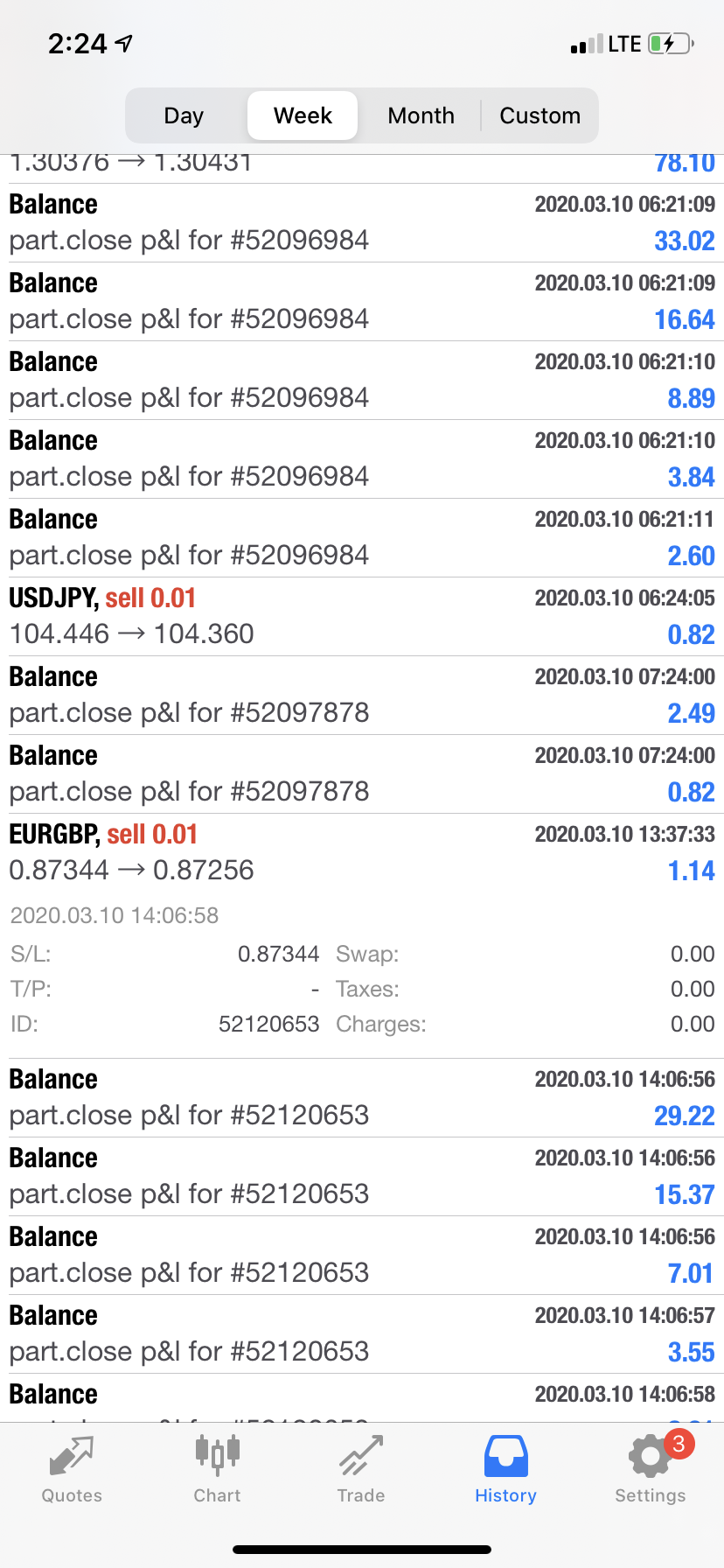
Not sure, here is how it shows up on my app
It looks like multiple trades but it’s just two different t trades closed out. I haven’t been able to trade these past two days so I haven’t seen if adding block 56 solves the problem
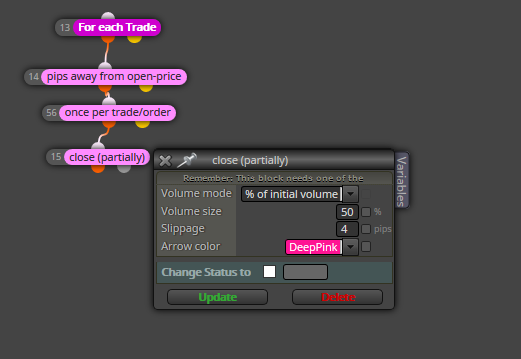
@l-andorrà Thats what I originally had. I'm currently testing it with block 56 attached.
With your layout, it's creating the mistake. Instead of closing half once...it cycles over and over until you only have .01 left.
Been having issues with the closing half capability of fxDreema. I added "Once per trade/order" to see if it will work moving forward.
In essence, I want my EA to close the 50% after reaching the 1:1 RR (200% Distance of Stop Loss).
Unfortunately, the EA closes the whole position. It closes the first 50% successfully and then it continues closing 50% until it closes out the full position. All in a matter of seconds.
If anyone thinks my logic tree was wrong from the beginning, let me know, but I believe the block is buggy since the correct options are selected: "% of initial volume"
What I do is I have the EA draw a line. Then put my conditions like price under top line. When the new zz appears, I have it delete the line and then plot another line.
The strategy isn’t that good though. Price continues making highs and continues making lows continuously
@biztet You should be able to. It would take some creativity.
With my experience, start with the buttons. I created a button layout. You can use that as your skeleton. Once you have the buttons, try working on the conditions.
I’ll check it out once I get a chance, currently I don’t have access to my computer
Go to your builder. Then try to upload the file.
After you upload it, choose the link option.
Go from there
You need another "for each trade" before the "pips away" on the sell side.
Those blocks ONLY WORK when connected to those other blocks.
Here's the button template. The buttons act like buttons, you press then it depresses. Instead of staying pressed (like a switch).
https://fxdreema.com/shared/kHn2tWrPc
Simply change your button names and your conditions. This example does buys and sells.
@Pan4Pips Not sure how your buttons turned out but this seems to be working just like a button
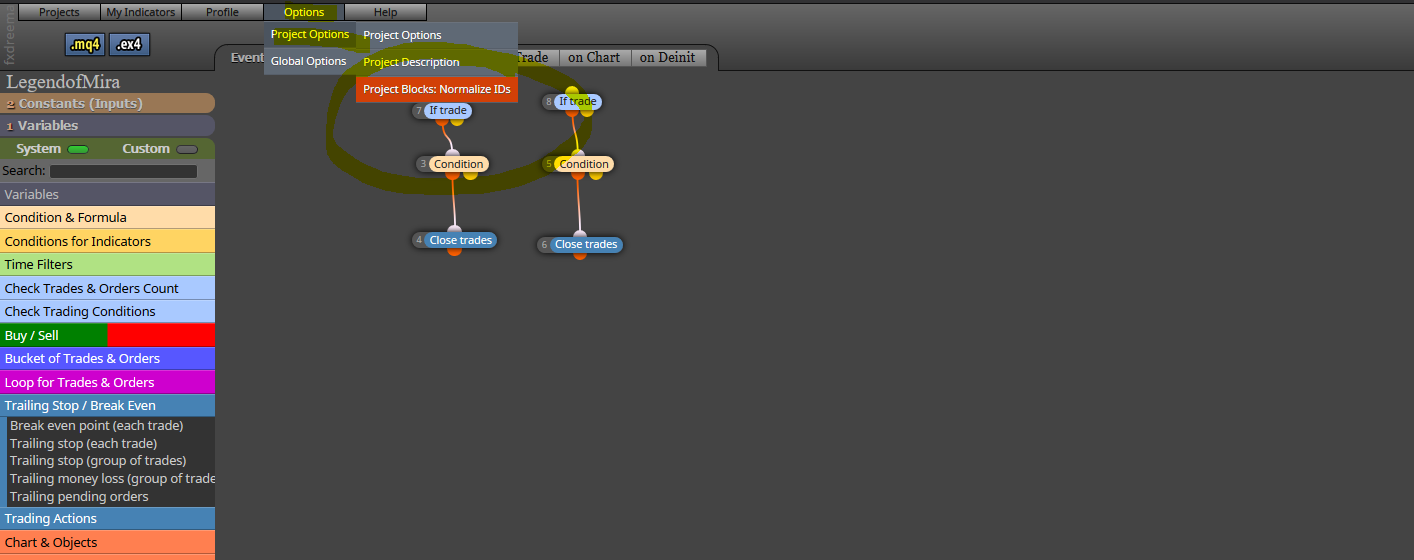
Choose this and it will do it for you. Then just make sure the top ones are in the correct order
Post your MQL4 and let us know what’s going on. That way you save some money. If it doesn’t work, then maybe someone can charge you for it
Thank you, It worked. Removed all the blocks between "mouse clicked on object" and the "buy/sell" buttons. 
@fxdreema I'll try it out, no error messages. Lets say I start the EA on EURUSD then switch to GBPUSD via the buttons indicator (the one that changes the chart pair) and I proceed to click "buy" the terminal picks it up as a buy for the initially loaded chart. In this case, the EURUSD.
If it doesn't work, I simply created a shortcut to the ea, CTRL+R and I can refresh it everytime I switch charts and plan on using a different pair.
Thank you administrator for your response and thank you for fxDreema
https://fxdreema.com/shared/lJfCyHabc
My buttons are only working on the initially loaded chart. I have a buttons indicator that allows me to change pairs on the same chart. Unfortunately, once I change charts, the buy and Sell buttons don't work for the new pair, only for the initial pair.
Maybe I don't understand the workings of buttons or is there a way to refresh the EA once I switch pairs?
It seems that your "Once Per Bar" is messing up. You should put a "Once Per Bar" Block BEFORE every pending order.
I took it off and it was doing the trades. Reason it's not working, some of your conditions are working on the 0 candle so the chances of the condition being met at the beginning of your chosen bar will be rare.
@biztet I'm glad! Keep it up, there's so many things that Fxdreema can do.
@gaper Wish you the best!