fxDreema

    • Register
    • Login
    • Search
    • Back to the main page
    • Categories
    • Recent
    • Tags
    • Popular
    • Search
    1. Home
    2. TitanGeorge
    3. Posts
    T
    • Profile
    • Following 2
    • Followers 5
    • Topics 5
    • Posts 108
    • Best 13
    • Controversial 0
    • Groups 0

    Posts made by TitanGeorge

    • RE: Fuzzy and Illogical

      @pan4pips

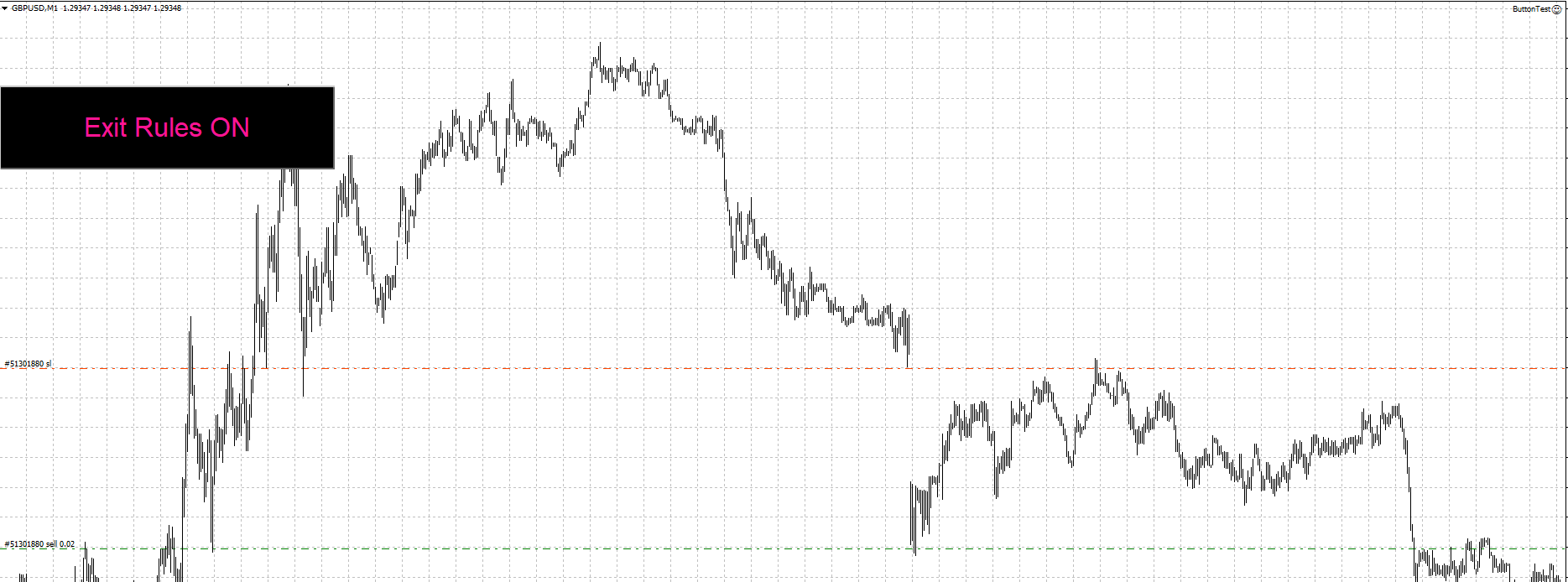
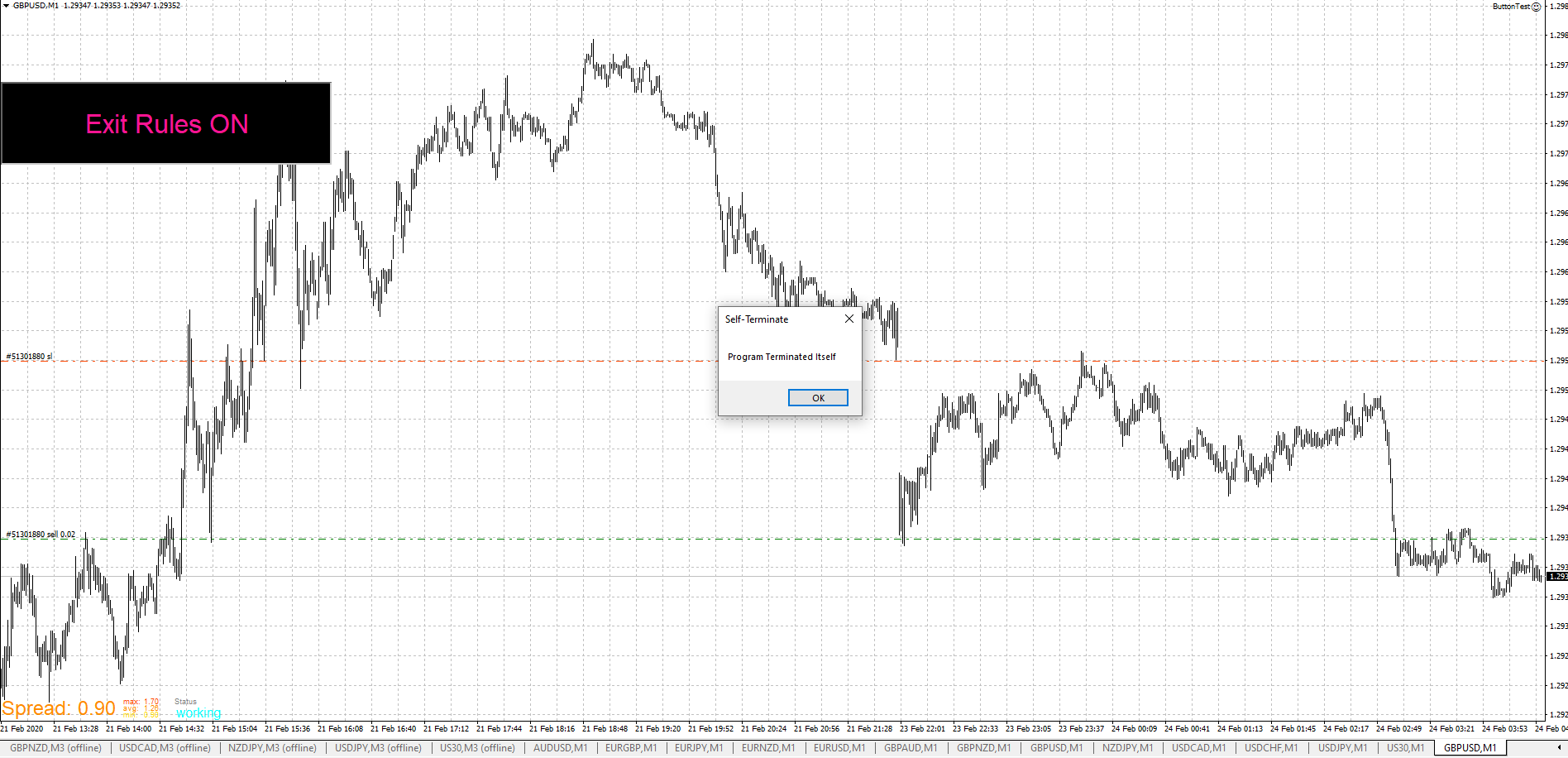
      FOUND THE SOLUTION! Learned how to create buttons in the process. Can you imagine I was creating TEXT messages to control my blocks. Such a hassle.

      Any who, here's your solution.

      https://fxdreema.com/shared/QstMKBHE
      0_1582518631591_Button Pressed.PNG 0_1582518725856_ButtonNOTPressed.PNG

      The button didn't change to "Exit Rules OFF" since I made the program terminate itself. But it should work once you replace it with the correct ON/OFF blocks. You can delete the Pass button. I was just testing it.
      posted in Bug Reports
      T
      TitanGeorge
    • RE: Turning Exit Rule Blocks off with button on chart.

      @pan4pips

      If I'm not mistaken, that project creates a button using OBJECTS. The objects would be "Text"

      If you have a specific button that you use, maybe an external indicator. Then I have a solution for you.

      It will take a little bit of work, and it won't be a "fix all" but if you use the same charts, it shouldn't be a problem.

      Simply, place your OBJECT underneath your existing button. You will need the X and Y coordinates and choose a size big enough for your button.

      If the logic tree is correct, then it should work.

      If you don't have an existing button, it's the same rule. If you've tried it, then it's possible your logic tree is not routed correctly.

      posted in Questions & Answers
      T
      TitanGeorge
    • RE: Fuzzy and Illogical

      @pan4pips

      Looks like a nice indicator. If you ever wish to share it, let me know. I would love a shot at testing it and probably using it. I wouldn't share it if it's your wish.

      posted in Bug Reports
      T
      TitanGeorge
    • RE: EA with object on the chart

      @trader-philipps

      I reset it and tried the strategy tester again. It's working, are you using visual mode and then manually uploading the indicator on the test chart?

      posted in Questions & Answers
      T
      TitanGeorge
    • RE: EA with object on the chart

      @biztet

      Didn't change anything. Haven't modified your indicator. Depending on your level of trust, I use Team Viewer.

      Do this...

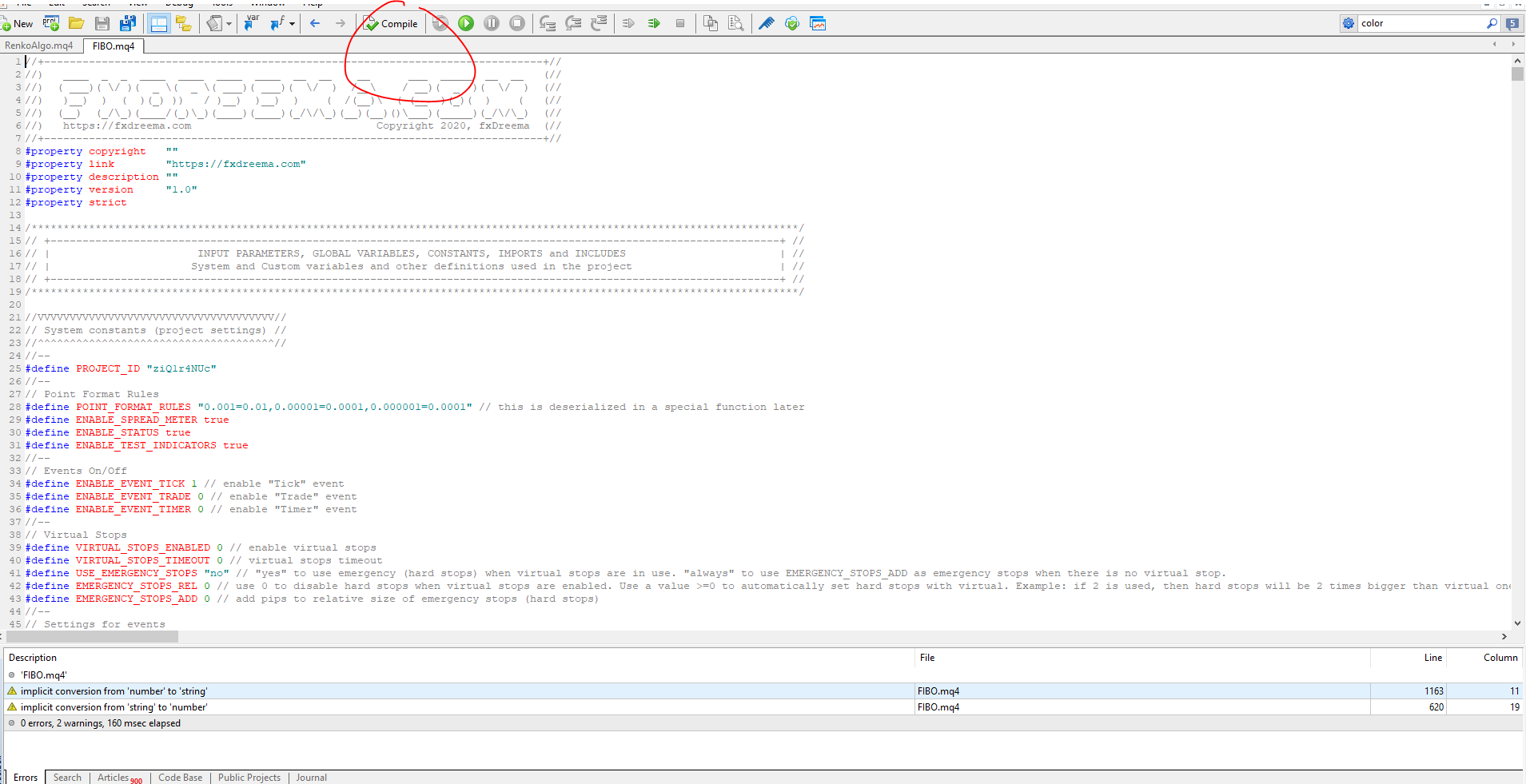
      Make sure your EA is in the Expert Advisor folder. Not in the indicator folder. Then, RIGHT CLICK and press "Modify"

      It will open up the editor. Find "COMPILE" and press it.

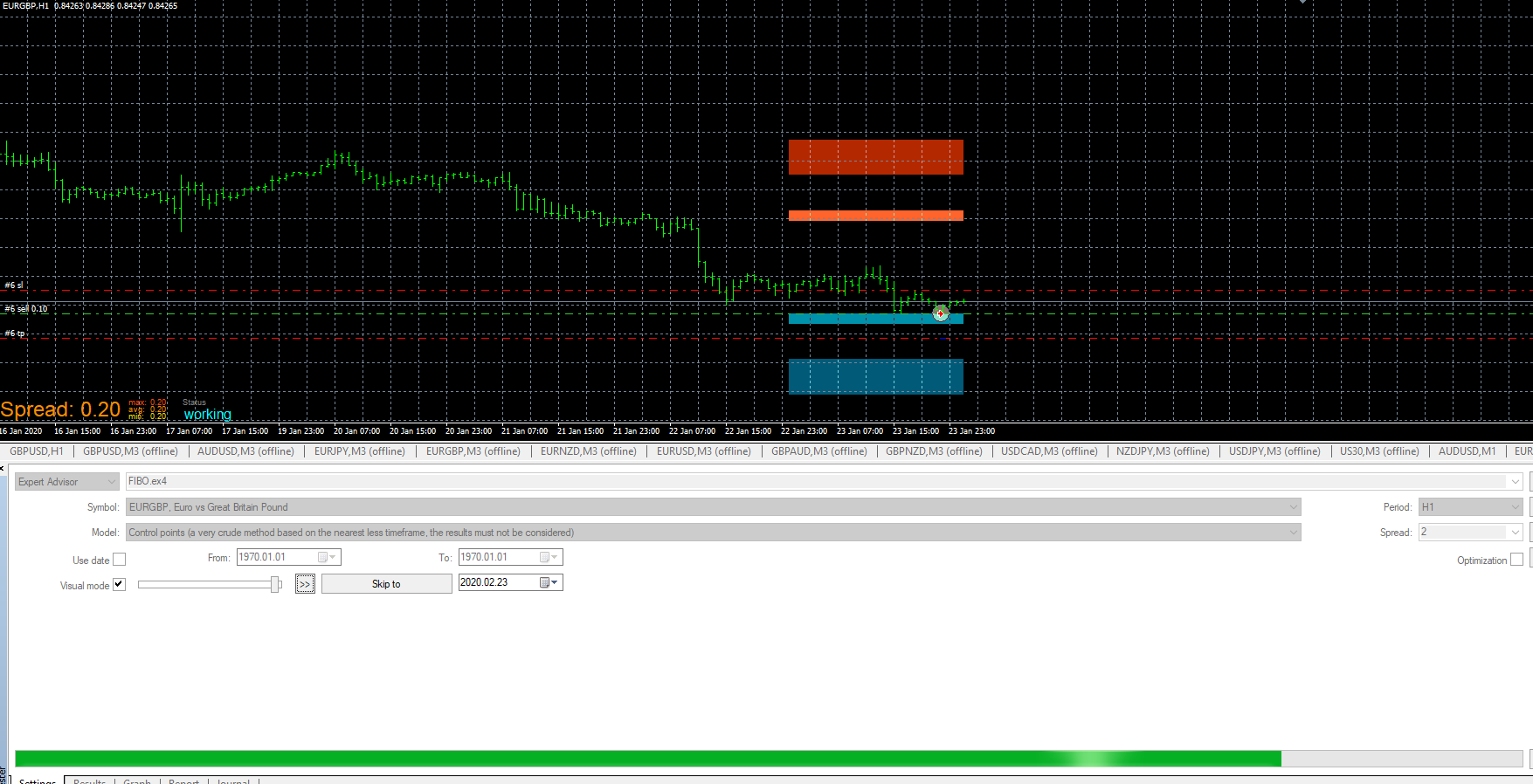
      It should look like this screenshot:

      0_1582515697225_FiboTest.PNG

      posted in Questions & Answers
      T
      TitanGeorge
    • RE: EA with object on the chart

      @biztet

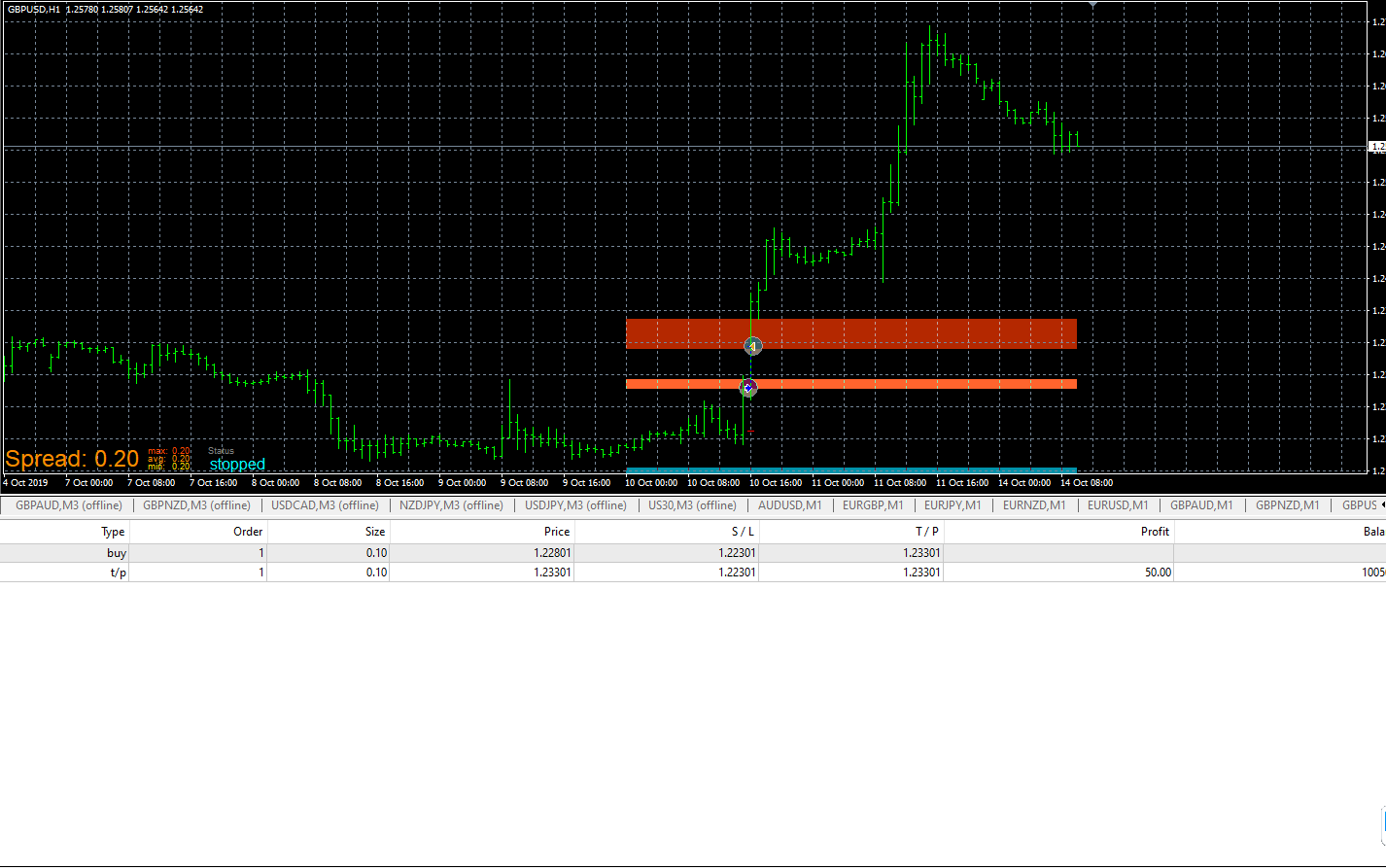
      I just tried the project you shared and it is working on the tester. 0_1582515042275_FiboTest.PNG

      YOU NEED TO MAKE SURE "VISUAL MODE" has a check mark. Then you have to MANUALLY load the indicator every 24 candles if you're using the 1 Hour chart.

      posted in Questions & Answers
      T
      TitanGeorge
    • RE: Fuzzy and Illogical

      @pan4pips

      Your indicator on the bottom window should read in the "Conditions" Block

      Buffex (X) "Crosses Above" (I'm assuming it's a zero line)

      This block should be connected to "Add to Volume" or "Buy Now"

      Add to volume will create a daughter trade to your mother trade. Same stop and same TP.

      If you use "buy now" make sure you use the "Check Trades Count" and BEFORE the Buy now, use "Once per bar" or whatever filter you wish to implement.

      Once you have the base decided, you can then filter to only add when positions are in profit or leave it as is.

      Hopefully that helps

      posted in Bug Reports
      T
      TitanGeorge
    • RE: Candle Body Properties

      @roar

      Thank you roar, appreciate your input

      posted in Questions & Answers
      T
      TitanGeorge
    • RE: EA with object on the chart

      @biztet

      It works, you’ll need to load it on your chart and let it work live. If it’s not working on the tester it’s because you have to choose the “visual” option and MANUALLY load the indicator OVER and OVER. As long as it works on 1 sell and 1 buy, you can live test on a demo account and go from there.

      posted in Questions & Answers
      T
      TitanGeorge
    • RE: EA with object on the chart

      @biztet

      I'm not a coder unfortunately. I use a similar EA, only difference is that I don't use Fibs. As long as you minimize your losses, you will make money. I can lose 7 times and win 3 times and make money. That's what you need to find.

      posted in Questions & Answers
      T
      TitanGeorge
    • RE: EA with object on the chart

      @biztet

      On the tester?

      posted in Questions & Answers
      T
      TitanGeorge
    • RE: EA with object on the chart

      @biztet

      It's a good indicator. Is it based on Fib pivot points?

      posted in Questions & Answers
      T
      TitanGeorge
    • RE: This action is not allowed for basic users

      @wolamen Not to my knowledge

      posted in General Discussions
      T
      TitanGeorge
    • RE: EA with object on the chart

      @biztet

      Your indicator doesn't refresh by itself when live?

      That sounds like a coding problem, try going to Forex Station, post your indicator and ask Mr.Tools or any coder if they can fix it for you.

      In the mean time, you will most likely have to refresh the indicator i.e. taking it off and putting it back on every day.

      posted in Questions & Answers
      T
      TitanGeorge
    • RE: EA with object on the chart

      @biztet

      I took off the "once per bar" feature. I think it was redundant but keep testing it, it might be needed if you wish to take multiple trades (I wouldn't recommend it)

      Overall, you have a good strategy. It's difficult to test it on MT4. You'll need to constantly reload the Fibo indicator.

      If you can manage your losses and let the winners run, you can make some money off this EA.

      posted in Questions & Answers
      T
      TitanGeorge
    • RE: EA with object on the chart

      @biztet

      Not sure what was going on. I redid it for you. It works now.

      https://fxdreema.com/shared/4o55W0nfe

      0_1582422696835_FiboTest.PNG

      posted in Questions & Answers
      T
      TitanGeorge
    • RE: EA with object on the chart

      @biztet

      You don't need "indicator is visible" if the indicator draws objects.

      Share your tree by going on the upper left and under PROJECTS go to CREATE A SHARED PROJECT

      posted in Questions & Answers
      T
      TitanGeorge
    • RE: Fuzzy and Illogical

      @pan4pips

      Nice man, I've been alive for less than 3 decades! So I can imagine. Anyways, how's your trading going? Are you profitable or are you struggling?

      posted in Bug Reports
      T
      TitanGeorge
    • RE: EA with object on the chart

      @biztet

      Try putting "Once Per Bar" after "Condition" and Before "Buy Now"

      Above "Condition" you can use the "No Trade" block or you can use the "Check Trades Count" after Condition.

      I would personally use "No Trade" above condition. If you wish to have more than 1 position open at a time for that specific condition, then use the "Check Trades Count" above the "Condition" block


      By putting "once per bar" above "condition" you're messing up the logic. As soon as a new bar opens, it will only run the test once. Price is static in that first tick so it's not "crossing" anything. When you fix it, try it, and let me know if it works.

      Like this:

      https://fxdreema.com/shared/PpDyBadUc

      posted in Questions & Answers
      T
      TitanGeorge
    • RE: unique trade ideas , you gotta get inventive its all been done. post SPOT whats your crazy idea ? :}

      @l-andorrà

      What "unique" trade ideas do you trade by?

      This thread is in the "general discussions" part so I think it suits for a conversation to arise.

      posted in General Discussions
      T
      TitanGeorge
    • 1
    • 2
    • 3
    • 4
    • 5
    • 6
    • 4 / 6